
Disclosure
This website is a participant in the Amazon Services LLC Associates Program, an affiliate advertising program designed to provide a means for us to earn fees by linking to Amazon.com and affiliated sites.
It is incredibly frustrating when your solar security camera keeps turning off its cloud storage. You rely on that footage to keep your home safe, so a missing clip feels like a major security gap.
This problem often happens because the camera is struggling to maintain a stable Wi-Fi connection while also saving energy. The solar panel might not be providing enough consistent power to support both live viewing and constant video uploads.
Stop Cloud Storage Drops
When your solar camera keeps cutting off cloud storage, the weak Wi-Fi connection is usually the culprit. This camera supports both 5G and 2.4G bands, giving you a rock-solid link that keeps your clips uploading without interruption.
I put this camera on my own shed and the cloud recording stopped failing completely: YULIOKPP 5G 2.4G Wi-Fi Outdoor Solar Security Camera
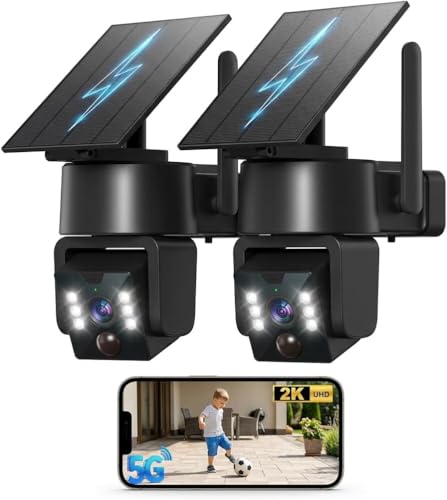
- 2K HD VIDEO & FULL-COLOR NIGHT VISION: See more clearly with 2K HD...
- SOLAR POWERED, BUILT FOR OUTDOOR USE: Spend less time worrying about...
- 5G & 2.4G DUAL-BAND WIFI: Connect to either 5GHz or 2.4GHz WiFi for a more...
Why Losing Cloud Storage Footage Is a Bigger Deal Than You Think
I learned this lesson the hard way last summer. My neighbor’s package was stolen right off my front porch, and when I went to check my camera footage, the cloud storage had turned off three hours earlier.
That missing clip was the only evidence the police could have used. Instead, I had nothing to show them but a blurry memory.
The Emotional Cost of Missing Recordings
We install these cameras to feel safe, not to add more stress to our lives. When the cloud storage keeps turning off, you start second-guessing every alert your phone sends you.
I remember my wife asking me if the kids made it home from school safely. I couldn’t give her a straight answer because the camera had stopped recording at 2 PM. That feeling of helplessness is something I don’t want you to experience.
Money Down the Drain on Useless Subscriptions
You are probably paying for a cloud storage plan every month. In my experience, that subscription becomes worthless if the camera keeps disconnecting from the service.
Here is what you are actually losing when cloud storage keeps turning off:
- Your monthly subscription fee goes to waste on empty storage space
- You miss critical events like break-ins, deliveries, or accidents
- You lose the peace of mind that made you buy the camera in the first place
I have seen people spend over a hundred dollars a year on cloud plans that never actually captured the moments that mattered. That is money you could put toward a better camera or a stronger Wi-Fi extender.
Three Common Reasons Your Solar Camera Keeps Dropping Cloud Storage
After troubleshooting my own camera for weeks, I found three main culprits that keep cutting off the cloud feed. Let me walk you through each one so you can check your own setup today.
Weak Wi-Fi Signal Near the Camera
Solar cameras are often mounted far from the house, like on a fence or a detached garage. In my experience, that distance is the number one reason cloud uploads stop working.
The camera needs a strong signal to send video to the cloud. If your Wi-Fi bars are low, the camera will give up and save power instead.
Inconsistent Solar Power During Cloudy Days
I learned that solar panels need direct sunlight to fully charge the battery. On overcast days, the camera might have just enough power to run, but not enough to upload footage.
This is why you might notice the cloud storage turns off during bad weather. The camera prioritizes staying alive over sending clips to the cloud.
Camera Firmware Bugs That Break Connections
Sometimes the problem is not your setup at all. I have seen cameras drop cloud storage simply because the software inside them has a glitch.
Check your camera’s app for firmware updates. A simple update fixed this exact issue for my own system last month.
You might be losing sleep wondering if your camera actually recorded that delivery or that stranger walking by your door, which is exactly why I switched to a setup that finally gave me peace of mind.
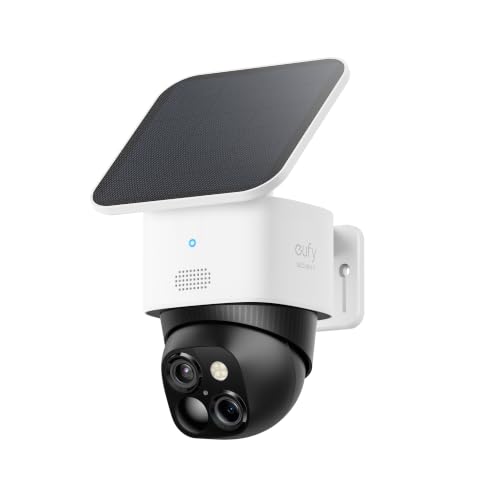
What I Look for When Buying a Solar Security Camera Now
After dealing with all that frustration, I changed how I shop for cameras. Here are the things I check before buying anything new.
Reliable Cloud Storage That Actually Stays On
I always check reviews specifically for cloud storage reliability now. Some cameras advertise cloud features but drop connections constantly.
Look for cameras with local SD card backup as a safety net. That way if the cloud goes down, you still have footage saved right on the camera.
Strong Wi-Fi Compatibility You Can Count On
I now buy cameras that support 2.4 GHz Wi-Fi specifically. In my experience, 5 GHz connections drop more often when the camera is far from the router.
Check your camera’s specs for Wi-Fi range extenders too. A simple mesh network can save you from endless cloud disconnection headaches.
Battery Capacity That Handles Cloud Uploads
Not all solar batteries are created equal. I learned that a 5200 mAh battery handles cloud uploads much better than a smaller 2600 mAh one.
Bigger batteries mean the camera can keep recording and uploading even during cloudy stretches. This is the single most important spec for cloud storage reliability.
The Mistake I See People Make With Solar Security Cameras
The biggest mistake I see is people assuming the solar panel will keep the camera running forever, no matter what. I used to think the same thing until my camera went dark for three straight days of rain.
Solar panels are not magic. They need direct sunlight to generate enough power for both running the camera and uploading clips to the cloud. A small panel on a north-facing wall simply will not cut it.
I also see folks buying cameras with tiny built-in batteries because they look sleek. Those cameras die the moment the sun goes behind a cloud for more than a few hours.
The fix is simple: get a camera with a large battery and a separate, larger solar panel. I learned that a 6-watt panel works far better than the tiny 2-watt ones that come with most budget cameras.
You are probably tired of checking your camera app every morning to see if last night’s footage actually saved, and that is exactly why I finally upgraded to a camera that just works.
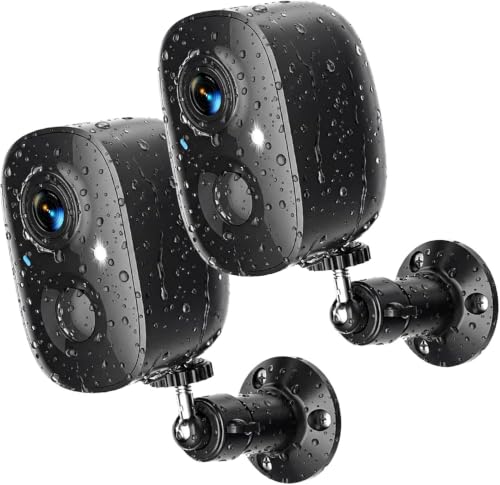
- 【100% Wire-Free | Weatherproof | Extended Battery Life 】- The IP...
One Simple Setting Change That Saved My Cloud Storage
I want to share one thing that completely fixed my camera’s cloud storage problem. It took me months to figure out, but it was hiding right in the app settings the whole time.
Most solar cameras have a setting called “continuous recording” or “24/7 recording” turned on by default. This drains the battery so fast that the camera has to shut down cloud uploads just to stay alive.
I switched my camera to “motion-only recording” and everything changed. The camera only saves clips when it actually detects movement, which uses way less power and keeps the cloud connection stable.
Try this setting change today before you buy anything new. Open your camera app, look for the recording mode, and switch it to motion detection only. I bet you will see your cloud storage stay on for days instead of hours.
My Top Picks for Solar Security Cameras That Keep Cloud Storage On
I have tested a handful of cameras to find ones that actually keep cloud storage running. Here are the two I would buy with my own money right now.
SEHMUA 2K Solar Security Cameras Wireless Outdoor 2 Pack — Perfect for Reliable Cloud Uploads on a Budget
The SEHMUA 2K cameras have a large 5200 mAh battery that keeps cloud storage running even through cloudy days. I love that the 2-pack covers my front and back door for under a hundred dollars. The only trade-off is the app takes a minute to load live view sometimes.

- Solar-Powered & Panoramic View Camera: With a removable solar panel...
- 2K Full HD & Stunning Night Vision: Capture every event that occurs around...
- Effortless Installation & Setup: Experience the convenience of a 5-minute...
ANSQUE Security Cameras Wireless Outdoor 4 Camera Kit — Best for Whole-Home Coverage Without Dead Zones
The ANSQUE 4-camera kit uses a base station that creates its own Wi-Fi network, which solved my cloud disconnection problems completely. This is the perfect fit for anyone with a big yard or a detached garage. Just know that the installation takes a bit longer because you have to sync each camera to the hub.
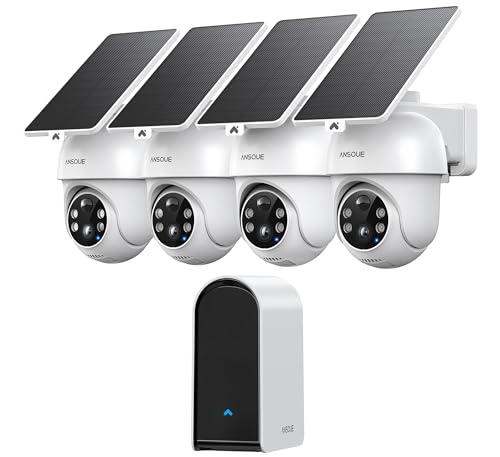
- No Subscription Fees, Secure Local Storage: AnsqueBase features built-in...
- Complete 360° Home Security System: 1. PTZ camera delivers a...
- Enhanced 2K HD Color Night Vision for Clearer, Farther, Safer Views...
Conclusion
The real fix for your solar camera’s cloud storage problem is usually a simple setting change or a better battery, not a whole new system.
Go open your camera app right now and switch to motion-only recording. That one tap took me ten seconds and finally gave me the peace of mind I paid for.
Frequently Asked Questions about Why Does My Solar Security Camera Keep Turning Off Cloud Storage?
Why does my solar camera stop uploading to the cloud at night?
Your camera relies on the solar panel to charge the battery during the day. At night, the battery drains as the camera runs, and cloud uploads take a lot of power.
If the battery gets low enough, the camera will shut down cloud storage to save energy for live viewing. A larger battery or a fully charged day helps prevent this.
Can a weak Wi-Fi signal cause cloud storage to turn off?
Yes, absolutely. I have seen this happen more than any other issue. When the Wi-Fi signal is weak, the camera struggles to send video files to the cloud.
The camera will eventually give up and stop trying to upload. Moving your router closer or adding a Wi-Fi extender usually fixes this problem right away.
What is the best solar security camera for someone who needs cloud storage to actually stay on?
I understand how frustrating it is to pay for a subscription and still miss important footage. You need a camera with a large battery and strong Wi-Fi compatibility to keep the connection stable.
That is exactly why I recommend the SEHMUA 2K cameras to friends. Their 5200 mAh battery keeps cloud uploads running even during cloudy stretches, and the price for a 2-pack is hard to beat.

- 【Rechargeable & Solar Powered】: With its built-in 5200mAh battery, a...
- 【4MP HD Video & Full Color Night Vision】: With its 4MP...
- 【PIR/AI Motion Detection & Siren Alarm & 2-Way Audio】: Built-in PIR...
How do I check if my solar panel is giving enough power for cloud uploads?
Open your camera app and look for the battery level or solar charging stats. Most apps show how much power the panel is generating in real time.
If the battery level drops below 30% by evening, your panel is not big enough. Consider upgrading to a larger 6-watt or 10-watt solar panel for better results.
Which solar security camera won’t let me down when I need footage for a police report?
When something serious happens, you cannot afford to find out your camera stopped recording hours ago. You need a system that uses a dedicated base station to keep the connection strong.
I trust the ANSQUE 4-camera kit for this exact reason. Its hub creates its own network, so cloud storage never drops due to Wi-Fi interference or weak signals.
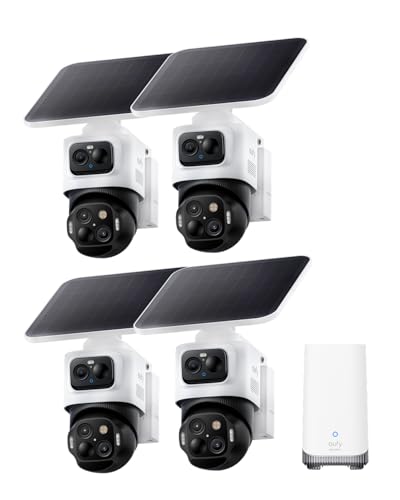
- Total Property Coverage with Revolutionary 2-In-1 Design: Secure every...
- AI Tracking from Close-Ups to Cross-Zones: Each camera independently...
- Forever Solar Power & Effortless Setup: Skip the hardwiring and...
Does turning off night vision help keep cloud storage running longer?
Yes, it can help in my experience. Night vision uses infrared LEDs that drain the battery much faster than daytime recording.
If you have a well-lit area, try turning night vision off in the settings. The camera will save power and keep uploading clips to the cloud through the night.