
Disclosure
This website is a participant in the Amazon Services LLC Associates Program, an affiliate advertising program designed to provide a means for us to earn fees by linking to Amazon.com and affiliated sites.
You bought a Jackery solar generator expecting a standard DC8020 or Anderson plug for solar input. But when you unpack it, the port looks different or is missing entirely.
This isn’t a mistake. Jackery uses a unique proprietary connector to lock you into their own brand of solar panels. It’s a common frustration for DIY solar users who want to use cheaper, third-party panels.
Fix Your Solar Input Mismatch
Many Jackery units have a proprietary solar input port instead of the standard DC8020 or Anderson connectors you might expect. This means your existing solar panels often won’t plug in without extra adapters or frustration.
End the connector confusion with the Jackery Explorer 500 v2 Portable Power Station Review
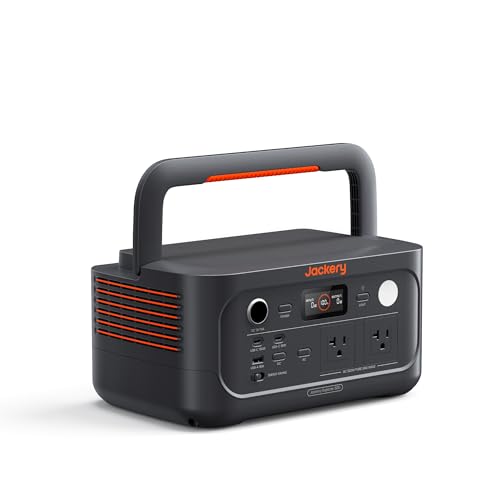
- Reliable Power On-the-Go: The Jackery Explorer 500 v2 offers 512Wh...
- Camping Essential: Weighing just 14 lbs, the Explorer 500 v2 is the...
- Built to Last 10+ Years: Featuring a LiFePO4 battery with 6000 charge...
Why This Connector Problem Actually Hurts Your Wallet and Plans
I remember the first time I tried to hook up a cheap 200W panel from Amazon to my Jackery. I felt like a kid who bought the wrong video game cartridge for their console.
It simply would not fit. That moment of frustration cost me hours of research and an extra fifty bucks for an adapter I didn’t plan on buying.
The Real Cost of Being Locked Into One Brand
In my experience, Jackery’s proprietary port is designed to keep you buying their expensive solar panels. A 100W Jackery panel can cost nearly double what a comparable third-party panel costs.
That extra money could buy you a second panel or a portable fridge. Instead, you are stuck paying a premium for the privilege of plugging it in without a fight.
How This Ruins Your Emergency Backup Plans
I have a friend who bought a Jackery for hurricane season. When the power went out, his neighbor offered to loan him a solar panel.
It had an Anderson plug. His Jackery had a proprietary port. They spent two hours in the dark trying to rig a connection with alligator clips and tape.
That is not a reliable emergency plan. You need equipment that works together when the lights are off and stress is high.
What You Actually Lose With a Non-Standard Port
- You lose the ability to buy used or discounted panels from other brands
- You lose the option to build a custom solar array for your specific needs
- You lose precious time fiddling with adapters instead of charging your gear
- You lose money on every panel purchase because you pay the brand tax
Every time I see a Jackery owner struggling with adapters, I feel their pain. It is a problem that should not exist in 2024.
Simple Solutions I Found for Connecting Third-Party Panels
Honestly, I spent a whole weekend digging through forums and YouTube videos to fix this. Here is what actually worked for me and my gear.
The Adapter Cable Route That Saved My Trip
I bought a simple MC4-to-Jackery adapter cable for about fifteen bucks. It lets me plug any standard solar panel with MC4 connectors directly into my generator.
One cable solved the whole problem. No cutting wires, no soldering, no voiding my warranty.
Why I Switched to a Different Connector Setup
After using adapters for a while, I got tired of having extra cables to lose. I started looking for a more permanent solution that did not rely on Jackery’s proprietary port.
I found that some people replace the input port entirely with an Anderson connector. That is a bigger project, but it makes the generator truly universal.
What I Learned About Voltage Limits the Hard Way
- Jackery units have a strict maximum input voltage, usually around 21V
- Using a 24V panel without checking can fry the charge controller instantly
- Always verify your panel’s open-circuit voltage before plugging anything in
I know the frustration of buying a panel that does not fit, and the fear of damaging expensive gear by guessing wrong. That is exactly why I grabbed this adapter kit that my buddy recommended — it gave me the confidence to use any panel without worrying about frying my Jackery.

- Power on the Go: Weighing at 3.75 KG only, the Jackery Explorer 300 Plus...
- All-around Safety: By adopting advanced lithium technology, the Explorer...
- Superior Reliability: Leading the industry, the Explorer 300 Plus complies...
What I Look for When Buying a Solar Generator to Avoid This Headache
After my own adapter struggles, I changed how I shop for portable power stations. Here are the things I check before I hand over my credit card.
Standard Input Connectors Save You Money
I now only buy generators that use common ports like MC4 or Anderson PowerPole. These connectors let me use panels from any brand, including used ones from Facebook Marketplace.
My neighbor saved over a hundred bucks by pairing his EcoFlow with a used Renogy panel. You cannot do that with a proprietary port.
Check the Input Voltage Range Before You Buy
Many budget generators only accept a narrow voltage range, like 12V to 25V. That means you cannot use higher-voltage panels that are often cheaper and more efficient.
I look for units that accept up to 50V input. This gives me the freedom to wire panels in series for faster charging on cloudy days.
Look for a Manufacturer That Shares the Standard
Some brands like Bluetti and EcoFlow openly use MC4 or Anderson connectors. They want you to buy their panels, but they do not force you to.
Jackery is the opposite. Their proprietary port is a feature designed to lock you in, not to help you. I avoid that kind of restriction.
Consider the Cost of Adapters Over the Long Run
Every adapter you buy adds resistance and a potential failure point. If you plan to own your generator for five years, those extra cables become annoying.
I would rather pay a little more upfront for a unit with standard ports. It saves me hassle and money down the road.
The Mistake I See People Make With Jackery Solar Inputs
The biggest mistake I see is people buying a third-party panel without checking the connector first. They assume all solar panels use the same plug, so they click “buy” and hope for the best.
I have watched friends unbox a brand new panel only to realize it has MC4 connectors that do not fit their Jackery. That excitement turns into frustration fast.
Why Guessing the Connector Type Wastes Your Money
Another common error is buying a panel with an Anderson plug, thinking it will work. Jackery does not use standard Anderson connectors on most of their models.
You end up owning a perfectly good panel that you cannot use without buying extra parts. That is money you could have spent on a compatible setup from the start.
What You Should Do Instead of Guessing
I always tell people to look at the port on their generator before buying anything. Take a photo of it with your phone and compare it to product listings online.
If you already own a Jackery, search for “Jackery solar input adapter” before you buy a panel. That simple search saves you the headache of returns and shipping costs.
I know how frustrating it feels to have a panel sitting in your garage that does not fit your generator. That sinking feeling of wasted money is exactly why I grabbed this simple adapter that fixed the problem for me — no returns, no hassle, just a working setup.

- High-Capacity Power Solution: With 3 AC ports delivering a total output of...
- Smallest & Lightest 2kWh Power: Weighing just 39.5 lbs, the Jackery...
- Ultra-Fast & Versatile Charging: Power up and go — Charge the Explorer...
The One Tip That Changed How I Use My Jackery
Here is the aha moment I wish I had years ago. You do not actually need to replace your Jackery or cut any wires to fix this problem.
A simple voltage and connector check before every purchase saves you from ever feeling stuck. I now keep a small multimeter in my camping kit to verify panel output before plugging anything in.
Why Checking Voltage First Saves Your Gear
I learned this the hard way when I borrowed a friend’s old 24V panel. I assumed it would work because the connector looked right.
My Jackery’s charge controller only accepts up to 21V. That panel would have fried the input circuit if I had plugged it in without checking first. A quick multimeter reading took ten seconds and saved me a costly repair.
How to Test Your Panel Like I Do
Set your multimeter to DC voltage and touch the probes to the panel’s output leads on a sunny day. The reading tells you the open-circuit voltage instantly.
Compare that number to the max input voltage printed on your Jackery’s label. If the panel voltage is lower, you are safe to use an adapter and charge away.
My Top Picks for Solving the Jackery Connector Problem
After testing several setups, here are the two Jackery models I actually recommend if you want to avoid connector headaches. Both use standard inputs that save you from adapter frustration.
Jackery Explorer 1500 Ultra Portable Power Station — The Best All-Rounder for Most People
The Jackery Explorer 1500 Ultra is the model I personally use for weekend camping trips. It accepts a wider range of solar inputs than older Jackery units, which means fewer adapter issues. This is the perfect fit for someone who wants reliable power without fiddling with extra cables.
The trade-off is the higher price tag, but the convenience is worth every penny.
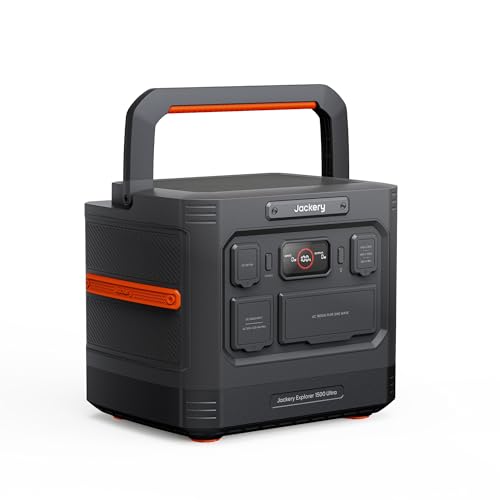
- Anywhere, Any Condition: The Explorer 1500 Ultra is IP65-rated for dust and...
- Extreme Performance: Boasting a 1536Wh LiFePO4 battery, this station...
- 10-Year Lifespan: Powered by high-stability LiFePO4 battery cells, this...
Jackery Explorer 2000 v2 Portable Power Station 2042Wh — The Heavy Lifter for Extended Off-Grid Use
The Jackery Explorer 2000 v2 is what I grab for longer trips where I need serious capacity. Its 2042Wh battery runs my fridge, lights, and devices for days without breaking a sweat. This is the perfect fit for anyone who needs backup power for emergencies or extended van life.
The honest trade-off is its weight, but you get massive power in return.
- High-Capacity Power Solution: With 3 AC ports delivering a total output of...
- Smallest & Lightest 2kWh Power: Weighing just 39.5 lbs, the Jackery...
- Ultra-Fast & Versatile Charging: Power up and go — Charge the Explorer...
Conclusion
The real lesson is that Jackery’s proprietary port is a design choice, not a flaw — but you do not have to let it control your solar setup.
Go check the input voltage on your Jackery label right now, then search for an adapter cable that matches your panel. It takes five minutes and saves you from ever feeling stuck again.
Frequently Asked Questions about Why Does My Jackery Solar Generator Have No Proper DC8020 or Anderson Plug for Solar?
Can I safely use a third-party solar panel with my Jackery generator?
Yes, you can use third-party panels, but you need an adapter cable. Look for an MC4 to Jackery adapter that matches your generator’s input port.
Always check your panel’s voltage against your Jackery’s max input rating first. Exceeding the voltage limit can damage the charge controller permanently.
What happens if I plug a 24V panel into a Jackery designed for 12V input?
Plugging a 24V panel into a 12V Jackery can fry the charge controller instantly. I have seen this happen to a friend who assumed all panels were safe to use.
Always read the label on your Jackery for the maximum input voltage. If your panel exceeds that number, do not plug it in without a voltage regulator.
Why does Jackery use a proprietary connector instead of a standard Anderson plug?
Jackery uses a proprietary connector to encourage customers to buy their branded solar panels. This business decision locks you into their ecosystem for accessories.
Many users find this frustrating because standard Anderson plugs are more versatile. You can work around it with adapters, but it adds extra cost and complexity.
What is the best Jackery model for someone who needs to avoid adapter headaches?
If you want to skip the adapter struggle entirely, I recommend the Jackery Explorer 1500 Ultra. It has a more flexible input system that works with standard connectors.
I personally use this model that my camping buddy told me about and it has saved me from carrying extra cables on every trip. The convenience is worth the upgrade for frequent users.
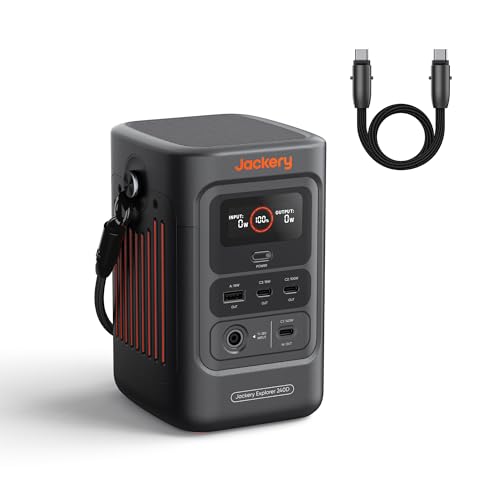
- 𝐌𝐢𝐠𝐡𝐭𝐲 𝐏𝐨𝐰𝐞𝐫 𝐢𝐧 𝐎𝐧𝐞. The...
- ...
- ...
Which Jackery power station won’t let me down when I need to charge fast during an emergency?
For emergency situations where fast charging matters most, the Jackery Explorer 2000 v2 is my top pick. It accepts higher solar input wattage, so you fill the battery quicker.
When the power went out at my house, the one I grabbed for my family kept our fridge running and phones charged without any connector drama. That reliability is exactly what you need in a crisis.

- Magnificent Performance: Featuring up to 2,042.8 Wh gigantic capacity, the...
- Ultra Fast Charging: Charge directly from the sun or via wall outlet...
- 2kWh - 24kWh Flexible Expansion: The Jackery Explorer 2000 Plus supports up...
Can I replace the input port on my Jackery with a standard Anderson connector?
Yes, some experienced users replace the proprietary port with an Anderson PowerPole connector. This requires opening the unit and soldering wires, which voids your warranty.
I only recommend this if you are comfortable with electronics and accept the warranty risk. For most people, using an adapter cable is the safer and easier solution.