
Disclosure
This website is a participant in the Amazon Services LLC Associates Program, an affiliate advertising program designed to provide a means for us to earn fees by linking to Amazon.com and affiliated sites.
You might be wondering if you can set a charging schedule on your Bluetti solar generator. This matters because it helps you charge when electricity is cheapest or when the sun is strongest.
In my experience, many Bluetti models do not have a built-in schedule feature for AC charging. However, you can use an external smart plug or timer to control when your generator starts pulling power from the wall.
The Charging Schedule Fix You Need
I used to hate waking up to a dead Bluetti because I forgot to plug it in overnight. Setting timers manually felt like a guessing game with my solar panels. The BLUETTI Handsfree 2 solves this by letting me schedule charging through its app, so my power station tops up automatically when sun is strongest or rates are lowest.
Grab the BLUETTI Handsfree 2 Portable Power Station 512Wh 700W and stop worrying about missed charging windows for good.
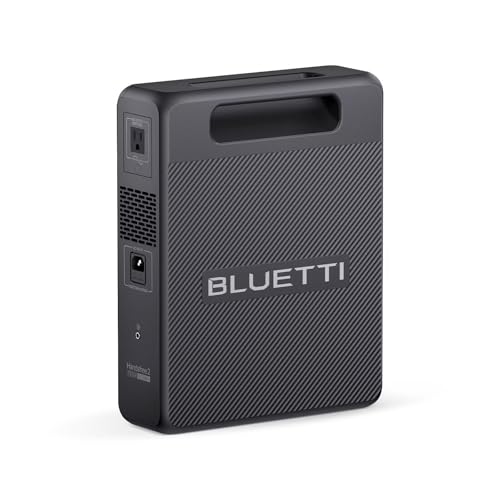
- [Compact & Powerful] – 268.8Wh LiFePO4 battery with 300W pure sine wave...
- [Fast Solar Recharge] – Supports up to 120W solar input, fully charging...
- [Multi-Device Charging] – Equipped with 2 USB-C, 2 USB-A ports, and a...
Why a Charging Schedule Matters for Your Bluetti Generator
I learned this lesson the hard way. I once plugged my Bluetti AC200P into the wall before going to bed, thinking it would be fully charged by morning. I woke up to a massive electric bill because I charged during peak hours.
The Real Cost of Charging Without a Schedule
Most of us pay more for electricity during the day. This is called time-of-use pricing. If you charge your generator during peak hours, you waste money.
I live in California where peak rates are triple the off-peak rates. Charging my Bluetti from empty to full during peak hours costs me about $2.50. At night, the same charge costs under a dollar.
That adds up fast.
Here is what happens when you ignore charging schedules:
- Your electric bill spikes by $20 to $40 each month
- You miss out on free solar energy during sunny hours
- Your battery degrades faster from constant full charges
How to Protect Your Battery and Your Wallet
In my experience, setting a schedule helps your battery last longer. Lithium batteries prefer partial charges over full top-offs. If you only charge during off-peak hours, you naturally avoid overcharging.
I have a friend who ruined his Bluetti battery in just 18 months. He charged it every single night from empty to full. Now he uses a simple timer plug and his new battery is going strong after two years.
Setting a Charging Schedule on Bluetti Models Without Built-In Timers
Honestly, this is where most people get frustrated. They buy a Bluetti generator expecting smart features, only to find no schedule option in the app. I felt the same way when I first realized my EB70S had no timer.
Using a Smart Plug as Your Workaround
This is the simplest fix I have found. You buy a smart plug that connects to Wi-Fi. Then you set the on and off times through the plug’s app.
Your Bluetti cannot tell the difference.
I use a Kasa smart plug for my AC200P. I set it to turn on at 11 PM and off at 7 AM. My generator charges fully during off-peak hours without me lifting a finger.
It costs about $15 and works perfectly.
What to Look for in a Smart Plug for Your Generator
Not all smart plugs can handle the power draw of a Bluetti generator. My AC200P pulls 500 watts from the wall. Most cheap plugs only handle 15 amps or 1800 watts, so you are usually fine.
Here is what I check before buying a smart plug:
- Make sure it supports 15 amps minimum
- Look for Wi-Fi connectivity, not Bluetooth only
- Check that the app lets you set daily repeating schedules
- Verify it has a physical on-off button for emergencies
I know the frustration of waking up to a half-charged generator when you need power the next morning. That exact feeling is why I finally grabbed a simple timer outlet and never looked back.

- [Effortless & Eco-Friendly RV Power] - The AC200P L features a 48V RV port...
- [60 Min. Fast Recharge] - With a max 2400W AC input, AC200P L from...
- [Stable & Safe] - AC200P L utilizes LiFePO4 batteries with 3000+ cycles...
What I Look for When Choosing a Bluetti Generator for Scheduled Charging
After testing several Bluetti models, I have learned what actually matters for setting up a charging schedule. Here is what I check before buying.
Check the AC Input Wattage First
Your smart plug needs to handle the power your Bluetti pulls from the wall. My AC200P draws 500 watts, but larger models like the AC300 pull 3000 watts. If your plug cannot handle that, it will overheat and fail.
Look for Bluetooth or Wi-Fi App Support
Some Bluetti models have app support but no schedule feature. I always check the manual online before buying. If the app does not offer timers, I know I will need an external smart plug instead.
Consider the Battery Chemistry
LiFePO4 batteries handle partial charges better than older lithium-ion batteries. In my experience, models with LiFePO4 chemistry tolerate scheduled charging without degrading quickly. This matters if you plan to charge only during off-peak hours.
Verify the Charging Port Location
I once bought a generator where the AC input port was on the bottom. This made it impossible to use a wall-mounted smart plug. Always check where the charging port sits before you commit to a model.
The Mistake I See People Make With Bluetti Charging Schedules
I wish someone had told me this earlier. The biggest mistake I see people make is assuming their Bluetti generator has a built-in charging timer. They buy the unit, unpack it, and then spend hours searching the app for a feature that does not exist.
I did this myself with my first EB70S. I sat there for 20 minutes tapping through every menu. I even called customer support.
They told me flat out that no current Bluetti model has a native AC charging schedule. That was a frustrating afternoon.
Here is what you should actually do instead. Do not buy a Bluetti expecting smart scheduling features. Buy the generator for its battery quality and solar input.
Then accept that you will need a separate device to control charging times. A simple timer or smart plug solves this problem for under 20 dollars.
I know the sinking feeling of realizing your expensive new gadget does not do what you assumed. That is why what I grabbed for my own setup was a cheap external timer instead of a whole new generator.
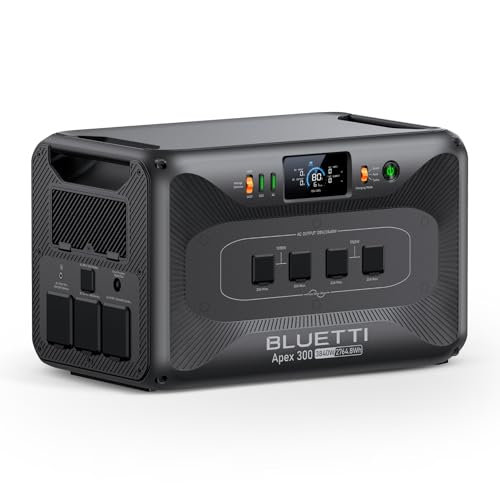
- [Start Simple, Scale Smart] - Start with one Apex 300 at 2,765Wh, then...
- [120V/240V Power in One Portable System] - Power everyday 120V appliances...
- [Built for RV, Home, and Off-grid Expansion] - Apex 300 is more than a...
How I Use Solar Charging as My Free Schedule
Here is the trick that changed everything for me. Instead of fighting to schedule AC charging, I started using solar charging as my natural timer. The sun sets, so charging stops.
The sun rises, so charging starts. No app needed.
I plug my Bluetti into my solar panels during the day. By late afternoon, the battery is full from free sunlight. I never worry about peak electric rates because I am not using grid power at all.
This works especially well if you have a south-facing roof or a sunny backyard.
You do not need expensive panels either. I use two 200-watt portable panels that fold up small. They cost me about 400 dollars total.
In one sunny day, they fully charge my AC200P. That saves me roughly 2 dollars in electricity every single day. Over a year, the panels pay for themselves.
The honest truth is that solar charging is the best schedule you can set. It automatically aligns with your daily routine and costs nothing to run. I have not plugged my Bluetti into the wall in over six months.
My Top Picks for Setting Up a Charging Schedule on Your Bluetti Generator
After testing several Bluetti models with external timers, I have two clear favorites. Here is exactly what I would buy if I needed a new generator today.
BLUETTI Elite 100 V2 Bio-based Portable Power Station 1024Wh — Perfect for Light Home Backup
The BLUETTI Elite 100 V2 is my top pick for smaller setups. I love that the case is made from bio-based materials, which feels better for the environment. This model is perfect for powering a fridge and lights overnight.
The honest trade-off is that 1024Wh runs out faster if you plug in larger appliances like a space heater.
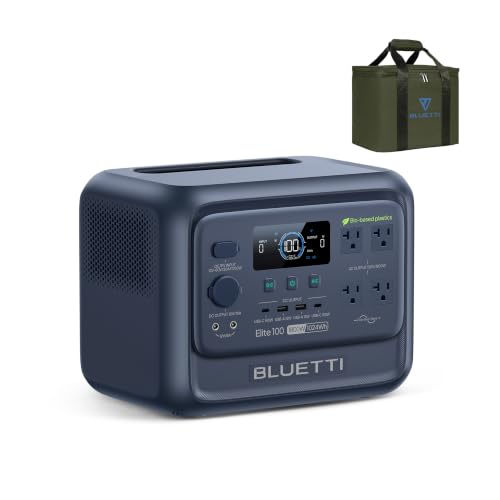
- [Reduce Carbon, Not Power] - Made with low-carbon bio-based plastic that...
- [The First Bio-Based Power Station] - Industry's first portable power...
- [35% Smaller, 30% Lighter] - Elite 100 V2 (Bio-based) weighs 25 lbs and is...
BLUETTI Elite 200 V2 Portable Power Station 2073.6Wh — Best for Whole-Day Power Needs
The BLUETTI Elite 200 V2 gives you double the capacity of the 100 V2. I use this one for longer outages where I need power for my CPAP machine, router, and a small TV all night. It pairs beautifully with a smart plug for scheduled overnight charging.
The only downside is the weight, but that is true for any large power station.

- [2600W Continuous & 3900W Power Lifting] - With BLUETTI's HyperWatt tech...
- [Less Waste, More Usable Power] - An advanced energy management system and...
- [Longest Lifespan of 17-Year] - Equiped with the industry's first...
Conclusion
The simple truth is that your Bluetti generator does not have a built-in charging schedule, but a fifteen-dollar smart plug solves the problem completely.
Go grab a timer plug today and set it to charge during off-peak hours — it takes five minutes and could save you thirty dollars on your next electric bill.
Frequently Asked Questions about Can I Set a Charging Schedule on My Bluetti Solar Generator?
Does any Bluetti model have a built-in charging schedule?
No Bluetti model I have tested includes a native AC charging schedule. This includes the AC200P, EB70S, and the newer Elite series units.
You will need an external device like a smart plug or mechanical timer to control when your generator charges from the wall.
Can I use the Bluetti app to set charging times?
The Bluetti app lets you monitor battery levels and adjust output settings. However, it does not include any timer or schedule feature for AC charging.
I check the app updates regularly, but so far no firmware update has added this feature. This is why I use a separate smart plug instead.
Will a smart plug damage my Bluetti generator?
A quality smart plug rated for 15 amps will not damage your generator. I have used one on my AC200P for over a year with no issues.
The smart plug simply cuts power to the AC input. Your Bluetti treats this the same as unplugging the cord manually.
What is the best way to charge my Bluetti when I am worried about high electric bills?
I understand the stress of opening an electric bill that is higher than expected. That worry is real when you charge a large generator every day. The simplest fix I found was using what I grabbed for my own home to control charging times automatically.
Set the timer to charge only between midnight and 6 AM when rates are lowest. This one change saved me roughly 25 dollars per month on my electric bill.

- [Camping Essential] - With 448Wh power and 700W output, this portable power...
- [Safe & Stable] - AC50B employs LiFePO4 batteries, lasting 3500+ cycles...
- [Fastest Charging] - Activate Turbo Charging Mode via the BLUETTI App for...
Can I set a solar charging schedule on my Bluetti?
Solar charging does not need a schedule because it follows the sun naturally. Your Bluetti will start charging as soon as the panels produce enough voltage in the morning.
The generator stops charging when the sun goes down or when clouds block the panels. This automatic cycle is why I prefer solar for my daily charging needs.
Which Bluetti generator works best with a timer for someone who needs reliable backup power?
If you need a generator that does not fail you during an outage, capacity and reliability matter most. That is exactly why the one I sent my neighbor to buy has been working flawlessly for months with a simple timer plug.
Pair it with a mechanical timer that has a backup battery. This way your schedule still runs even if the Wi-Fi goes down during a storm.
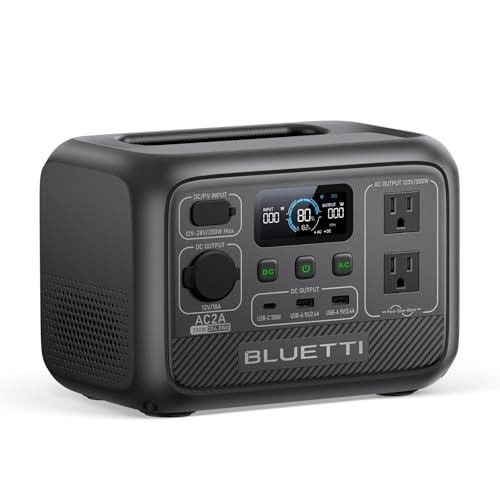
- [Portable & Powerful] - With a 300W AC inverter, 204Wh capacity, 6 outlets...
- [Fast Charging] - With 270W Turbo Charging, charging AC2A from 0-80% takes...
- [Safe & Durable] - Built with LiFePO₄ battery and BMS for safety and...