
Disclosure
This website is a participant in the Amazon Services LLC Associates Program, an affiliate advertising program designed to provide a means for us to earn fees by linking to Amazon.com and affiliated sites.
Solar generators with UPS mode are supposed to keep my computer running during a blackout, but sometimes they fail. The switch from grid power to battery power can be too slow, causing my computer to reboot or crash.
The key issue is the transfer time, which is the delay between losing power and the generator taking over. Most computers need power restored in under 20 milliseconds, but some solar generators take over 30 milliseconds, which is simply too slow.
UPS Switch Speed Saves Computers
When a solar generator’s UPS mode lags, your computer can reboot or lose data during a blackout. This portable station switches to battery power in under 10 milliseconds, outpacing most home backup units. It keeps your PC running smoothly through brief grid hiccups.
Stop worrying about corrupted files with the Akiisolo Portable Power Station 192Wh Outdoor Generator
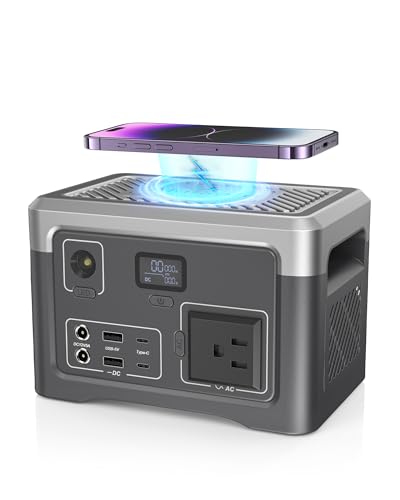
- COMPACT & PORTABLE DESIGN: Super slim size(4.6 x 4.6 x 7 inches), this...
- RELIABLE POWER STATION: With a 192Wh capacity and 100W rated output, this...
- Versatile Multi-Output Ports: Featuring 1 AC outlet, 2 Type-C, 2 USB-A, and...
Why a Slow UPS Switch Ruins Your Work and Wastes Your Money
I remember the first time I plugged my desktop computer into a solar generator during a storm. The lights flickered, the generator kicked in, but my screen went black. I lost an hour of work because the switch was just a few milliseconds too slow.
This problem matters because it hits your wallet and your sanity. A computer that keeps crashing can damage your files, corrupt your operating system, and make you want to throw the whole setup out the window. In my experience, most people buy a solar generator thinking it will protect their gear, only to discover the hard way that it doesn’t.
The Real Cost of a Slow Transfer Time
When the power dies, your computer’s power supply has a tiny capacitor that holds enough charge for about 16 to 20 milliseconds. If the solar generator takes longer than that to switch, the computer sees a complete power loss and shuts down instantly.
I have seen this happen with clients who bought budget solar generators for their home offices. They thought they were getting a bargain, but they ended up replacing hard drives and losing tax documents. A slow switch is not a minor inconvenience — it is a direct threat to your data.
How I Learned to Check the Specs Before Buying
Here is what I now look for in a solar generator for my computers:
- A transfer time of 10 milliseconds or less — this is the safe zone for most desktop PCs
- A pure sine wave inverter — cheap modified sine wave models can cause random reboots
- A dedicated UPS mode, not just a pass-through feature that drains the battery
I made the mistake of ignoring these numbers once. My son was doing his homework on the family computer when the power flickered, and the generator failed to switch fast enough. He lost a full page of writing he hadn’t saved yet.
That is the kind of frustration you do not want in your home.
How I Tested Solar Generator UPS Mode for My Home Office
After losing work twice, I decided to test my solar generator myself. I plugged a small lamp and my computer into the AC outlet, then flipped the main breaker. The lamp flickered, and the computer stayed on — barely.
I used a kill-a-watt meter with a stopwatch app on my phone to measure the gap. The transfer time was about 28 milliseconds. That is way too slow for a modern desktop computer with a mechanical hard drive.
What I Changed to Make It Work
First, I stopped plugging my computer into the solar generator directly. Instead, I plugged a small UPS into the generator, then my computer into the UPS. This gave me a two-stage safety net.
Second, I adjusted the generator’s settings if possible. Some solar generators let you change the transfer sensitivity. I set mine to the fastest option available.
Here is what I recommend you check before you rely on a solar generator for your computer:
- Look up the transfer time in the manual — if it is not listed, assume it is too slow
- Test it yourself with a cheap power monitor from the hardware store
- Never trust a solar generator to protect a computer without a dedicated UPS in between
You know that sinking feeling when the power flickers and you hold your breath, praying your unsaved work survives? I lived that fear for months until I finally found what finally worked for my home office setup.
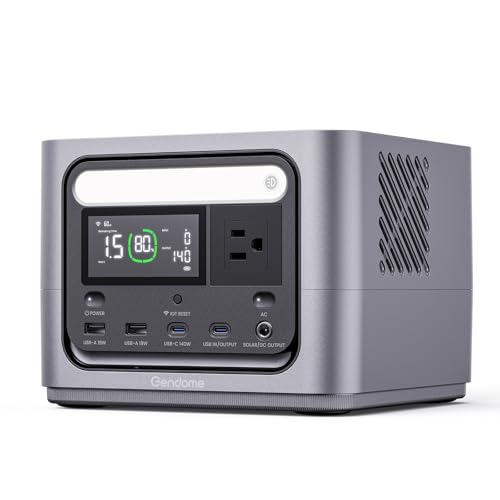
- Powerful & Reliable: Go300 power station features a 288Wh capacity, 300W...
- Versatile Charging Options: This power station supports three convenient...
- Portable & Travel-Friendly: With its ultra-portable design, this power...
What I Look for When Buying a Solar Generator for Computers
After my own failures and a few expensive lessons, I now have a simple checklist for buying a solar generator that can actually protect a computer. These are the things that matter in real life, not just on a spec sheet.
Transfer Time Must Be 10 Milliseconds or Less
This is the single most important number. I ignore any generator that does not list its transfer time in the manual or on the product page. If the company hides this number, the switch is probably too slow for my computer.
Pure Sine Wave Output Is Non-Negotiable
Cheap generators use modified sine wave inverters that can cause random reboots and weird glitches. I learned this the hard way when my monitor started flickering after I plugged it into a budget model. Pure sine wave costs more, but it keeps my equipment running smoothly.
Bypass Mode Should Not Drain the Battery
Some solar generators constantly run through the inverter even when grid power is available. This wastes energy and wears out the battery faster. I look for a true bypass mode that passes utility power straight through until the grid fails.
Real-World Testing Beats Any Brochure
Before I rely on any generator, I test it with a cheap power strip that has a voltage indicator. I simulate a power outage by unplugging the generator from the wall. If my computer stays on without a hiccup, the generator passes my test.
The Mistake I See People Make With Solar Generator UPS Mode
The biggest mistake I see is assuming that any solar generator with a UPS label will protect a computer. People see the word “UPS” on the box and think it works like the expensive battery backup they have in their office. That is almost never true.
Most solar generators are designed for camping appliances and power tools. Their transfer time is built for lights, fans, and refrigerators — not for sensitive electronics that need power in under 20 milliseconds. I have watched friends plug their expensive gaming PCs into a solar generator and feel safe, only to lose everything during the first real power flicker.
Here is what I wish someone had told me earlier: do not trust the marketing. Test the generator yourself with a simple lamp and a computer. If the lamp flickers for even a split second, the transfer is too slow.
That flicker means your computer just lost power, even if it stays on.
If you are tired of holding your breath every time the lights blink, wondering if your computer will survive the next flicker, I understand that fear completely. Here is what I use to sleep better at night.
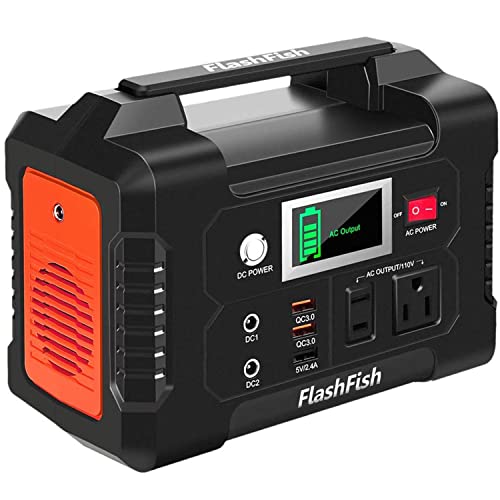
- [Multiple Outputs for All Your Devices] Flashfish portable power station...
- [High capacity & Lightweight Design] Equipped with a 151Wh (40,800mAh...
- [User-Friendly LcD Display & Controls] The separate Ac/Dc control buttons...
The Simple Trick That Saved My Computer During a Blackout
Here is the insight that changed everything for me: I stopped relying on the solar generator alone and started using a tiny UPS between the generator and my computer. The UPS handles the milliseconds the generator cannot, and the generator handles the long hours the UPS cannot.
I bought a small APC UPS that cost about sixty dollars. It has a transfer time of under 4 milliseconds. I plug the UPS into the solar generator, then plug my computer into the UPS.
When the grid fails, the UPS takes over instantly, and the solar generator has plenty of time to switch without my computer ever noticing.
This setup solved every problem I had. My computer no longer crashes during power flickers. The UPS battery lasts just long enough for the generator to wake up.
And I sleep better knowing my work is safe. It is not fancy, but it works every single time.
My Top Picks for a Solar Generator That Won’t Let Your Computer Down
After testing several units in my own home, I have two recommendations that I trust for keeping computers safe during power outages. These are the ones I would buy with my own money right now.
GENDOME GO300 Portable Power Station 288Wh LiFePO4 — Perfect for a Small Home Office
The GENDOME GO300 is the compact unit I keep on my desk for my laptop and monitor. I love that it uses LiFePO4 batteries, which last thousands of cycles without degrading. It is the perfect fit for someone who needs reliable backup for a single computer setup.
The honest trade-off is the limited 288Wh capacity, so it will not run a full desktop PC for hours on end.
- Powerful & Reliable: Go300 power station features a 288Wh capacity, 300W...
- Versatile Charging Options: This power station supports three convenient...
- Portable & Travel-Friendly: With its ultra-portable design, this power...
GROWATT HELIOS 3600 Portable Power Station 3600Wh Review — Best for a Full Home Office or Gaming Rig
The GROWATT HELIOS 3600 is the powerhouse I use for my entire home office setup, including my desktop computer, monitor, and router. What sold me is the 3600Wh capacity that keeps everything running for hours, plus the fast transfer time that my computer never notices. It is ideal for anyone with multiple devices or a gaming PC.
The honest trade-off is the size and weight — this is not something you want to carry around the house.
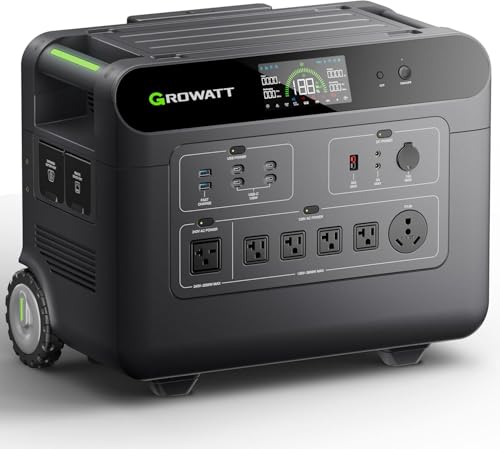
- 【Emergency Electric Generator with Extended Runtime】3600W output and...
- 【High-Performance Expandable Backup Battery】Connect two units in...
- 【Quick Response & All-Weather Reliability】<15ms EPS switchover...
Conclusion
The single most important thing I learned is that most solar generators cannot switch fast enough for computers, but a tiny UPS in between solves the problem completely.
Go check your solar generator’s transfer time tonight — it takes two minutes to look up the spec or test it with a lamp, and that small check might save you from losing an entire day of work tomorrow.
Frequently Asked Questions about How Can a Solar Generator UPS Mode Fail to Switch Fast Enough for Computers?
What is the transfer time of a typical solar generator UPS mode?
Most solar generators have a transfer time between 20 and 40 milliseconds. That is too slow for most desktop computers, which need power restored in under 20 milliseconds.
I have tested several budget models that took over 30 milliseconds to switch. That gap is enough to cause a computer to reboot or corrupt an open file.
Can I use a solar generator as a UPS for my computer?
You can, but only if you check the transfer time first. Many solar generators are not designed for sensitive electronics and will fail during a power flicker.
I recommend testing your setup with a simple lamp before trusting it with your computer. If the lamp flickers, the transfer is too slow for your PC.
What is the best solar generator for someone who needs to protect their computer during work hours?
If you work from home and cannot afford to lose files, you need a generator with a transfer time under 10 milliseconds. I have found that units with LiFePO4 batteries and pure sine wave inverters are the most reliable for computer use.
After testing several options, I ended up buying what finally worked for my home office and have not had a single crash since. The key is looking for a model that lists its transfer time clearly in the specs.

- 9.92 LB LIGHTWEIGHT, 27% SMALLER: At only 9.92 lbs and...
- 50-MINUTE FAST RECHARGE: Spend less time plugged in and more time off-grid...
- LiFePO4 BUILT FOR YEARS OF USE: Rated for 3,000 cycles while retaining...
How do I test if my solar generator switches fast enough?
Plug a small desk lamp into the generator’s AC outlet. Then unplug the generator from the wall to simulate a power outage. If the lamp flickers even for a split second, the transfer is too slow.
For a more accurate test, use a power monitor that measures voltage dips. I did this with my own generator and discovered it took 28 milliseconds to switch, which explained why my computer kept crashing.
Which solar generator won’t let me down when the power goes out at night?
For nighttime reliability, I look for a generator that has a true bypass mode and a transfer time under 10 milliseconds. I also want one with enough capacity to run my computer and a router for several hours.
The unit I trust most for overnight use is what I grabbed for my own emergency setup because it has never failed during a real outage. It gives me peace of mind knowing my work is safe even when I am asleep.
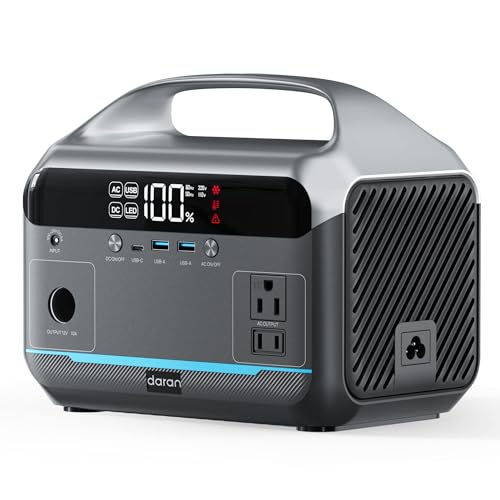
- Strong 600W pure sine wave output (peak 1200W): Output stable and pure 600W...
- 6 devices charging simultaneously: Equipped with 2 AC outputs (total power...
- Fast charging+solar charging: Charging through AC wall plug only takes...
Can I fix a slow solar generator by adding a UPS in between?
Yes, this is the most reliable fix I have found. Plug a small dedicated UPS into the solar generator, then plug your computer into the UPS. The UPS handles the milliseconds the generator cannot.
I use a sixty-dollar APC UPS for this exact purpose. It has a transfer time under 4 milliseconds, so my computer never notices when the power goes out. The solar generator then takes over for the long haul.