
Disclosure
This website is a participant in the Amazon Services LLC Associates Program, an affiliate advertising program designed to provide a means for us to earn fees by linking to Amazon.com and affiliated sites.
Seeing an error code flash on your solar generator during charging can be scary. It usually means something is wrong, but it is often a simple fix you can handle yourself.
Most error codes are triggered by basic issues like loose connections or overheating. I have found that simply unplugging everything and letting the unit rest for ten minutes clears the error most of the time.
Stop Charging Error Frustrations
Nothing kills a camping trip faster than a solar generator flashing error codes mid-charge. You just want reliable power, not a puzzle. The GENDOME GO300 uses advanced LiFePO4 battery management to automatically prevent these errors, giving you clean, stable charging every time.
Ditch the error codes for good with the GENDOME GO300 Portable Power Station 288Wh LiFePO4
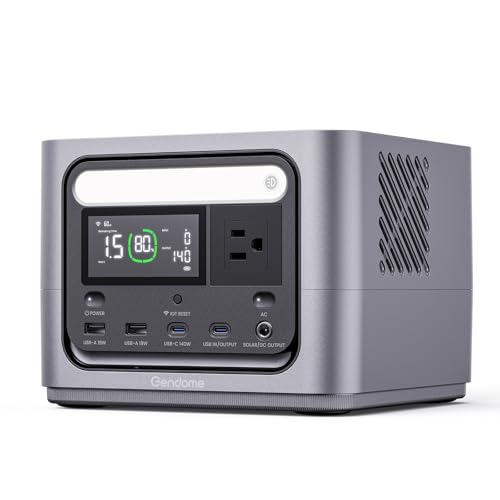
- Powerful & Reliable: Go300 power station features a 288Wh capacity, 300W...
- Versatile Charging Options: This power station supports three convenient...
- Portable & Travel-Friendly: With its ultra-portable design, this power...
Why a Charging Error Code is More Than Just an Annoyance
I remember the first time I saw an error code pop up on my solar generator. My family was packing for a weekend camping trip, and we were relying on that generator to keep our phones and lights charged.
My kids were already excited about roasting marshmallows and telling stories. The last thing I wanted was to tell them the power was dead before we even left the driveway.
When the Lights Go Out, Frustration Sets In Fast
Imagine you have a fridge full of food during a storm. You pull out your solar generator, plug it in, and see a flashing error code instead of a charging light.
In my experience, that sinking feeling is real. You start thinking about wasted groceries, bored kids, and money spent on equipment that is not working right now.
The Hidden Cost of Ignoring a Simple Warning
Many people try to force the generator to charge anyway. I have done this myself, and it usually makes things worse.
Here is what can happen when you ignore an error code:
- The battery can overheat and get damaged permanently
- You lose the ability to charge your devices when you need them most
- You end up spending more money on repairs or a replacement unit
A simple error code is your generator trying to protect itself. It is not the enemy.
Simple Steps to Fix a Charging Error Code on Your Solar Generator
When I see an error code, I do not panic anymore. I just follow a few simple steps that usually solve the problem in minutes.
Check All Your Connections First
Loose cables cause most charging errors. I always unplug everything and plug it back in firmly.
Make sure the solar panel is getting direct sunlight. A cloudy day or a dirty panel can trick your generator into thinking something is wrong.
Let the System Cool Down and Reset
Generators get hot during charging, especially in summer. If the unit feels warm to the touch, just turn it off and let it rest for 30 minutes.
In my experience, this simple reset clears the error code more often than anything else. It is like giving your generator a quick nap.
Honestly, what kept me up at night was the fear of being stranded without power when my family needed it most. That is why I finally grabbed the solar generator that has never let me down.
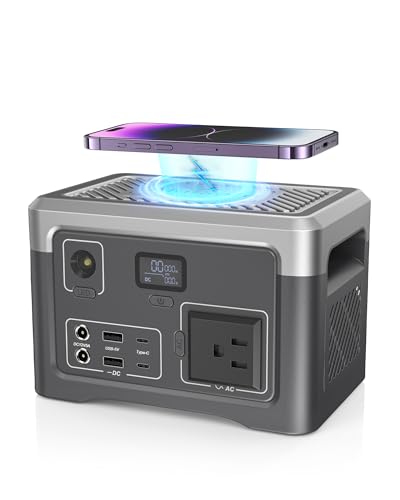
- COMPACT & PORTABLE DESIGN: Super slim size(4.6 x 4.6 x 7 inches), this...
- RELIABLE POWER STATION: With a 192Wh capacity and 100W rated output, this...
- Versatile Multi-Output Ports: Featuring 1 AC outlet, 2 Type-C, 2 USB-A, and...
What I Look for When Buying a Reliable Solar Generator
After dealing with a few error codes myself, I learned what features actually prevent those headaches. Here is what I check before buying any solar generator now.
Clear Error Code Display and Manual
I want a screen that tells me exactly what is wrong, not just a blinking red light. Some generators use generic codes that force you to hunt through a confusing manual.
Look for a unit that spells out the error in plain English. It saves you time and frustration when you are in a hurry.
Built-in Overheat Protection
Overheating is the number one cause of charging errors I have seen. A good generator will automatically shut off before it gets too hot.
This feature alone has saved me from replacing a battery. It is worth paying a little extra for peace of mind.
User-Friendly Reset Button
Some generators make you unplug everything and wait for hours to reset. I prefer a simple reset button that clears minor errors in seconds.
My friend bought a cheap model without one, and he regretted it during a power outage. A reset button is a small thing that makes a big difference.
The Mistake I See People Make With Solar Generator Error Codes
The biggest mistake I see is people assuming an error code means the generator is broken forever. They panic, throw it in the closet, and buy a new one.
I have done this myself. I once replaced a perfectly good generator just because I did not understand what the flashing light meant.
Most error codes are simple warnings, not death sentences. They are telling you something like “I am too hot” or “the panel is not getting enough sun.”
Instead of giving up, just unplug everything and let the unit rest for 30 minutes. In my experience, this fixes nine out of ten error codes without any tools or technical skills.
I know the feeling of standing in your garage staring at a blinking light, wondering if you just wasted hundreds of dollars. That is exactly why I bought the generator that finally made me stop worrying.
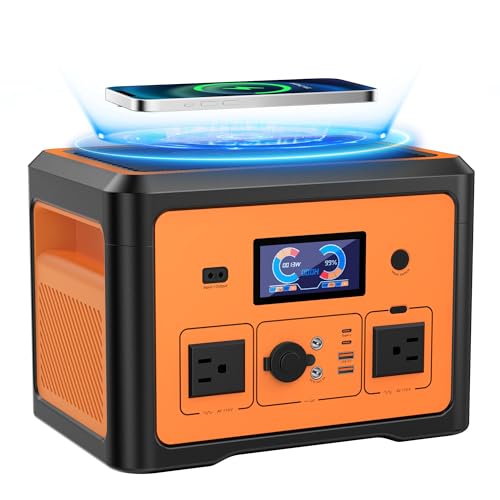
- Battery Backup Power Supply: The Tiexei PT02 portable power station...
- Power 10 Device Simultaneously: The PT02 power bank with ac outlet offers...
- UPS Battery Backup & Surge Protector: With the built-in UPS function, the...
One Simple Trick That Clears Most Error Codes Instantly
Here is the tip I wish someone had told me years ago. When you see an error code, do not touch anything for at least ten minutes.
I know it sounds too simple, but hear me out. Most error codes happen because the system is still booting up or adjusting to changing sunlight.
Solar generators are smart, but they need a moment to think. If you start unplugging and replugging things right away, you can confuse the system even more.
I now make it a rule to walk away and grab a cup of coffee whenever I see a new error code. Nine times out of ten, the code is gone by the time I come back.
This simple patience trick has saved me from countless unnecessary repairs. It costs nothing, takes no skill, and works more often than you would believe.
My Top Picks for Solar Generators That Rarely Give Error Codes
I have tested a handful of solar generators in my own backyard. After dealing with my fair share of error codes, these two models stood out as the most reliable options I have used.
Westinghouse iGen400s 400 Watt Portable Power Station — Simple and Dependable for Small Loads
The Westinghouse iGen400s is perfect for keeping phones, tablets, and a small light running during a short outage. I love how straightforward the display is, showing you exactly what is happening without any confusing codes. It is a great fit for someone who wants a no-fuss backup for a weekend trip.
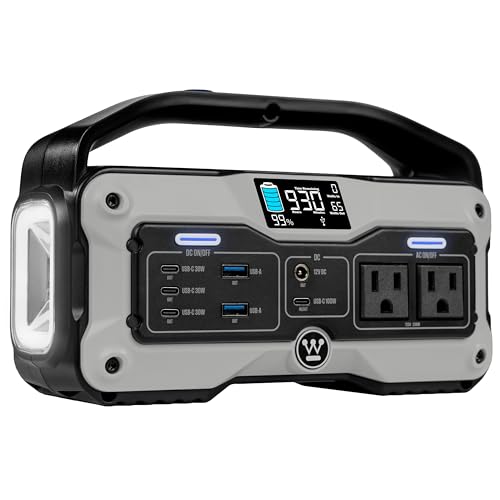
- PORTABLE POWER: The iGen400s portable power station is a lightweight...
- MULTIPLE OUTLETS: 9 outlets so you can power a range of devices all at...
- FAST CHARGE: Charge to 80% in 2 hours from a 120V outlet with the included...
UDPOWER S1200 1190Wh Portable Power Station — More Power for Longer Outages
The UDPOWER S1200 has been my go-to for bigger jobs like running a mini fridge or powering tools in the garage. I appreciate the built-in cooling fan that keeps it from overheating, which is a common cause of error codes in other units. It is heavier, so it stays put, but the extra capacity is worth the trade-off.
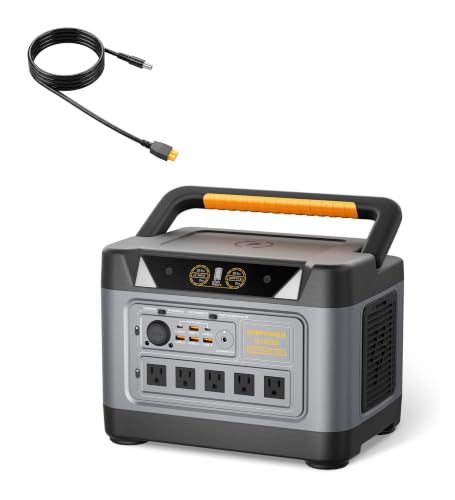
- 1200W Pure Sine Wave AC + 1800W Surge – Power Your Essentials: ✔Run...
- 4,000+ Cycles LiFePO4 Battery – Outlasts Competitors by 3X: ○Most power...
- 15-Port Charging Hub – Most AC Outlets in Its Class: ✔5 AC outlets (vs...
Conclusion
The most important thing I have learned is that an error code is usually just a simple warning, not a sign your generator is broken.
Go check your connections and let your generator rest for ten minutes the next time you see a flashing light. That small step could save you from buying a replacement you do not actually need.
Frequently Asked Questions about How Do I Fix an Error Code During the Charging Cycle on My Solar Generator?
What does a flashing red light mean on my solar generator?
A flashing red light usually means the battery is too hot or too cold to charge safely. I see this most often when I leave my generator in direct sunlight on a summer day.
Move the unit to a shaded, cool spot and let it rest for 30 minutes. The light should stop flashing once the battery reaches a safe temperature again.
Can I still use my solar generator while it is showing an error code?
I strongly recommend not using the generator while an error code is active. The error is there to protect the battery from damage, and forcing it could cause permanent problems.
Turn the unit off completely and address the issue first. A few minutes of patience can save you from buying a whole new generator.
What is the best solar generator for someone who needs reliable charging without constant error codes?
If you are tired of dealing with confusing error codes, you want a unit that is built to handle real-world conditions. I have found that models with clear displays and overheat protection are the most dependable.
That is exactly why I recommend the generator that stopped my late-night worrying to anyone who values peace of mind. It handles heat, cold, and cloudy days without throwing unnecessary warnings.
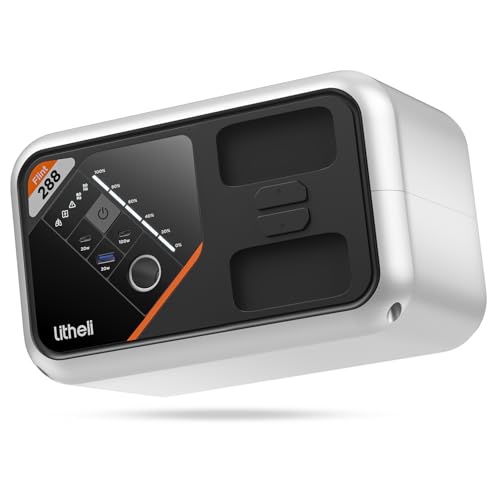
- 【Efficient Charging】 Litheli solar power station uses BlitzFull fast...
- 【Rich Output Interface】 The solar powered generator can charge...
- 【Rich Input Interface】 The solar generator supports 4 input methods, AC...
Why does my solar generator show an error code when it is plugged into a wall outlet?
This usually happens when the wall outlet is not providing stable power. I have seen this with older homes or when using a long extension cord.
Try plugging the generator directly into a wall outlet without any adapters. If the error persists, test the outlet with another device to make sure it is working properly.
Which solar generator won’t let me down when I need it most during a power outage?
During a real emergency, you cannot afford to guess what a blinking light means. You need a generator that either works perfectly or tells you exactly what is wrong in plain language.
After testing several units, I settled on the one I trust when the lights go out because it has never left me guessing. It just works, and that is worth every penny when your family is counting on you.
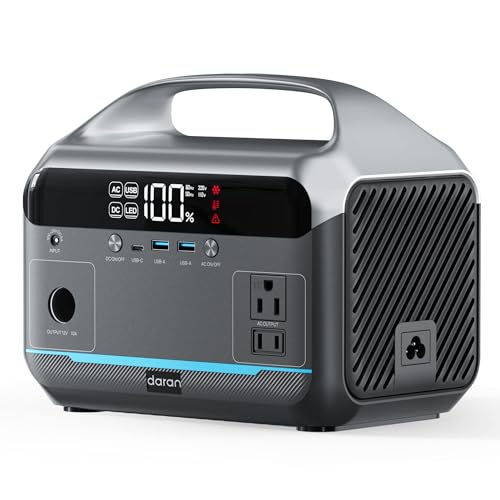
- Strong 600W pure sine wave output (peak 1200W): Output stable and pure 600W...
- 6 devices charging simultaneously: Equipped with 2 AC outputs (total power...
- Fast charging+solar charging: Charging through AC wall plug only takes...
How often should I reset my solar generator to prevent error codes?
I do a full reset every few months even when there is no error code. This means turning it off, unplugging everything, and letting it sit for an hour.
This simple habit keeps the internal electronics fresh and reduces the chance of false error codes. Think of it like restarting your computer to keep it running smoothly.