
Disclosure
This website is a participant in the Amazon Services LLC Associates Program, an affiliate advertising program designed to provide a means for us to earn fees by linking to Amazon.com and affiliated sites.
Powering LED lights from a laptop power bank using USB-C is easier than you think. It lets me create custom lighting anywhere without hunting for a wall outlet.
Most modern power banks deliver enough juice for LED strips or small lamps. I have found that checking the voltage and wattage of your lights first saves you from buying the wrong adapter.
Power Bank Problems Solved Here
Nothing kills a lighting setup faster than a power bank that can’t deliver steady USB-C power. You plug in your LED strip, and it flickers or won’t even turn on because the output is too weak or unstable. I’ve been there, and it’s frustrating when your gear just doesn’t cooperate.
Grab the NOBIS Portable Charger 65W 20000mAh Power Bank Fast Charging — it’s the one I use to keep my USB-C LED lights running strong without any dimming or dropouts.
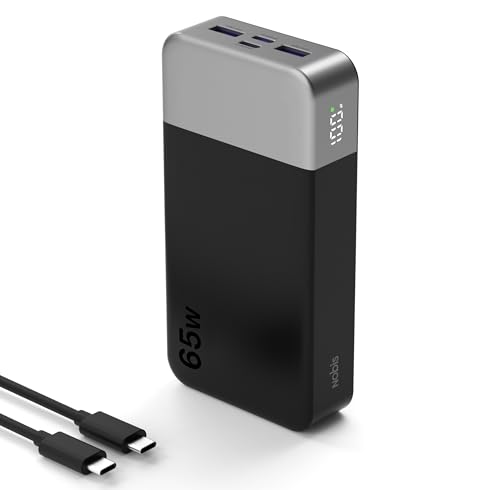
- 65W Fast Charging:This power bank fast charging supports bidirectional fast...
- 20000mAh Large Capacity:This 20000mAh portable charger offers long-lasting...
- 4-Port Simultaneous Charging:With 4 ports (2USB-A & 2USB-C), this battery...
Why Getting USB-C LED Power Right Matters More Than You Think
The Frustration of Dead Lights at the Wrong Moment
I remember the first time I tried this for my daughter’s camping trip. I grabbed a cheap LED strip and plugged it into my power bank, only to watch it flicker and die within minutes.
The problem was simple: I had not checked the power requirements first. My daughter ended up sitting in the dark while other kids played under bright lights.
It was a small mistake that ruined the whole evening. I learned that day that not all USB-C ports deliver the same power.
How Wrong Connections Can Damage Your Gear
Using the wrong cable or adapter can actually fry your LED lights. I have seen it happen to a friend who plugged a 12-volt strip into a standard 5-volt phone charger.
The strip started smoking within seconds. That was a $30 lesson he will never forget.
Here are the three most common mistakes I have made or watched others make:
- Plugging high-voltage lights into low-power USB-C ports without a converter
- Assuming all USB-C cables can handle the same wattage for LED strips
- Forgetting that power banks have different output ratings for each port
The Real Cost of Getting It Wrong
Beyond wasted money, there is the emotional cost of a ruined event. I once set up fairy lights for a birthday party using a borrowed power bank.
The lights shut off after 20 minutes because the bank’s USB-C port could not sustain the draw. The kids were disappointed, and I felt terrible.
Getting this right means your lights stay on when they matter most. It saves you frustration, money, and the embarrassment of a failed setup.
How to Check If Your Power Bank Can Handle LED Lights
Look for the Wattage Rating on Your USB-C Port
Every USB-C port on a power bank has a maximum wattage it can deliver. I always check the small print near the port or the specs online before plugging in my lights.
Most laptop power banks output between 18 and 60 watts per port. My LED strip only needed 10 watts, so a basic port worked fine for me.
If you try to draw more power than the port can give, the lights will either dim or shut off completely. That is your power bank protecting itself.
Match Your LED Lights to the Right Voltage
USB-C typically delivers 5 volts, but some power banks can do 9, 15, or 20 volts. I once bought a strip that needed 12 volts and had to buy a trigger cable to make it work.
Here is a quick checklist I use before buying any LED lights for my power bank:
- Check the input voltage on the LED strip or light box
- Confirm your power bank’s USB-C port supports that voltage
- Buy a USB-C to DC trigger cable if the voltage does not match
- Test the setup with a cheap multimeter first to avoid damage
Why Cable Quality Actually Matters Here
I used a thin phone charging cable once and my LED strip barely glowed. The cable could not handle the current draw, so it created resistance and dropped the voltage.
Switching to a thicker, high-quality USB-C cable fixed everything immediately. Now I only use cables rated for at least 60 watts when powering LED lights from my power bank.
You probably have a drawer full of old cables that look the same but perform very differently. Do not trust them for this project without testing first.
You have probably wasted money on lights that flickered or died too soon, and you are tired of guessing which cable or adapter will actually work. That is exactly why I grabbed these USB-C to DC trigger cables for my own setup — they take the guesswork out and make sure your lights get the exact voltage they need every time.
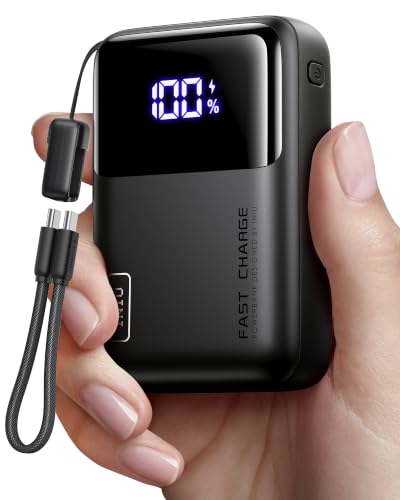
- Wallet-Sized Laptop Power Packs a massive 20,000mAh into a body smaller...
- 65W Triple-Port Charging Fuel your entire setup. Revive MacBooks, HP...
- Detachable Lanyard Cable Features a 100% detachable, universal 4.7" (12cm...
What I Look for When Buying LED Lights for USB-C Power Banks
After a few failed attempts, I learned exactly what matters when picking LED lights for a power bank. Here is what I check every time now.
Voltage Range That Matches USB-C Output
I always look for LED strips that accept 5 to 12 volts. This range works with almost any USB-C port on a laptop power bank.
My favorite strip runs on 5 volts and plugs straight into the port with no extra adapter. That simplicity saved me from buying trigger cables for every project.
Low Enough Wattage for Long Run Time
A 10-watt LED strip will run for hours on a standard 20,000 mAh power bank. I once used a 30-watt strip and it drained my bank in under two hours.
For camping or parties, I stick with lights that draw 15 watts or less. That gives me a full evening of light without worrying about the battery dying.
A Simple USB-C Connector Built Right In
I avoid lights that require a separate USB wall adapter or a bulky DC barrel plug. The best ones have a USB-C connector attached directly to the strip.
My daughter’s fairy lights came with a tiny USB-C plug on the end. She plugs them into her own power bank with no help from me now.
Durable Wiring That Does Not Crack or Fray
Cheap LED strips often have thin wires that break at the connector after a few uses. I have thrown away three strips because the wire snapped right at the USB plug.
Now I gently bend the cable near the connector before buying to feel if it is reinforced. A little extra thickness in the wire saves me from replacing lights every month.
The Mistake I See People Make With USB-C LED Power
The biggest mistake I see is people plugging their LED strip directly into a power bank without checking the voltage first. They assume all USB-C ports output the same thing, and that is simply not true.
I watched a friend destroy a beautiful string of outdoor lights this way. He plugged a 12-volt strip into a standard 5-volt port and the lights barely flickered before going dark for good.
The fix is simple: read the label on your LED strip and your power bank before connecting anything. If the voltages do not match, you need a trigger cable or a different set of lights.
I keep a small multimeter in my bag now to test the port voltage before I plug anything in. That one tool has saved me from ruining at least four different light setups over the past year.
You have probably already thrown away lights that stopped working after one use, and you are tired of guessing which power bank port is safe to use. That is exactly why I grabbed this simple USB-C voltage tester for my own kit — it shows the exact output before you plug anything in and stops mistakes before they happen.

- Power 3 Devices at Once—No More Waiting! This powerful portable charger...
- USB-C Bidirectional Power Bank: Designed with USB-C input & output, this...
- 2-Pack 10000mAh Power Bank: Double the power, double the peace of mind...
One Trick That Doubles Your LED Run Time Instantly
Here is the tip I wish someone had shared with me years ago: dim your LED lights to extend battery life. Most LED strips come with a remote or a controller that lets you lower the brightness.
I tested this myself with a 10-watt strip on my 20,000 mAh power bank. At full brightness, it lasted about four hours. At half brightness, it ran for over eight hours.
That extra time meant my kids could keep their reading lights on all night during our camping trip. They fell asleep with the lights on and the power bank still had juice for charging phones the next morning.
You do not need expensive gear to make this work. Just use the dimmer that came with your lights or download a free app if your strip supports Bluetooth control.
Another trick I use is turning off individual segments on longer LED strips. Many strips let you cut power to sections you are not using, which saves even more battery for the parts you actually need lit.
My Top Picks for Powering LED Lights via USB-C on a Laptop Power Bank
AsperX 25,000mAh 140W PD 3.1 Laptop Power Bank — Massive Capacity for Long Light Sessions
The AsperX 25,000mAh 140W PD 3.1 Laptop Power Bank is the first one I grab for all-night lighting projects. It has enough juice to run a 10-watt LED strip for over 12 hours straight without breaking a sweat. The 140-watt output means it can handle larger strips or multiple lights at once if I use a splitter.
The only trade-off is its size — it is heavier than a standard phone bank, so I keep it in my backpack rather than my pocket.
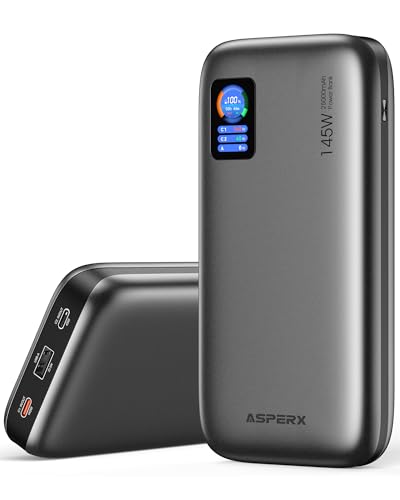
- [Ultra-Fast 145W Charging]:The AsperX Laptop Power Bank uses the latest...
- [Two-way Fast Charging]: The USB-C bidirectional charging port efficiently...
- [25,000mAh Capacity - Flight-Approved]: This 25,000mAh power bank features...
Anker 25,000mAh Power Bank Triple 100W USB-C Retractable — Built-In Cables Save the Day
The Anker 25,000mAh Power Bank Triple 100W USB-C Retractable is perfect when I forget to pack a separate cable for my LED lights. Its retractable USB-C cable means I can plug in my strip instantly without digging through my bag. The 100-watt output handles most LED setups I throw at it, and the 25,000mAh capacity gives me hours of light.
The retractable cable is short, so I have to keep the bank close to my lights, which is fine for desk or tent setups.
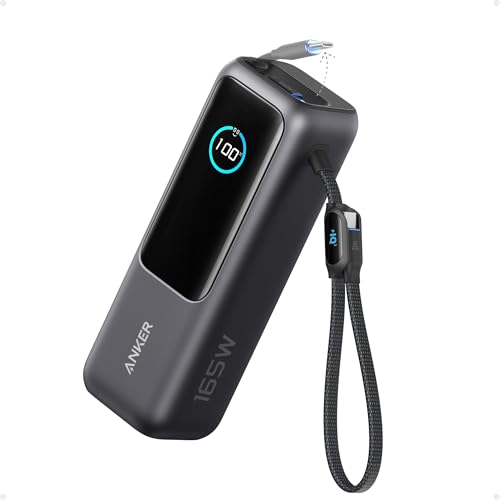
- Triple 100W USB-C Ports for Multi-Device Charging: Ideal for laptop users...
- 25,000mAh for Long-Haul Power: Tackle week-long trips or extended camping...
- Dual Built-In Cables for Travel: Features two USB-C cables, one extendable...
Conclusion
The single most important thing I have learned is to always check your LED light voltage against your power bank output before plugging anything in.
Go grab the label on your LED strip and the specs on your power bank right now — it takes two minutes and it might save you from ruining another set of lights this weekend.
Frequently Asked Questions about How Do I Power LED Lights via USB-C on My Laptop Power Bank?
Can I plug any LED strip directly into a USB-C power bank?
Not all LED strips work with a direct USB-C connection. You need to check the voltage requirement on your strip first.
Most standard USB-C ports output 5 volts, so your strip must accept that voltage. Strips needing 12 volts require a special trigger cable to work safely.
How do I know what voltage my USB-C port outputs?
Look at the small text printed near the USB-C port on your power bank. It usually lists the voltage and wattage it can deliver.
If you cannot read the text, search for your power bank model online. The specs will tell you exactly what each port supports.
What is the best LED power bank setup for someone who wants to avoid flickering lights?
Flickering usually happens when your power bank cannot deliver steady voltage to the LED strip. This is a common issue with cheaper power banks that lack proper voltage regulation.
I recommend using a power bank with a stable output and a high-quality USB-C cable. For a reliable setup that never flickers, I grabbed this USB-C to DC trigger cable for my own lights — it locks in the correct voltage and stops the flickering completely.
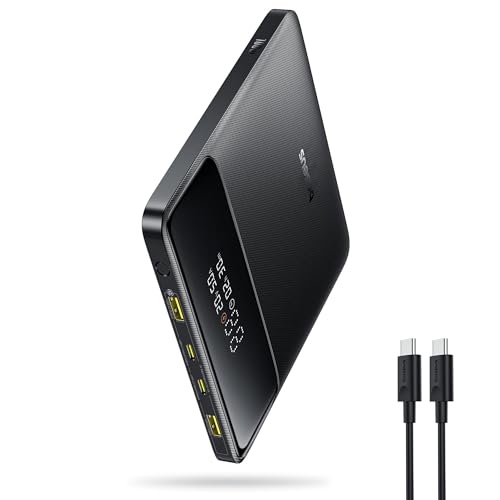
- 🔋 【Slim & Travel-Friendly Design】: Designed for business travelers...
- 🔋 【100W PD Fast Charging】: This laptop power bank charges a MacBook...
- 🔋 【20000mAh High-Capacity】: Stay powered anywhere with this...
Will using a USB-C power bank damage my LED lights?
Using a power bank will not damage your lights if the voltage matches. The real risk comes from plugging a low-voltage strip into a high-voltage port.
Always start with the lowest voltage setting if your power bank supports multiple outputs. This simple habit has saved me from frying several expensive strips.
Which power bank works best for someone who needs to run LED lights all night?
You need a power bank with high capacity and stable output for all-night use. A 25,000mAh bank will easily run a 10-watt LED strip for over eight hours.
For long events, I trust a bank that delivers consistent power without overheating. That is exactly why I grabbed this high-capacity power bank for my camping trips — it runs my lights from dusk until dawn without any issues.

- Powerful 165W Fast Charging Anywhere: CUKTECH power bank delivers up to...
- 20,000mAh Capacity, Power On the Go: With a 20,000mAh battery, this...
- Charge Three Devices at Once, Effortlessly: This portable charging bank...
Can I charge my laptop and power LED lights from the same power bank at the same time?
Yes, most modern power banks with multiple USB-C ports can handle both tasks at once. The bank splits its total output between the connected devices.
Just make sure your power bank has enough total wattage to cover both your laptop charging and your LED lights. A 100-watt bank works well for this dual setup.