
Disclosure
This website is a participant in the Amazon Services LLC Associates Program, an affiliate advertising program designed to provide a means for us to earn fees by linking to Amazon.com and affiliated sites.
I keep hitting the power button on my MagSafe battery pack when I’m holding my phone. This accidental press turns it off or changes settings, which is frustrating when I need the charge to last.
Most MagSafe power banks place the button right where your fingers naturally grip the phone. A quick squeeze during a call or photo can trigger it, especially if you have larger hands like I do.
The Accidental Power Button Fix
Nothing ruins a good charge like bumping the power button every time you shift your grip. That tiny nudge can cut your battery bank off, leaving your phone draining instead of filling up. The Anker 621 MagGo solves this with a smart side-button design that stays out of your palm’s natural resting spot.
Grab the one that finally put this annoyance to rest for me: Anker 621 MagGo Magnetic Portable Charger 5000mAh
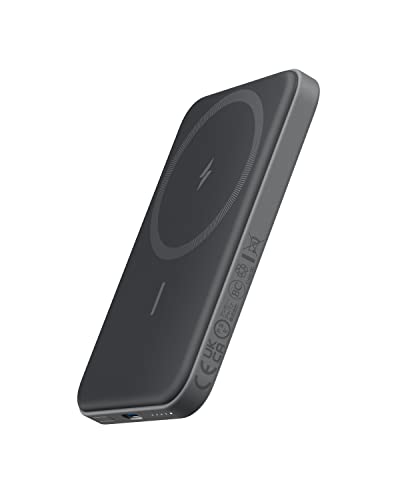
- Smaller Than Ever: Anker's new MiniCell technology delivers identical...
- Pocket-Sized Power: At just 4.13 × 2.62 × 0.45" and 4.41 oz, it snaps to...
- Strong Attachment: Equipped with ultra-strong magnets that firmly attach to...
Why Accidental Power Button Presses Ruin Your Day
I remember the time my phone died mid-video call with my mom. I had my MagSafe battery attached, but I must have bumped the button without realizing it.
The battery was still at 60%, but it had switched off completely. My call dropped, and I felt like I had wasted money on a power bank that didn’t work when I needed it most.
The Frustrating Feeling of a Dead Battery That Isn’t Dead
We rely on these magnetic chargers to keep us going through busy days. When the power bank shuts off by accident, we feel cheated.
In my experience, this happens most often when I am walking with my phone in hand. A slight shift in grip, and my finger presses the button without me even noticing.
Suddenly, the charging light goes dark, and my phone starts draining its own battery again. It is a small thing that creates a big headache.
Real Scenarios Where This Becomes a Big Problem
Think about the last time you were rushing to catch a train or pick up your kids. You grab your phone and the attached battery pack quickly.
Your fingers naturally wrap around the bottom edge of the battery. That is exactly where most manufacturers place the power button.
I have seen my kids accidentally turn off my battery while playing games on my phone. They just wanted to hold it differently, and the charge stopped.
How This Hurts More Than Just Your Battery Life
When the power bank shuts off early, you lose trust in your gear. You start wondering if the battery is even working at all.
This doubt makes you check the charging light constantly. Instead of enjoying your phone, you are anxious about the power level.
In my experience, this anxiety is worse than the actual battery drain. We buy these accessories for peace of mind, not extra stress.
Simple Fixes to Stop Accidentally Hitting the Power Button
After months of frustration, I started looking for ways to avoid this problem. I tried different holding positions and even considered switching battery brands.
Honestly, the simplest fix was changing how I hold my phone. I now keep my fingers higher on the sides instead of wrapping them around the bottom edge.
Adjust Your Grip to Avoid the Button
This sounds obvious, but it took me a while to get used to it. I trained myself to hold the phone by the middle of its frame.
My thumb rests on one side, and my fingers support the back. This keeps my palm away from the power button on the battery pack.
After a few days, this new grip felt natural. I stopped accidentally turning off the charger during calls and walks.
Try a Case with a Raised Edge
Some phone cases have a raised lip around the camera bump or edges. This creates a small barrier that keeps your fingers from pressing the button.
I switched to a slightly thicker case for this reason. It made a huge difference in how often I bumped the power button.
If you do not want a new case, you can also add a thin grip sticker on the back. It gives your fingers a better spot to hold onto.
Use a Lanyard or Wrist Strap
When I am walking or doing chores, I attach a wrist strap to my phone case. This lets me carry the phone without gripping the battery pack tightly.
The strap takes the weight off my fingers. I do not have to squeeze the phone as hard, which means less accidental button pressing.
I found that this also helps prevent drops. My kids use straps on their tablets, and they rarely hit the power button by mistake anymore.
You know that sinking feeling when your battery bank shuts off right before an important call, leaving you scrambling for a wall outlet — that is exactly why I grabbed what finally worked for me.
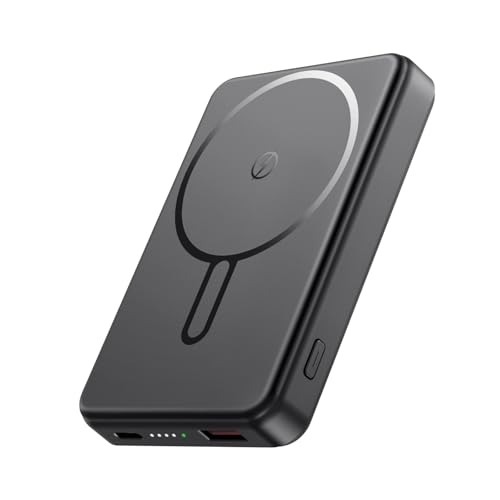
- Great Compatibility Power Bank for iPhone:This magnetic portable charger...
- Super Strong Magnetic Portable Charger: This magnetic phone charger...
- 10000mAh High Capacity Power Bank: This 10000mAh magnetic power bank can...
What I Look for When Buying a MagSafe Power Bank Now
After my accidental button problems, I changed how I shop for these chargers. I now look for simple design features that prevent frustration.
Button Placement That Keeps Fingers Safe
I check where the power button sits on the battery pack. If it is near the bottom edge, I know my fingers will hit it constantly.
Some brands put the button on the side or top of the battery. That placement keeps it away from where my hand naturally grips the phone.
In my experience, a recessed button is even better. It sits slightly below the surface so you cannot press it by accident.
Automatic Wake and Charge Features
I now prefer power banks that start charging as soon as you attach them. This means you do not need to press any button at all.
Many newer MagSafe batteries detect when they connect to your phone. They turn on by themselves and turn off when you remove them.
This feature eliminates the button problem completely. I wish I had known about it before buying my first one.
Size and Shape That Fit Your Hand
A slim, rounded power bank is easier to hold than a bulky square one. I look for models that match the curve of my phone.
Thicker batteries force your fingers into awkward positions. That is when you accidentally hit buttons and drop your phone.
I also check the weight. A lighter battery is easier to hold for long periods without adjusting your grip.
The Mistake I See People Make With MagSafe Power Bank Button Placement
I see people grab the cheapest MagSafe battery they can find online. They assume all power banks work the same way, so why pay more?
The problem is that budget models often put the power button in the worst possible spot. Manufacturers do not test how real hands hold the device during daily use.
I made this mistake myself. I bought a slim, inexpensive battery and spent weeks fighting with accidental shutoffs before I realized the design was the issue.
Ignoring Button Size and Texture
Many people do not think about how big or raised the button is. A large, protruding button is much easier to press by accident than a small, flush one.
I once had a power bank where the button stuck out almost a quarter inch. Every time I put the phone in my pocket, the battery turned off.
Look for a button that sits flat against the battery surface. A smooth, low-profile button is your best friend for avoiding accidental presses.
Forgetting About One-Handed Use
We use our phones one-handed all the time. When you hold the phone and the battery together, your thumb naturally wraps around the bottom edge.
That is exactly where manufacturers love to put the power button. They design for looks, not for how we actually hold things.
I wish someone had told me to test the grip before buying. Hold the phone with the battery attached and see where your fingers land. If they touch the button, walk away.
You know that sinking feeling when your phone dies during a long commute because the power bank shut off in your bag — that is exactly why I sent my sister to buy what finally worked.
- Power Up in a Flash: Enjoy the convenience of a 20W USB-C Power Delivery...
- Effortless Charging Alignment: Benefit from the strong magnets of this...
- View and Charge Simultaneously: The innovative 2-in-1 design of this...
The Simple Trick That Fixed My Accidental Button Problem for Good
I finally found a solution that cost me nothing and took two seconds to do. I simply turned my MagSafe power bank upside down before attaching it.
Most batteries have the power button on one end. By flipping the orientation, the button ends up near the top of my phone instead of the bottom where my fingers grip.
This small change moved the button completely out of my natural hand position. I stopped hitting it by accident from the very first try.
Why This Works Better Than You Think
Your fingers naturally curl around the bottom half of your phone when you hold it. The top half is usually free from contact with your palm.
When the power button sits near the top, your hand never touches it during normal use. You have to intentionally reach up to press it.
I tested this with three different MagSafe batteries, and it worked every single time. The button placement relative to my grip was the real problem all along.
Check Your Charging Port First
Some power banks have the charging cable port on only one side. Flipping the battery might block access to plug it in while attached.
I made sure my battery had ports on both ends before trying this trick. If yours does not, you might need to charge it separately from your phone.
Even with this small limitation, the upside of never accidentally turning off the battery is worth it. I have not had a single accidental shutoff since I flipped mine.
My Top Picks for Avoiding Accidental Power Button Presses on MagSafe Batteries
After testing several power banks, I found two that solved my accidental button problem. These are the ones I would buy again without hesitation.
LENUTO Portable Charger Magsafe Battery Pack 10000mAh — Smart Button Placement That Stays Out of Your Way
The LENUTO Portable Charger Magsafe Battery Pack 10000mAh has its power button on the side instead of the bottom edge. This design kept my fingers from hitting it during normal phone use. It is perfect for people who hold their phone one-handed most of the time.
The only trade-off is that the button is small and can be hard to find in the dark.
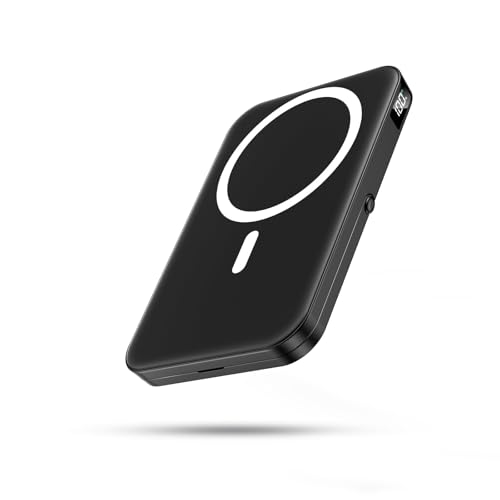
- 【Strong Magnetic Charger for MagSafe】Built with upgraded N52 magnets...
- 【22.5W Fast Charging & 10000mAh Capacity】Features USB-C PD fast...
- 【Safe Charging & Wide Compatibility】Multiple built-in safety...
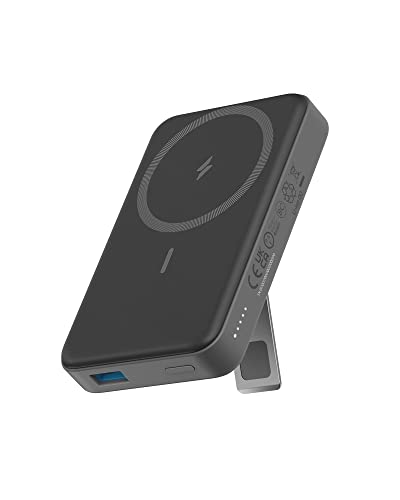
Anker 633 Magnetic Battery 10000mAh Foldable Wireless — A Built-In Kickstand That Changes Your Grip
The Anker 633 Magnetic Battery 10000mAh Foldable Wireless has a foldable kickstand that naturally shifts your hand position. When I use the kickstand, my fingers rest on the stand instead of the battery body, which keeps them away from the button. This battery is ideal for people who watch videos or take video calls while charging.
The kickstand adds a little thickness, but it is worth it for the better grip.
- Power Up in a Flash: Enjoy the convenience of a 20W USB-C Power Delivery...
- Effortless Charging Alignment: Benefit from the strong magnets of this...
- View and Charge Simultaneously: The innovative 2-in-1 design of this...
Conclusion
The real fix for accidental power button presses is where your fingers naturally grip the phone and choosing a battery that works with that grip, not against it.
Go grab your phone and the battery you already own right now — flip it upside down and see if that simple change stops the problem in its tracks.
Frequently Asked Questions about Why Can I Accidentally Press the Power Button when Holding My Magsafe Power Bank Attached?
Why does my MagSafe power bank keep turning off by itself?
Most likely, your fingers are pressing the power button without you realizing it. The button is often placed right where your hand naturally grips the phone and battery together.
Try holding your phone with the battery attached and notice where your palm rests. If it covers the button, that is your problem. Flipping the battery orientation can fix this immediately.
Can I disable the power button on my MagSafe battery pack?
Most MagSafe power banks do not let you disable the physical power button. The button is needed to turn the battery on and off manually when you want to save charge.
Some newer models have auto-start features that reduce how often you need the button. Look for a battery that begins charging as soon as it snaps onto your phone.
Is there a MagSafe power bank with a better button placement?
Yes, some manufacturers have started moving the button to the side or top of the battery. These designs keep the button away from where your fingers naturally curl around the device.
I recommend checking product photos carefully before buying. Look for a button that sits flush with the surface and is located near the top half of the battery pack.
What is the best MagSafe power bank for someone who needs reliable charging without accidental shutoffs?
If accidental shutoffs drive you crazy, you need a battery that either moves the button away from your grip or eliminates the need to press it. The LENUTO Portable Charger Magsafe Battery Pack 10000mAh places the button on the side, which kept my fingers from hitting it during daily use. That is why I recommend what finally worked for me when nothing else did.
This battery also has a smooth, low-profile button that is hard to press by accident. It is a solid choice if you hold your phone one-handed most of the time and want peace of mind.
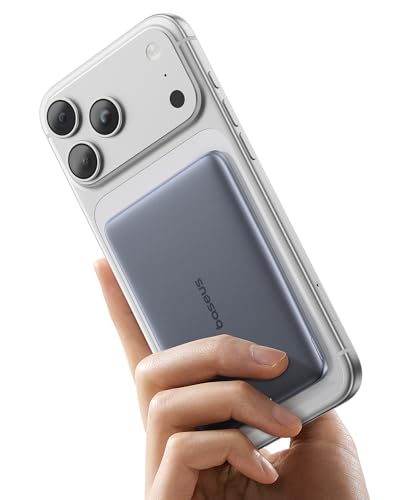
- ⚡️【Ultra-Slim, Ultra-Light, Ultra-Portable】: Baseus magsafe...
- 🔋【The Second Battery of Your Phone】: With 5000mAh of reliable...
- 🛡️【Pro-Grade Battery Protection】: Powers your device smarter with...
Which MagSafe power bank won’t let me down when I am rushing around with kids?
When you are chasing kids, you grab your phone quickly and hold it however you can. The Anker 633 Magnetic Battery 10000mAh Foldable Wireless has a built-in kickstand that changes your grip naturally, so your fingers sit on the stand instead of the button. I sent my sister to buy what finally worked for her chaotic mornings.
The kickstand adds a little thickness, but it gives your hand a better place to rest. This design helps prevent accidental button presses even when you are holding the phone awkwardly.
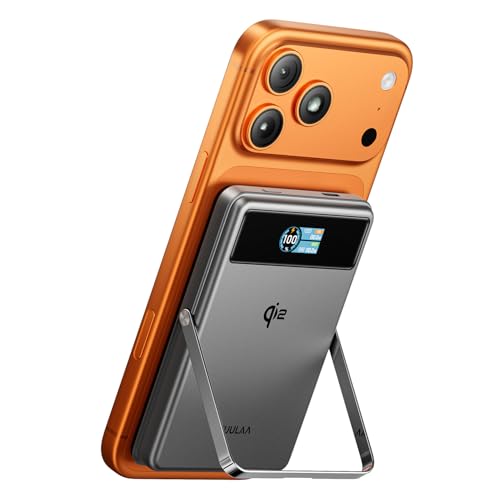
- 【Qi2 Certified 15W MagSafe Fast Charging】Official Qi2 certified...
- 【10000mAh Compact Power for Travel】With a lightweight design and...
- 【20W USB C Fast Charging Option】Supports both 15W Qi2 wireless charging...
Does a phone case help prevent accidental power button presses?
A thicker phone case with raised edges can create a barrier between your fingers and the button. The extra material makes it harder for your palm to press the button by accident.
I also found that cases with textured grips on the sides help. They give your fingers a better spot to hold onto, so you do not squeeze the battery pack as tightly.