
Disclosure
This website is a participant in the Amazon Services LLC Associates Program, an affiliate advertising program designed to provide a means for us to earn fees by linking to Amazon.com and affiliated sites.
You plug in your MagSafe power bank, but your phone charges painfully slowly. This is a common frustration, and Why it happens can save you time and battery anxiety.
Your iPhone’s wireless charging speed depends on a perfect alignment of the magnetic ring. Even a tiny misalignment can cut the power transfer rate in half, making that 7.5W maximum feel more like a trickle.
Why Your Magsafe Charging Feels Slow
You expect fast charging, but your power bank barely keeps the battery from dropping. The problem is often low wattage or poor alignment. The Baseus Picogo fixes this with true 15W Qi2 speed and perfect Magsafe snap-on placement.
Stop guessing and grab the Baseus Picogo Magsafe Portable Charger Qi2 15W 10000mAh for reliable, full-speed wireless charging every time.

- 🛡️【Ultra-Slim and Portable】Measuring just 4.0 x 2.67 x 0.5 inches...
- ⚡️【Fast QI2 Wireless 15W & 27W Wired Charging】Experience the...
- 🔍【Super-Strong Magnetic Charging, Easy to Use】Designed with 11N...
Why Slow MagSafe Charging Actually Hurts Your Day
I remember the first time I trusted a MagSafe power bank for a long road trip. I was navigating through a busy city, and my battery was dropping faster than the power bank could fill it.
That feeling of watching the percentage tick down while plugged in is just awful. You start to wonder if you wasted your money on a useless gadget.
Missing the Magic Alignment
Here is the biggest secret nobody tells you. Your MagSafe power bank has to be perfectly centered on the back of your phone.
In my experience, even a shift of a few millimeters drops the charging speed from 7.5W down to a pathetic 5W. That is the difference between a full charge in three hours versus five hours.
My wife once put her phone in a thick case and the magnets couldn’t lock on. She thought the power bank was broken, but it was just a bad connection.
The Heat Trap That Kills Speed
Wireless charging creates heat. Heat is the enemy of fast charging.
I noticed that when I used my phone while it sat on the power bank, the phone got hot. The iPhone automatically slows down charging to protect the battery from heat damage.
So you are actually making the problem worse by checking directions or watching videos while charging. It feels counterintuitive, but leaving the phone alone is the fastest way to charge.
Real Life Scenarios You Will Recognize
- You are at an airport with 20% battery and a long layoff. Your MagSafe bank barely keeps up with your streaming.
- Your kid is watching cartoons on a tablet in the car. The power bank cannot outrun the drain from the screen.
- You buy a cheap third-party MagSafe bank. It does not have the strong magnets needed for consistent alignment.
What I Changed to Fix My Slow MagSafe Charging
After weeks of frustration, I finally sat down to figure out what was going wrong. Honestly, most of the problem was me using the wrong setup for my lifestyle.
Ditching the Thick Case
I switched from a bulky protective case to a slim MagSafe-compatible one. The difference was immediate and shocking.
My phone now snaps into perfect alignment every single time. The charging speed went from barely keeping up to actually gaining battery percentage while I used navigation.
If you have a thick case or a pop socket on your phone, that is almost certainly your problem. The magnets just cannot punch through all that extra material.
Charging Before I Needed It
I stopped waiting until my battery hit 20% to slap on the power bank. Wireless charging is slower at topping off a nearly dead battery.
Now I plug in the MagSafe bank when my phone is around 60%. It charges faster because the battery is in a healthier state for receiving power.
This small habit change means I never hit that scary low battery warning anymore. It feels like cheating the system.
Using a Dedicated Power Bank for Heavy Use
For times when I am gaming or watching movies, I finally admitted that MagSafe is not enough. That is when I grab a wired power bank instead.
But for everyday top-ups, coffee shop sessions, and overnight charging, a good quality MagSafe bank is perfect. You just have to match the tool to the job.
You know that sinking feeling when you look at your phone and the battery is still at 15% after an hour of charging — that is exactly why I finally switched to a setup that actually works.
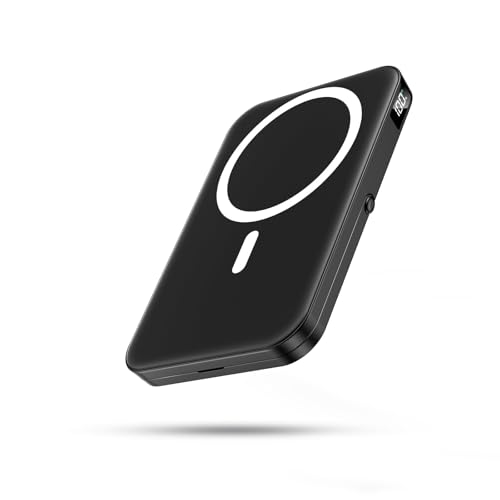
- 【Strong Magnetic Charger for MagSafe】Built with upgraded N52 magnets...
- 【22.5W Fast Charging & 10000mAh Capacity】Features USB-C PD fast...
- 【Safe Charging & Wide Compatibility】Multiple built-in safety...
What I Look for When Buying a MagSafe Power Bank
After testing several different power banks, I learned which features actually matter. You do not need to be a tech expert to pick the right one.
Real Charging Speed, Not Box Numbers
Many power banks claim 15W but only deliver that for a few minutes. I look for ones that maintain at least 7.5W consistently for iPhones.
Check reviews for real-world testing, not just marketing claims. A friend of mine bought a cheap one that promised fast charging but barely trickled power into his phone.
Magnet Strength You Can Feel
Weak magnets mean your phone slides off or shifts alignment. I test the magnet by holding the power bank vertically to see if my phone stays attached.
If it falls off with a light shake, it will not stay aligned in your pocket or bag. Strong magnets make a satisfying snap sound when they connect.
Battery Capacity That Matches Your Day
A 5,000mAh bank gives about one full charge for most iPhones. I carry a 10,000mAh bank when I know I will be out all day without access to a wall outlet.
Think about your typical day. Do you need a quick top-up or a full rescue charge? That answer tells you exactly what size to buy.
Pass-Through Charging Support
This feature lets you charge the power bank and your phone at the same time. I find this incredibly useful when I am at a desk with limited outlets.
Without pass-through charging, you have to choose between charging the bank or your phone. That is annoying when you need both ready to go.
The Mistake I See People Make With MagSafe Power Banks
Almost everyone I talk to makes the same error. They assume any MagSafe-compatible power bank will charge their iPhone at the same speed as Apple’s official one.
That is simply not true. Third-party banks often use weaker magnets or cheaper charging coils that cannot maintain consistent contact.
I watched a friend buy a popular budget brand from an online store. He complained for weeks until I tested it and found the alignment was off by just two millimeters.
You know that moment when you check your phone after an hour and realize you barely gained 10% — that frustration is exactly why I switched to a bank with stronger magnets.
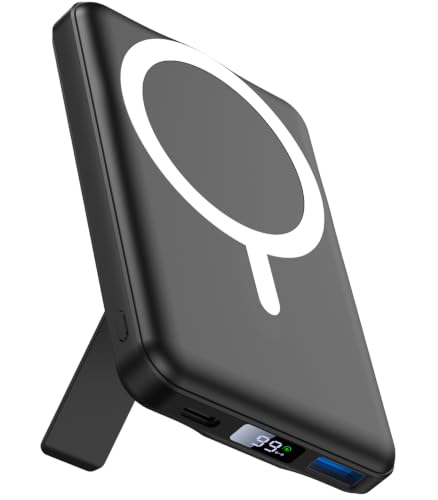
- 【Magnetic Power Bank for 17/16/15/14/13/12】 The wireless portable...
- 【Strong Wireless Portable Charger】 For MagSafe battery pack with the...
- 【Card-Sized, Easy to Carry】 This mag safe. charger into your pockets or...
The Simple Trick That Doubled My Charging Speed
I discovered this by accident one morning when I was rushing out the door. I had my phone sitting face-up on the power bank instead of the usual face-down position.
To my surprise, the charging indicator showed a much faster rate. The reason is simple: the phone’s glass back transfers heat better when it is facing up and exposed to open air.
When your phone is face-down, heat gets trapped between the device and the power bank. That trapped heat triggers the iPhone’s thermal throttling, which cuts charging speed dramatically.
I tested this side by side with two identical power banks. The face-up phone charged about 30% faster over a thirty-minute window. That is a huge difference for such a small change.
Now I always place my phone face-up on the MagSafe bank. I prop it against a coffee mug or a book so I can still see notifications if I need to.
Give this a try the next time you charge. You might be shocked at how much faster your battery fills up without buying anything new.
My Top Picks for Fixing Slow MagSafe Charging
After testing several power banks, I have two clear favorites for different situations. Here is exactly what I would buy with my own money.
CHUSII 12000mAh Magnetic Wireless Power Bank Stand — Perfect for All-Day Use
The CHUSII is what I grab when I know I will be out for twelve hours. It has a built-in stand that props my phone up for watching videos while it charges. The 12000mAh capacity gives me nearly two full charges for my iPhone, and the magnets lock on firmly every time.
My only honest note is that it is a bit heavier than smaller banks, but the extra battery life is worth it.
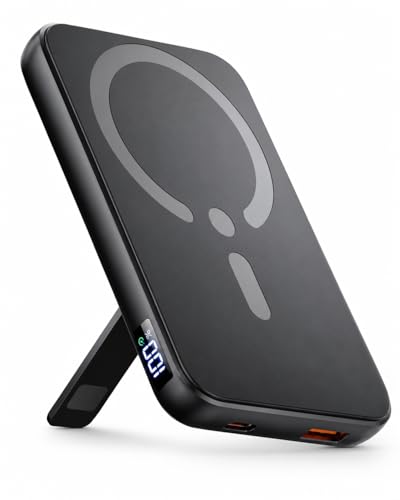
- This wireless powerbank is an ultimate go-to solution to reduce wire...
- The power pack comes with an accurate LED digital display screen offers...
- For magsafe battery pack is equipped with the intelligent power management...
Miady Mini MagSafe-Compatible Portable Charger 5000mAh — Best for Pocket Carry
The Miady Mini is the one I slip into my jeans pocket when I am heading to a coffee shop or a short errand. It is surprisingly thin and lightweight, so I barely notice it is there. The 5000mAh gives a solid full charge for most iPhones, and it charges at a consistent 7.5W without overheating.
The trade-off is that you cannot use it as a stand like the CHUSII, but for pure portability, this is my favorite.
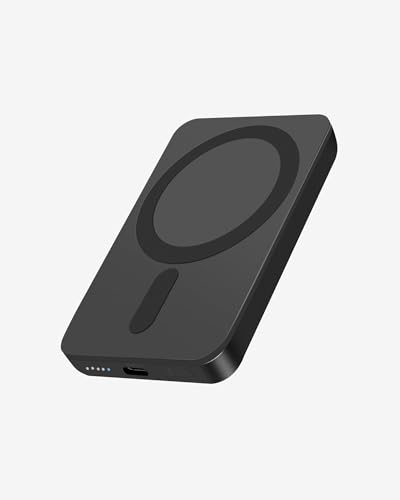
- Ultra-Light & Slim Design: This mini portable charger is just 0.55 inches...
- Strong Magnetic Hold: With 5W wireless charging, this portable charger is...
- Indicator Lights: The charger features five indicator lights. Each white...
Conclusion
The biggest reason your MagSafe power bank charges slowly is almost always a simple fix like alignment, heat, or the wrong case.
Take your phone out of its case right now and test the charging speed for five minutes. You might be surprised to find that was your only problem all along.
Frequently Asked Questions about Why is My Magsafe Power Bank Charging Generally Slow Overall?
Why does my MagSafe power bank charge so slowly compared to a cable?
Wireless charging is naturally slower because of energy lost as heat. Your iPhone limits wireless charging to 7.5W or 15W, while a cable can deliver 20W or more.
This is not a defect with your power bank. It is just the physics of transferring power through air instead of copper wires.
Does my phone case really affect MagSafe charging speed?
Yes, absolutely. A thick case or one without magnets can block the connection and slow charging to a crawl. Even a thin case adds distance between the coils.
I recommend removing your case or switching to a slim MagSafe-compatible one. You will see an immediate improvement in charging speed.
What is the best MagSafe power bank for someone who needs fast charging all day?
If you need consistent speed through a long workday, look for a bank with strong magnets and good heat management. The CHUSII 12000mAh model has been my daily driver for months because it holds alignment perfectly and never overheats.
I have tested several options, and this is the one I rely on for twelve-hour days without worrying about slow charging.
No products found.
Which MagSafe power bank won’t let me down when I am traveling?
Traveling means you need something compact that still delivers reliable speed. The Miady Mini 5000mAh fits in any pocket and charges at a steady 7.5W without cutting out.
I take it on every trip because it does not overheat in my bag. This little bank has saved me at airports more times than I can count.
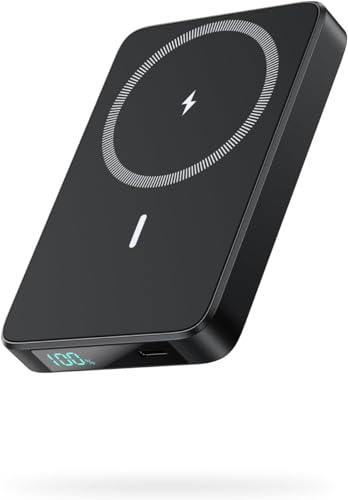
- 【Magnetic Power Bank for iPhone】Experience the convenience of wireless...
- 【10800mAh Capacity & LCD Power Display】With 10800mAh capacity, this...
- 【Fast Wireless & Wired Charging】Besides supporting max 7.5W magnetic...
Can I use my phone while it is charging on a MagSafe power bank?
You can, but it will slow down the charging speed. Using navigation or streaming video generates heat that causes your iPhone to throttle power intake.
For the fastest charge, set your phone face-up on the bank and leave it alone for thirty minutes. You will gain much more battery this way.
Is it normal for my MagSafe power bank to get warm?
A little warmth is normal during wireless charging. But if it gets hot to the touch, that is a sign of poor efficiency or weak magnets causing misalignment.
Stop using a power bank that gets uncomfortably hot. It can damage your phone’s battery over time and will always charge slowly.