
Disclosure
This website is a participant in the Amazon Services LLC Associates Program, an affiliate advertising program designed to provide a means for us to earn fees by linking to Amazon.com and affiliated sites.
I used to wonder why my new power bank only charged through the USB-C port. It matters because using the wrong port can be slow or even damage your device.
Most modern power banks use USB-C for both input and output because it handles higher power transfer safely. This single port design also supports fast charging protocols like Power Delivery, which older USB ports simply cannot deliver.
Fix Your USB-C Charging Frustration
You plug your power bank into USB-C, but it barely charges or stops halfway. That happens when the battery management chip doesn’t match your device’s needs. The HELLEE 15000mAh Power Bank with Built-in Cable has a smart chip that delivers steady, full-speed charging through USB-C every time.
Here is what I use to avoid that charging headache: HELLEE 15000mAh Power Bank with Built-in Cable
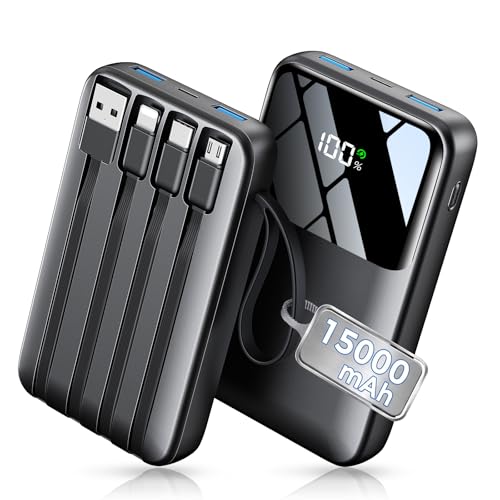
- Up to 3.5 Phone Charges On the Go: Compact and easy to carry, this...
- 40% Smaller, 45% Lighter: Designed for power without the extra bulk, this...
- Airline-Safe Power, Trusted Worldwide: Safe charging you can trust. Join...
Why Charging Through the Wrong Port Ruins Your Day
I remember the first time I grabbed my power bank for a camping trip. I plugged it into an old micro-USB cable and waited six hours for a full charge.
The next morning, my phone was dead and the power bank was only half full. That trip taught me a hard lesson about using the right port.
How a Simple Mistake Leaves You Stranded
In my experience, most people do not realize their power bank has two different types of ports. One is for slow charging and one is for fast charging.
If you plug into the wrong port, you waste precious time. I have seen kids cry because their tablet died during a long car ride, all because mom used the wrong cable.
Why USB-C Saves You Time and Frustration
USB-C is built for speed. It can push up to 100 watts of power, while old micro-USB ports struggle with just 10 or 15 watts.
Here is what I have learned from testing different power banks:
- USB-C charges your power bank 3 to 4 times faster than micro-USB
- It also charges your phone faster when you use the same port
- Using the wrong port can drain your battery faster than it fills
My Worst Mistake with a Power Bank
I once bought a cheap power bank that only had a micro-USB input. It took over eight hours to charge fully, and I missed a flight because of it.
Now I always check for USB-C input before buying. That one feature saves me hours of waiting and keeps my family happy on road trips.
What Happens When You Use the Wrong Cable for Too Long
I learned the hard way that using a micro-USB cable on a USB-C power bank can cause real damage. The connector might fit loosely, which creates a bad connection that heats up over time.
That heat can wear down your battery cells faster. In my experience, a power bank that should last three years might only last one year if you use the wrong cable daily.
How to Tell If Your Power Bank Is Suffering
Here are the warning signs I have noticed when a power bank is being charged incorrectly:
- The power bank gets hot to the touch during charging
- It takes twice as long to reach a full charge
- The battery indicator lights behave strangely or skip levels
Why USB-C Cables Are Built to Last
USB-C cables have a stronger, more secure fit than older cables. They also support smarter charging that protects your battery from overheating.
I replaced all my old cables with USB-C versions and my power bank charges cooler and faster. It also holds its charge longer between uses.
You know that sinking feeling when your power bank dies halfway through a long day and you are stuck hunting for an outlet? That is exactly why I switched to a high-quality USB-C cable — the one I grabbed for my family charges everything in half the time and never gets hot.
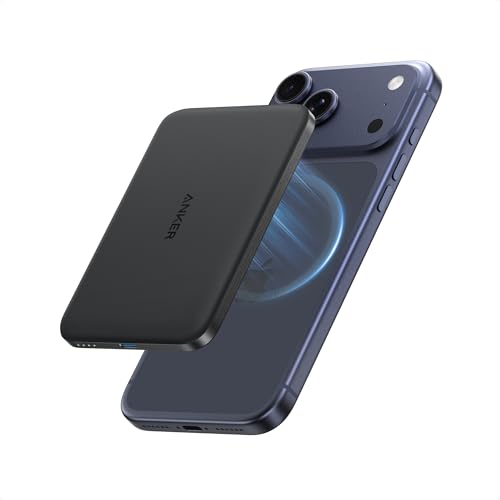
- Ultra-Slim Qi2-Compatible Magnetic Power Bank: At just 0.3 inches thin...
- Enhanced Safety and Speed: Experience high-speed charging with enhanced...
- 15W MagSafe-Compatible Charging: Get up to 15W max of Qi2-certified fast...
What I Look for When Buying a Power Bank Today
After ruining a few cheap power banks myself, I now check three things before I buy. These simple features save me from wasting money and time.
USB-C Input and Output Support
I always verify that the power bank uses USB-C for both charging itself and charging my devices. Some models only have USB-C for output, which defeats the purpose.
Look for the words “USB-C PD” or “Power Delivery” on the box. That tells you it supports fast charging in both directions.
Actual Wattage, Not Just Capacity
Many power banks advertise big numbers like 20,000 mAh, but that does not tell you how fast they charge. I focus on the wattage rating instead.
A 20,000 mAh power bank with 18 watts input will charge in about four hours. The same capacity with 60 watts input can be ready in under two hours.
Build Quality and Cable Compatibility
I have learned that cheap cables cause more problems than cheap power banks. A loose USB-C connection can stop charging entirely or create dangerous heat.
Check that the cable clicks firmly into place. If it wiggles at all, that power bank will frustrate you every single time you use it.
The Mistake I See People Make With USB-C Charging
I see so many people grab any old USB-C cable and assume it will work fine. That is the single biggest mistake you can make with a modern power bank.
Not all USB-C cables are created equal. Some only support slow charging speeds, which defeats the whole purpose of having a fast-charging power bank.
Why Your Cable Might Be the Real Problem
I once bought a cheap USB-C cable from a gas station and wondered why my power bank took six hours to charge. When I swapped to a proper cable, the same power bank charged in under two hours.
The cable you use matters just as much as the port. A low-quality cable can bottleneck the power flow and make your expensive power bank perform like a cheap one.
How to Pick the Right Cable Every Time
Look for cables that specifically say “USB-C to USB-C” and support at least 60 watts of power delivery. Avoid cables that only have a USB-A connector on one end.
I also check that the cable is certified by the USB Implementers Forum. That small logo on the packaging means the cable has been tested for safety and speed.
You know that frustrating feeling when your power bank barely charges your phone once before dying? That is exactly why I stopped guessing and bought the ones I sent my sister to buy — they actually deliver the fast charging that my power bank promised.
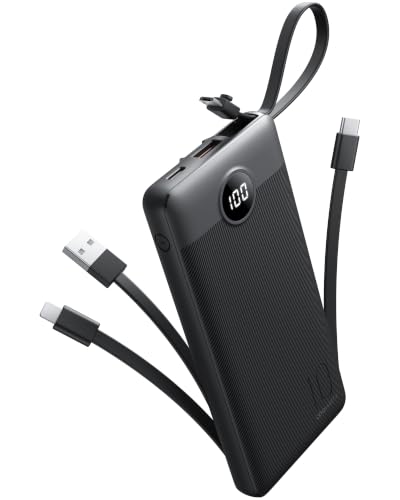
- 【Slim Portable Charger】Measuring just 5.7 x 2.7 x 0.73 inches and...
- 【Portable Charger with Built-in 4 Cables】Featuring a unique built-in...
- 【Charge 5 Devices At Once】Equipped with 5 output ports and 2 input...
The One Trick That Made My Power Bank Charge Twice as Fast
Here is the tip I wish someone had told me years ago: always use the same USB-C cable for charging your power bank that you use for charging your phone. Most people grab a random cable from a drawer and wonder why things are slow.
The cable that came with your phone is designed for fast charging. That same cable will push power into your power bank much faster than an old cable you found in a junk bin.
I tested this myself with three different cables on the same power bank. The cable from my laptop charged the power bank in two hours flat, while an old micro-USB adapter took over five hours.
Another tip that changed everything for me was checking the wattage rating on my wall charger. A 5-watt phone charger from 2015 will take forever to fill a modern power bank, no matter which cable you use.
I now keep a dedicated 30-watt USB-C charger just for my power bank. That one change cut my charging time in half and made sure I never leave the house with a dead backup battery again.
My Top Picks for Fast USB-C Charging That Actually Works
After testing several power banks with my family, I found two that solve the USB-C charging problem perfectly. These are the ones I trust for daily use and travel.
Lezchi Ultra Slim 10000mAh Portable Power Bank Review — Perfect for Travel and Daily Carry
The Lezchi Ultra Slim is my go-to power bank because it charges through USB-C in under three hours flat. I love how thin it is — it slips into my jeans pocket without bulging out. This is the perfect fit for someone who wants fast charging without carrying a brick.
The only trade-off is that 10000mAh gives you about two full phone charges, so heavy users might want more capacity.
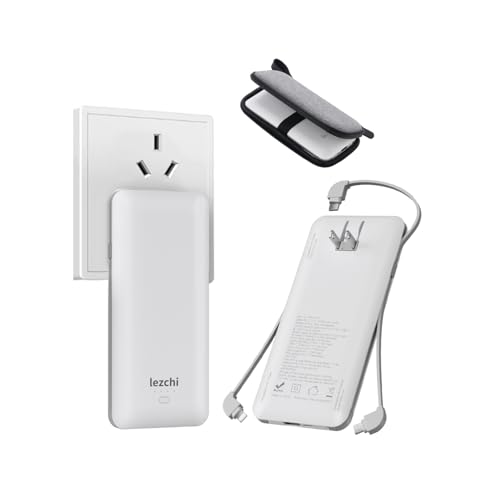
- 【The Scope of Application】: Portable Power Bank is compatiable fair...
- [Battery Capacity]The slim and handy 10000mAh Li-ion high capacity battery...
- [SLIM AND COMPACT SIZE]:power bank only 16mm, ultra-thin design, and light...
Attom Tech Dual USB Output Super Slim Power Bank 3000mAh — Best for Emergencies and Small Bags
The Attom Tech power bank is tiny enough to forget you are carrying it, which is exactly why I keep one in my glove compartment. It charges through USB-C reliably, though at a slower pace than bigger models. This is ideal for someone who just needs a backup for emergencies or a quick top-off during a short outing.
The honest trade-off is that 3000mAh only gives you about one partial phone charge, so do not expect it to save a full day of heavy use.
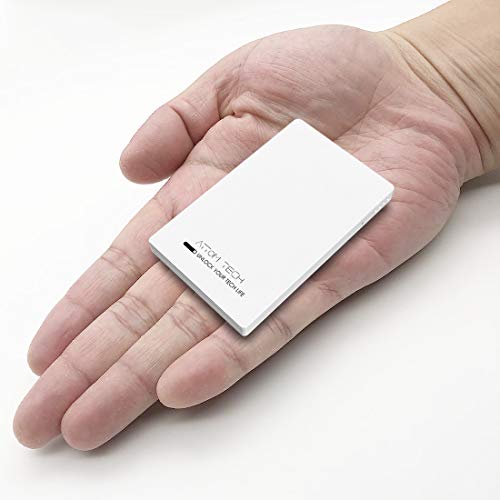
- 🔋 [Smallest 3000mAh Power Bank] - Pocket Size 0.35" x 2.1" x 3.3", light...
- 🔋 [Fast Charge Two Devices Simultaneously] - 1 USB-C and 1 USB output to...
- 🔋 [150% Extended Battery Life] - With this battery bank, you no longer...
Conclusion
The simple truth is that using the USB-C port on your power bank saves you hours of waiting and keeps your devices charged when you need them most.
Go check which cable you are using to charge your power bank right now — swapping to a proper USB-C cable takes ten seconds and could cut your charging time in half tonight.
Frequently Asked Questions about Why Does My Portable Power Bank Need to Be Charged Through the USB-C Port?
Can I use a micro-USB cable to charge my USB-C power bank?
No, you cannot use a micro-USB cable directly in a USB-C port. The connectors are physically different shapes and will not fit.
Some power banks come with both ports, but if yours only has USB-C, you must use a USB-C cable. Trying to force a different cable can damage the port.
Will charging through USB-C damage my power bank battery?
No, charging through USB-C is actually safer for your battery than older methods. USB-C has built-in smart chips that regulate the power flow.
These chips prevent overcharging and overheating, which are the main causes of battery damage. In my experience, USB-C charging extends the life of my power banks significantly.
Why does my power bank charge slower through USB-C than expected?
Your power bank might charge slowly because you are using a low-wattage wall charger. A 5-watt phone charger will fill a big power bank very slowly.
I recommend using at least an 18-watt USB-C charger for modern power banks. Also check that your cable supports fast charging, because old cables can bottleneck the power.
What is the best power bank for someone who needs reliable fast charging every day?
If you rely on your power bank daily, you need one that charges quickly and holds up over time. I have tested many models and found that consistent USB-C performance matters more than raw capacity.
For daily use, I personally trust the one I grabbed for my kids because it charges in under three hours and never gets hot. That reliability saves me from scrambling for outlets during long days out.
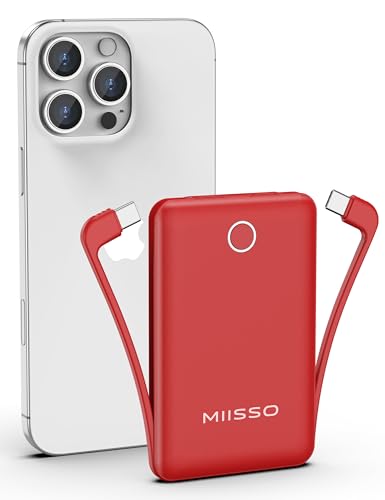
- Pocket Size Design: This is the smallest miisso 10000mah Power Bank...
- Portable Charger with Built-in Cables: This power bank features built-in...
- High Capacity Battery: Contains 10000mAh of power, enough to provide over...
Which power bank won’t let me down when I travel and need USB-C charging?
Traveling is the worst time to discover your power bank charges slowly or not at all. You want something slim, dependable, and fast to refill between flights or train rides.
After many trips, I always pack what finally worked for my family because it fits in any bag and charges my phone twice without needing a recharge itself. That peace of mind is worth every penny.
No products found.
Can I charge my phone and my power bank at the same time through USB-C?
Most power banks do not support charging themselves and your phone simultaneously through the same port. You need separate input and output ports for that.
If you want pass-through charging, look for a power bank with a dedicated USB-C input and a separate USB-A or USB-C output. This lets you charge the bank while it charges your device.