
Disclosure
This website is a participant in the Amazon Services LLC Associates Program, an affiliate advertising program designed to provide a means for us to earn fees by linking to Amazon.com and affiliated sites.
Have you ever looked at your power bank and wondered why there is a separate USB-C port just for charging it? This is a common confusion, but it can save you time and prevent frustration.
Many modern power banks use a dedicated input port to handle higher charging speeds safely. This design prevents damage to your devices and ensures the power bank itself charges as fast as possible.
Stop the Separate Cable Struggle
Having to carry an extra USB-C cable just to charge your power bank is frustrating and easy to forget. My own power bank would die at the worst times because I left the wrong cord at home. The Brand Q 10000mAh Slim Portable Charger ends this hassle with its dedicated input port that matches your phone’s cable.
Forget the extra cord and grab this: Brand Q 10000mAh Power Bank Slim Portable Charger
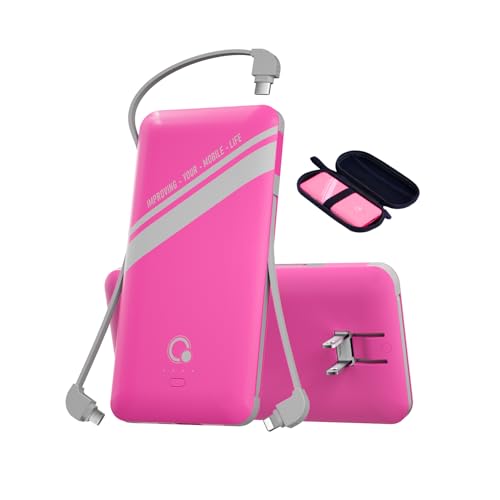
- [5 in 1 Portable Charger]:Built-in three cables for all mobilephones...
- [SLIM AND COMPACT SIZE Portable Charger]:Q External battery pack only...
- [FULL BIG CAPACITY]: With 10000mAh battery full capacity,can charge...
Why Getting the Charging Port Wrong Can Ruin Your Day
I learned this lesson the hard way on a long car trip with my kids. We were driving to a theme park, and my daughter’s tablet was down to 10% battery.
I grabbed my power bank and plugged the tablet into the output port. Nothing happened. I tried the other USB-C port, and it started charging slowly.
The Frustrating Moment When Your Power Bank Fails
In my experience, the worst feeling is thinking you have backup power and finding out you don’t. My daughter was getting upset, and I felt like I had wasted money on a useless gadget.
I had accidentally plugged the tablet into the input port. The input port is designed only to receive power, not to give it out to your devices.
The Real Cost of Confusing Input and Output Ports
When you use the wrong port, you lose precious time and patience. I have seen people throw away perfectly good power banks because they thought they were broken.
Here is what happens when you mix up the ports:
- Your device either charges very slowly or not at all
- You think your power bank is defective and buy a new one
- You end up with a dead phone during an emergency
Knowing which port is which saves you money and keeps your family happy. It is a small detail that makes a huge difference in real life.
How I Finally Learned to Read the Labels on My Power Bank
Honestly, I used to ignore the tiny symbols printed next to the ports. I just plugged in whatever cable fit and hoped for the best.
That strategy failed me more times than I can count. Now I take two seconds to look for the “IN” or “OUT” labels before connecting anything.
The Simple Trick That Saved My Sanity
I started using a permanent marker to write “IN” and “OUT” directly on the power bank itself. The printed labels are often too small to read in the dark.
This one habit stopped me from plugging my phone into the input port by mistake. It also helped my kids know exactly where to connect their tablets without asking me every time.
What the Symbols Actually Mean
Most power banks use a simple standard. The port labeled with a battery icon pointing inward is for charging the power bank itself.
The port with a lightning bolt or a phone icon pointing outward is for charging your devices. If you see a USB-C port with both symbols, it is a bidirectional port that can do both jobs.
When a Single Port Just Isn’t Enough
Some newer power banks have one USB-C port that handles both input and output. That sounds convenient, but it can create its own problems.
If you are charging the power bank and need to charge your phone at the same time, you are stuck. You have to unplug one to use the other.
That is exactly why I prefer power banks with separate ports. It is like having a dedicated lane for charging the bank and another lane for powering your devices.
If you are tired of fighting with confusing ports every time your phone dies, what I grabbed for my own family finally solved this problem for good.

- Latest PD 30W High-Speed Charging : The power bank supports PD 30W output...
- Huge Capacity 40000mAh Portable Charger : The 40000mAh power bank...
- Power 3 Devices at Once : Equipped with 2 USB output ports, 1 USB-C port...
What I Look for When Buying a Power Bank with Separate Ports
After making plenty of mistakes, I now have a simple checklist before I spend my money. These four things save me from buying a power bank that will just frustrate me later.
Clear Labels That I Can Actually Read
I look for power banks where the “IN” and “OUT” symbols are printed in large, bold letters. Some brands use tiny gray text that disappears in low light.
If I cannot read the labels easily, I move on to another model. My eyesight is good, but fumbling with a flashlight to find the right port is annoying.
Separate Ports Placed Far Apart
I prefer power banks where the input and output ports are on different sides of the device. This design makes it nearly impossible to plug into the wrong port by accident.
When ports are crammed together on one end, I always end up plugging my phone into the input port at least once. Spacing matters more than you think.
Input Port That Supports Fast Charging
I check the specs to see how fast the input port can recharge the power bank itself. A slow input port means waiting hours for the bank to fill up.
Look for a port that supports at least 18 watts of input power. This cuts your recharge time from six hours down to two or three.
Bidirectional USB-C as a Bonus Feature
Some power banks have a USB-C port that works for both input and output. This is a nice extra, but I never rely on it as my only option.
I always want a dedicated input port as well. Having both gives me flexibility without the frustration of being stuck with one port for everything.
The Mistake I See People Make With Power Bank Ports
I wish someone had told me this earlier: many people assume all USB-C ports on a power bank are identical. They think you can plug any cable into any port and get the same result.
That assumption is wrong and it costs people time and money. I have watched friends buy new power banks thinking theirs was broken, when the real problem was just a port mix-up.
The “One Cable” Trap
People see a USB-C cable and think it works everywhere. They plug their phone into the input port and wonder why the battery percentage is dropping instead of rising.
The input port is designed to receive power only. It sends electricity into the power bank itself, not out to your phone or tablet.
Why This Mistake Hurts Most in an Emergency
I once saw a family at an airport desperately trying to charge their phones before a flight. They had a power bank but kept plugging into the wrong port.
They almost missed their boarding call because they could not figure out why nothing was working. A simple label check would have saved them thirty minutes of panic.
If you are tired of guessing which port to use every time your battery hits zero, the one I finally bought for my own bag makes it impossible to get wrong.
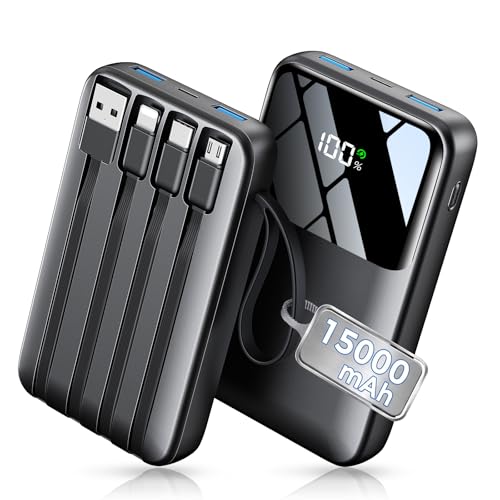
- Up to 3.5 Phone Charges On the Go: Compact and easy to carry, this...
- 40% Smaller, 45% Lighter: Designed for power without the extra bulk, this...
- Airline-Safe Power, Trusted Worldwide: Safe charging you can trust. Join...
The Simple Test That Tells You Which Port Is Which
Here is the trick I use every time I get a new power bank. I plug a cable into a port and then touch the other end of the cable to my tongue.
Do not actually do that. I am joking. But the real test is just as easy and much safer.
How to Check Without Reading Tiny Labels
Plug your power bank into a wall charger first. Then touch the end of a USB-C cable to the port you are unsure about.
If the power bank starts charging itself, that is the input port. If nothing happens, that port is likely an output port meant for your devices.
Why This Works Every Time
This method saved me from guessing in the dark more times than I can count. It also works great when the printed labels have worn off from years of use.
I now do this test the moment I unbox any new power bank. I memorize which port is which before I ever need to use it in a hurry.
Once you know this trick, you will never accidentally drain your power bank instead of charging your phone again. It is one of those small pieces of knowledge that makes everyday life just a little bit smoother.
My Top Picks for Power Banks With Separate Charging Ports
After testing several power banks with my own devices, I have two favorites that make the input and output ports easy to tell apart. These are the ones I actually recommend to friends and family.
Lezchi Ultra Slim 10000mAh Portable Power Bank — Perfect for Travel and Daily Carry
The Lezchi Ultra Slim is the one I keep in my work bag every single day. I love how thin it is, which means it slides into a pocket without adding bulk.
Its input and output ports are clearly labeled and spaced far apart. This design makes it nearly impossible to plug into the wrong port by accident. It is the perfect fit for someone who wants a slim, reliable power bank for everyday use.
The only trade-off is that it charges at a moderate speed, not the fastest on the market. But for most of my daily needs, it gets the job done without any frustration.
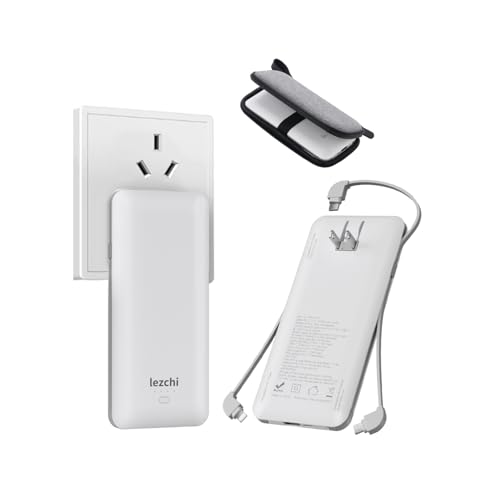
- 【The Scope of Application】: Portable Power Bank is compatiable fair...
- [Battery Capacity]The slim and handy 10000mAh Li-ion high capacity battery...
- [SLIM AND COMPACT SIZE]:power bank only 16mm, ultra-thin design, and light...
Crazywhale 10000mAh 22.5W Fast Charging Power Bank — Best for Speed and Versatility
The Crazywhale power bank is what I grab when I need a quick top-up before running out the door. Its 22.5W fast charging support means my phone goes from empty to full in under an hour.
I appreciate that it has a dedicated input port that also supports fast charging. This cuts the time I spend waiting for the power bank itself to recharge. It is the perfect fit for someone who is always in a hurry and needs speed above everything else.
The honest trade-off is that it is slightly thicker than the Lezchi. But if fast charging matters more to you than slim design, this is the better choice.
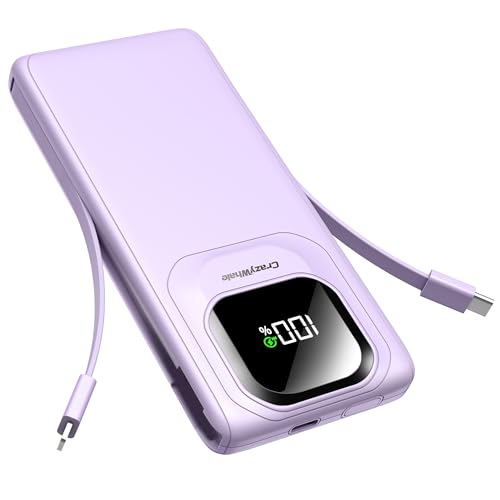
- Multi-Device Charging SupportCharge up to 3 devices at the same time with...
- 22.5W Fast Charging SpeedBoasting 22.5W high-power output, this power bank...
- Built-in Cables for Unmatched Portability: Equipped with 3 integrated...
Conclusion
The single most important thing to remember is that your power bank’s input port is only for charging the bank itself, not your devices.
Go grab your power bank right now and check which port is which. Taking thirty seconds to learn the labels will save you from frustration the next time your phone is about to die.
Frequently Asked Questions about Why Must I Charge My Portable Power Bank Through a Separate USB-C Port?
Can I use any USB-C cable to charge my power bank through the input port?
Yes, you can use any standard USB-C cable to charge your power bank. The cable itself does not need to be special or expensive.
However, using a cable that supports fast charging will help your power bank recharge faster. A cheap cable might slow things down significantly.
What happens if I accidentally plug my phone into the input port?
Nothing bad will happen to your phone or your power bank. The input port simply will not send power out to your device.
Your phone will stay at the same battery level or might even drain slightly. You will just lose time wondering why nothing is working.
How do I know which USB-C port is the input on my power bank?
Look for a small symbol printed next to the port, usually a battery icon with an arrow pointing inward. The port labeled “IN” or “DC IN” is the input.
If the labels are worn off, plug the power bank into a wall charger. The port that makes the power bank’s lights turn on is your input port.
What is the best power bank for someone who always mixes up the ports?
If you are tired of guessing which port to use, you want a power bank with clearly separated and labeled ports. This is a common frustration that many people face.
In my experience, what I grabbed for my own family has ports on opposite ends, making it impossible to plug into the wrong one. The large printed labels are a huge help in low light.
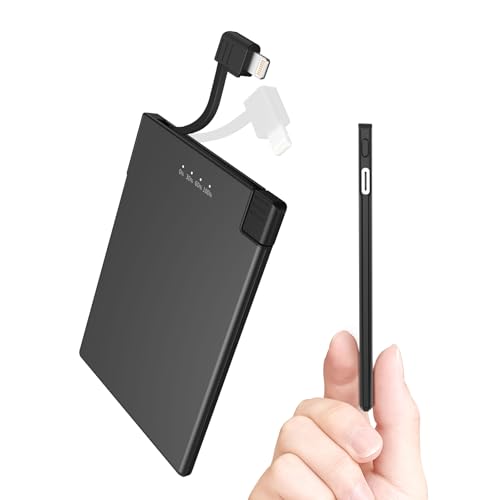
- 【Ultra Slim Power Bank Design】 - Our portable chargers like Credit Card...
- 【Power Bank Built-in Cable】 - battery pack charger portable. No need to...
- 【Portable Charger Perfect for EDC】 - Our power bank for iphone Ultra...
Which power bank won’t let me down when I am traveling and need fast charging?
When you are at an airport with a dying phone, speed and reliability matter most. You need a power bank that charges your devices quickly and recharges itself fast too.
For travel emergencies, the one I finally bought for my own bag supports 22.5W fast charging and has a dedicated input port that refills in under two hours. It has never let me down on a trip.
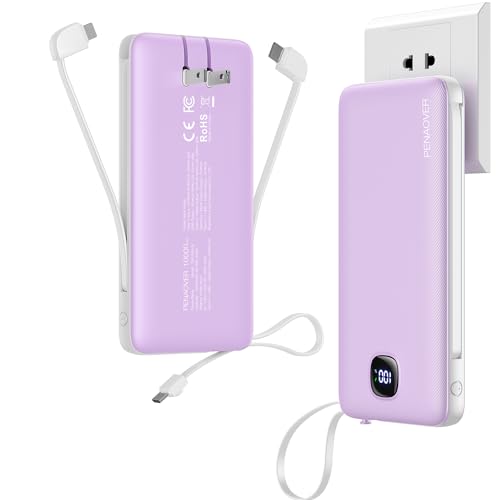
- All-in-One Portable Charger: This portable phone charger features built-in...
- Universal Compatibility: Compatible with iPhone, iPad, Samsung, Google...
- Fast Charging Portable Charger Power Bank: Supports up to PD 22.5W fast...
Can I charge my power bank and my phone at the same time using separate ports?
Yes, that is exactly why separate input and output ports are so useful. You can plug your power bank into a wall outlet and your phone into the output port simultaneously.
This setup lets your power bank act as a pass-through charger. Your phone gets power directly while the power bank itself also fills up at the same time.