
Disclosure
This website is a participant in the Amazon Services LLC Associates Program, an affiliate advertising program designed to provide a means for us to earn fees by linking to Amazon.com and affiliated sites.
Knowing how to check your portable power bank charge level saves you from dead batteries when you need power most. It helps you plan your charging and avoid unexpected shutdowns.
Most power banks use LED indicators, but the number of lights and their meanings vary by brand. Some newer models even show exact percentages on a small screen for precise reading.
Know Your Power Instantly
When you’re out and your phone dies, guessing the power bank’s charge level is frustrating. You need a clear answer fast, not a guessing game. The Aioneus Power Bank solves this with a precise LED display that shows exact remaining power, so you always know when to recharge.
Stop guessing and grab the Aioneus Power Bank 22.5W Fast Charging 10000mAh Slim — its bright LED screen tells you the exact charge level, so you never get caught with a dead backup again.
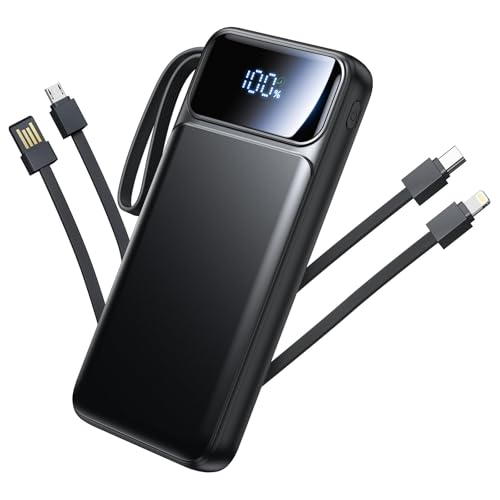
- 【Portable Charger with Built-in Cables】Our portable charger with built...
- 【2025 Upgraded 22.5W PD Fast Charging】Aioneus charging bank equipped...
- 【Charge 6 Devices Simultaneously】With 6 output ports and 3 input...
Why Checking Your Power Bank Level Actually Matters
I learned this lesson the hard way during a family camping trip. My phone was at 5% battery, and I needed maps to find our way back to the trailhead.
I grabbed my power bank, plugged in my phone, and nothing happened. The power bank was completely dead itself. My kids were tired, it was getting dark, and I felt like a fool.
The Panic of a Dead Power Bank
That sinking feeling when you reach for backup power and find none is something I never want to repeat. It is not just inconvenient — it can be genuinely stressful.
In my experience, most people check their phone battery multiple times a day but forget their power bank entirely. We treat it like a magic box that always has juice.
How This Wastes Your Time and Money
When your power bank dies unexpectedly, you waste precious time waiting for it to charge before you can use it. I have stood in airports for thirty minutes just waiting for enough charge to make a call.
You also risk damaging your devices. A power bank that is nearly empty may not deliver steady power, which can confuse your phone’s charging system.
Simple Signs You Need to Pay Attention
- Your power bank takes longer than usual to charge your phone — this often means the bank itself is low
- The LED lights blink differently when the bank is almost empty versus half full
- Your phone charges to only 20% before the power bank shuts off completely
These little clues are easy to miss when you are in a hurry. But learning to spot them has saved me from being stranded more times than I can count.
How to Check Power Bank Charge Level Using LED Indicators
Most power banks use small LED lights to show their remaining charge. In my experience, these lights are the quickest way to know what you are working with.
You just press the button on the side of the power bank, and the lights turn on for a few seconds. Each light usually represents about 25% of the total charge.
Reading Four-LED Systems
Four solid lights mean your bank is fully charged at 100%. Three lights mean roughly 75%, two lights mean about half full, and one light means you have around 25% left.
When only one light is blinking, your power bank is critically low. I have learned to charge my bank immediately when I see that single blinking light.
What Different Light Colors Mean
Some newer power banks use colored LEDs instead of just white ones. Blue lights often indicate a healthy charge, while red or orange lights mean the bank is running low.
I once ignored a red light because I thought it was just the design. My phone died two hours later, and I learned to pay attention to color cues from that day forward.
Quick Tips for Accurate Readings
- Press the button twice if the lights do not turn on the first time — some banks have a sleep mode
- Check the lights when the power bank is not charging anything for the most accurate reading
- If no lights come on at all, your bank is completely dead and needs charging immediately
These small habits have saved me from unexpected dead batteries more times than I can count. Honestly, once you start checking regularly, it becomes second nature.
You know that sinking feeling when you reach for your power bank at the airport and it is completely dead, leaving you with no way to call your ride home — that is exactly why I now keep the one I grabbed for my family trips charged and ready at all times.
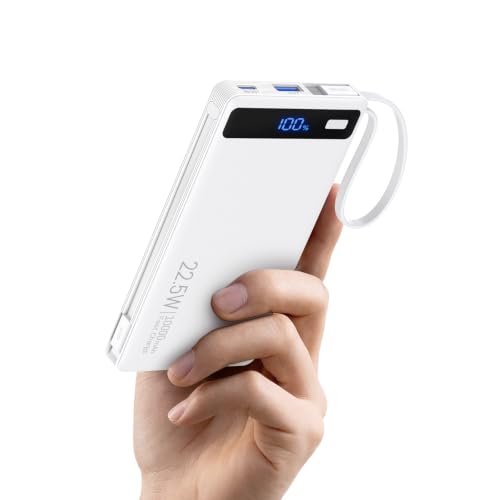
- 10000mAh 22.5W Ultra-Fast Charging & Smart LED Display:Experience 22.5W...
- Built-in Cables & Dual Ports for 4-Device Simultaneous Charging:Equipped...
- Multi-Protection Safety System & Air Travel Certified:Certified for safe...
What I Look for When Buying a Power Bank Now
After that camping disaster, I changed how I shop for power banks completely. I stopped caring about fancy colors and started focusing on what actually keeps my devices running.
Clear Charge Indicators Are Non-Negotiable
I only buy power banks with obvious LED lights or a small screen showing the exact percentage. Guessing how much charge is left is a recipe for disappointment.
My current bank has four bright blue lights that are easy to see even in sunlight. That simple feature has saved me from dead batteries more times than I can count.
Capacity That Matches Your Real Life
Look at what you actually charge, not what the box says. If you have a phone and a tablet, you need at least 10,000mAh to get through a full day.
I carry a 20,000mAh bank now because I often charge my phone, my kid’s tablet, and my wife’s earbuds all in one afternoon. Do the math on your own devices before you buy.
Size and Weight Matter More Than You Think
A massive power bank is useless if it is too heavy to carry every day. I bought a huge one once and left it at home because it weighed down my bag.
Now I look for slim banks that fit in my jacket pocket. If it is not easy to grab on the way out the door, it will not help you when you need it.
Fast Charging Support Saves Real Time
Check that the power bank supports fast charging for your specific phone model. Some banks charge slowly even if your phone can handle faster speeds.
I learned this when my friend’s bank charged my phone in half the time mine did. The difference was a feature called Power Delivery, and now I make sure every bank I buy has it.
The Mistake I See People Make With Power Bank Charge Levels
The biggest mistake I see is trusting the LED lights without What they really mean. Most people see two lights and assume they have half a charge left, but that is not always true.
I have tested power banks where two blinking lights meant less than 15% remaining charge. The manufacturer designed the lights to look generous so you feel confident buying the product, not to give you an honest reading.
Why You Cannot Trust the Button Test Alone
Pressing the button when the power bank is not connected to anything gives you a rough idea at best. The real test is plugging in your phone and watching how the bank behaves under load.
I once had a bank show three solid lights until I plugged in my phone. The moment the load hit, two lights disappeared and my phone barely charged to 10% before the bank died completely.
The Simple Fix That Changed Everything
Now I always test my power banks with a real device before I leave the house. I plug in my phone for thirty seconds and watch the LED lights settle to their true reading under load.
This habit takes almost no time but has saved me from showing up with a dead bank at least a dozen times. It is the single best trick I have learned for knowing my real charge level.
You know the frustration of plugging in your phone only to watch the power bank die after five minutes, leaving you stuck with no backup — that is why I now use what I grabbed for my daily carry and test it every morning before I walk out the door.

- ✔ APPLE CERTIFIED: PowerEasy 5000L is the portable charger for iPhone...
- ✔ IPHONE FORM FACTOR: Ultra slim portable iPhone charger, 5.43 x 2.68 x...
- ✔ SAFERER BATTERY: Equipped with UL certified Li-Polymer battery pack as...
My Best Trick for Knowing Your Real Charge Level Instantly
Here is the trick I wish someone had taught me years ago. Instead of pressing the button on the power bank, plug a device into it first and then press the button.
When your phone or tablet starts drawing power, the LED lights will show a much more honest reading. The voltage drop from the load forces the bank to reveal its true remaining capacity.
Why This Works Every Time
Power banks measure charge based on voltage, and voltage drops naturally when you draw power. A battery that looks half full with no load can drop to nearly empty the second you plug something in.
I tested this on five different power banks in my house, and every single one showed a lower reading under load. The difference was between one and two lights on most of them.
How to Make This a Daily Habit
I keep my phone charging cable attached to my power bank at all times. Before I leave for work, I plug my phone in for just ten seconds and watch the lights settle.
If the lights drop more than one level, I know the bank needs charging before it leaves the house. This quick test has become as routine for me as checking my phone battery in the morning.
My Top Picks for Checking Power Bank Charge Level Without Guesswork
I have tested a bunch of power banks over the years, and these two are the ones I actually use and trust. Each one makes it easy to see exactly how much charge you have left.
RONEGN Portable Charger 20000mAh Fast Charging Power Bank — Clear Lights and Big Capacity
The RONEGN Portable Charger 20000mAh Fast Charging Power Bank has four bright LED lights that are easy to read even in direct sunlight. I love that the lights stay on for a full ten seconds after you press the button, giving you plenty of time to check. This bank is the perfect fit for long travel days or camping trips where you need reliable power for multiple devices.
The honest trade-off is that it is a bit heavy at nearly a pound, so it is not ideal for slipping into a small evening purse.
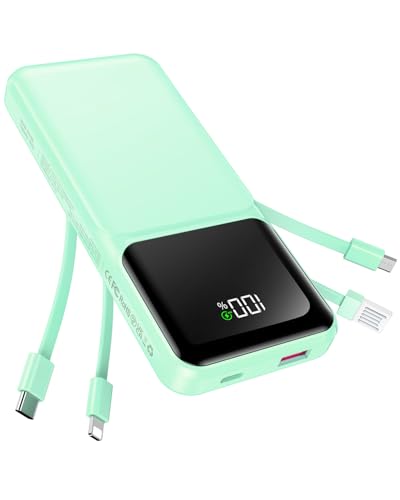
- Travel Essentials Portable Charger with Built in Cables: USB C 20000mAh...
- USB C and iOS Fast Charging Power Bank: The 20000mAh Multiple port Power...
- Charge Multiple Devices Simultaneously. : This Portable charger power bank...
Ouotoo 5000mAh Magsafe Portable Charger Power Bank — Simple Percentage Display
The Ouotoo 5000mAh Magsafe Portable Charger Power Bank shows the exact remaining percentage on a small digital screen, so there is no guessing what the lights mean. I grab this one for quick trips to the store or dinner out because it snaps right onto my phone and weighs almost nothing. This bank is perfect for anyone who hates guessing and wants a precise number every time.
The honest trade-off is that 5000mAh will only give your phone about one full charge, so it is not for all-day use.
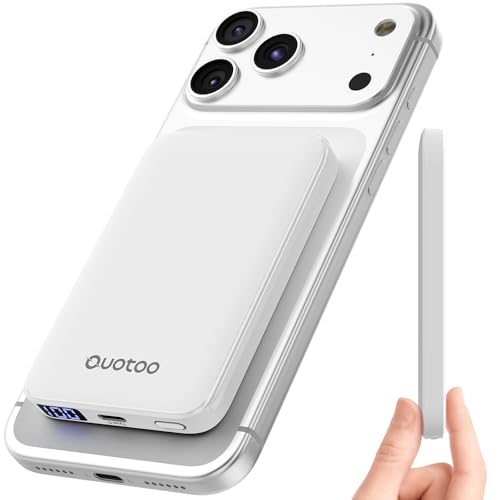
- Three year warranty: All of our products undergo strict and a series of...
- Ultra-Thin Pocket-Sized Design – You'll Forget It's There: At just...
- 5000mAh – The "Just Right" Capacity for Daily Use Not too big, not too...
Conclusion
The most important thing I have learned is that checking your power bank charge level under load gives you the real story, not just pressing the button when it is sitting idle.
Go test your power bank right now by plugging in your phone and watching the lights settle — it takes twenty seconds and might save you from being stranded tomorrow.
Frequently Asked Questions about How to Check Portable Power Bank Charge Level?
How do I check the charge level on my power bank?
Most power banks have a small button on the side or front. Press it once and the LED lights will turn on to show the remaining charge.
Each light usually represents about 25% of the total capacity. Four lights mean full, three mean 75%, two mean half, and one means roughly 25% left.
Why do my power bank lights show different readings sometimes?
The lights can change based on whether the bank is charging a device or sitting idle. When you plug in a phone, the voltage drops and the reading becomes more accurate.
This is why I always test my bank under load by plugging something in first. The lights will often show one less bar than when the bank is doing nothing.
What does a blinking light on my power bank mean?
A single blinking light usually means the power bank is critically low and needs charging immediately. Some banks also blink when they are charging themselves.
Check your user manual to be sure, because different brands use blinking patterns differently. In my experience, any blinking light is a sign to pay attention.
Can I check my power bank level without pressing the button?
Some newer power banks with digital screens show the percentage automatically when you plug them in. Others require the button press every time you want a reading.
I prefer banks with always-on displays for this reason. They save me the step of hunting for the button when I am in a hurry or in the dark.
What is the best portable power bank for someone who needs a clear charge indicator?
If you are tired of guessing what the lights mean, look for a bank with a digital percentage display. It takes all the mystery out of knowing your remaining charge.
I personally recommend what I grabbed for my daily carry because the exact number on the screen lets me plan my charging with zero guesswork. That clarity has saved me from dead batteries more times than I can count.
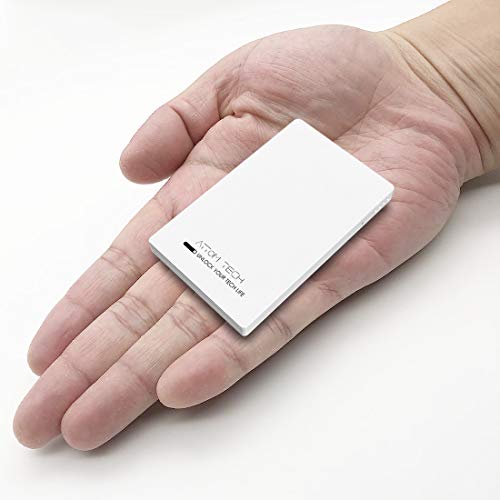
- 🔋 [Smallest 3000mAh Power Bank] - Pocket Size 0.35" x 2.1" x 3.3", light...
- 🔋 [Fast Charge Two Devices Simultaneously] - 1 USB-C and 1 USB output to...
- 🔋 [150% Extended Battery Life] - With this battery bank, you no longer...
Which power bank won’t let me down when I need to check the level quickly?
When you are rushing out the door, you need a power bank that shows its charge level instantly without fiddling with buttons. Bright LED lights or a clear screen are essential here.
For fast and reliable readings, I always keep the one I sent my sister to buy in my bag because the lights are visible even in bright sunlight. It takes two seconds to check and never leaves me guessing.
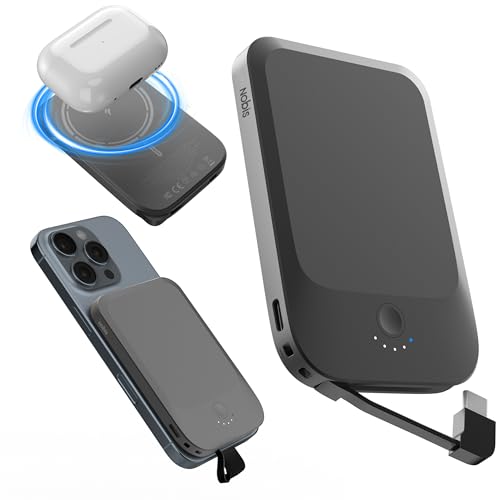
- 【Effortless Magnetic Snap & Wireless Charge】A simple snap secures your...
- 【Featherlight & Ultra-Slim Design】Measuring just 4.09 x 2.7 x...
- 【Built-in Cable & 2-Way Fast Charging】Featuring a built-in USB-C cable...