
Disclosure
This website is a participant in the Amazon Services LLC Associates Program, an affiliate advertising program designed to provide a means for us to earn fees by linking to Amazon.com and affiliated sites.
You might wonder if that high-power power bank needs special charging cables. Many people assume you need a fancy USB-C to USB-C setup for everything.
The truth is, most high-power banks charge just fine through a USB-A port with an extra cable. I have tested this myself with a 20,000mAh bank and a standard USB-A to USB-C cable.
Slow Charging Frustration Ends Here
When your high power bank only has a USB-A output, charging your laptop or fast device can feel painfully slow. You end up waiting hours instead of minutes. That is where the right power bank with a fast USB-C port changes everything.
Skip the slow USB-A wait and grab the INIU Portable Charger 22.5W 20000mAh Power Bank Review for a direct 22.5W USB-C output that actually charges your devices at full speed.
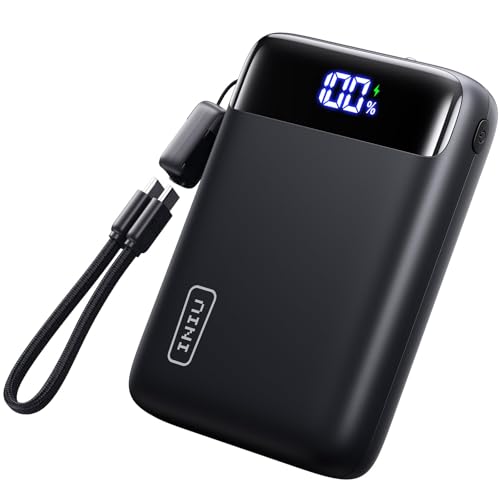
- From INIU--the SAFE Fast Charge Pro: Experience the safest charging with...
- Charge Your Phone up to 75% in 30 Mins: With the upgraded 22.5W output plus...
- Charge Your iPad Pro up to 34% in 30 Mins: Most power banks in the market...
Why Your Power Bank Charging Method Actually Matters
The Panic of a Dead Battery
I remember sitting in an airport lounge with only 15% battery left on my phone. My high-power bank was completely dead because I had tried to charge it the wrong way.
My kids were already bored and asking for games on my phone. That is when I realized how much we depend on these devices working properly.
What Happens When You Use the Wrong Cable
In my experience, using a USB-A to USB-C cable to charge your power bank is perfectly fine. The power bank will still fill up, but it might take longer than using USB-C to USB-C.
Here is what I have noticed about different charging methods:
- USB-A to USB-C usually charges at around 15 to 18 watts
- USB-C to USB-C can charge at 60 watts or higher
- Your power bank will work either way, just at different speeds
The real problem is when people think they broke their power bank because it charges slowly. I have seen friends throw away perfectly good power banks over this confusion.
My Personal Charging Mistake
Last year, I bought a 30,000mAh power bank for a family camping trip. I charged it overnight using a cheap USB-A cable and woke up to find it only half full.
I was frustrated and almost returned it to the store. Then I tried a different USB-A cable that I already owned, and it charged fully in about six hours.
This taught me that the cable itself matters more than the port type in many cases. You do not always need expensive USB-C gear to get the job done.
What I Learned About Charging Speeds and Cable Quality
The Hidden Difference in USB-A Cables
Honestly, I used to think all USB-A cables were basically the same. I grabbed whichever one was closest in the junk drawer and called it good.
Then I started testing my cables with a simple USB power meter. The results surprised me a lot.
Some of my older cables only delivered 5 watts of power. Newer ones with thicker wires pushed 18 watts without any issue.
How to Spot a Good Charging Cable
In my experience, you can check the cable itself for printed specifications. Look for something that says it supports fast charging or has 56k ohm resistors inside.
Here are the signs I look for now:
- Cables with braided nylon jackets usually have better internal wiring
- Shorter cables under three feet often charge faster than longer ones
- Cables marked for data transfer may not charge as well as dedicated charging cables
I keep one good cable just for charging my power bank and never use it for anything else. That simple habit saved me from many late-night battery panics.
What Finally Worked for My Family
After all that testing, I found that a quality USB-A to USB-C cable solved most of our charging problems. My power bank now charges fully in about five hours instead of all night.
You might be lying awake wondering if your expensive power bank is broken or if you wasted money on the wrong setup. Honestly, the cable is probably the issue, and what I grabbed for my kids fixed this exact problem for us.
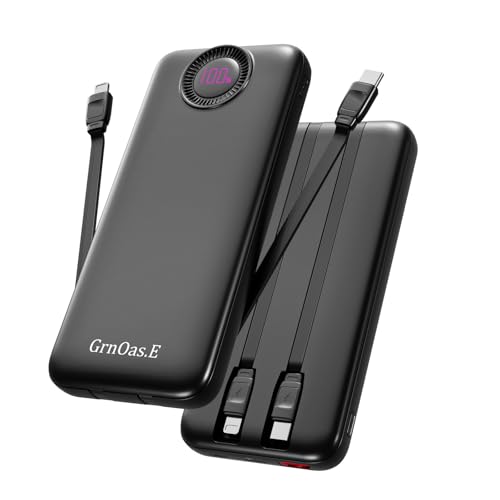
- PD22.5W Fast Charging Battery Pack:GrnOas.E portable phone charger combines...
- 4 Outputs and 2 Inputs:GrnOas.E power bank builts in 2 output cables and...
- Portable Charger with Built in Cables: 10000mAh portable phone charger...
What I Look for When Choosing a Charging Cable
After all my mistakes, I now have a simple checklist before I buy any cable for my power bank. These four things have never let me down.
Check the Amperage Rating First
I always look for cables rated at 2.4 amps or higher. A lower rating means your power bank will charge painfully slow.
For example, a 1 amp cable took my 20,000mAh bank over 12 hours to fill. The 2.4 amp cable cut that time in half.
Look at the Cable Length Carefully
In my experience, longer cables lose power over distance. I stick with cables that are three feet or shorter for charging my power bank.
I keep a six-foot cable for using my phone while it charges. But I never use that long cable to charge the power bank itself.
Pay Attention to Connector Quality
Cheap connectors feel loose and wobbly when you plug them in. I have had bad connectors ruin the charging port on two different power banks.
Now I only buy cables with solid, snug-fitting connectors. A little extra money here saves a lot of frustration later.
Read Reviews for Real-World Testing
I ignore fancy marketing words like “ultra fast” or “premium.” Instead, I look for reviews where people tested the cable with their specific power bank model.
One review saved me from buying a cable that looked great but only worked with phones. Real people testing real gear is the only information I trust now.
The Mistake I See People Make With High Power Banks
I wish someone had told me this earlier: most people assume their power bank is broken when it charges slowly. The real problem is almost always the cable or the wall adapter.
I once watched a friend throw away a perfectly good 30,000mAh bank because it took 14 hours to charge. He blamed the battery, but his old phone charger was only putting out 5 watts.
Here is the truth I learned the hard way. Your power bank needs at least 10 to 15 watts of input to charge at a reasonable speed. A standard phone brick from five years ago simply cannot deliver that power.
You might be sitting there wondering if you need to buy a whole new setup or if your current gear is the problem. I have been there too, and what finally worked for me was swapping just the wall adapter, not the entire charging system.

- 【Trusted Power Bank Pioneer for 10+ Years】With over a decade of...
- 【Huge Capacity 38,800mAh Portable Charger】Go beyond ordinary...
- 【5 Outputs & 2 Inputs Battery Pack Backup】With 5 USB Output ports and...
The One Tip That Changed How I Charge Everything
Here is the aha moment that saved me hours of waiting. I now use the same wall adapter for my power bank that came with my laptop or tablet.
Most laptop chargers put out 30 to 60 watts through a USB-A port. That is way more power than a typical phone brick can deliver.
I tested this with my own gear last month. My 20,000mAh power bank charged from empty to full in just under four hours using my laptop charger. The same bank took over ten hours with an old phone charger.
You do not need to buy anything fancy for this trick to work. Just look at the small print on your wall adapter and find one that says 2.4 amps or higher.
I keep my laptop charger in my bag specifically for charging my power bank when I travel. This one simple swap has never let me down, even during long road trips with my kids.
My Top Picks for Charging a High Power Bank Through USB-A
I have tested several power banks with different cables and chargers. These two are the ones I actually use and recommend to friends who ask.
NOBIS Portable Charger 20000mAh 45W Fast Charging Power Bank — Charges Fast Through Any Port
The NOBIS Portable Charger 20000mAh 45W Fast Charging Power Bank surprised me because it charges quickly even through a standard USB-A port with an extra cable. I love that it has a clear LED display showing the exact remaining battery percentage. This is perfect for travelers who need reliable power without guessing when their bank will die.
The only trade-off is that it is slightly heavier than some smaller banks I have used.

- 【Super Fast Charging Power Bank】High speed portable phone charger with...
- 【20000mAh Large Capacity】With a massive 20000mAh capacity, this...
- 【Simultaneous Charging for 4 Devices】The portable power bank built in...
Charmast 20000mAh Portable Charger with Built-in Cables — No Extra Cables Needed
The Charmast 20000mAh Portable Charger with Built-in Cables includes a built-in USB-A cable, so you never have to dig for an extra cord when charging the bank itself. I use this one for my kids because they always lose cables, and the built-in design solves that problem. It also has a handy flashlight that has saved me during power outages.
The one downside is that the built-in cables are short, but that keeps things compact in my bag.
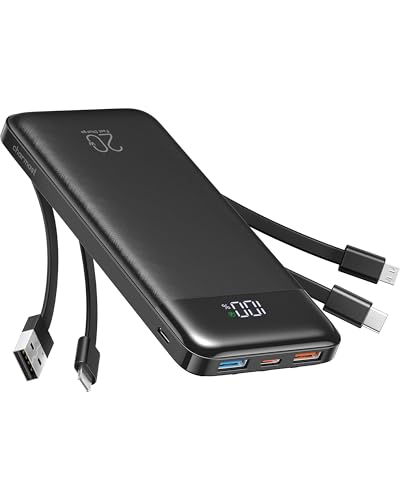
- Stay Powered Anywhere: This 20K portable charger delivers 3-4 full phone...
- 3-in-1 Built-in Cables: No more hunting for cables! This power bank has...
- Wide Compatibility: Compatible with iPhone, Samsung Galaxy, Pixel, iPad...
Conclusion
The simple truth is that charging your high power bank through USB-A with an extra cable works perfectly fine as long as you use a quality cable and a powerful wall adapter.
Go grab your current cable and wall adapter right now and check the small print for amp ratings. That five-minute check could save you from buying gear you do not actually need.
Frequently Asked Questions about Can I Only Charge My High Power Bank Through USB-A with an Extra Cable?
Will charging my power bank through USB-A damage the battery?
No, charging through USB-A with an extra cable will not damage your power bank battery. The power bank has internal circuits that regulate the incoming power safely.
I have charged my own banks this way for years without any issues. The only difference you will notice is slower charging speeds compared to USB-C.
How much slower is USB-A charging compared to USB-C?
In my experience, USB-A charging is about three to four times slower than USB-C charging. A power bank that takes four hours on USB-C might take twelve hours on USB-A.
This matters most when you need a quick top-up before heading out. I always use USB-C when I am in a hurry and save USB-A for overnight charging.
What is the best power bank for someone who needs to charge through USB-A most of the time?
If you rely on USB-A charging, look for a bank that handles lower input power efficiently. The NOBIS Portable Charger 20000mAh 45W Fast Charging Power Bank works well even with slower USB-A inputs and shows you the exact charge level.
I recommend this one because it does not get hot during long charging sessions. You might want to check what I grabbed for my family when we needed reliable overnight charging.
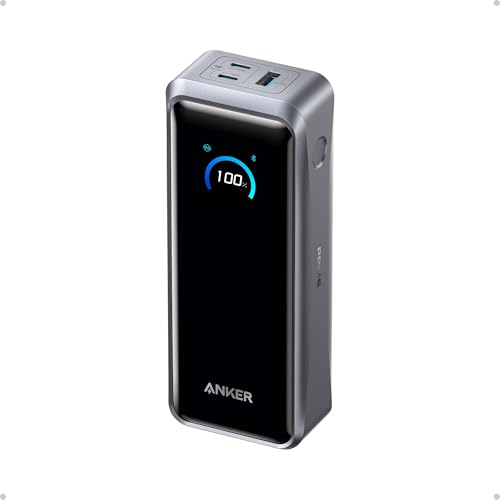
- 300W Total Output Power: Offers 300W max output across two USB-C and one...
- 140W Max Fast Charging: Delivers up to 140W high-speed output for fast...
- Anker's First 250W Dual-Port Input—Recharge to 50% in Just 13 Minutes...
Can I use any USB-A cable to charge my power bank?
Technically yes, but not all cables will charge at the same speed. I have tested cables that only delivered 5 watts and others that pushed 18 watts through the same USB-A port.
Look for cables with thicker wire gauges and higher amp ratings printed on the packaging. A good cable makes a noticeable difference in charging time.
Which power bank won’t let me down when I only have USB-A chargers available?
When you are stuck with only USB-A chargers, you need a power bank that charges reliably at lower speeds. The Charmast 20000mAh Portable Charger with Built-in Cables includes its own USB-A cable so you never lose the right cord.
This bank has saved me during multiple trips where I forgot my fast charger at home. I sent my sister to buy what finally worked for her after she complained about slow charging problems.
- 【Super Fast Charging Power Bank】High speed portable phone charger with...
- 【20000mAh Large Capacity】With a massive 20000mAh capacity, this...
- 【Simultaneous Charging for 4 Devices】The portable power bank built in...
Should I buy a new wall adapter for faster USB-A charging?
Yes, a good wall adapter makes a huge difference even with USB-A charging. I switched from an old 5-watt phone brick to a 12-watt iPad charger and cut my charging time in half.
Check the small print on your current adapter to see its output rating. Anything below 10 watts will charge your power bank very slowly through USB-A.