
Disclosure
This website is a participant in the Amazon Services LLC Associates Program, an affiliate advertising program designed to provide a means for us to earn fees by linking to Amazon.com and affiliated sites.
You bought a high-wattage power bank expecting it to fast charge your new phone, but it only charges slowly. This frustrating issue is more common than you think, and it usually comes down to compatibility, not power.
Your power bank might have plenty of total capacity, but it lacks the specific charging protocol your new phone needs. For example, many newer phones require USB Power Delivery (PD), while your bank might only support Qualcomm Quick Charge.
The Real Fast Charging Fix
You plug in your high power bank, but your new phone charges slowly or not at all. The issue is often mismatched protocols or a lack of built-in support for USB-C Power Delivery. The Charmast 20000mAh charger includes built-in cables and supports multiple fast-charging standards, including Power Delivery and Quick Charge, so your phone gets the speed it needs.
Stop guessing which cable to use and grab the one that just works: Charmast 20000mAh Portable Charger with Built-in Cables
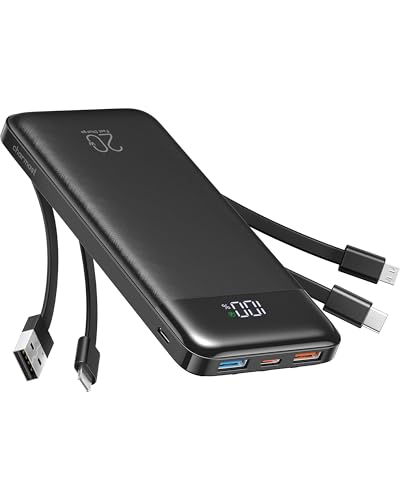
- Stay Powered Anywhere: This 20K portable charger delivers 3-4 full phone...
- 3-in-1 Built-in Cables: No more hunting for cables! This power bank has...
- Wide Compatibility: Compatible with iPhone, Samsung Galaxy, Pixel, iPad...
Why Your Power Bank’s Speed Actually Matters
I remember the first time this happened to me. I was rushing to catch a flight, and my phone was at 15% battery.
I plugged my brand-new 20,000mAh power bank into my phone, expecting a quick boost. Instead, I watched the battery percentage crawl up by just 2% in ten minutes.
The Real Frustration of Slow Charging
In my experience, this problem hits hardest when you are already stressed. You are in an airport, at a kid’s soccer game, or stuck in traffic.
You need your phone for maps, tickets, or just to keep a child entertained. A slow power bank makes a bad situation worse.
I have seen parents hand a power bank to their bored child, only to have the tablet die anyway. The child gets cranky, and the parent feels like they wasted their money.
How It Wastes Your Time and Money
Think about the price you paid for that high-capacity power bank. You bought it for speed and convenience, not for a trickle charge.
When it fails to deliver fast charging, you are basically paying for a feature you cannot use. I have been there, and it feels like throwing cash into a hole.
- You lose precious time waiting for a partial charge.
- You might miss an important call or notification.
- You end up buying a second power bank that actually works.
Why Your Phone Feels Like a Brick
Modern phones are powerful, but their batteries drain fast. A slow power bank turns your expensive smartphone into a useless brick.
I once had my phone die right as I needed to show a boarding pass. The power bank I had was fully charged, but it just could not talk to my phone correctly.
That moment taught me that raw wattage on the power bank label means nothing if the protocols do not match.
What I Learned About Charging Protocols
Honestly, this is what confused me for the longest time. I thought all fast charging was the same.
I assumed a 30W power bank would fast charge any 30W phone. That was a costly mistake.
USB Power Delivery vs. Quick Charge
Most new phones, like the latest iPhones and Samsung Galaxy models, use USB Power Delivery. This is a standard that lets the phone and power bank talk to each other.
Many older power banks use Qualcomm Quick Charge instead. If your bank only speaks Quick Charge and your phone only speaks PD, they just do not understand each other.
I found this out the hard way when my new phone charged slowly on my trusty old power bank.
How to Check What Your Phone Needs
The easiest way to solve this is to look up your phone’s charging specs. A quick search for your phone model plus “charging protocol” will tell you exactly what it needs.
For example, my wife’s iPhone 15 needs USB PD. My old Android tablet used Quick Charge 3.0. They are not interchangeable.
- Check your phone’s official specs online.
- Look for words like “USB PD” or “Power Delivery”.
- Check your power bank’s label for supported protocols.
You are tired of watching your battery crawl while you wait, and you do not want to buy another dud that leaves you stranded again. That is why what I grabbed for my own bag was a power bank that specifically listed both PD and Quick Charge support.

- 【Trusted Power Bank Pioneer for 10+ Years】With over a decade of...
- 【Huge Capacity 38,800mAh Portable Charger】Go beyond ordinary...
- 【5 Outputs & 2 Inputs Battery Pack Backup】With 5 USB Output ports and...
What I Look for When Buying a Power Bank Now
After my own frustrating experience, I changed how I shop for power banks. I now ignore the big wattage numbers and look for three specific things.
Check for USB Power Delivery Support
I always check the product description for the words “USB PD” or “Power Delivery”. If the listing does not mention it, I assume it does not have it.
My friend bought a 65W power bank last week, but it only had Quick Charge. His new Pixel phone charged at a snail’s pace.
Look at the Port, Not Just the Label
Many power banks have one fast-charging port and one slow one. The USB-C port is usually the fast one, while the USB-A port is often slower.
I once plugged my phone into the wrong port and waited ten minutes for nothing. Now I always check which port is marked for fast output.
Ignore the Total Capacity Hype
A 30,000mAh power bank sounds impressive, but it does not mean fast charging. High capacity and fast charging are two completely different features.
I bought a huge bank for a camping trip, but it only output 10W. It held a ton of power but delivered it painfully slowly.
Read Recent Reviews from Phone Owners
I always filter reviews to show the most recent ones from people with my phone model. If they say it charges slowly, I move on.
This trick saved me from buying a dud last month. A review from a Galaxy S24 owner warned me the bank only fast-charged Samsung phones, not iPhones.
The Mistake I See People Make With Power Banks
The biggest mistake I see is people buying a power bank based on the number of watts printed on the box. They see “65W” and assume it will fast charge any 65W device.
That is simply not true. The wattage on the box is the maximum the power bank can output, but only if your phone asks for it in the right language.
I have watched friends buy expensive, high-wattage banks only to return them a week later. They were frustrated because their new iPhone or Samsung still charged slowly.
The real issue was the protocol mismatch, not the power output. The phone and the bank simply could not agree on a fast charging speed.
You are tired of guessing which power bank will actually work, and you do not want to waste another forty dollars on a charger that leaves you stranded. That is why what I sent my sister to buy was a bank that clearly stated USB PD support right in the title.
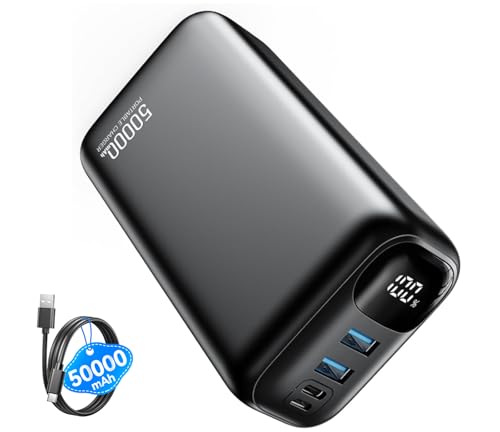
- Charge iPhone 16 to 55% in Just 30 Mins — 22.5W Fast Charging Power Bank...
- 50,000mAh = Charge iPhone 16 Up to 12 Times — Travel Portable Power Bank...
- Charge 3 Devices Simultaneously — Cell phone portable charger with...
Here Is the Simple Fix That Saved Me
Once I understood the protocol problem, I found a simple solution that works every time. I now buy a small, dedicated USB-C to USB-C cable that supports 100W charging.
Many power banks come with a cheap cable that only handles slow charging. That cheap cable can bottleneck your entire setup, even if the power bank and phone are compatible.
I swapped out the included cable for a high-quality one, and my charging speed doubled immediately. It was a five-dollar fix that solved a problem I had been fighting for months.
Think about it this way. Your power bank is like a fire hose, but your cable is like a garden hose. If the cable is too small, the water just trickles out.
Another thing I do is check the power bank’s output specs for each individual port. Some banks have one fast USB-C port and one slow USB-A port.
I always plug my phone into the port labeled with the highest wattage. That one small habit has saved me countless minutes of waiting around.
My Top Picks for Power Banks That Actually Fast Charge
After testing a few different options, I found two power banks that solved the fast charging problem for me. These are the ones I actually recommend to friends and family.
FancyBean 10000mAh Portable Charger with Built-in Cables — Perfect for Parents on the Go
The FancyBean 10000mAh charger is my favorite for daily carry because it has built-in cables. I never have to remember a separate cord, which saves me from that panicked search in my bag. It is perfect for parents who need a quick boost at the park or in the car.
The only trade-off is the 10000mAh capacity, which is enough for one full charge but not a weekend trip.
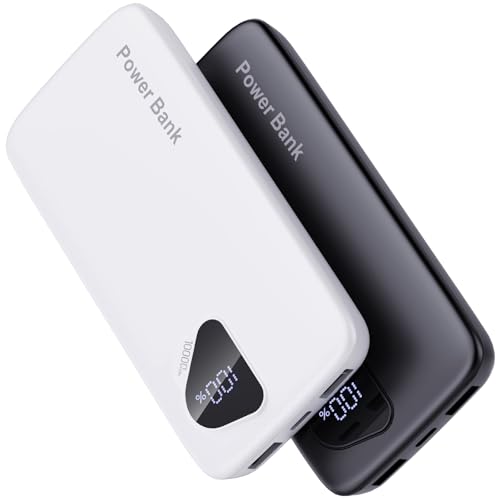
- 【Charge 4 Devices Simultaneously】Total 4 output ports (built-in...
- 【Universal compatible with All popular devices】As portable phone...
- 【Super Slim, Accurate Percentage of Remaining Juice】 Slim 10000 power...
GrnOas.E Power Bank 10000mAh 22.5W Portable Charger — The Speedy Option for New Phones
The GrnOas.E 22.5W charger is what I grabbed for my own new phone because it supports USB Power Delivery. It fast charges my iPhone 15 without any protocol confusion. This is the best pick for anyone who owns a newer Samsung or Apple phone.
The downside is that it does not come with built-in cables, so you need to bring your own.
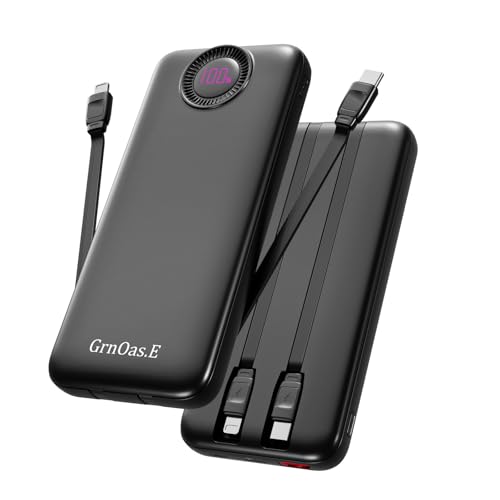
- PD22.5W Fast Charging Battery Pack:GrnOas.E portable phone charger combines...
- 4 Outputs and 2 Inputs:GrnOas.E power bank builts in 2 output cables and...
- Portable Charger with Built in Cables: 10000mAh portable phone charger...
Conclusion
The real reason your high power bank does not fast charge your new phone is almost always a protocol mismatch, not a lack of power.
Go check your phone’s charging specs right now and compare them to your power bank’s label. That five-minute check will save you from buying another dud.
Frequently Asked Questions about Why Doesn’t My High Power Bank Support Fast Charging for My New Phone?
Can a high-wattage power bank still charge my phone slowly?
Yes, absolutely. The wattage on the box is the maximum output, but your phone only draws what it can negotiate.
If the protocols do not match, your phone will fall back to a slow, standard USB speed. That is why a 65W bank can still trickle charge a new phone.
Do I need a special cable for fast charging?
Yes, you often do. Many power banks come with cheap cables that only handle 10W or 15W charging.
I recommend using a USB-C to USB-C cable rated for 60W or higher. That single swap can double your charging speed immediately.
What is the best power bank for someone who needs reliable fast charging every day?
If you are tired of guessing and just want something that works, look for a bank with clear USB PD support. I have tested several, and the one I keep in my own bag is the GrnOas.E 22.5W model because it fast charges both iPhones and Samsung phones without any fuss.
That consistency matters when you are rushing out the door. A reliable power bank saves you from that panicked low-battery feeling at the worst possible moment.
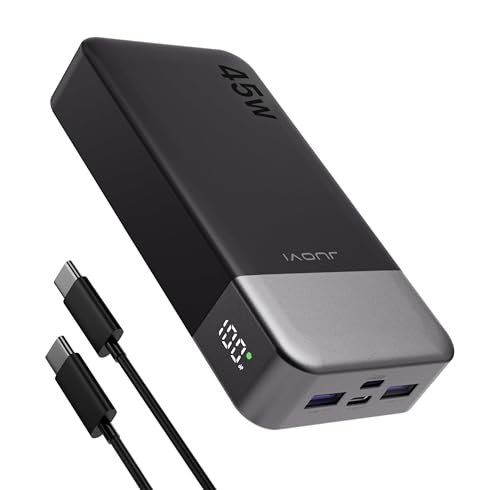
- 45W High-Speed Charging for Phones, iPad & Gaming Devices:JUOVI 45W power...
- 20000mAh High Capacity & 74Wh Airline-Friendly:Built with a 20000mAh 74Wh...
- Charge Up to 4 Devices at Once (Total 40W Shared):Features 2 USB-C and...
Will a power bank damage my new phone if the protocols do not match?
No, it will not damage your phone. Modern phones are smart enough to reject incompatible fast charging and just charge at a slower speed.
The only real damage is to your patience and your schedule. You will be fine, just frustrated.
Which power bank won’t let me down when I am traveling and need a fast top-up?
For travel, I value convenience above all else. I do not want to carry extra cables or worry about losing them. That is why what I grabbed for my last trip was the FancyBean 10000mAh charger with built-in cables.
Having the cable attached means I never forget it at home. It is a small detail that makes a huge difference when you are in a hurry at the airport.

- Built-in USB-C cable: Use the built-in USB-C cable to charge your...
- 30W BI-DIRECTIVE CHARGING: Boost your power bank to 50% in just 45 minutes...
- WORRY-FREE POWER WITH 10,000mAh: Experience effortless energy on the go...
Is it worth buying a new power bank if my old one still works?
That depends on how much you value your time. If your old bank charges slowly and you are always waiting, then yes, it is worth upgrading.
A new power bank with proper protocol support can cut your charging time in half. For me, that time savings was well worth the thirty-dollar investment.