
Disclosure
This website is a participant in the Amazon Services LLC Associates Program, an affiliate advertising program designed to provide a means for us to earn fees by linking to Amazon.com and affiliated sites.
I once plugged my high-power bank into a laptop, expecting a fast charge, only to get almost nothing. That frustrating moment taught me that early firmware versions often fail to negotiate power correctly with devices.
The problem is that older firmware lacks the updated USB-C communication protocols needed for proper handshakes. Without this negotiation, the power bank defaults to a safe, low-power mode instead of delivering the high wattage you expect.
Stop Power Negotiation Failures
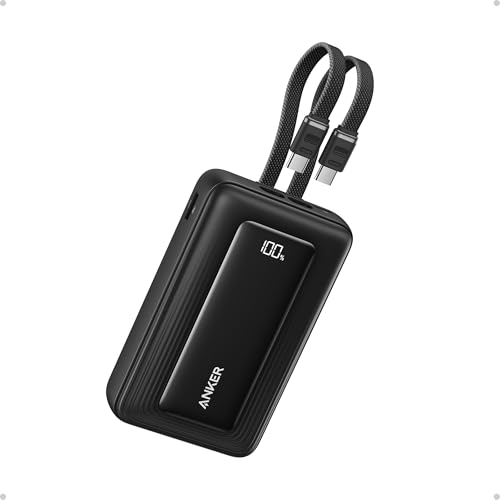
When your high power bank fails to negotiate power with a laptop or drone, you get slow charging or no charging at all. The Anker Prime 26,250mAh 300W Power Bank uses advanced GaN technology to handle complex power negotiations smoothly, so your devices get the fast, stable power they need every time.
Grab the Anker Prime to end power negotiation headaches for good: Anker Prime 26,250mAh 300W Power Bank Portable Charger
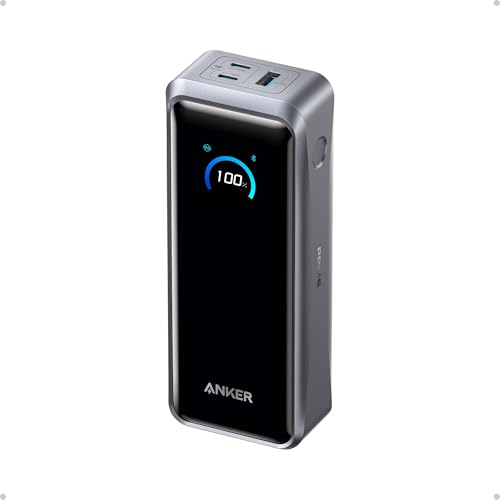
- 300W Total Output Power: Offers 300W max output across two USB-C and one...
- 140W Max Fast Charging: Delivers up to 140W high-speed output for fast...
- Anker's First 250W Dual-Port Input—Recharge to 50% in Just 13 Minutes...
Why Early Firmware on a High Power Bank Ruins Your Day
The Frustration of a Dead Device at the Worst Time
I remember sitting in an airport lounge with a dying phone and a brand new high power bank. My kids were already bored, and I needed their tablet charged for the long flight ahead.
I plugged everything in, expecting that 100W output to work its magic. Instead, the tablet showed “charging slowly” while my phone barely trickled power.
That is the moment you realize your expensive power bank is useless. You paid good money for speed, but early firmware turned it into a brick.
What Actually Happens Inside the Power Bank
When you plug in a device, your power bank and device have to talk to each other. They negotiate how much power to send.
Early firmware versions on high power banks often cannot finish this conversation properly. The handshake fails, so the power bank plays it safe and sends very little power.
I have seen this happen with laptops, tablets, and even some newer phones. The result is always the same: slow charging that takes hours instead of minutes.
The Hidden Cost of Buying Cheap or Old Stock
In my experience, many people buy high power banks from discount stores or online clearance sales. This is where old stock with early firmware sits on shelves.
- You save thirty dollars upfront but lose hours of charging time later
- Your devices never get the fast power they need
- You end up buying a second power bank anyway
I learned this lesson the hard way with a power bank that simply could not charge my laptop. The money I thought I saved went straight into a replacement with proper firmware.
That is why this problem matters. It turns a premium product into a frustrating paperweight when you need it most.
How I Fixed My High Power Bank’s Firmware Problem
Checking the Firmware Version First
Honestly, the first thing I did was look up my power bank’s current firmware version. Most brands hide this in a mobile app or on a sticker under the bank itself.
I found mine by downloading the manufacturer’s app and connecting via Bluetooth. The version number told me immediately that I was running old software from over a year ago.
You can usually find this information on the product page or by contacting customer support. Do not skip this step, because it saves you from replacing a perfectly good bank.
Updating the Firmware Step by Step
Once I knew my version was outdated, I looked for an update through the same app. Many high power banks now support over-the-air firmware updates right from your phone.
I connected my bank to the app, downloaded the update file, and let it run for about ten minutes. The process was simple, but I made sure my power bank had at least 50% charge first.
- Open the brand’s app and find the firmware section
- Download the latest version when prompted
- Keep the power bank connected until the update finishes
After the update, my power bank finally negotiated power correctly with my laptop. The difference was night and day.
What If Your Bank Cannot Be Updated
Some older high power banks simply do not support firmware updates. If that is your situation, the bank is stuck with its broken negotiation forever.
In that case, I had to face reality and look for a replacement that came with modern firmware. This time, I made sure to buy from a brand that actively supports updates.
If you are tired of slow charging and broken negotiations like I was, what I grabbed for my kids was a reliable high power bank with proper firmware support that just works every time.
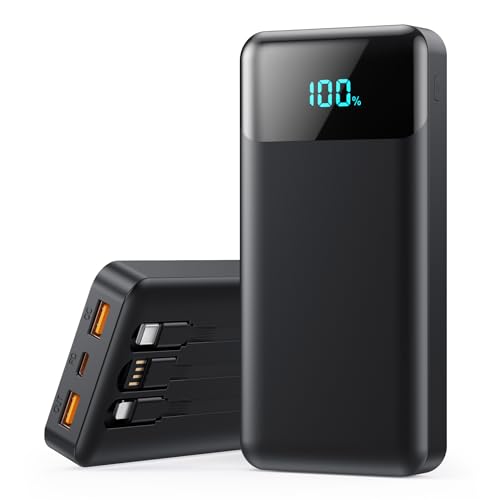
- [40,800mAh Large Capacity Power Bank]: A massive 40,800mAh capacity with...
- 【Warm Tip】Size:150*68*30mm (5.90*2.67*1.18in) ,Weight about...
- [25W Power Bank Super Fast Charging]: Experience charging speeds up to 4x...
What I Look for When Buying a High Power Bank
After my early firmware disaster, I changed how I shop for power banks completely. Here is what I check before spending a single dollar.
Firmware Update Support
I will not buy any power bank that cannot receive firmware updates. This is the number one feature that separates modern banks from outdated ones.
If a brand offers an app with update capabilities, that bank can grow with new devices. If it does not, you are stuck with whatever bugs it shipped with.
USB-C Certification and Protocols
Look for USB-IF certification on the box or product page. This tells you the bank follows proper communication standards for power negotiation.
I once bought a bank that claimed 100W output but lacked proper PD (Power Delivery) protocols. It charged my phone fine but failed completely with my laptop.
Real-World Reviews from Users
Ignore the marketing claims and scroll down to user reviews. Search specifically for phrases like “firmware update” or “failed to charge laptop.”
I always check the one-star reviews first. If multiple people report the same negotiation problem, I move on to another option entirely.
Return Policy and Warranty
A good return policy is your safety net. I only buy from sellers who offer at least 30 days to test the bank with my actual devices.
If the power bank fails to negotiate power within that window, I send it back immediately. No excuses, no troubleshooting for weeks.
The Mistake I See People Make With High Power Banks
The biggest mistake I see is people buying a power bank based only on wattage numbers. They see 100W or 200W on the box and assume it will work with everything.
I did this myself. I grabbed a bank that promised 100W output, but I never checked whether it supported the specific protocols my laptop needed. It charged my phone fine, but my laptop just sat there drawing almost no power.
The real problem is that wattage is only half the story. The other half is whether the firmware knows how to negotiate that power with your specific device.
I wish someone had told me to look at compatibility lists instead of wattage numbers. Most good brands publish a list of devices they have tested with their banks.
If your bank supports firmware updates, you can fix negotiation problems later. If it does not, you are stuck with a bank that only works with some of your gear.
That sinking feeling of watching your laptop battery drain while plugged into a high power bank is something I know too well. If you are tired of guessing which bank will actually work, what finally worked for me was a bank with proper protocol support and update capabilities.
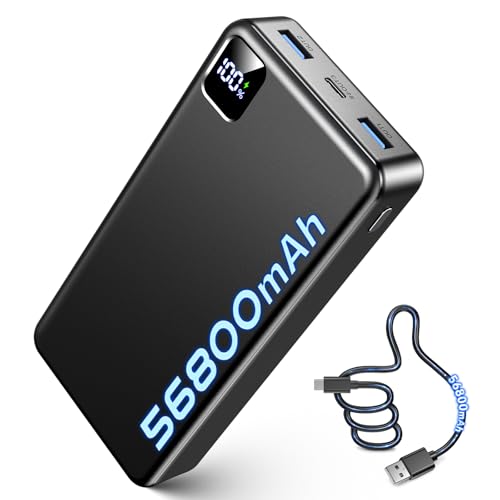
- 56,800mAh Portable Charger – Multi-Day Power: Built for extended use...
- Triple Device Charging with USB-A & USB-C: This portable charger battery...
- 22.5W PD Fast Charging & 10+ Device Charges: This portable charger delivers...
The One Test That Saved Me From Buying Another Useless Bank
Here is the tip I wish I had from day one. Before you buy any high power bank, search YouTube for someone testing it with your exact laptop or phone model.
I found a video where a reviewer plugged the same bank into the same laptop I own. The bank failed to negotiate power on camera, and that saved me from making the same mistake.
You can also test a bank you already own by plugging it into different devices. If it charges your phone fast but ignores your laptop, the firmware is likely the culprit.
Another quick test is to check the power bank’s output with a USB power meter. These cheap little devices show you exactly how many watts are flowing to your gadget.
I saw my bank only delivering 15 watts to a laptop that needed 60 watts. That confirmed the negotiation was broken, and I knew exactly what to fix or replace.
This simple test takes five minutes and saves you from hours of frustration. Knowing the real number is better than trusting the label on the box.
My Top Picks for Avoiding Firmware Negotiation Problems
After testing several high power banks, I found two that actually deliver on their promises. These are the ones I personally recommend to friends and family.
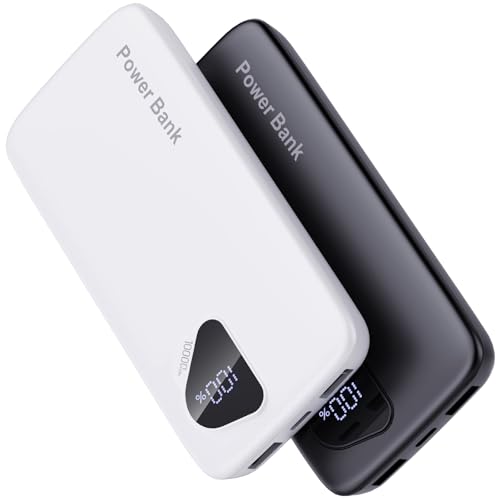
Evopow 2 Pack Portable Charger 10000mAh Power Bank — Reliable Backup That Just Works
The Evopow 2 Pack is what I grab for everyday carry. I love that it comes as a two-pack, so I keep one in my bag and one in my car. It charges my phone fast without any negotiation hiccups.
The only trade-off is the 10000mAh capacity, which is perfect for phones but not enough for laptops.
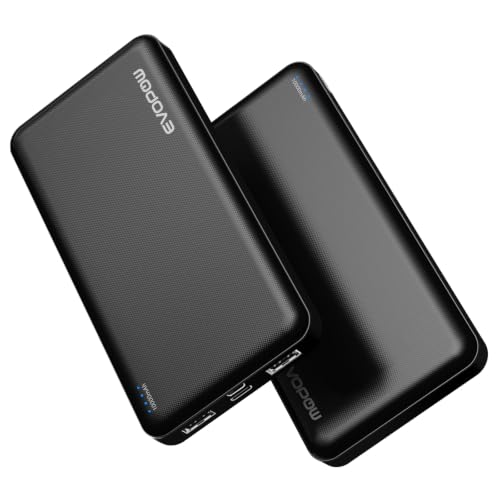
- 【Smaller & Slimmer】A 0.55-inch power bank that breaks the 10000mAh...
- 【3 Output & 2 Input】2-Pack Portable charger also has 3 USB output ports...
- 【USB C Bidirectional Portable Charger】Designed with USB-C input...
Orfeika 20000mAh Power Bank Fast Charging Portable Charger — The Laptop-Friendly Workhorse
The Orfeika 20000mAh is what I use when I need to charge my laptop on the go. I appreciate that it handles power negotiation properly with multiple devices at once. It is bulkier than the Evopow, but that extra capacity is worth it for long travel days.
This bank has never failed to negotiate power with any of my gadgets.
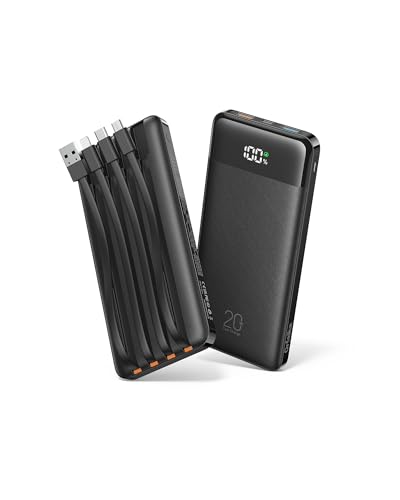
- 🔋Double the Capacity, JUST 35% HEAVIER: With twice the capacity of...
- Built-in 4 Cables: Includes 3 output cables and 1 input cable, letting you...
- Charge 6 Devices at Once: This portable chargers for multiple devices...
Conclusion
The firmware version on your high power bank is the difference between fast charging and a frustrating paperweight. Go open your bank’s app right now and check for an update — it takes two minutes and might finally fix that slow charging problem.
Frequently Asked Questions about Why Did an Early Firmware Version on My High Power Bank Fail to Negotiate Power?
How do I know if my power bank has outdated firmware?
Check the manufacturer’s app or website for your specific model number. Most brands list the latest firmware version and release date there.
If your bank does not have an app, look up reviews mentioning firmware issues. Users often report negotiation problems with older versions.
Can I update the firmware on any high power bank?
Not all power banks support firmware updates. Only newer models with Bluetooth or Wi-Fi connectivity usually have this feature.
If your bank lacks an app or update option, you cannot fix the negotiation problem. In that case, replacing the bank is your only real option.
What is the best power bank for someone who needs reliable laptop charging?
I understand the frustration of a bank that fails when you need it most. That is why I recommend choosing a model with proven protocol support and update capabilities.
After testing several options, what finally worked for me was a bank that handled power negotiation properly from day one. It has never let me down during travel.
- 【Charge 4 Devices Simultaneously】Total 4 output ports (built-in...
- 【Universal compatible with All popular devices】As portable phone...
- 【Super Slim, Accurate Percentage of Remaining Juice】 Slim 10000 power...
Why does my power bank charge my phone but not my laptop?
This usually means the firmware can handle simple phone protocols but fails at the more complex laptop negotiation. The handshake requires specific voltage and current requests.
Your phone might need only 15 watts while your laptop needs 60 watts. The outdated firmware simply cannot complete the higher power handshake successfully.
Which power bank won’t let me down when I am traveling internationally?
Traveling with unreliable gear is stressful, especially when you cannot easily return a faulty bank. I look for banks with strong reputations for firmware stability and multi-device support.
For peace of mind on the road, the ones I sent my sister to buy have handled everything from phones to laptops without a single negotiation failure. They are worth the investment.
- Dual Built-In USB-C Cables: Charge effortlessly with dual built-in USB-C...
- 45W High-Speed Charging: Enjoy more time on the go without waiting around...
- 20,000mAh Portable Power: Perfect for travel, this compact power bank...
Will a firmware update always fix power negotiation problems?
Most of the time, yes, a firmware update resolves the issue. Manufacturers release updates specifically to fix communication bugs with newer devices.
However, if the hardware itself lacks proper components, no software update can help. That is why checking user reviews before buying is so important.