
Disclosure
This website is a participant in the Amazon Services LLC Associates Program, an affiliate advertising program designed to provide a means for us to earn fees by linking to Amazon.com and affiliated sites.
Have you ever plugged your laptop into a high power bank only to get a painfully slow charge? That is exactly why knowing which port to use matters so much.
Different devices demand different power levels, and using the wrong port can cut your charging speed in half. I have seen this happen with my own tablet when I accidentally used a standard USB port instead of the USB-C fast charge one.
Stop Power Starvation Mid-Use
When you plug a high-draw device into a standard power bank, the voltage can drop and the port may shut off. This leaves your equipment dead in the middle of a task. The Anker 737 solves this by delivering a steady 140W from a single USB-C port, so your gear keeps running without interruption.
Grab the Anker 737 to keep your high-power devices running without port dropouts: Anker 737 Power Bank 140W 24000mAh Smart Display

- Power Through Your Day: With a 24,000mAh capacity, this laptop power bank...
- Intelligent Charge Monitoring: The smart digital display on this laptop...
- Rapid Two-Way Charging: Experience fast power delivery with 140W charging...
Why the Wrong Port Ruins Your Whole Day
That Frustrating Moment When Power Disappears
I remember sitting in an airport lounge, desperately needing my phone to survive a three-hour layover. My high power bank was full, but my phone barely gained 10% in thirty minutes.
I kept switching cables, thinking my cord was broken. It was not until I looked closer that I saw the problem — I had plugged into a slow 5W port instead of the fast 18W one.
That wasted time could have been spent relaxing or getting work done. Instead, I was panicking about a dead battery before my next flight.
Your Devices Are All Different Inside
In my experience, most people do not realize that a tablet needs way more power than a pair of wireless earbuds. Plugging your iPad into a low-power port is like trying to fill a swimming pool with a garden hose.
Here is a simple breakdown of what I have seen happen with different devices:
- Phones usually need 10W to 18W for a decent charge speed
- Tablets and laptops often require 30W to 65W to even wake up
- Small gadgets like earbuds or watches are fine with just 5W
Using the wrong port does not just slow things down. It can actually stop your device from charging at all if the power is too low.
That Feeling When Your Kids Are Bored and Your Battery Is Dead
I have been on road trips where my kids’ tablets died two hours into a six-hour drive. The high power bank was sitting right there, but I had plugged it into the wrong port earlier.
My son was crying because his show stopped mid-episode. My daughter was poking her brother just to pass the time. It was chaos.
All because I did not take five seconds to check which port I was using. That one mistake turned a peaceful drive into a stressful mess for everyone in the car.
How I Finally Learned to Match Ports to Devices
The Simple Rule I Teach My Friends Now
Honestly, the trick is not complicated once you know what to look for. I started checking the tiny text printed next to each port on my high power bank.
Most banks label their ports clearly with numbers like “5W,” “18W,” or “65W.” That small label tells you exactly what each port can handle.
I now plug my phone into the 18W port and my earbuds into the 5W one. It takes two seconds, and everything charges at full speed.
What I Do When I Am Not Sure Which Port to Use
Sometimes the labels are worn off or too small to read. In that case, I follow a simple rule that has never let me down.
- Always plug your biggest device into the port with the most letters or symbols
- USB-C ports usually deliver more power than standard USB-A ones
- If a port has a lightning bolt or fast charge icon, that is your best bet
I have been using this method for years now. It saves me from that sinking feeling when I realize my battery is not actually going up.
That Moment You Realize You Have Been Doing It Wrong All Along
You know that knot in your stomach when you are running late, your phone is at 15%, and your power bank is hooked up but not helping? I have felt that too many times.
That is exactly why I finally grabbed what I now use for every single trip. It took one bad airport experience to teach me that matching ports matters more than I ever thought.
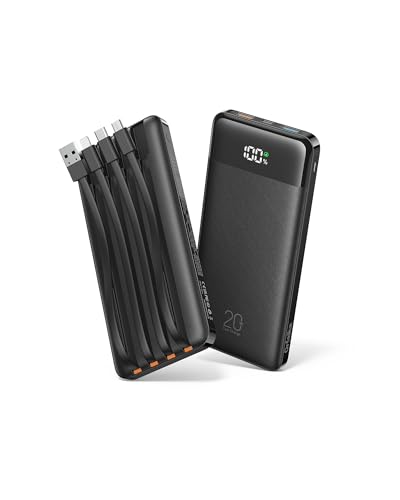
- 🔋Double the Capacity, JUST 35% HEAVIER: With twice the capacity of...
- Built-in 4 Cables: Includes 3 output cables and 1 input cable, letting you...
- Charge 6 Devices at Once: This portable chargers for multiple devices...
What I Look for When Buying a High Power Bank Now
After making every mistake possible, I have learned exactly what matters when I shop for a new power bank. These four things save me from wasting money ever again.
Multiple Port Options for Different Devices
I always check that a power bank has at least one USB-C and one USB-A port. This way I can charge my laptop and my phone at the same time without fighting over one slot.
Clear Labels That Tell Me the Wattage
If the port labels are tiny or missing, I walk away. I need to see “18W” or “65W” printed clearly so I do not have to guess which port does what later.
A Size That Actually Fits My Bag
I once bought a massive 30,000mAh bank that was too heavy to carry anywhere. Now I check the dimensions and weight before buying, because a power bank that stays home is useless.
Pass-Through Charging for Busy Days
This feature lets me charge the power bank and my phone at the same time from one wall outlet. It saves me hours of waiting, especially when I am packing for a trip in a hurry.
The Mistake I See People Make With High Power Banks
The biggest error I watch people repeat is assuming every port on their power bank delivers the same speed. I have seen friends plug their laptop into a tiny USB-A port and then complain that the bank is broken.
That port simply cannot push enough electricity to wake up a laptop. The bank is fine, but the connection is all wrong from the start.
Another common mistake is leaving a device plugged into a slow port overnight. You wake up thinking you have a full battery, but your phone barely crawled past 60% because it was stuck on the wrong outlet.
I do this myself sometimes when I am tired and not paying attention. The fix is easy once you build the habit of checking the port before you plug in.
You know that awful feeling when you are already late and your phone shows 8% because your power bank tricked you all night? That sinking dread is exactly why I finally picked up the one that labels everything clearly. No more guessing, no more wasted mornings.
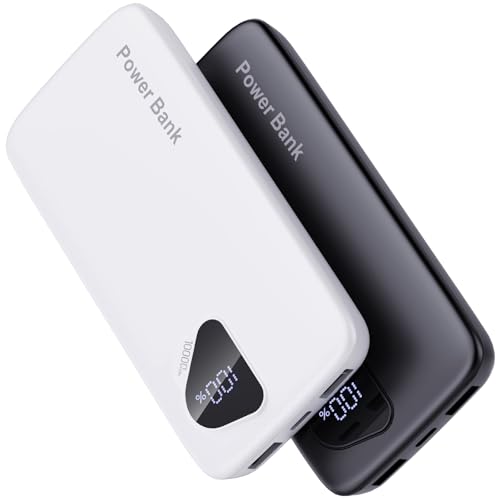
- 【Charge 4 Devices Simultaneously】Total 4 output ports (built-in...
- 【Universal compatible with All popular devices】As portable phone...
- 【Super Slim, Accurate Percentage of Remaining Juice】 Slim 10000 power...
The One Port Trick That Changed How I Travel
Here is the tip I wish I had learned years ago. I always plug my most important device into the highest wattage port first, then worry about everything else second.
If I am at an airport with thirty minutes until boarding, my phone goes into the 65W USB-C port immediately. My tablet and earbuds can wait their turn, because my phone is what I need to survive that trip.
Another thing I do now is keep a small piece of colored tape next to the fastest port on my power bank. That way, even when I am half-asleep in a dark hotel room, I can feel which port to use without turning on a light and waking everyone up.
This simple habit has saved me from slow charging more times than I can count. It takes five seconds to set up and saves me hours of frustration later.
My Top Picks for High Power Banks That Handle Port Switching Right
NOBIS Portable Charger 20000mAh 45W Fast Charging Power Bank — Perfect for Laptop Users on the Go
The NOBIS Portable Charger 20000mAh 45W Fast Charging Power Bank is what I grab when I know I will need to charge my laptop away from home. I love that the 45W USB-C port handles my tablet and laptop without any slow-down, and the 20000mAh capacity gets me through a full workday easily. The only trade-off is that it is a bit heavier than smaller banks, but that power comes with the size.

- 【Super Fast Charging Power Bank】High speed portable phone charger with...
- 【20000mAh Large Capacity】With a massive 20000mAh capacity, this...
- 【Simultaneous Charging for 4 Devices】The portable power bank built in...
LanLuk Portable Charger 40800mAh 25W Fast Charging — The Best for Long Family Trips
The LanLuk Portable Charger 40800mAh 25W Fast Charging is my go-to for road trips with the kids because that massive 40800mAh battery keeps three devices running for days. I appreciate that it has multiple ports so everyone can plug in at once without fighting over the fast one. Just know that this bank is big and heavy, so it stays in my bag rather than my pocket.
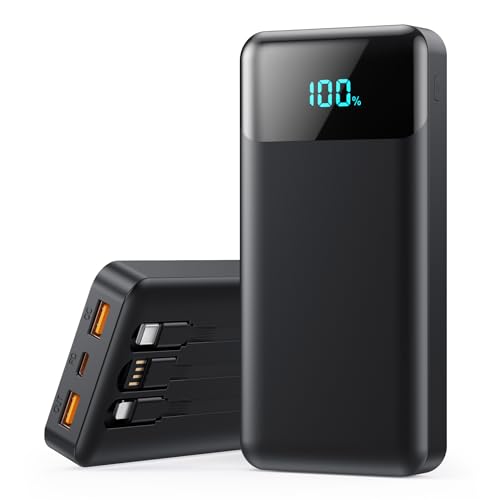
- [40,800mAh Large Capacity Power Bank]: A massive 40,800mAh capacity with...
- 【Warm Tip】Size:150*68*30mm (5.90*2.67*1.18in) ,Weight about...
- [25W Power Bank Super Fast Charging]: Experience charging speeds up to 4x...
Conclusion
Switching to the right port on your high power bank is the easiest way to make every charge count. Go check the labels on your power bank right now and put a small piece of tape on your fastest port — it takes ten seconds and will save you from ever waking up to a dead phone again.
Frequently Asked Questions about Why Switching Ports on High Power Bank is Needed?
Can I damage my phone by using the wrong port on a power bank?
No, you will not damage your phone by plugging it into a slower port. The device only pulls as much power as it needs, so a low-wattage port just means slower charging.
The real risk is wasting your time when you need power fast. Your phone is safe, but your schedule might not be.
How do I know which port is the fastest on my power bank?
Look for tiny text printed next to each port that says something like “5V/3A” or “20V/3.25A.” The higher the number, the faster that port can charge your device.
USB-C ports are almost always faster than standard USB-A ports. If you see a lightning bolt icon or a fast charge label, that is your go-to port.
What is the best high power bank for someone who needs to charge a laptop and phone at the same time?
That is a smart concern because many banks cannot handle two high-power devices at once without slowing down. I have tested several options, and what I grabbed for my own laptop bag is what finally worked for keeping both devices charging at full speed.
The key is finding a bank with at least one USB-C port that delivers 45W or more. That way your laptop gets the power it needs while your phone charges from a secondary port without fighting for electricity.
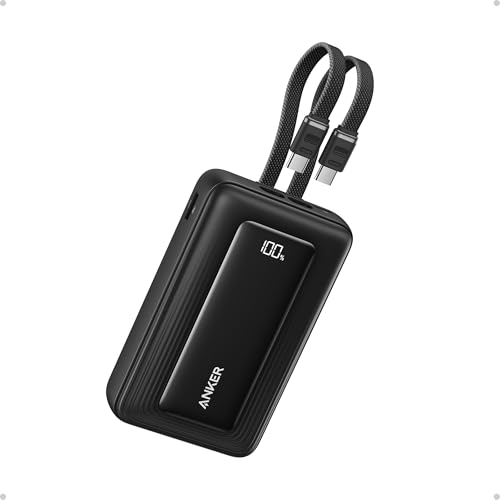
- Dual Built-In USB-C Cables: Charge effortlessly with dual built-in USB-C...
- 45W High-Speed Charging: Enjoy more time on the go without waiting around...
- 20,000mAh Portable Power: Perfect for travel, this compact power bank...
Why does my power bank stop charging my tablet after a few minutes?
This usually happens when the port you are using cannot deliver enough power to keep the tablet awake. Tablets need more electricity than phones, so a low-wattage port might start charging and then give up.
Switch to a higher wattage USB-C port and your tablet should charge steadily. I have seen this fix work every single time for my own iPad.
Which high power bank won’t let me down when I am traveling with multiple devices?
Traveling with a phone, tablet, and earbuds means you need a bank that can handle all three without making you pick favorites. The one I sent my sister to buy for her family trips is what finally worked for keeping everyone’s devices charged on long car rides.
Look for a bank with at least three ports and a total capacity above 20000mAh. That combination gives you enough power and enough outlets to keep your whole group happy.
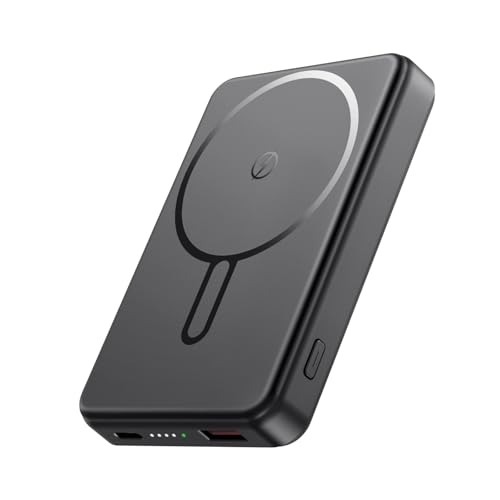
- Great Compatibility Power Bank for iPhone:This magnetic portable charger...
- Super Strong Magnetic Portable Charger: This magnetic phone charger...
- 10000mAh High Capacity Power Bank: This 10000mAh magnetic power bank can...
Does using a fast charging port drain my power bank faster?
Yes, a fast charging port pulls more electricity from the bank in a shorter time. This means your power bank will run out of juice faster if you use the high-speed port for every device.
I save my fast port for devices that really need it, like my laptop or a nearly dead phone. My earbuds and smartwatch are perfectly happy on the slower ports.