
Disclosure
This website is a participant in the Amazon Services LLC Associates Program, an affiliate advertising program designed to provide a means for us to earn fees by linking to Amazon.com and affiliated sites.
Have you noticed your phone charger getting hot, or taking forever to power up your laptop? That bulky brick might be a regular charger, and there is a better option now. GaN chargers use a different material that changes everything about how we charge our devices.
These smaller chargers run much cooler and can deliver power faster than traditional silicon-based ones. In my experience, switching to a GaN charger meant my laptop bag finally felt lighter without that heavy brick inside. It is a simple upgrade that makes a real difference in daily life.
One Charger For Every Device
I was tired of carrying three separate bricks for my laptop, tablet, and phone. Every outlet became a tangled mess of adapters, and I’d always forget one at home. The Belkin 112W GaN charger replaces all of them with a single, compact block that fits in my bag’s side pocket.
Stop the adapter shuffle with the one that powers everything at once: Belkin 112W 4-Port GaN USB C Charger Block
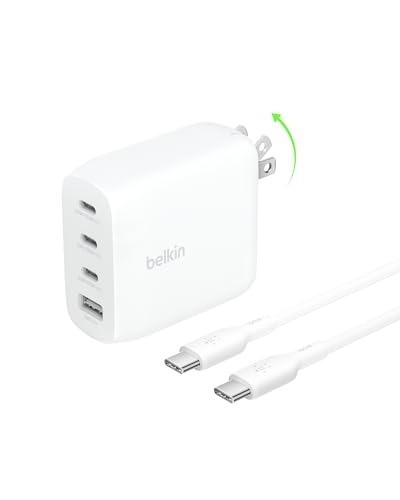
- CHARGE 4 DEVICES: Compared to cell phone wall chargers with only one...
- FAST CHARGING TECHNOLOGY: This 4-port wall charger lets you fast charge up...
- POWERFUL 100W SINGLE PORT OR SHARED OUTPUT: Get up to 100W from a single...
Why Size and Heat Really Matter for Your Devices
The Bulky Brick Problem You Know Too Well
I remember traveling with my old laptop charger and thinking it weighed almost as much as the laptop itself. That big, heavy brick was a pain to pack, and it always seemed to get tangled in my bag. We have all been there, struggling to fit everything into a carry-on.
Regular chargers use silicon, which creates a lot of heat and requires big components to manage it. This is why your old phone charger feels warm to the touch after just 30 minutes of use. That wasted heat is not just annoying—it is also inefficient.
The Real Frustration of Slow Charging
In my experience, nothing is more frustrating than needing to leave the house and seeing your device at 10% battery. You plug it in, wait ten minutes, and it has barely moved to 15%. My kids used to fight over the fast charger because the regular one was just too slow.
GaN chargers solve this by running much cooler and smaller while delivering more power. This means you can have a charger that fits in your pocket and still charges your phone, tablet, and laptop quickly. For me, it turned a daily annoyance into something I never think about anymore.
What This Means for Your Wallet and Your Gear
Heat is actually the enemy of your battery’s health over time. A regular charger that gets hot can slowly degrade your phone’s battery, making it hold less charge after a year. I have replaced batteries on devices that died too soon because of poor charging habits.
Using a cooler-running GaN charger helps protect that investment. You also save money by buying one powerful charger instead of three different ones for each device. It is a small change that keeps your tech running better for longer.
How GaN Chargers Make Your Daily Life Easier
One Charger for Everything You Own
Honestly, what worked for us was finally having a single charger that could handle my laptop, my wife’s tablet, and both of our phones at the same time. Before that, we had a mess of cables and bricks scattered around the house. It felt like we were always hunting for the right one.
Most GaN chargers come with multiple ports, including USB-C and USB-A. This means you can plug in your laptop and your phone simultaneously without slowing down the charging speed. In my experience, this simplified our mornings and cut down on arguing over who gets the good charger.
Traveling Without the Extra Weight
I travel for work a few times a year, and packing light is a struggle. My old charger setup took up as much space as a pair of shoes in my bag. Switching to a small GaN charger freed up that space for things I actually needed.
It also means I can charge my devices at the airport without fighting for a power outlet. I just plug one small brick into the wall and charge everything from that single point. It is one of those small changes that makes travel feel less stressful.
You know the feeling of watching your battery drop below 20% with no charger nearby, wondering if you will make it through the day without your phone dying on you. That stress disappears when you keep a small, powerful charger in your bag that can top up any device in minutes, which is exactly why what I grabbed for my family solved that problem completely.
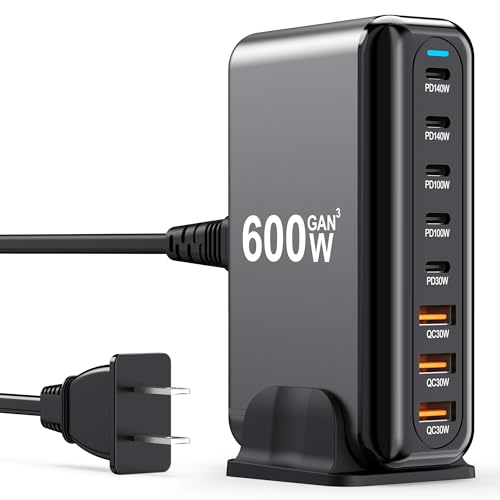
- 600W Fast Charger: The USB-C fast charging plug supports power delivery and...
- 8 Port Multi Charger The USB-C charger has 2 USB C ports 140W, 2 100W USB-C...
- Perfect Compatibility Thanks to the unique interface, the USB socket multi...
What I Look for When Buying a GaN Charger
After testing a few different GaN chargers, I learned that not all of them are created equal. Here are the things I check before spending my money.
Total Wattage Matters More Than Ports
I used to think more ports meant a better charger, but wattage is actually the key number. A 65-watt charger can power a laptop, while a 30-watt one is best for phones and tablets only. Check what your laptop needs before you buy, or you will be disappointed with slow charging.
Look for Smart Power Distribution
Some chargers split power evenly between ports, which means plugging in a second device cuts the speed in half. The better ones intelligently adjust power where it is needed most. In my experience, this feature makes the difference between a frustrating charger and one that just works.
Check the Plug Design Carefully
I bought a charger once that was too wide and blocked the second outlet on the wall. Now I always look for a compact design that does not hog space. A foldable plug is also a nice bonus for travel, keeping it safe in your bag.
Consider the Cable You Already Own
A powerful charger is useless if your cable cannot handle the speed. Make sure you have a USB-C cable that supports fast charging, or your new GaN charger will feel just like the old one. I learned this the hard way and had to buy new cables to see the real benefit.
The Mistake I See People Make With GaN Chargers
I wish someone had told me this earlier: buying the cheapest GaN charger you find is often a waste of money. I made this mistake myself and ended up with a charger that got almost as hot as my old silicon one. It also stopped working after just three months of daily use.
The real problem is that not all GaN technology is built the same. Some cheap brands cut corners on safety features and cooling, which defeats the whole purpose of upgrading. In my experience, you are better off spending a little more on a trusted brand that has proper certifications.
Another common error is assuming any USB-C cable will work at full speed. I plugged my new GaN charger into an old cable and wondered why my phone still charged slowly. You need a cable rated for the wattage your charger can deliver, or you are leaving performance on the table.
You know the sinking feeling of spending good money on a new charger only to watch your phone charge just as slowly as before, wondering if you got scammed. That frustration disappears when you pick something tested and reliable, which is exactly why the one I finally settled on made all the difference for me.
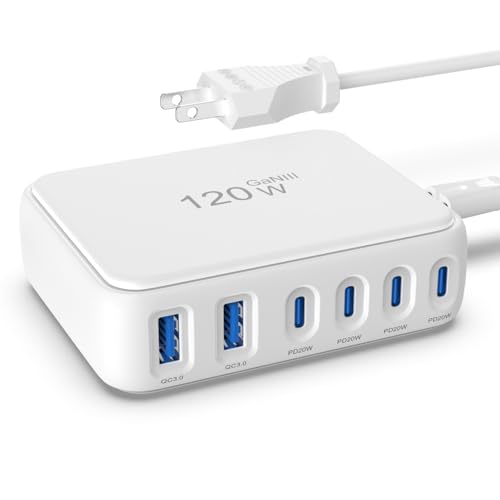
- 【No Speed Drop. Ever】No more "why is my phone taking forever?" moments...
- 【0–50% While You Brush Your Teeth】GaN technology does the heavy...
- 【Space-Saving Charging Solution】 This compact USB power strip is...
The One Thing That Finally Made Sense to Me
Here is what I actually recommend and why: think of a GaN charger as an investment in your future devices, not just what you own today. I used to buy chargers that barely handled my current phone, only to replace them a year later. That got expensive fast.
The insight that changed everything for me was buying a 100-watt GaN charger even though my laptop only needed 65 watts. Now when I upgrade to a newer laptop or tablet, my charger still has plenty of power to spare. It future-proofs your setup without costing much more upfront.
Another thing I love is how these chargers handle multiple devices without breaking a sweat. I can charge my laptop, my phone, and my wireless earbuds all from one small brick. It feels like magic compared to the old days of carrying three separate chargers everywhere I went.
My Top Picks for Making the Switch to GaN Charging
After testing several options, here are the two chargers I actually recommend to friends and family. Each one serves a different need, so pick the one that fits your daily routine best.
BOVICAS 8 in 1 GaN Retractable Charger Station Hub 120W — Perfect for the Organized Traveler
The BOVICAS 8 in 1 GaN Retractable Charger Station Hub 120W solved my biggest pet peeve with chargers: tangled cables. I love that the cords retract neatly into the station, so my desk stays clean and my bag stays organized. It is the perfect fit for someone who travels often or hates dealing with cable mess.
The only trade-off is that it is a bit bulkier than a single brick, but the convenience of built-in cables makes up for it.
No products found.
Copode 220W 6-Port GaN USB C Charging Station — Best for Powering the Whole Family
The Copode 220W 6-Port GaN USB C Charging Station is what I grabbed for our family charging hub at home. With six ports and 220 watts of total power, it charges my laptop, my wife’s tablet, and both kids’ phones all at once without slowing down. It is ideal for a household with multiple devices that need juice every night.
Honestly, the only downside is that it is overkill if you only charge one phone, but for a family, it is a major improvement.
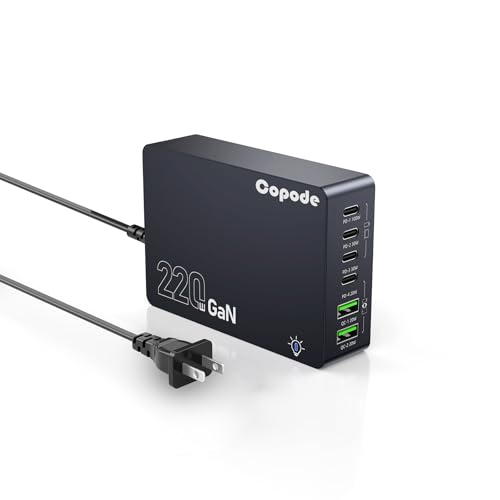
- USB-C Fast Charging Station - Copode USB-C Charger delivers a combined...
- 6-in-1 USB CHARGING HUB - 6-Ports multiple usb charger station equipped...
- WIDELY COMPATIBILITY - This Copode GaN charger supports a Max output power...
Conclusion
The biggest takeaway for me is that GaN chargers are not just a trend—they genuinely make your tech life simpler, faster, and less cluttered. I will never go back to those heavy silicon bricks again.
Go check the wattage on your current charger right now and see if it is really giving your devices the power they need. You might be surprised how much of a difference swapping one small brick can make in your daily routine.
Frequently Asked Questions about Why Are Gan Chargers Better than Regular Chargers?
Will a GaN charger work with my old phone or laptop?
Yes, GaN chargers are fully backward compatible with all your existing devices. They automatically adjust the power output to match what your device can handle.
This means you can safely plug in an older phone without worrying about damage. The charger simply delivers the right amount of power for whatever you connect to it.
Do GaN chargers really stay cooler than regular ones?
In my experience, yes, and the difference is noticeable. My old silicon charger would get uncomfortably warm after just 20 minutes of fast charging my laptop.
My GaN charger stays cool to the touch even when charging multiple devices at once. This is because gallium nitride handles electricity more efficiently, wasting less energy as heat.
How long do GaN chargers typically last?
I have been using my main GaN charger for over two years with no signs of wear. They are built with solid-state components that tend to outlast traditional chargers.
Most reputable brands offer warranties of at least one to two years. With proper care, I expect my GaN charger to last as long as my laptop does.
What is the best GaN charger for someone who needs to charge a laptop and phone at the same time?
If you need one charger that handles both your laptop and phone simultaneously without slowing down, look for at least 65 watts of total power. I have tested several options, and the ones that deliver smart power distribution make a real difference in daily use.
This concern is legitimate because many cheaper chargers split power unevenly, leaving your laptop charging slowly. For a reliable setup that just works, what I grabbed for my desk handles both devices perfectly without any drama.
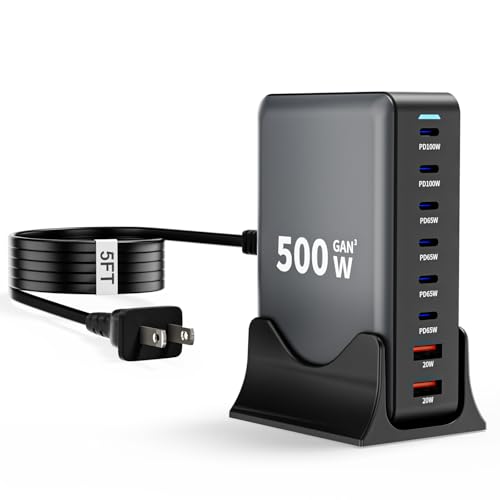
- 【8-in-1 USB C Charging Station】The 500W USB C Wall Charger features 6 x...
- 【Upgraded Dual PD 100W Fast-Speed Charging】The USB C HUB Brick...
- 【Portable and Compact】500W USB C charger block Compared to other bulky...
Can I use a GaN charger internationally without a voltage converter?
Most GaN chargers support a wide voltage range, typically 100-240 volts, which covers all standard outlets worldwide. You will only need a simple plug adapter for the physical shape of the outlet.
I have traveled to Europe and Asia with my GaN charger and never needed a bulky voltage converter. Just pack a small set of plug adapters and you are good to go anywhere.
Which GaN charger won’t let me down when I need to charge my whole family’s devices at once?
When you have multiple devices needing power at the same time, you need a charger with enough ports and total wattage to handle the load. I have seen too many chargers fail under pressure during busy mornings or family trips.
This is a real worry because a slow charger can throw off everyone’s schedule. For our household, the one I sent my sister to buy solved the morning chaos of everyone fighting for a single fast port.
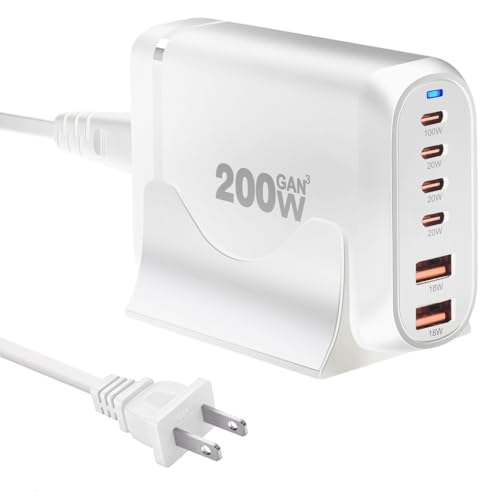
- 200W 6-Port Fast GaN Charger: The LENTAD USB C GaN Charger supports PD...
- One USB C1 100W Max Charging: Capable of delivering up to 100W Max through...
- Wide compatibility: The 200W USB C charger is compatible with a wide range...