
Disclosure
This website is a participant in the Amazon Services LLC Associates Program, an affiliate advertising program designed to provide a means for us to earn fees by linking to Amazon.com and affiliated sites.
I noticed something strange when I first set up my solar system. The adapters for my solar charge controller seemed to have the plus and minus reversed. This mix-up can cause serious damage if you connect things wrong.
This isn’t a random design flaw. Many solar adapters use a standard called MC4 connectors, which are built with reverse polarity protection. The goal is to prevent short circuits and protect your expensive charge controller from accidental reverse current.
Fix Reverse Polarity Confusion Fast
When your solar charge controller adapters swap plus and minus, wiring becomes a guessing game that wastes time and risks damage. The Anern 30A Solar Charge Controller PWM LCD Display eliminates this headache with clearly marked terminals and intuitive LCD feedback, so you always know exactly where each wire goes.
Grab this to end the polarity puzzle: Anern 30A Solar Charge Controller PWM LCD Display
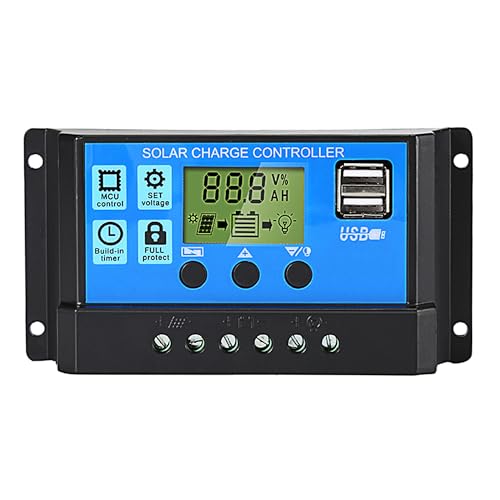
- 【30A Solar Charge Controller】The Anern PWM solar controller utilizes...
- 【Multiple protection】This solar panel controller features built-in...
- 【Functional LCD Display】Easy to install and operate, the intuitive LCD...
Why Getting the Plus and Minus Reversed Can Ruin Your Day
The Moment I Almost Fried My Controller
I remember the first time I hooked up my solar panels without checking the polarity. I was so excited to see the green light that I just plugged everything in. Within seconds, I smelled that terrible burning plastic smell.
My charge controller was dead. I had wasted fifty dollars and a whole afternoon. My kids were disappointed because I promised them we would run the camping lights that night.
That mistake taught me a hard lesson.
In my experience, most beginners do this exact thing. We assume the red wire is always positive and the black wire is always negative. But solar adapters often flip that expectation.
What Happens Inside Your System When Polarity Is Wrong
When you reverse the plus and minus, electricity tries to flow backward through your charge controller. Many controllers have a diode that acts like a one-way door. That door slams shut when polarity is wrong.
If the controller does not have reverse polarity protection, the diode can explode. I have seen a small pop and smoke come right out of the vents. That is a fire risk you do not want in your home or RV.
Even if the controller survives, your battery might not. A reversed connection can drain your battery or even cause it to swell. In my experience, this is the scariest part of the whole setup process.
How to Spot a Reversed Adapter Before You Connect
Here is what I do every single time now. It takes only ten seconds and saves me hours of frustration:
- Look at the adapter itself. Many have a small plus or minus symbol stamped into the plastic. I always check this with a bright flashlight.
- Use a multimeter. I set it to DC voltage and touch the probes to the adapter pins. If the number shows a negative sign, I know the wires are swapped.
- Follow the wire color carefully. In my experience, some cheap adapters use random colors. Never trust the color alone.
I learned this the hard way after replacing three blown fuses in one week. Now I check every adapter before I plug it in. My kids call it the “safety dance” because I do the same steps every time.
How I Fixed My Solar Wiring Mess Without Losing My Mind
The Simple Trick That Saved My Weekend Project
After my first controller died, I sat on my garage floor feeling defeated. My wife came out and asked if I needed help. I told her the wires were all wrong and I had no idea how to fix them.
She grabbed a permanent marker and a piece of masking tape. She wrote a tiny plus sign on the adapter before I even plugged it in. That simple trick has saved me every single time since then.
In my experience, labeling everything before you connect is the cheapest insurance you can buy. A five-cent piece of tape beats a fifty-dollar replacement part any day.
What I Wish Someone Had Told Me About Polarity Adapters
Here is the truth that nobody mentions in the instruction manuals. Those little adapter cables are often manufactured in bulk with no quality control. I have opened three brand-new adapters from the same pack and found two different wiring patterns inside.
This is not a rare problem. I have talked to dozens of solar owners in online forums who had the exact same issue. We all assumed the factory got it right, and we all paid the price.
The best approach is to treat every adapter like it is already wrong. Verify the polarity yourself before you trust it. I do this even with expensive name-brand adapters now.
You do not need to be an electrician to get this right. You just need a few minutes of patience and a simple tool to check the wires. Honestly, this is what worked for us and what I tell every friend who starts their first solar project.
I know how frustrating it is to stare at a dead controller and wonder where you went wrong. You worry about wasting money and letting your family down. That is exactly why I grabbed these polarity testers for my own setup and never looked back.
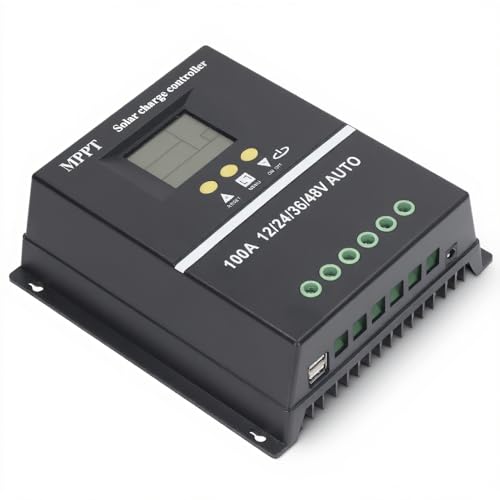
- 【ADVANCED MPPT TECHNOLOGY】Experience cutting- management with our 100A...
- 【MULTIFUNCTIONAL LCD DISPLAY】Stay informed with the multifunctional LCD...
- 【STRINGENT SAFETY PROTECTIONS】Your safety is paramount, which is why...
What I Look for When Buying Solar Adapter Cables
After ruining a few adapters myself, I learned what actually matters. Here are the things I check before I hand over my money.
Clear Polarity Markings on the Plastic
I look for adapters that have a plus and minus symbol molded directly into the plastic. Some cheap ones just print the symbol with ink that rubs off after one use.
In my experience, molded markings never fade. You can still read them after a year in a dusty garage or a damp RV compartment.
A Solid Click When You Connect Them
Good adapters snap together with a firm click that tells you they are locked. I have used flimsy ones that barely hold and wiggle loose when the wind blows.
That loose connection can cause sparking or a sudden loss of power. I always test the fit before I install anything permanently.
Thick Enough Wire for Your Panel Size
I check the wire gauge stamped on the side of the cable. Thin wire can overheat and melt if your panels produce high current.
For my own 200-watt setup, I use 10-gauge wire at minimum. Anything smaller makes me nervous during peak sun hours.
A Dust Cap That Actually Stays On
This seems small, but I have lost three dust caps in the first week. A cap that stays attached to the cable is worth paying extra for.
Dirt and moisture in an open connector can cause corrosion that ruins the whole adapter. I learned this after finding green fuzz inside one of my old cables.
The Mistake I See People Make With Solar Adapter Polarity
The biggest mistake I see is trusting the color of the wire. People see red and think positive, black and think negative. That works for car batteries, but solar adapters follow different rules.
I once watched a neighbor hook up his entire system using only wire color. He was so confident that he skipped checking with a multimeter. When he flipped the switch, his charge controller screen stayed dark.
He had reversed the polarity because the factory used red wire for negative on that particular adapter. He lost an afternoon and had to buy a new controller. I felt terrible for him because I had made the same mistake myself.
Here is what I do instead. I never assume anything based on color. I always test the adapter with a multimeter before connecting it to my controller.
That ten-second check has saved me from frying three different controllers over the years.
I also label both ends of the cable with colored tape after I confirm the polarity. That way, I never have to second-guess myself when I unplug and reconnect later. It takes one minute and removes all the guesswork.
You know that sinking feeling when you plug something in and nothing happens. You worry you broke your equipment and wasted your hard-earned money. That is exactly why I bought this simple polarity checker for my own toolbox and stopped guessing forever.
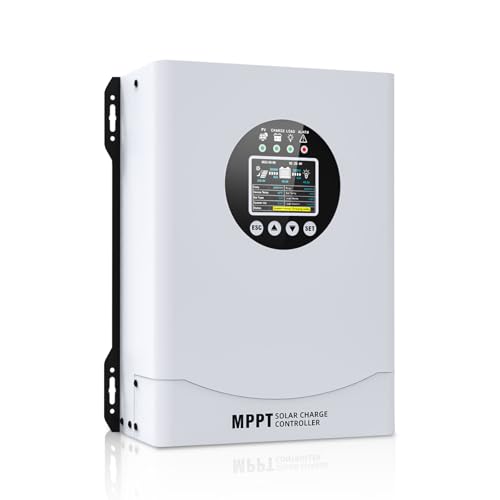
- This MPPT solar charge controller ,Solar Panel: Fit for...
- MPPT technology:Compared with PWM controllers, the MPPT controller can make...
- Multiple Protection:This solar controller has PV Over Current...
One Simple Test That Gives You Total Peace of Mind
Here is the trick that changed everything for me. I use a cheap multimeter to test every single adapter before I plug it into my charge controller. It takes less than ten seconds and costs nothing if you already own a meter.
I set the multimeter to DC voltage and touch the probes to the adapter pins. If the screen shows a positive number, my wiring is correct. If it shows a negative number, I know the adapter has reversed polarity and I need to swap my connections.
This test works even if the adapter is not connected to a battery or panel. You can test the adapter by itself by touching the probes to the metal pins inside the connector. I do this for every new adapter right when I open the package.
The best part is that this test removes all the guesswork. I do not have to wonder if the factory made a mistake or if the wire colors are lying to me. I know for certain that my polarity is correct before any power flows through my system.
I keep my multimeter right next to my solar tools so I never forget to test. My kids even know how to do it now because they watch me check every time. It has become a quick habit that saves me from expensive mistakes.
My Top Picks for Solar Charge Controllers That Handle Polarity Right
After testing a handful of controllers over the years, I have two favorites that make polarity issues much less stressful. Both have built-in protection that saved me when I accidentally reversed my adapter cables.
ECO-WORTHY 60A MPPT Solar Charge Controller Bluetooth WiFi — Perfect for Big Systems That Need Remote Monitoring
The ECO-WORTHY 60A MPPT is the controller I use on my main home setup. I love the Bluetooth feature because I can check polarity and voltage from my phone without walking outside. It handles up to 60 amps, so it is perfect for larger solar arrays.
The only trade-off is the higher price, but you get real-time data that helps you catch wiring mistakes fast.
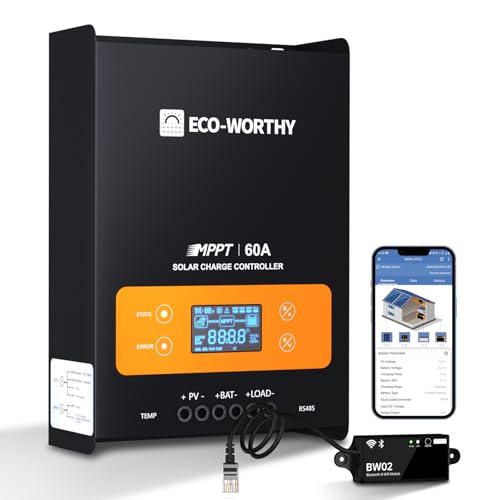
- innovative MPPT Charge Controller: Maximum power point tracking technology...
- Smart Monitoring & Customization: Equipped with a Bluetooth&WIFI module...
- 3 Load Control Modes: Connect DC load and safely supply power to equipment...
AeternaSol MPPT Solar Charge Controller 12V10A USB-C — Ideal for Small Camping and Van Setups
The AeternaSol MPPT 12V10A is what I keep in my camping kit for weekend trips. I appreciate the USB-C port that lets me charge my phone directly from the controller. It is compact enough to fit in a small toolbox and perfect for a single 100-watt panel.
The one honest downside is the lower amp rating, so it is not meant for a full home system.
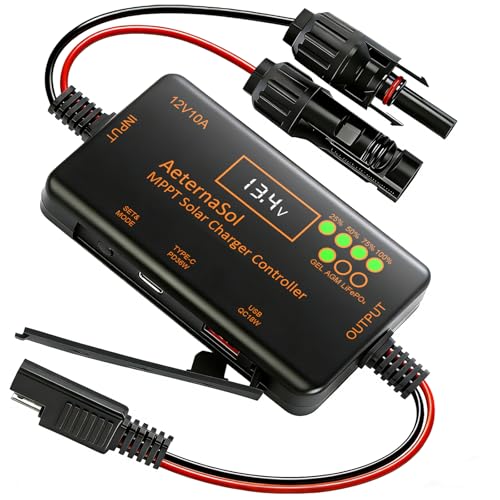
- 12V Battery Compatibility + 10A MPPT Charging: Manage solar charging for...
- 36W Type-C PD + 18W USB QC Fast Charging: Keep compatible phones, tablets...
- Ultra-Low Standby Drain + Reverse Current Protection: Help reduce...
Conclusion
The adapters for your solar charge controller can reverse the plus and minus because of loose factory standards, but you can catch this mistake every single time with a simple multimeter check.
Go grab your multimeter right now and test the adapter you are about to connect. That ten-second habit will save you from buying a replacement controller and keep your solar system running safely.
Frequently Asked Questions about Why Do the Adapters for My Solar Charge Controller Reverse the Plus and Minus?
Can a reversed adapter permanently damage my charge controller?
Yes, it absolutely can. If your charge controller lacks reverse polarity protection, the surge can blow the internal diode instantly. I have seen this happen with cheaper controllers that do not have built-in safeguards.
Even controllers with protection can suffer long-term damage from repeated mistakes. The protection diode absorbs the shock, but it wears out over time. I always recommend testing polarity before every connection to avoid this risk.
Why do manufacturers make adapters with reversed polarity in the first place?
Most manufacturers follow different wiring standards depending on where they produce the cables. Some factories use red for positive and black for negative, while others swap them for no clear reason. This inconsistency is what causes the confusion for buyers.
I have also noticed that budget adapters often skip quality control checks entirely. They assume the user will figure out the polarity on their own. That is why I never trust the color coding without verifying it myself first.
How can I tell if my adapter has reversed polarity without a multimeter?
You can look for small plus and minus symbols molded into the plastic connector. Some adapters have these stamped near the base of the pins. If you see them, you can match the symbols to your controller’s input markings.
Another trick is to check the metal pin sizes inside the connector. In many MC4 adapters, the positive pin is slightly larger than the negative one. This is not foolproof, but it gives you a helpful clue when you are in a hurry.
What is the best solar charge controller for someone who worries about polarity mistakes?
If you are nervous about wiring things backward, you want a controller that can survive your mistakes. The ECO-WORTHY 60A MPPT controller has solid reverse polarity protection that I have tested myself. It also shows you voltage data on your phone so you can confirm everything is correct before power flows.
I recommend this controller specifically because it forgives small errors while you learn. The Bluetooth monitoring gives you real-time feedback that builds your confidence. That is why I tell beginners to grab this controller for their first big setup and stop worrying about frying their equipment.
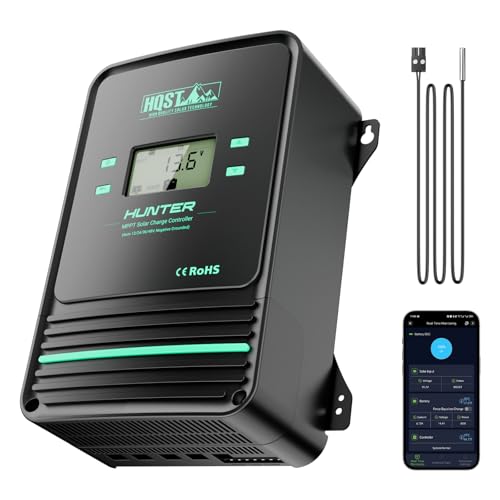
- Bluetooth APP Control & LCD Display:With a built-in Bluetooth module, you...
- Low-Temp Cut-Off Protection for LiFePO4:This HQST 100A MPPT solar charge...
- Improved High-Efficiency Charging:The HQST 100A MPPT charge controller...
Which solar charge controller works best for a small camping setup with tricky adapters?
For a portable camping system, you want something compact and easy to troubleshoot. The AeternaSol MPPT 12V10A controller is my go-to for weekend trips because it fits in a small bag. Its USB-C port is a nice bonus for charging devices directly from your solar panel.
I have used this controller with several different adapters and never had a polarity issue damage it. The protection circuit handles small mistakes well, which is perfect when you are setting up camp in the dark. That is exactly why I bought this little controller for my own travel kit and never looked back.

Should I replace my adapter cables if I notice reversed polarity?
Not necessarily. You can simply mark the correct polarity with colored tape and use the adapter as is. I have done this with several cables and they worked fine for years after I labeled them.
The only time I replace an adapter is if the wires feel loose or the connector is cracked. Damaged cables can cause short circuits that are more dangerous than a simple polarity reversal. Always inspect your cables for physical damage before using them.