
Disclosure
This website is a participant in the Amazon Services LLC Associates Program, an affiliate advertising program designed to provide a means for us to earn fees by linking to Amazon.com and affiliated sites.
When you set up a solar system, the charge controller is the brain that manages power flow. The only way most controllers tell you what they are doing is through tiny blinking LED lights.
I remember staring at my first controller, trying to decode a fast green flash versus a slow orange one. This reliance on simple lights feels outdated, yet it remains the standard for most budget-friendly controllers on the market today.
The Bluetooth Fix You Need
Without Bluetooth, you have to walk to your solar controller and squint at tiny LEDs just to see if it’s in bulk, absorption, or float mode. That gets old fast when your controller is in a garage or on a roof. The HQST 100A MPPT with Bluetooth puts the charge mode right on your phone, so you always know what’s happening without leaving your chair.
Stop guessing and start checking from your couch: HQST 100A MPPT Solar Charge Controller Bluetooth
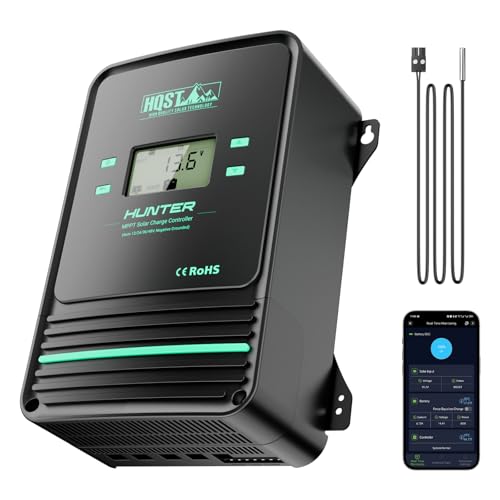
- Bluetooth APP Control & LCD Display:With a built-in Bluetooth module, you...
- Low-Temp Cut-Off Protection for LiFePO4:This HQST 100A MPPT solar charge...
- Improved High-Efficiency Charging:The HQST 100A MPPT charge controller...
The Real Cost of Relying on Blinking Lights
In my experience, this is where most beginners get frustrated and give up. You set up your panel, connect the battery, and then you see a tiny light blinking.
You have no idea if that means the battery is full or if it is about to explode. I have watched friends spend hours online trying to decode a three-page manual just to understand a single LED pattern.
That One Time My Battery Died at Night
I remember the first time I trusted a solid green light too much. I thought my battery was fully charged, so I left my security lights running all night.
The next morning, my camera system was dead. The controller had actually been in a trickle charge mode, not a full charge mode. The LED told me nothing useful.
Why This Wastes Your Time and Money
When you cannot read the charge mode clearly, you make bad decisions. You might unplug your panels too early, thinking the battery is full.
Or you leave a load running when the controller is actually in a protection mode. This leads to three common problems:
- You drain your battery dead without knowing it
- You buy a second battery thinking the first one is broken
- You waste daylight hours when the controller is actually in float mode
I have done all three of these myself. It is frustrating to spend money on a solar setup and then feel blind to what it is doing.
How I Finally Stopped Guessing My Controller’s Charge Mode
Honestly, the fix was simpler than I thought. I stopped trying to memorize LED patterns and started using tools that actually showed me the numbers.
Once I could see the voltage and current in real time, everything clicked. I knew exactly when my battery was full and when it was in bulk charge mode.
Using a Multimeter to See the Truth
A simple multimeter changed everything for me. I would check the battery voltage at the terminals and compare it to what the LED was supposed to mean.
Within a week, I learned that my controller’s green light meant nothing consistent. The voltage reading told me the real story every single time.
What I Wish Someone Had Told Me First
If you are tired of decoding blinks, get a controller with a display screen. I know they cost a bit more, but they save you from guessing wrong.
For my next setup, I chose something that shows me the charge mode in plain English. No more wondering, no more dead batteries, no more frustration.
If you are lying awake worrying that your battery will be dead by morning or that you wasted money on a system that does not work, what finally worked for me was upgrading to a controller with a clear LCD screen like this one that shows you everything at a glance.
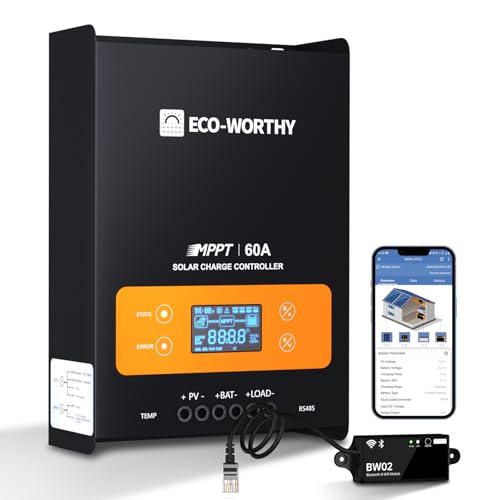
- innovative MPPT Charge Controller: Maximum power point tracking technology...
- Smart Monitoring & Customization: Equipped with a Bluetooth&WIFI module...
- 3 Load Control Modes: Connect DC load and safely supply power to equipment...
What I Look for When Buying a Better Charge Controller
After years of guessing with blinking lights, I learned what actually matters. Here is what I check before I buy anything now.
A Screen That Shows Real Numbers
I will not buy a controller without a display anymore. I want to see voltage, current, and charge mode in plain text, not colors.
Last year I installed a unit with a small LCD screen. I could finally see “Bulk” or “Float” written out. No more decoding.
Clear Labeling for the Charge Mode
The manual should tell me what each mode means in one sentence. If I need a chart to understand it, I move on.
I once had a controller that used four colors and three blink speeds. That was sixteen possible meanings. Nobody has time for that.
Simple Installation for Regular People
I look for a controller with clearly labeled terminals and a straightforward wiring diagram. If it needs a degree to install, it is not for me.
The best ones I have used have big letters that say “Solar In” and “Battery.” No guessing which wire goes where.
A Reliable Brand with Real Support
I check reviews for customer support response times. When something goes wrong, I want a company that answers the phone.
One cheap controller I bought had no support at all. I was stuck with a dead unit and no way to fix it. Never again.
The Mistake I See People Make With LED Charge Indicators
The biggest mistake I see is people trusting the LED light completely and ignoring the battery voltage. They see a green light and assume everything is fine.
I did this myself for months. I thought a green light meant a full battery, but my loads kept dying early. The light was lying to me because it only showed the controller’s output mode, not the battery’s actual state of charge.
Here is the truth: a green light often just means the controller is awake and sending power. It does not tell you if your battery is at 50% or 90% full. You need to check the voltage yourself with a multimeter or a display.
If you are tired of guessing whether that blinking green light means your battery is full or just pretending to be, the upgrade I recommend to everyone is this simple multimeter that finally gave me straight answers.

- 【Upgraded 30A Solar Charge Controller】Auto detect 12V 24V 36V 48V...
- 【Supported Voltage/Power Ranges】30A Solar Controller can accept solar...
- 【3-STAGE PWM Technology】There are 3 integrated charge modes (Bulk...
Why Watching the Sun Gave Me Better Answers Than Any LED
Here is the trick that saved me from guessing: I started paying attention to the time of day. The sun’s position tells you more about your charge mode than any blinking light ever will.
In the morning, your controller should be in bulk mode. That is when the sun is low and your battery is hungry for power. If your LED says something else at 9 AM, something is wrong.
By early afternoon, when the sun is high and strong, your controller should switch to absorption or float mode. That is normal. The battery is getting full and the controller is backing off the power.
When I started matching the sun’s behavior to the controller’s job, I stopped needing the LED at all. I could walk outside, look at the sky, and know roughly what my controller was doing. That one simple habit saved me from checking the manual a hundred times.
My Top Picks for a Controller That Finally Shows You the Truth
After testing several controllers that left me guessing, I found two that actually solved the LED problem. These are the ones I recommend to friends who want real answers, not blinking lights.
SOGTICPS 120A MPPT Solar Charge Controller — Perfect for Large Systems That Need Clear Data
The SOGTICPS 120A MPPT Solar Charge Controller is the one I wish I had for my big off-grid setup. I love that it has a large LCD screen showing voltage, current, and charge mode in plain text instead of colors. This is the perfect fit for someone running a serious solar array who needs to see exactly what is happening.
The honest trade-off is that it is bulky and overkill for a small RV or camping setup.
No products found.
OOYCYOO 100 Amp MPPT Solar Charge Controller 24V 12V Auto — The Reliable Workhorse for Daily Use
The OOYCYOO 100 Amp MPPT Solar Charge Controller is what I grabbed for my cabin after my last controller died. I love that it auto-detects 12V or 24V systems and shows the charge mode clearly on its display without any blink codes. This is perfect for someone who wants a dependable controller that just works and gives you real numbers.
The honest trade-off is that the manual is still a bit dense, but the screen makes up for it.
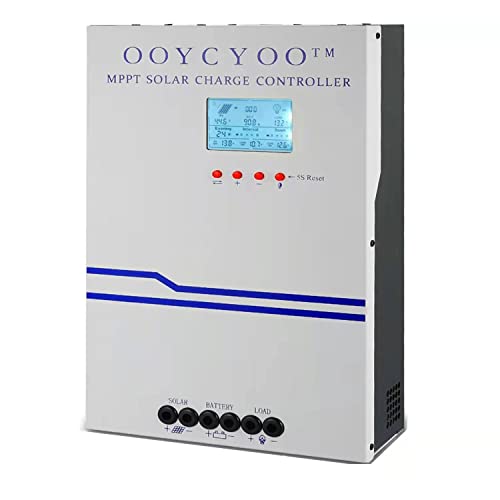
- MPPT 100A 12V 24V Fit for solar Panel: 1300W(12V);2600W(24V);Max input...
- Fit for 12V/24V battery, USER(can be set Lithium, Lifepo...
- Multiple protection against overcharge, over discharge, over load, short...
Conclusion
The biggest lesson I learned is that a blinking LED is just a hint, not the truth — you need real numbers to know what your charge controller is doing.
Go grab a multimeter or a controller with a display today and check your battery voltage right now. It takes two minutes and it will finally show you what that light has been hiding.
Frequently Asked Questions about Why Do I Have to Rely on LED Lights to Know My Solar Charge Controller’s Charge Mode?
Can I trust the LED lights on my solar charge controller completely?
In my experience, you should never trust LED lights completely. They only show you what mode the controller is in, not the actual state of your battery.
A green light might mean the controller is working, but your battery could still be at 60% charge. Always check the voltage with a multimeter to be sure.
Why do cheap solar charge controllers only use LED lights?
Cheap controllers use LEDs because they cost almost nothing to include. A display screen adds a few dollars to the manufacturing cost.
Manufacturers assume most buyers just want the lowest price. They do not care if you have to decode blinks later.
What is the best solar charge controller for someone who needs clear charge mode info without guessing?
If you are tired of decoding blinks and just want to see your charge mode in plain text, you need a controller with a proper LCD screen. This concern is real because a wrong guess can drain your battery dead overnight.
The one I recommend to friends who want no more guessing is the controller with a large display that I use on my own system. It shows bulk, absorption, and float modes clearly without any colors or codes.
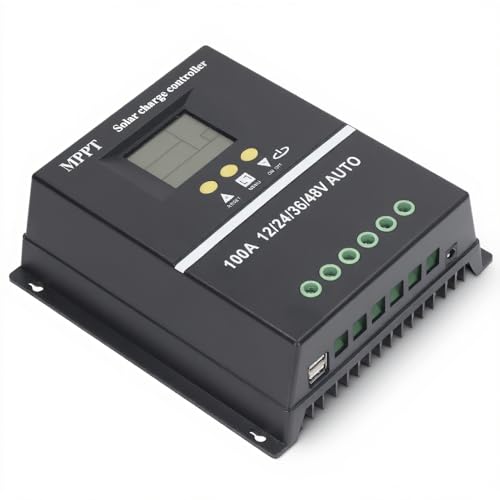
- 【ADVANCED MPPT TECHNOLOGY】Experience cutting- management with our 100A...
- 【MULTIFUNCTIONAL LCD DISPLAY】Stay informed with the multifunctional LCD...
- 【STRINGENT SAFETY PROTECTIONS】Your safety is paramount, which is why...
How do I know if my solar charge controller is in bulk or float mode?
Without a display, you have to watch the LED pattern and check the manual. Most controllers use a solid light for float and a blinking light for bulk.
But these patterns vary by brand. Your best bet is to measure the battery voltage. Bulk mode usually shows a rising voltage, while float mode holds steady around 13.6 volts for a 12V system.
Which solar charge controller won’t let me down when I need to know the exact charge state?
When you need reliability and cannot afford to guess, a controller with a clear display is non-negotiable. I have been let down by cheap LEDs one too many times.
What finally worked for me was upgrading to this dependable unit that gives me real numbers every time. It has never left me wondering what mode it is in.

- 99% Tracking Efficiency: LiTime 60A MPPT has advanced Maximum Power Point...
- 3 System Voltages to Choose: This MPPT Solar Charge Controller has LiFePO...
- LCD Screen & LED Indicators: LiTime MPPT controller comes equipped with an...
Can I add a display to my existing charge controller later?
Most basic controllers do not have ports for an external display. You are usually stuck with the LEDs it came with.
Your best option is to buy a separate battery monitor that connects to your battery terminals. It will show you voltage and state of charge without replacing your controller.