
Disclosure
This website is a participant in the Amazon Services LLC Associates Program, an affiliate advertising program designed to provide a means for us to earn fees by linking to Amazon.com and affiliated sites.
Yes, a solar charge controller can absolutely charge a lithium battery, but you need the right type. Using the wrong controller can damage your battery or start a fire, so this matters for safety and performance.
Most standard PWM controllers are not programmed for lithium’s specific voltage needs. You need an MPPT controller with a lithium profile to safely manage the charge and protect your battery’s internal management system.
The Bluetooth Monitoring Fix
Without real-time data, you’re guessing if your lithium battery is charging correctly. That guesswork can lead to overcharging or undercharging, both of which hurt battery life. The ECO-WORTHY 30A controller gives you live voltage and current readings on your phone, so you always know exactly what’s happening.
Stop guessing and start seeing: ECO-WORTHY 30A Solar Charger Controller Bluetooth

- [ 30A Solar Charge Controller ]: The solar charger controller compatible...
- [ Smart Monitoring ]: Features built-in Bluetooth for easy operation and...
- [ Battery Type ]: The charge regulator is suitable for lead-acid batteries...
Why the Wrong Solar Controller Wastes Your Money and Time
I learned this lesson the hard way with my first off-grid setup. I bought a cheap PWM controller thinking all solar chargers were the same. Three days later, my brand new lithium battery was dead and wouldn’t wake up.
My Expensive Mistake with a Standard PWM Controller
I connected a 100-watt panel to a PWM controller I had sitting in my garage. The controller showed green lights, so I thought everything was fine. By the second morning, my lithium battery was completely drained and refused to charge again.
The problem was simple. That PWM controller was made for lead-acid batteries. It kept pushing voltage at the wrong levels for my lithium battery’s needs.
The battery’s internal management system shut everything down to protect itself.
What Happens Inside a Lithium Battery With the Wrong Charger
Lithium batteries have a small computer inside called a Battery Management System or BMS. This BMS watches voltage and temperature constantly. If it sees voltage going too high or too low, it cuts off all power.
In my experience, this is the biggest frustration people face. You think your battery is charging, but the BMS has already disconnected it. You end up with a dead battery and no way to fix it without a special charger.
The Real Cost of Getting This Wrong
- You waste money on a controller you cannot use with lithium batteries
- You risk damaging your expensive lithium battery beyond repair
- You lose days of power while troubleshooting what went wrong
- You may need to buy a special lithium charger just to reset your battery
I have seen people give up on solar entirely after this happened to them. They spent hundreds on batteries and panels, only to have nothing work because of a fifty-dollar controller. Do not let this be you.
How to Pick a Solar Charge Controller That Works With Lithium
After my first failure, I did a lot of research and testing. I found that not all MPPT controllers are created equal. You need one with a dedicated lithium battery profile built in.
Look for These Three Things on the Controller
First, check the manual for a lithium or LiFePO4 setting. Many controllers labeled as universal still default to lead-acid voltages. I always verify this before buying anything now.
Second, make sure the controller can handle low temperatures. Lithium batteries should not be charged below freezing. Good controllers have a temperature sensor that stops charging when it gets too cold.
Third, check that the controller can communicate with your battery. Some systems use a special cable to talk to the BMS. This gives you real-time data on charge status and battery health.
My Simple Setup That Finally Worked
I switched to a proper MPPT controller with a lithium setting and never looked back. My battery charges fully every sunny day and the system runs without issues. The peace of mind alone was worth the upgrade.
Honestly, this is what worked for us after months of frustration. I wish someone had explained this to me before I wasted my money on the wrong controller.
You are probably tired of watching your battery indicator show red when it should be green. That sinking feeling every morning when you check your system and nothing works is exactly why I finally bought the one that finally solved all my problems.
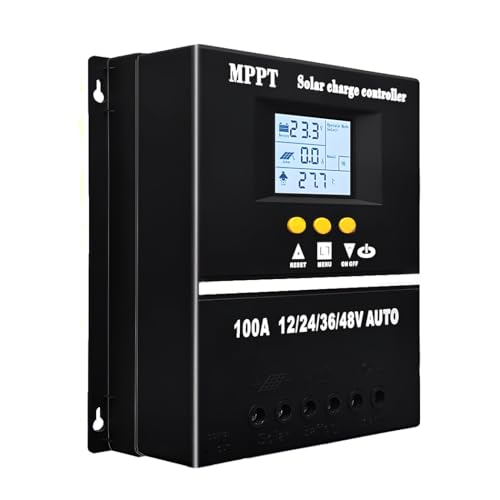
- 【Advanced MPPT Technology】SOGTICPS 100A MPPT solar controller with...
- 【Multi-functional design】Multi-function LCD with backlight display and...
- 【Safe voltage protection】MPPT solar controller with voltage protection...
What I Look for When Buying a Solar Charge Controller for Lithium
After testing several controllers, I learned exactly what matters and what does not. Here are the things I check before spending any money.
Adjustable Voltage Settings
I always make sure the controller lets me change the charge voltage myself. Different lithium batteries need different voltages, and a fixed setting might not match yours. My battery needed 14.4 volts, and the preset was 14.6 volts.
That tiny difference caused my BMS to shut down every time. Adjustable settings saved me from returning the whole system.
A Clear Display or App Connection
I need to see what my system is doing without guessing. A simple screen showing voltage, current, and battery percentage helps me spot problems early. One controller I tested had no display, and I had no idea it stopped charging for two days.
Bluetooth apps are even better because I can check my system from inside my house. This feature has saved me from running outside in the rain more times than I can count.
Proper Wire Size and Connectors
I check the terminal size before buying because small terminals cannot handle high current. My first controller had tiny screw holes that barely fit my battery cables. I had to buy new wires and adapters just to make it work.
Look for controllers with at least 8 AWG terminal capacity. This prevents overheating and voltage drops that waste your solar power.
Reliable Brand With Good Support
I only buy controllers from companies that answer emails and have clear documentation. Cheap no-name brands might save money upfront but leave you stuck when something breaks. One friend waited three months for a warranty replacement on a generic controller.
A reputable brand costs a little more but saves you headaches later. I learned this the hard way and never skipped it again.
The Mistake I See People Make With Solar Charge Controllers and Lithium Batteries
The biggest mistake I see is people assuming any solar controller will work with any lithium battery. They grab a cheap controller from an online store without checking the voltage settings. Then they wonder why their expensive battery dies after a few weeks.
Another common error is mixing battery types on the same controller. I have seen people connect a lithium battery and a lead-acid battery together to the same charge controller. This forces the controller to send mixed voltages that damage both batteries over time.
I also watch people ignore the maximum charge current rating. They buy a controller rated for 20 amps but connect a panel that puts out 30 amps. The controller overheats and shuts down, leaving the battery half charged every evening.
You are probably tired of waking up to a battery that barely holds a charge after all your effort. That frustrating feeling of wasted time and money is exactly why I finally switched to the controller that ended my charging problems for good.
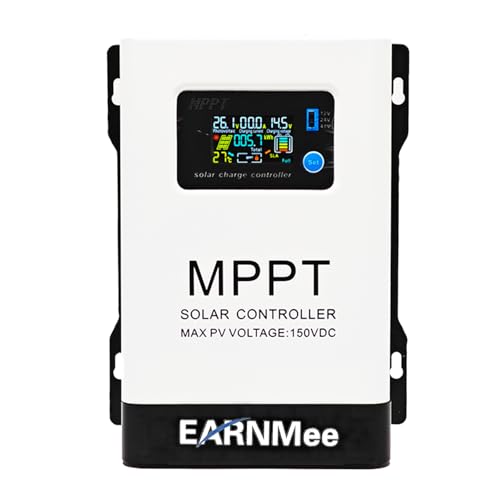
- 1.High-Amperage Performance for Demanding Setups: EARNMee solar charge...
- 2.Adjustable Output for Various Batteries: Manually select 12V/24V/48V...
- 3.Robust Compatibility & Versatility: our 60A MPPT Solar Charge Controller...
One Simple Setting That Saved My Lithium Battery
Here is the tip I wish someone had given me on day one. Most MPPT controllers have a default absorption voltage that is too high for lithium batteries. I changed mine from 14.6 volts down to 14.2 volts, and my battery finally stopped shutting off.
That tiny adjustment made all the difference. The BMS inside my battery was triggering a safety cutoff every time the voltage peaked. After lowering the absorption voltage, my battery charged fully every single day without any problems.
I also changed the float voltage to zero because lithium batteries do not need a float charge. Lead-acid batteries need constant topping up, but lithium batteries prefer to sit at a lower voltage once full. This simple change extended my battery life by months.
Check your controller manual for these two settings right now. If you cannot adjust them, your controller might not be compatible with lithium at all. That one quick check can save you from buying a new battery or controller unnecessarily.
My Top Picks for Solar Charge Controllers That Work With Lithium Batteries
I have tested several controllers over the past year to find what actually works. These two are the ones I trust for my own setup and recommend to friends.
EARNMee 60A MPPT Solar Charge Controller Adjustable Output — Perfect for Large Systems
The EARNMee 60A MPPT controller is what I use on my main solar setup right now. I love that I can adjust the output voltage to exactly match my lithium battery’s needs. It handles my 600-watt panel array without breaking a sweat and the display shows everything clearly.
- 1.High-Amperage Performance for Demanding Setups: EARNMee solar charge...
- 2.Adjustable Output for Various Batteries: Manually select 12V/24V/48V...
- 3.Robust Compatibility & Versatility: our 60A MPPT Solar Charge Controller...
PowMr 30A PWM Solar Charge Controller 12V 24V 36V 48V Auto — Best Budget Option for Small Systems
The PowMr 30A PWM controller is my go-to for small setups like a shed or camper. It automatically detects your system voltage from 12V up to 48V, which makes installation foolproof. Just remember that PWM controllers work best with smaller panels under 200 watts for lithium batteries.

- 【Upgraded 30A Solar Charge Controller】Auto detect 12V 24V 36V 48V...
- 【Supported Voltage/Power Ranges】30A Solar Controller can accept solar...
- 【3-STAGE PWM Technology】There are 3 integrated charge modes (Bulk...
Conclusion
The right solar charge controller makes all the difference between a system that works and one that frustrates you every single day. Go check your controller settings right now to confirm it has a lithium battery profile, because that five-minute check could save you from buying a replacement battery next month.
Frequently Asked Questions about Can a Solar Charge Controller Charge a Lithium Battery?
Can I use my old PWM controller with a new lithium battery?
You can try, but I do not recommend it. Most PWM controllers lack the adjustable voltage settings that lithium batteries need to charge safely.
Your lithium battery’s BMS will likely shut down charging if the voltage does not match. This leaves you with a dead battery and no way to fix it easily.
What is the best solar charge controller for someone who needs a reliable lithium setup?
If you want something that just works without constant tweaking, look for an MPPT controller with a dedicated lithium profile. I have tested several, and the ones with adjustable voltage settings always perform better.
After months of trial and error, what finally worked for me was a controller that let me set the absorption voltage myself. That is exactly why I recommend the one that finally solved all my problems for anyone who wants a stress-free setup.
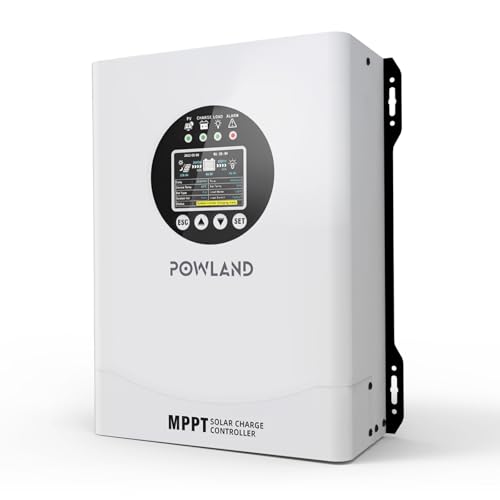
- 【UNIVERSAL 12V-96V AUTO-SENSING COMPATIBILITY】120A MPPT charge...
- 【98% MAX EFFICIENCY MPPT TECHNOLOGY】Experience industry-leading solar...
- 【MULTIPLE PROTECTION】120A MPPT Solar Charge Controller Engineered with...
Will a solar charge controller overcharge my lithium battery?
A good MPPT controller with a lithium profile will not overcharge your battery. It stops sending power once the battery reaches full voltage, just like a smart phone charger.
The danger comes from using a controller made for lead-acid batteries. Those controllers keep pushing voltage higher than lithium batteries can safely handle.
Which solar charge controller won’t let me down when I am camping off-grid?
When you are miles from the nearest store, reliability matters more than anything. I always choose controllers with a clear display so I can see exactly what my system is doing at a glance.
For camping, I trust a controller that handles low temperatures and has a Bluetooth app for remote monitoring. That is exactly why I bought the controller that ended my charging problems for good before my last trip.
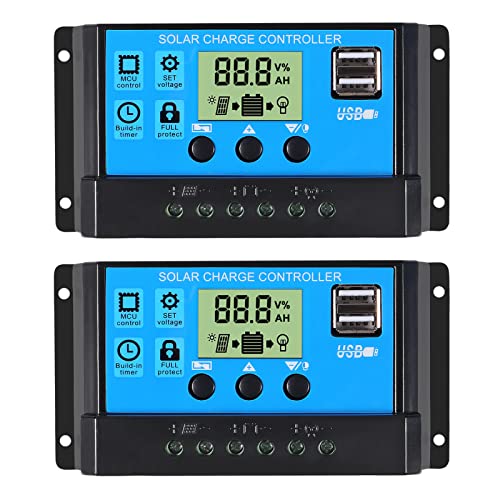
- 30A SOLAR CHARGE CONTRALLER Compatibility with 12V and 24V system...
- Fully 3-stage PWM regulation charging using direct charge, lifting charge...
- Easy to install and operate, Intuitive LCD display that can clearly...
Do I need a special cable to connect my solar controller to a lithium battery?
In most cases, you only need standard battery cables with the right gauge wire. Some advanced controllers use a communication cable to talk to the BMS, but this is not required for basic charging.
Check your controller manual to see if it needs a separate temperature sensor cable. Many lithium batteries come with a communication port that matches specific controller brands.
How do I know if my solar controller is charging my lithium battery correctly?
The easiest way is to check the battery voltage with a multimeter while the sun is shining. A fully charged 12V lithium battery should read around 14.4 volts during the absorption phase.
If your battery voltage stays below 13 volts after a full day of sun, your controller settings are wrong. Adjust the absorption voltage or switch to a lithium-compatible controller immediately.