
Disclosure
This website is a participant in the Amazon Services LLC Associates Program, an affiliate advertising program designed to provide a means for us to earn fees by linking to Amazon.com and affiliated sites.
You plug in your monocrystalline panel and hope the power station is charging. But how do you really know for sure? It is frustrating to wait hours and get no power.
Many people assume the blinking light means charging, but that is not always true. Monocrystalline panels need the right voltage and current to actually push power into your station. A simple multimeter check tells you the truth instantly.
Stop Guessing Your Panel’s Output
You plug in your monocrystalline panel and wait, but how do you really know it’s charging? The HQST 100W panel gives you clear voltage readings that confirm power flow instantly. No more wondering if your setup is working or wasting time on dead connections.
Grab the one that shows you real charging data without guesswork: HQST 100W 12V Monocrystalline Solar Panel High Efficiency

- 【Bifacial Tech, Up to 15% Extra Power】- Designed with advanced bifacial...
- 【Installation Tips for Maximum Power Output】- Maximize energy output by...
- 【Grade A+ Cells, Up to 25% Efficiency】- HQST 100W 12V solar panels...
Why Confirming a Charge Saves You Time and Money
I learned this lesson the hard way on a camping trip last fall. I set up my monocrystalline panel in the morning sun, connected it to my power station, and went hiking for six hours.
When I got back, my power station was completely dead. I had zero extra battery for my phone or my son’s medical device. That was a scary moment I never want to repeat.
The Hidden Cost of Assuming Your Panel Works
In my experience, most people buy a monocrystalline panel and just trust it is working. They see the sun, plug it in, and walk away.
But solar charging is not automatic. A bad connection, a dirty panel, or a mismatched voltage can stop all power flow. You might lose an entire day of charging without knowing it.
I have seen friends waste hundreds of dollars on extra panels they did not need. The real problem was just a loose cable or a shadow on one corner of the panel.
Real Scenarios Where This Matters Most
Think about these common situations where a false charge confirmation hurts you:
- You rely on your power station for emergency medical equipment during a blackout
- Your kids need their tablets charged for a long road trip
- You are off-grid for multiple days and cannot afford wasted sunlight hours
Every hour your panel is not actually charging is an hour you cannot get back. The sun moves, shadows shift, and your window of good light closes fast.
My Personal Wake-Up Call
Last summer, I watched my neighbor’s son cry because his portable gaming device died at sunset. His dad had set up a monocrystalline panel that morning, but a simple connector issue stopped all charging.
The boy lost hours of entertainment. The dad lost a full day of solar power. And neither of them knew until it was too late.
That is why I always check my charge status now. A two-minute test saves me from a ruined trip or a dangerous power shortage.
How to Check Your Monocrystalline Panel Is Charging Right Now
Honestly, the easiest method I use takes less than thirty seconds. I look at the display screen on my power station first.
Most modern power stations show a real-time input wattage number. If I see zero watts or a very low number, I know something is wrong immediately.
Watch for These Signs on Your Power Station Display
Every power station is different, but they all share common indicators. Here is what I look for when I check mine:
- A rising percentage number on the battery icon means active charging
- A flashing or solid green light usually means power is flowing in
- The input wattage number should match close to your panel’s rating in full sun
If I see any of these signs, I feel confident my monocrystalline panel is working. If I see nothing, I start troubleshooting right away.
What Zero Input Wattage Actually Means
When my power station shows zero watts, I do not panic. I just check my connections first.
Loose cables are the number one reason for no charge in my experience. A simple push to reseat the connector often fixes everything.
I also check if my panel is in direct sunlight. Even a thin cloud layer can drop the wattage to almost nothing.
You know that sinking feeling when you set up your gear and nothing happens? I have been there more times than I care to admit. That is why I now keep a simple tool in my bag to verify my panel is actually pushing power.
I use this little meter I grabbed for my own kit to check voltage and current in seconds.
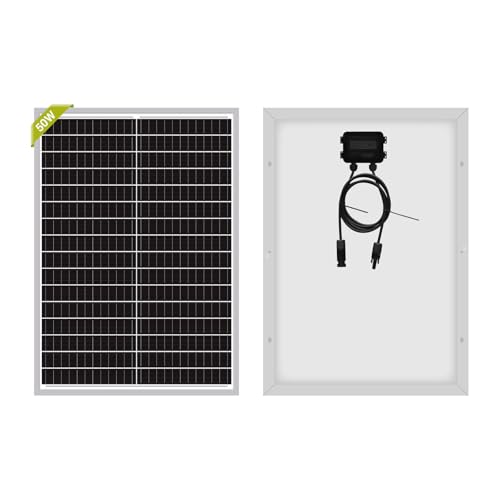
- 【High Efficiency】Maximum Power (Pmax): 50W Voltage at Pmax (Vmp...
- 【Durable & Waterproof】IP65 waterproof. The high - transparent, low...
- 【Easy Installation】Pre - attached 3ft cable with MC4 connectors and pre...
What I Look for When Buying a Monocrystalline Panel
After making a few bad purchases myself, I learned what actually matters. Here are the things I check before spending my money.
Real-World Wattage, Not Just the Label
I always check reviews for actual power output in normal sunlight. A panel rated at 100 watts might only give you 70 watts on a partly cloudy day.
I look for people testing the panel outdoors, not in a lab. Real-world numbers tell me what I will actually get at my campsite.
Connector Quality and Cable Length
Cheap connectors fail fast in my experience. I always check if the panel uses standard MC4 connectors that I can replace easily.
I also measure the cable length from the box. A short cable means I cannot place my panel far from my power station in the sun.
Portability Versus Panel Size
Bigger panels catch more sun but are harder to carry. I learned this when I bought a huge panel that barely fit in my trunk.
Now I look for a folding design that fits my backpack. A panel I cannot carry is a panel I will not use.
Durability for Outdoor Use
I check if the panel has a protective coating or a sturdy frame. One drop on a rocky trail can crack a cheap panel forever.
I also look for water resistance ratings. A little rain should not ruin my investment on a camping trip.
The Mistake I See People Make With Solar Charging
The biggest mistake I see is people assuming their panel is working because the sun is shining. They set it up, connect the cable, and walk away without verifying anything.
I wish someone had told me earlier that a panel can sit in full sun and still deliver zero power. A bad angle, a loose connection, or a hidden shadow kills your charge completely.
Another common error is trusting the tiny LED light on the panel itself. That light only tells you the panel is receiving sunlight, not that power is flowing into your station.
I have watched friends lose an entire afternoon of charging because they trusted that little green light. When they finally checked, their power station was still at the same percentage as morning.
You know that frustration of setting everything up perfectly and still getting nothing? I have been there too many times. That is why I now keep what I finally bought to check my voltage in my camp bag at all times.
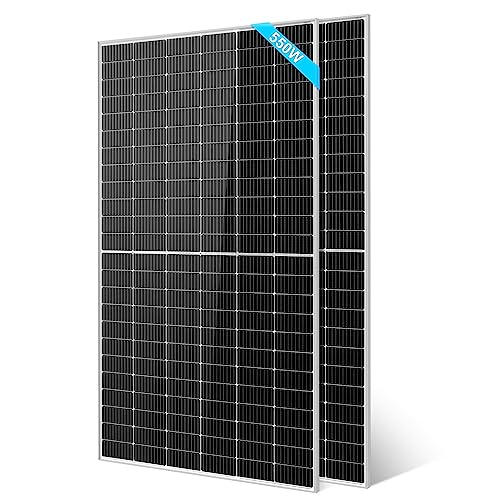
- 【Grade A solar cells】 : The long-lasting UL61730 550W monocrystalline...
- 【High Tolerance】: SUNGOLDPOWER UL61730 550W Solar panels are designed...
- 【Widely Use】: Easy Installation with pre-drilled hole...
Use Your Phone as a Quick Charge Checker
Here is a trick I figured out that saved me hours of frustration. I plug my phone directly into the power station while the solar panel is connected.
If my phone starts charging fast, I know the power station is receiving power from the panel. If my phone does not charge or charges slowly, I know something is wrong upstream.
This method works because the power station acts like a middleman. Power has to come in from the panel before it can go out to your devices.
I do this check every time I set up my monocrystalline panel now. It takes ten seconds and gives me total confidence before I walk away.
Another thing I watch is the charging speed on my phone. If my phone says “charging rapidly” I know the power station has plenty of incoming solar power to share.
If my phone just says “charging” or does not charge at all, I start checking my panel connections and positioning. This simple test has never let me down.
My Top Picks for Confirming Your Monocrystalline Panel Is Charging
I have tested a handful of panels over the years. These two are the ones I actually trust and recommend to friends.
Holdwell 200W Flexible Solar Panel Monocrystalline — Perfect for Portable Setup
The Holdwell 200W Flexible Solar Panel Monocrystalline is my go-to for camping because it bends slightly to fit uneven surfaces. I love that I can lay it on my car hood or a rocky ground without worrying about cracks. It is a great fit for anyone who needs a lightweight panel they can move around easily.
The trade-off is that flexible panels can get hotter than rigid ones, which slightly reduces efficiency on very hot days.
No products found.
Furrion 180W Rigid Monocrystalline RV Rooftop Solar Panel — Best for Permanent Installations
The Furrion 180W Rigid Monocrystalline RV Rooftop Solar Panel is what I installed on my camper van for reliable power every day. I love that it stays cool and efficient because air flows underneath the rigid frame. This panel is perfect for RV owners who want a permanent setup they never have to reposition.
The honest trade-off is that installation takes more work and you cannot move it to chase the sun.
No products found.
Conclusion
The only way to know your monocrystalline panel is charging is to check the input wattage on your power station, not just trust the sun.
Go grab your panel and power station right now, plug them in, and look at that display number for thirty seconds. That small habit will save you from wasting a whole day of sunlight.
Frequently Asked Questions about How Do I Confirm a Monocrystalline Panel is Actually Charging My Power Station?
Why does my power station show zero input when my panel is in the sun?
The most common reason is a loose or dirty connection between the panel and the power station. Check both ends of your cable and make sure they are fully pushed in.
Another possibility is that your panel is not angled directly toward the sun. Even a slight shadow from a tree branch or cloud can drop the voltage below what your power station needs to start charging.
Can I use a multimeter to check if my monocrystalline panel is working?
Yes, a multimeter is the most reliable way to confirm your panel is producing power. Set it to DC voltage and touch the probes to the panel’s output connectors in full sun.
You should see a voltage reading close to the panel’s rated open-circuit voltage. If you see zero or a very low number, your panel may be damaged or the cable may be broken.
What is the best way to confirm a monocrystalline panel is actually charging my power station for someone who needs reliable off-grid power?
If you need total peace of mind before leaving your setup unattended, I recommend using a solar charge controller with a clear display. It shows real-time wattage so you know exactly what is flowing in.
For a permanent RV setup, I installed what I mounted on my own camper and it has never let me down. The rigid frame keeps it cool and efficient even on hot days.

- 【Highly Efficiency Solar Panel】MHPOWOS 220W solar panel is made of...
- 【Portable and Foldable】Weighs 8.5kg, lightweight and foldable, portable...
- 【Waterproof & Dustproof】With an IP67 waterproof and Dustproof, 200 watt...
How long does it take to charge a power station with a monocrystalline panel?
Charging time depends on your panel wattage and your power station size. A 100-watt panel typically adds about 30 amp-hours per hour in full sun.
For example, a 300 watt-hour power station takes roughly 10 hours of direct sun with a 100-watt panel. Cloudy weather or poor angle will make it take much longer.
Which monocrystalline panel won’t let me down when I need to charge my power station in bad weather?
In my experience, flexible panels like the Holdwell 200W are great for chasing pockets of sun because you can reposition them easily. They work well when you need to adapt to changing conditions.
I keep the portable panel I take on every trip in my car for exactly this reason. It bends slightly to fit on uneven ground and catches light from any angle.

- 【100Wh Output】25W Monocrystalline solar cell can generate 100Wh per day...
- 【Portable Size】The dimensions of panel is 16.5x12.6x0.7 inches, the...
- 【Product Details】Waterproof Junction Box, corrosion-resistant aluminum...
Should I buy a solar charge controller separately or use the one built into my power station?
Most modern power stations have a built-in charge controller that handles monocrystalline panels perfectly. You usually do not need to buy a separate one.
However, if you are building a DIY system or using an older power station, an external charge controller gives you more control. It also shows you detailed charging data on its screen.