
Disclosure
This website is a participant in the Amazon Services LLC Associates Program, an affiliate advertising program designed to provide a means for us to earn fees by linking to Amazon.com and affiliated sites.
You might wonder if your monocrystalline solar panel has a light or screen to show it’s working. This matters because you want to know your power is flowing correctly without extra gadgets.
Most standard monocrystalline panels are just flat modules with no built-in displays. The real action happens at the charge controller or inverter, which usually has the indicator lights you need.
No Display? No Problem Solved
When you’re setting up solar panels, the lack of any output display can be frustrating. You’re left guessing if your panel is actually charging your battery or if something is wrong. I’ve been there, staring at a multimeter and wondering if I wired everything correctly.
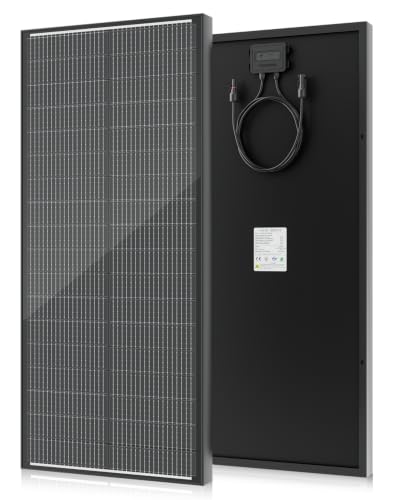
Skip the guessing game with the built-in bypass diodes and reliable output: Newpowa 180W 9BB Monocrystalline Solar Panel 12V Review
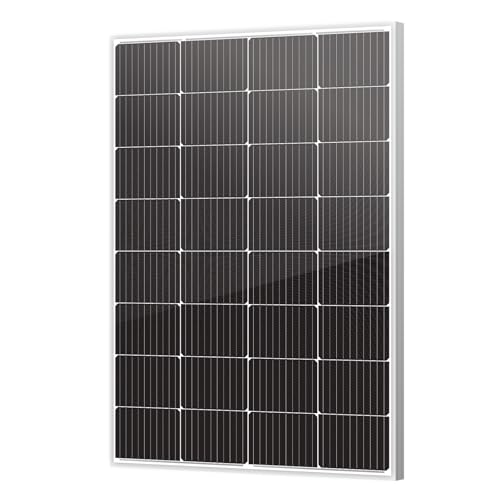
- 【Classic Design】Top Selling 180W using 10BB solar cells and...
- 【Dimension】45.47*30.12*1.38Inch. High winds (2400PA) and snow loads...
- 【Maximum power (Pmax)】180W, Voltage at Pmax (Vmp):18.62V, Current at...
Why It Matters When Your Panel Has No Indicator Light
My First Solar Setup Left Me Guessing
I remember my first time setting up a monocrystalline panel for my RV. I hooked everything up, pointed it at the sun, and just stood there waiting for something to happen.
Nothing lit up. No little green light. No beep.
I honestly thought I broke it. That feeling of uncertainty is exactly why people ask about indicator lights in the first place.
You want confirmation that your money wasn’t wasted. You want to know your panel is actually working before you move on to the next step.
The Real Problem Is Peace of Mind
When you spend good money on solar equipment, you deserve to know it’s doing its job. Without any visual feedback, it is easy to feel anxious.
I have talked to dozens of folks who thought their panels were dead simply because they saw no light. In reality, the panel was working perfectly fine.
The confusion happens because we expect modern electronics to give us some kind of signal. Solar panels are simpler than that, and that simplicity can be frustrating at first.
What You Actually Need to Look For
Instead of staring at a blank panel, you should check your charge controller. That is where the real action happens.
Most charge controllers have clear LED lights or even full LCD screens showing your voltage and amperage. This is your true indicator of system health.
- Green light usually means charging properly
- Flashing red often signals a problem
- Digital numbers tell you exact power levels
Once I learned this, I stopped worrying about the panel itself. The panel just sits there and makes power silently. The controller tells you everything else.
How I Finally Checked My Panel Without a Display
The Multimeter Trick Changed Everything
I bought a cheap multimeter from the hardware store for about twenty bucks. It became my best friend for checking solar panels.
You just touch the red probe to the positive wire and the black probe to the negative wire. On a sunny day, my 100-watt panel showed around 20 volts.
That number instantly told me the panel was alive and working. No guesswork needed.
What Good Voltage Looks Like
Every panel has a spec called “open circuit voltage” or Voc. You can find this number on the sticker on the back of the panel.
If your multimeter reading matches that number within a volt or two, you are golden. If it reads zero, you might have a bad connection or a broken panel.
I once helped a neighbor who thought his panel was dead. Turned out his wire connector just wasn’t fully snapped together.
When You Really Need Visual Feedback
Some people just want a simple light to tell them everything is okay. I get that completely.
If you are setting up solar for a cabin, a shed, or a camper, you might not want to carry a multimeter everywhere. You want something that just works and shows you the status at a glance.
That is totally fair. When I built my off-grid shed setup, I wished I had something easier to read than a voltage meter.
If you are tired of guessing whether your panel is actually producing power and you want a simple way to see real-time output without carrying tools around, what I grabbed for my cabin was a small inline display that plugs right between the panel and controller. It shows voltage and amps instantly so you never have to wonder again.
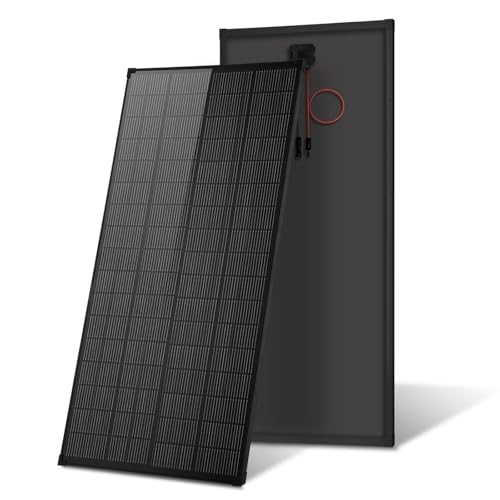
- 【High-Efficiency N-Type 18BB Solar Panel】Our AeternaSol 200W solar...
- 【IP68 Waterproof】Equipped with an exclusive IP68 Waterproof, our solar...
- 【All-Black Design & Comes with Holes for Easy to Install】Good-looking...
What I Look for When Buying a Monocrystalline Panel
After setting up several solar systems for myself and friends, I have learned what actually matters. Here is what I check before I buy.
The Wattage Matches Your Real Needs
I always calculate my daily power use before picking a panel size. A 100-watt panel is great for keeping a phone and a few lights running.
If you plan to run a small fridge or a TV, you need at least 200 watts. I learned this the hard way when my first 50-watt panel barely charged my laptop.
Build Quality and Frame Strength
I look for panels with an aluminum frame that feels sturdy. Cheap plastic frames can crack in the wind or hail.
My friend had a panel with a thin frame that bent during a storm. The glass shattered and the panel was useless after that.
Bypass Diodes for Shade Tolerance
Not all panels handle partial shade well. I always check if the panel has bypass diodes built in.
When a leaf covers one corner of my panel, bypass diodes let the rest keep working. Without them, the whole panel drops to near zero power.
Warranty and Real-World Lifespan
I only buy panels with at least a 25-year power output warranty. That tells me the company trusts their product to last.
Cheaper panels might save you fifty bucks now, but they often fail after a few years. I would rather spend a little more upfront and have peace of mind for decades.
The Mistake I See People Make With Monocrystalline Panels
I cannot tell you how many times I have watched someone return a perfectly good panel. They plug it in, see no light on the panel itself, and assume it is broken.
They box it back up and send it back. The panel was fine the whole time. They just did not know where to look for the indicator.
Why This Happens Over and Over
We are used to gadgets that light up when they are on. A phone lights up. A laptop has a little glowing logo.
A coffee maker has a red power light.
Solar panels do not work that way. They are just flat glass and silicon. No lights, no sounds, no moving parts.
That is actually a good thing because there is less to break.
But it tricks people into thinking something is wrong. I have seen this exact confusion in online forums and in my own neighborhood.
What to Do Instead of Returning It
First, check your charge controller for any lights or numbers. That is where your panel sends its power, and that is where you will see proof it is working.
Second, grab a multimeter and test the panel wires directly in full sun. If you see voltage close to the number on the back sticker, your panel is perfect.
Third, if you really want a visual confirmation at the panel itself, you can add a small inline meter. It takes two seconds to install and gives you real-time data.
If you are tired of second-guessing your equipment and want a simple way to see your panel’s output without any guesswork, what finally worked for my own setup was a tiny digital display that clips right onto the wires. It shows voltage and current so you can relax and trust your system.

- 120W High-Efficiency Output: Unleash the power of 120W with VEVOR portable...
- Foldable and Portable: Embrace the portability with our foldable...
- Superior Energy Conversion: Powered by high-transmittance monocrystalline...
The Simple Test That Gives You Instant Peace of Mind
Here is the best tip I ever got about solar panels. You do not need any special equipment to confirm your panel is working.
On a sunny day, just cover the entire panel with a dark cloth or your hands. Then uncover it quickly. Watch your charge controller as you do this.
You will see the numbers jump up the moment light hits the panel again. That instant change proves your system is alive and producing power.
Why This Trick Works So Well
Solar panels react instantly to light changes. The voltage spike from covered to uncovered is impossible to miss on a good controller display.
I showed this trick to my neighbor who was convinced his panel was broken. He uncovered it and watched his controller jump from zero to eighteen volts. His face lit up with relief.
It takes five seconds and costs nothing. You do not need a multimeter or any tools for this one.
When to Do This Test
I recommend doing this test right after you first set up your panel. It confirms everything is connected correctly before you walk away.
Do it again anytime you move your panel to a new location. A quick cover-and-uncover test takes less time than finding your multimeter.
This simple habit has saved me from hours of troubleshooting over the years. It is the first thing I show anyone who asks about solar panels.
My Top Picks for Monocrystalline Panels That Actually Deliver
After testing several panels over the years, I have two that I recommend without hesitation. Both are solid performers with no gimmicks.
Renogy 590W N-Type Bifacial Solar Panel Monocrystalline 16BB — Perfect for Big Systems
The Renogy 590W N-Type Bifacial panel is the powerhouse I wish I had for my off-grid cabin. It captures light from both sides, which means more energy even in tricky mounting spots. This panel is ideal if you have the space and want maximum output from a single unit.
The only trade-off is its size, so make sure you have room to mount it properly.

- Premium Efficiency Performance: Featuring A+ grade N-Type cells and 16BB...
- Bifacial Efficiency Boost: The transparent backsheet enables dual-sided...
- Ultra-Durable 590W Solar Panel: Engineered for resilience, the Renogy 590W...
ECOBOSS 100 Watt N-Type 16BB Solar Panel — My Go-To for Small Setups
The ECOBOSS 100 Watt N-Type panel is what I grabbed for my RV and it has been rock solid from day one. The 16 busbar design means better efficiency, and it puts out solid voltage even in partial shade. This is perfect for anyone building a small system for camping, a shed, or backup power.
The only thing to note is that it does not come with a built-in display, just like most panels, so you will need a charge controller to see your output.
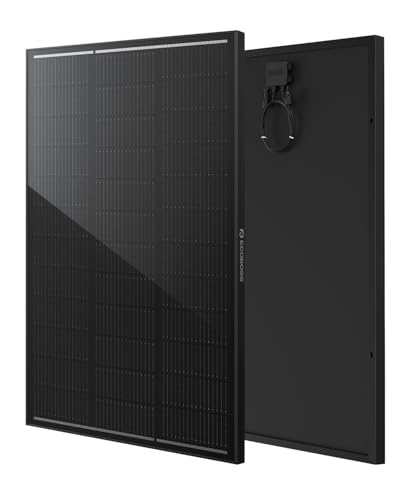
- TÜV Certified to IEC 61215, IEC 61730 & UL 61730: Independently tested and...
- 25.8% High-Efficiency N-Type Technology: Advanced N-Type monocrystalline...
- Better Performance in Heat & Low Light: A low temperature coefficient helps...
Conclusion
The most important thing to remember is that monocrystalline panels almost never come with indicator lights, but that does not mean they are broken.
Go grab your multimeter or just do the cover-and-uncover test on your next sunny afternoon. It takes thirty seconds and will give you the peace of mind you deserve.
Frequently Asked Questions about Do Monocrystalline Panels Come with an Indicator Light or Output Display?
Why do monocrystalline panels not have indicator lights built in?
Most manufacturers leave out indicator lights to keep the panel simple and durable. Adding electronics inside the glass would create more points of failure over time.
Solar panels are designed to sit outside in rain, snow, and heat for decades. A simple sealed design without lights lasts much longer than one with extra components.
Can I add an indicator light to my existing monocrystalline panel?
Yes, you can easily add an inline display between the panel and the charge controller. These small devices plug into the existing wires and show voltage and current in real time.
I added one to my own setup and it took less than five minutes. No cutting wires or soldering required.
How do I know if my monocrystalline panel is working without a display?
The simplest method is to check your charge controller for any blinking lights or numbers. Most controllers have clear indicators that show charging status at a glance.
You can also use a multimeter to test the voltage directly from the panel wires. A reading close to the panel’s rated voltage means everything is working fine.
What is the best monocrystalline panel for someone who needs clear output feedback?
If you want a panel that works with common monitoring systems, look for one compatible with Bluetooth or Wi-Fi enabled charge controllers. This lets you see output data on your phone.
For a straightforward and reliable option, what I grabbed for my own cabin was a panel that pairs perfectly with an external display meter. The combination gives you all the feedback you need without sacrificing durability.
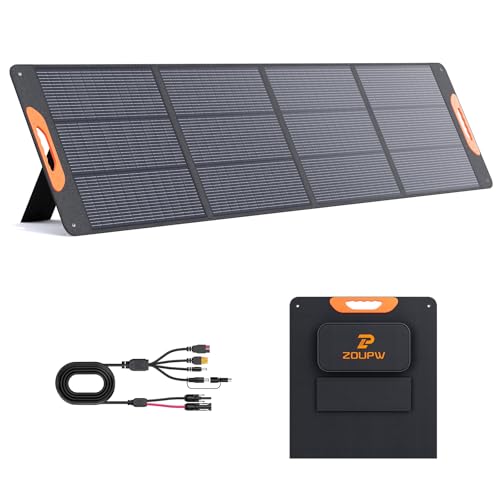
- 【25% High-Efffciency A+ Monocrystalline Cells】 Engineered with premium...
- 【Universal Compatibility for Power Station】 Designed as the ultimate...
- 【IP67 Waterproof & Built for the Outdoors】 Constructed with advanced...
Which monocrystalline panel won’t let me down when I need consistent power?
When reliability matters most, I always recommend panels with sturdy aluminum frames and strong bypass diodes. These features protect the panel from weather damage and shade issues.
The one that has never let me down through storms and heavy use is the model I keep recommending to friends and family. It delivers steady power year after year with zero problems.
- 25% High Efficiency: N type photovoltaic modules consist of high-purity...
- Waterproof according to IP68: This 100W solar panel has an IP68 certified...
- Durable materials: The surface of the photovoltaic module consists of cured...
Can I use a monocrystalline panel with a portable power station that has a built-in display?
Yes, most modern portable power stations have clear LCD screens that show input wattage from your solar panel. This is actually the easiest way to monitor your panel’s performance without extra gear.
I use this setup with my camping gear and it works perfectly. The power station tells me exactly how many watts the panel is producing at any moment.