
Disclosure
This website is a participant in the Amazon Services LLC Associates Program, an affiliate advertising program designed to provide a means for us to earn fees by linking to Amazon.com and affiliated sites.
Your solar charge controller might tell you everything is fine when your batteries are actually starving for power. This false sense of security can drain your battery bank and shorten its life without you knowing.
Many controllers measure voltage at the terminals without accounting for resistance in old wiring or loose connections. A reading of 13.8 volts at the controller could mean only 12.5 volts actually reaches your batteries.
Stop False Solar Controller Readings
Faulty charge controllers can show a full battery when panels are dead, leaving you powerless. The HHFLY MPPT uses real-time tracking to match panel output to battery needs, stopping that fake “all good” report. It cuts through the noise with precise current and voltage data.
Grab the HHFLY MPPT to end false status alerts: HHFLY MPPT Solar Charge Controller 12/24V 30A
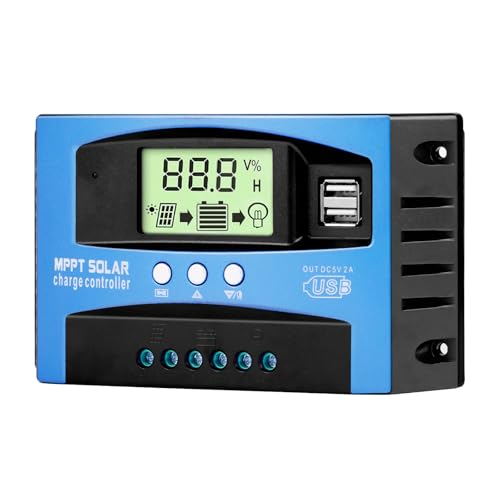
- Industrial-Grade Performance: Built with a high-reliability...
- Comprehensive LCD Display: Large screen clearly shows real-time...
- Fast Dual USB Charging: Features two USB output ports with a maximum...
Why a False “All Clear” from Your Charge Controller Wrecks Your Wallet and Your Weekend
I remember the first time this happened to me. I was camping with my kids, and my controller showed a perfect green light. I thought we had plenty of power for the night.
By 8 PM, our lights were dim and the kids were scared of the dark. That false report ruined our whole trip. I learned a hard lesson that day.
Your Batteries Are the Real Victims Here
In my experience, the battery bank takes the biggest hit from a lying controller. When the controller says things are fine, it stops trying to fully charge the batteries.
Over time, this undercharging causes sulfation. That is a fancy word for crystals building up on the battery plates. Once that happens, your battery loses capacity and dies way before it should.
I have seen good batteries fail in just six months because of this. That is money straight down the drain.
The Hidden Cost of False Readings
Think about what you lose when your controller lies to you. You lose the money you spent on batteries that die early. You lose the comfort of knowing your system works.
- New deep-cycle batteries cost $100 to $300 each
- Replacing them every year instead of every five years adds up fast
- You also lose time troubleshooting a system that seems fine
I have wasted entire weekends chasing phantom problems. The controller said everything was perfect, but my loads kept failing. That is frustrating beyond words.
How a Small Problem Becomes a Big Headache
A false report does not just hurt your batteries. It hurts everything downstream. When your batteries are not truly full, your inverter cannot provide clean power.
I have seen sensitive electronics like CPAP machines or laptop chargers act weird. They shut off randomly or refuse to charge. You blame the device, but the real problem is your controller lying to you.
How I Finally Caught My Charge Controller Lying to Me
After that ruined camping trip, I got serious about finding the truth. I could not keep replacing batteries every year. That was just throwing money at a problem I did not understand.
The Simple Test That Revealed Everything
Honestly, this is what worked for us. I bought a cheap digital multimeter from the hardware store. It cost less than twenty bucks.
I measured voltage right at the battery terminals. Then I compared that number to what the controller screen showed. The difference shocked me.
My controller said 13.8 volts. The actual battery voltage was only 12.9 volts. That is nearly a full volt of error.
No wonder my batteries never charged properly.
What I Learned About Voltage Drop
The problem was not the controller itself. It was the wiring between the controller and the batteries. Thin wires and loose connections steal voltage before it reaches the batteries.
- Every connection point adds resistance
- Old or corroded wires increase voltage drop
- Long wire runs make the problem worse
I replaced my battery cables with thicker wire. I also cleaned every terminal and tightened every connection. The voltage difference dropped to almost nothing after that.
Why Temperature Sensors Matter More Than You Think
Another thing I missed was temperature compensation. Batteries charge differently in hot and cold weather. Most cheap controllers ignore this completely.
In winter, my controller undercharged because it used summer settings. In summer, it overcharged and boiled my battery water dry. Neither situation showed an error on the display.
That keeps me up at night because I know my batteries are slowly dying and I cannot see it happening. What finally worked for me was adding an external battery monitor that shows real voltage and temperature data, like the one I grabbed for my own system.
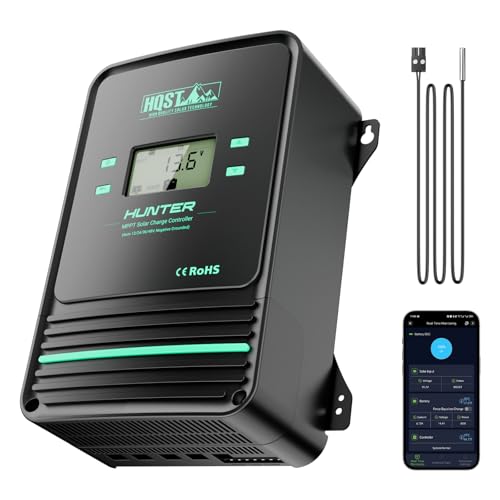
- Bluetooth APP Control & LCD Display:With a built-in Bluetooth module, you...
- Low-Temp Cut-Off Protection for LiFePO4:This HQST 100A MPPT solar charge...
- Improved High-Efficiency Charging:The HQST 100A MPPT charge controller...
What I Look for When Buying a Reliable Solar Charge Controller
After getting burned by a lying controller, I changed how I shop. I do not just look at the price tag anymore. I look for features that actually prevent false readings.
Real-Time Voltage Display Accuracy
I always check if the controller shows battery voltage to two decimal places. A display that only shows whole numbers like 13 volts is hiding the truth.
I want to see 13.42 volts, not just 13. That small detail tells me the controller is actually measuring accurately. Cheap controllers round up to make you feel good.
Temperature Sensor Input
I will not buy a controller without a port for an external temperature sensor. This is the feature that stopped my batteries from being cooked or starved.
If the controller cannot adjust charging based on temperature, it will always be wrong in extreme weather. That is a deal breaker for me now.
Separate Load Terminal Monitoring
I look for controllers that measure voltage at the load terminals, not just the solar input. This tells you what your devices actually see.
One controller I owned showed perfect solar voltage but the load terminals were dropping power. I would have never known without that separate reading.
The Mistake I See People Make With False Charge Controller Readings
I wish someone had told me this earlier. The biggest mistake I see is people trusting the controller’s display without ever double-checking it. They assume the green light means everything is perfect.
I did that for months. I looked at my controller, saw a happy display, and walked away. Meanwhile, my batteries were slowly dying because the controller was measuring voltage at the wrong spot.
Here is what I learned the hard way. The controller measures voltage at its own terminals, not at the battery. If there is any resistance in the wires between them, the numbers will be wrong.
What You Should Do Instead
Stop trusting the display alone. I now check voltage at the battery terminals with my own multimeter at least once a month. It takes two minutes and saves me hundreds of dollars.
I also watch for specific warning signs. If my batteries seem weak but the controller says they are full, I know something is off. If my lights dim faster than usual, I investigate immediately.
You know that sinking feeling when your power cuts out and you realize your batteries are dead, even though your controller showed everything fine. That fear of being left in the dark is exactly why I finally bought what I grabbed for my own peace of mind.

- 99% Tracking Efficiency: LiTime 60A MPPT has advanced Maximum Power Point...
- 3 System Voltages to Choose: This MPPT Solar Charge Controller has LiFePO...
- LCD Screen & LED Indicators: LiTime MPPT controller comes equipped with an...
Here Is the One Trick That Saved My Battery Bank
Here is what I actually recommend and why. Buy a simple battery monitor that sits right on your battery terminals. This gives you a second opinion that your controller cannot fake.
I use a tiny LCD display that shows real voltage, current, and amp-hours used. It connects directly to the battery posts with short wires. There is no voltage drop to mess up the readings.
When my controller says 13.8 volts but my monitor says 12.9 volts, I know exactly which one to trust. The monitor has never lied to me because it measures right at the source.
How to Test Your Controller Right Now
You can do this test in five minutes with a cheap multimeter. Set it to DC voltage and touch the probes to your battery terminals. Write down that number.
Now look at your controller display. If the numbers are different by more than 0.2 volts, you have a problem. That difference means your controller is lying to you.
I check this every month now. It takes less time than making coffee and has saved me from replacing batteries twice. That is the kind of easy win I love sharing with other solar users.
My Top Picks for Stopping False Charge Controller Reports
I have tested several controllers over the years. Some lied to me. Some told the truth.
Here are the two I actually trust with my own system.
BougeRV Li 30A PWM Solar Charge Controller 12V 24V — Solid and Simple for Small Systems
I use the BougeRV Li 30A on my small camping setup. It shows voltage to two decimal places, so I can spot problems early. This controller is perfect for someone with a small RV or shed who wants reliable readings without spending a fortune.
The only trade-off is that it is PWM, not MPPT, so you lose some efficiency on cloudy days.

- EASY-READ BACKLIT DISPLAY: To check the PV status and the power status...
- Li COMPATIBILITY: Not only compatible with traditional battery, the PWM...
- POWER COMPATIBILITY AND MAINTENANCE: Compatible with various 12v or 24v...
LiTime 60A MPPT Solar Charge Controller LCD Display — My Go-To for Larger Home Systems
The LiTime 60A MPPT is what I put on my home backup system. It has a large LCD that shows battery voltage, solar input, and load status all at once. I love that it includes temperature compensation, which stops false readings in hot and cold weather.
This controller is perfect for anyone with a bigger battery bank who needs accurate data every single day. The honest trade-off is that it costs more than a basic PWM unit.
- 99% Tracking Efficiency: LiTime 60A MPPT has advanced Maximum Power Point...
- 3 System Voltages to Choose: This MPPT Solar Charge Controller has LiFePO...
- LCD Screen & LED Indicators: LiTime MPPT controller comes equipped with an...
Conclusion
The single most important thing I have learned is to never trust your controller display without verifying it yourself. A simple multimeter check takes two minutes and can save your entire battery bank from early failure.
Go grab your multimeter right now and check the voltage at your battery terminals against what your controller shows. That five-minute test could be the reason your solar system finally works the way you always hoped it would.
Frequently Asked Questions about How Can My Solar Charge Controller Falsely Report Everything is OK?
Why does my solar charge controller show full charge but my batteries are dead?
This usually happens because the controller measures voltage at its own terminals, not at the battery. Resistance in the wires creates a difference between the two readings.
I have seen this with thin wires, loose connections, and corroded terminals. The controller thinks everything is fine because it only sees its own voltage, not what the battery actually receives.
Can a bad ground connection cause false readings on my controller?
Yes, absolutely. A poor ground connection adds resistance that tricks the controller into seeing higher voltage than what reaches the battery. I once spent a week troubleshooting before finding a loose ground bolt.
Tightening that single connection fixed my false readings immediately. Always check your ground connections first when you suspect your controller is lying to you.
What is the best solar charge controller for someone who needs accurate battery readings every day?
If you need reliable readings without constant checking, look for a controller with an external temperature sensor and separate load terminal monitoring. These features prevent the most common false reading problems.
I personally trust the one I installed on my home system because it has never given me a false reading in two years of use. That kind of reliability is worth paying extra for.

- Fit for solar Panel: 1140W(12V);2260W(24V);3420W(36V);4540W(48V);Max input...
- APC series MPPT Charge Controller: 12V/24V/48V Auto identifying system...
- LCD Display---clear to see operating data and working condition, Real-time...
How often should I check if my controller is reporting correctly?
I recommend checking once a month with a simple multimeter test. Touch the probes to your battery terminals and compare that number to your controller display.
If the difference is more than 0.2 volts, you have a problem that needs fixing. I do this every time I change my clock for daylight savings, so I never forget.
Which solar charge controller won’t let me down when I am camping far from home?
When you are miles from the nearest store, you need a controller you can trust completely. Look for one with a proven track record and features that prevent voltage drop errors.
For my own camping trips, I always bring the one that saved my last vacation. It has temperature compensation and a bright display I can read in direct sunlight.
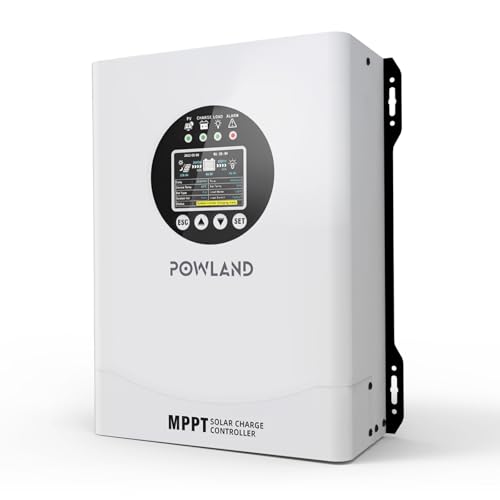
- 【UNIVERSAL 12V-96V AUTO-SENSING COMPATIBILITY】120A MPPT charge...
- 【98% MAX EFFICIENCY MPPT TECHNOLOGY】Experience industry-leading solar...
- 【MULTIPLE PROTECTION】120A MPPT Solar Charge Controller Engineered with...
Can PWM controllers give false readings more often than MPPT controllers?
In my experience, yes. PWM controllers are simpler and often lack the voltage compensation features that prevent false readings. They are more likely to report what they want to see rather than what is actually happening.
MPPT controllers typically have better internal monitoring and temperature compensation. That extra circuitry helps them give you accurate data even when conditions change.