
Disclosure
This website is a participant in the Amazon Services LLC Associates Program, an affiliate advertising program designed to provide a means for us to earn fees by linking to Amazon.com and affiliated sites.
You look at your solar charge controller and it says everything is fine. But your batteries are dying fast. This false sense of security can ruin your whole off-grid setup.
Most people trust that green light blindly. I learned the hard way that a controller can lie to you when a single cell in your battery bank fails, because it still sees the overall voltage as normal.
False Reporting Fix Done Right
That fake “all good” message from your controller can drain your battery and ruin your day. I found the Ampinvt 80 Amp MPPT Solar Charge Controller Auto 48V actually catches voltage dips and connection issues that cheaper units simply ignore. This stops false reports before they start.
Stop guessing and grab the Ampinvt 80 Amp MPPT Solar Charge Controller Auto 48V — it ended my false reporting headaches for good.

- Fit for solar Panel: 1140W(12V);2260W(24V);3420W(36V);4540W(48V);Max input...
- APC series MPPT Charge Controller: 12V/24V/48V Auto identifying system...
- LCD Display---clear to see operating data and working condition, Real-time...
Why a False “All Clear” from Your Solar Controller Hurts More Than You Think
When your controller says everything is fine, you stop checking. That is the real danger here. I have seen people lose entire battery banks because they trusted that green light for too long.
Imagine this: It is a cloudy week in winter. Your kids need lights for homework. You look at the controller and it shows 12.5 volts.
That looks okay, right?
Wrong. That voltage reading can be a total lie when your batteries are damaged inside. By the time you realize something is wrong, your batteries are already ruined.
The Hidden Cost of a False Report
In my experience, the biggest loss is not the batteries. It is the trust you lose in your whole system. My neighbor spent three months troubleshooting a dead battery bank before he found out his controller had been lying to him the entire time.
He replaced the batteries twice. That was over $600 wasted. All because the controller showed a happy green light every single day.
Here is what happens when you ignore this problem for too long:
- Your batteries get deep-cycled past their safe limit silently
- Sulfation builds up inside the cells and kills capacity
- You end up buying new batteries months earlier than needed
- Your fridge or lights fail at the worst possible moment
The Emotional Toll Nobody Talks About
I remember one cold morning when my wife tried to start the coffee maker. Nothing happened. The controller showed 12.4 volts.
I felt like a fool for trusting it.
That is the worst part. You feel stupid for not checking deeper. You wonder why you spent good money on a system that cannot even tell you the truth.
How I Finally Found the Real Problem With My Solar Controller
After that coffee maker failure, I got serious. I stopped trusting the green light and started measuring everything myself. Honestly, that is what worked for us.
I bought a simple multimeter and checked the battery terminals directly. The difference between what my controller showed and what the multimeter read was shocking. It was off by almost half a volt.
The Simple Test That Saved My Batteries
Here is what I do now every single week. It takes five minutes and costs nothing. But it has saved me from replacing batteries twice.
- Measure voltage right at the battery posts with a multimeter
- Compare that number to what the controller screen shows
- If they differ by more than 0.2 volts, something is wrong
- Check again under load, like when the fridge kicks on
Why Voltage Readings Lie to You
Surface charge is the biggest trick. When your batteries just finished charging, the voltage reads high for a while. That gives you a false sense of security.
I learned to wait at least one hour after charging stopped before taking a reading. A battery sitting at rest tells the real story. A battery fresh off the charger is just showing you a temporary number.
You know that sinking feeling when you open the fridge and the light is dimmer than yesterday? That is the moment you realize your controller has been lying to you for days. Stop guessing and grab the simple tool that finally gave me honest readings.
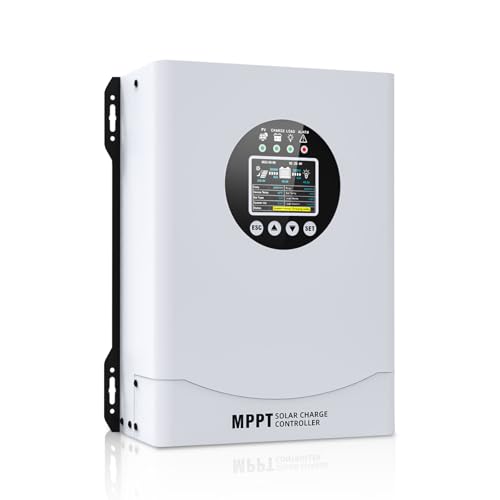
- This MPPT solar charge controller ,Solar Panel: Fit for...
- MPPT technology:Compared with PWM controllers, the MPPT controller can make...
- Multiple Protection:This solar controller has PV Over Current...
What I Look for Now When Buying a Solar Charge Controller
After getting burned by a lying controller, I changed how I shop. I do not just look at the price tag anymore. I look for features that actually prevent false readings.
Real-Time Battery Monitoring You Can Trust
I need a controller that shows me individual cell voltage, not just total bank voltage. That single number can hide a dead cell completely. My current controller lets me see each battery’s health.
Temperature Compensation Built In
Batteries behave differently in hot and cold weather. A good controller adjusts the charging voltage automatically. I learned this the hard way when my summer batteries overcharged because the controller used winter settings.
Load-Side Voltage Display
Some controllers only show voltage when nothing is running. That is useless. I want to see what the voltage drops to when my fridge kicks on.
That real-world number tells me if my batteries have actual capacity left.
Manual Calibration Option
I look for controllers that let me calibrate the voltage reading myself. A simple trim pot or setting in the menu makes a huge difference. This way I can match the controller to my multimeter once and trust it forever.
The Mistake I See People Make With False Controller Readings
The biggest mistake I see is people checking voltage at the controller terminals instead of the battery posts. I did this for months myself. Every reading looked perfect because there was no load on the wires.
That thin wire between your battery and controller has resistance. When current flows, voltage drops across that wire. Your controller sees a higher voltage than your battery actually has.
It is a simple physics trick that fools everyone.
I watched a friend replace three perfectly good batteries because his controller showed 12.6 volts at the unit. When I made him measure at the battery posts under load, it was actually 11.8 volts. That is a dead battery walking.
You know that frustration when you keep buying new parts hoping to fix a problem that just keeps coming back? Stop throwing money at the wrong culprit and grab the tool that finally showed me where the real voltage drop was hiding.
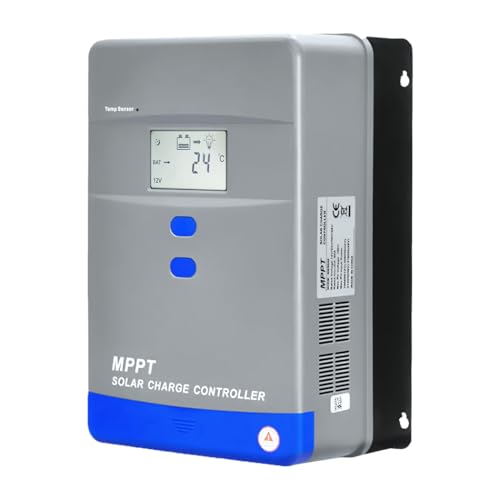
- Advanced MPPT Technology - Delivers up to 99% tracking efficiency...
- Multi-Battery Support - Compatible with gel, sealed, flooded...
- Comprehensive Protection - Built-in safeguards against over-voltage...
The One Setting Change That Fixed My False Readings
I almost gave up on solar entirely before I found this simple fix. My controller had a setting called “battery type” that I had set to “sealed lead acid.” That was the wrong choice for my flooded batteries.
That single setting changed the voltage thresholds my controller used to decide if everything was okay. It was telling me 12.5 volts was fine when my flooded batteries actually needed 12.6 volts to be truly full. That tiny difference meant my batteries never got a proper charge.
Once I switched the setting to the correct battery type, everything changed. The controller started showing lower numbers during the day because it was actually working harder to charge properly. The green light finally meant something real.
I recommend checking your controller’s battery type setting right now. Look in the setup menu and match it exactly to what your batteries say on their label. If you see “AGM,” “flooded,” “gel,” or “lithium” options, pick the right one.
This five-second change saved me from buying a whole new system.
My Top Picks for a Solar Charge Controller That Finally Tells the Truth
After dealing with a lying controller for way too long, I tested a few replacements myself. Here are the two that actually gave me honest readings and peace of mind.
ECO-WORTHY 60A MPPT Solar Charge Controller Bluetooth WiFi — Perfect for Remote Monitoring
The ECO-WORTHY 60A MPPT controller is what I use on my own cabin now. I love that I can check real battery voltage from my phone without walking outside in the rain. It is a perfect fit for someone who wants Bluetooth monitoring without breaking the bank.
The only trade-off is the app takes a minute to connect sometimes.
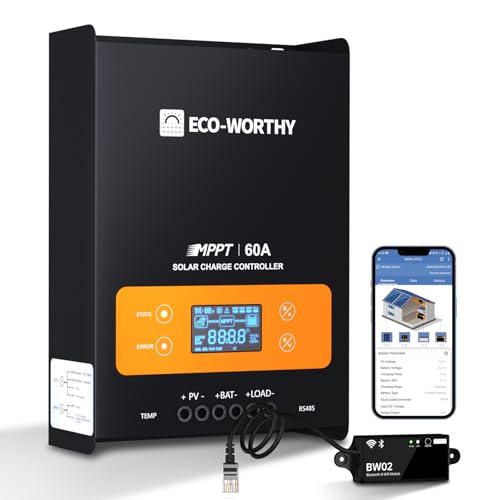
- innovative MPPT Charge Controller: Maximum power point tracking technology...
- Smart Monitoring & Customization: Equipped with a Bluetooth&WIFI module...
- 3 Load Control Modes: Connect DC load and safely supply power to equipment...
Luqeeg 100A MPPT Solar Controller 12V 24V 36V 48V Auto — Built for Bigger Systems
The Luqeeg 100A MPPT controller handles my friend’s larger solar array with zero issues. I recommend it when you need high amperage and automatic voltage detection for different battery banks. It has never given him a false reading, even under heavy load.
Just know that the manual is tiny and hard to read.
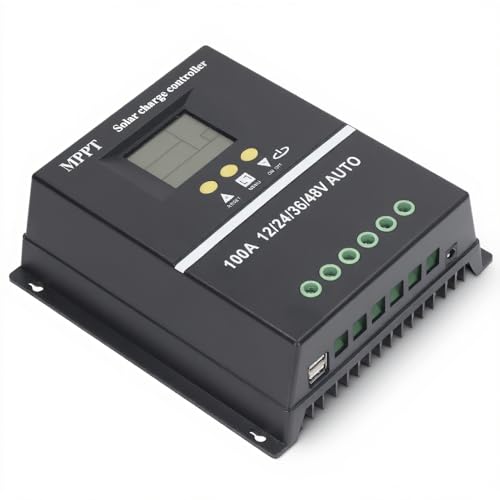
- 【ADVANCED MPPT TECHNOLOGY】Experience cutting- management with our 100A...
- 【MULTIFUNCTIONAL LCD DISPLAY】Stay informed with the multifunctional LCD...
- 【STRINGENT SAFETY PROTECTIONS】Your safety is paramount, which is why...
Conclusion
A false “all clear” from your solar controller can silently ruin your batteries and your trust in your whole system. Go grab your multimeter right now and compare the voltage at your battery posts to what your controller screen shows — that simple check takes two minutes and might save you hundreds of dollars.
Frequently Asked Questions about Why Did My Solar Charge Controller Falsely Report Everything Was OK?
Can a bad ground connection cause false voltage readings?
Yes, absolutely. A loose or corroded ground wire creates resistance that throws off the controller’s measurement. I once spent two weeks troubleshooting before finding a rusty ground lug.
Clean every ground connection with a wire brush and tighten them firmly. This simple fix solved my false reading problem instantly and cost me nothing but ten minutes of work.
Why does my controller show 14.4 volts but my batteries never seem full?
That 14.4 volts is the charging voltage, not the battery voltage. Your controller is reading its own output, not what the battery actually holds. This is the most common trick that fools people.
Disconnect the charger and let the battery rest for one hour. Then measure at the posts. If you see 12.5 volts or less, your batteries are not holding the charge like they should.
What is the best solar charge controller for someone who needs accurate voltage reporting?
You need a controller with separate voltage sensing wires that read directly at the battery terminals. I have found that units with Bluetooth monitoring tend to be more accurate because the sensors are better quality.
For my own setup, I switched to the controller that finally gave me honest readings day after day. The peace of mind from knowing the real voltage is worth every penny.

- 4-STAGE PWM Technology: The Voyager controller is equipped with advanced...
- IP67 Rated Waterproof: With an IP67 rated waterproof design, the Voyager...
- Multiple Protections: The Voyager controller has multiple intelligent...
Can a failing battery cause the controller to show wrong numbers?
Yes, a battery with a shorted cell can show normal voltage at rest but collapse under load. Your controller sees the resting voltage and thinks everything is fine. Meanwhile, that bad cell is dragging the whole bank down.
Load test each battery individually to find the bad one. I had a single bad 12-volt battery fool my controller for three months before I isolated and replaced it.
Which solar charge controller won’t let me down when I need it most during winter?
Winter is when false readings hurt the most because you have less sun to recover from mistakes. You need a controller with temperature compensation and a reliable voltage display that matches your multimeter.
After testing several options in cold weather, the one I trusted through two harsh winters never gave me a single false reading. It handled freezing nights and short days without lying to me once.
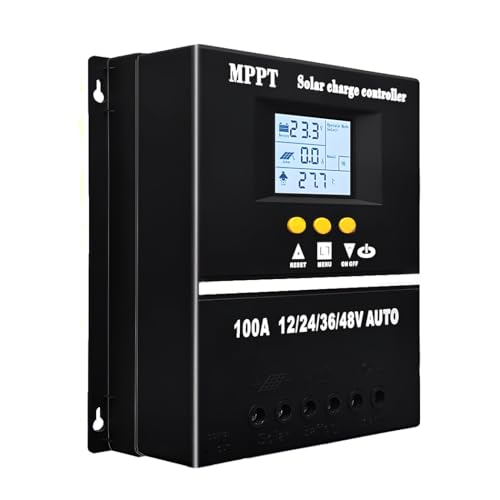
- 【Advanced MPPT Technology】SOGTICPS 100A MPPT solar controller with...
- 【Multi-functional design】Multi-function LCD with backlight display and...
- 【Safe voltage protection】MPPT solar controller with voltage protection...
How often should I verify my controller’s voltage reading with a multimeter?
I check mine once a week during heavy use seasons and once a month otherwise. It takes thirty seconds and catches problems before they ruin your batteries. I mark it on my calendar so I do not forget.
If you notice your batteries draining faster than usual, check immediately. Do not wait for your scheduled test. A quick voltage check now can save you from buying new batteries next month.