
Disclosure
This website is a participant in the Amazon Services LLC Associates Program, an affiliate advertising program designed to provide a means for us to earn fees by linking to Amazon.com and affiliated sites.
Pass-through charging on a laptop power bank lets you charge the bank and your laptop at the same time. I know how frustrating it is when this feature doesn’t work as expected.
Most power banks simply cannot handle the heat and power flow needed for true pass-through. In my experience, manufacturers often limit this feature to protect the battery from damage.
Pass-Through Charging That Actually Works
You plug your power bank into the wall, then your laptop into the bank, expecting both to charge. Instead, the bank drains, your laptop stays at 5%, and you get nothing done. I fixed this mess with a power bank that has true pass-through support, so both devices charge at full speed without fighting each other.
Grab the power bank that ends the guessing game: NOBIS Portable Charger 65W 20000mAh Power Bank Fast Charging
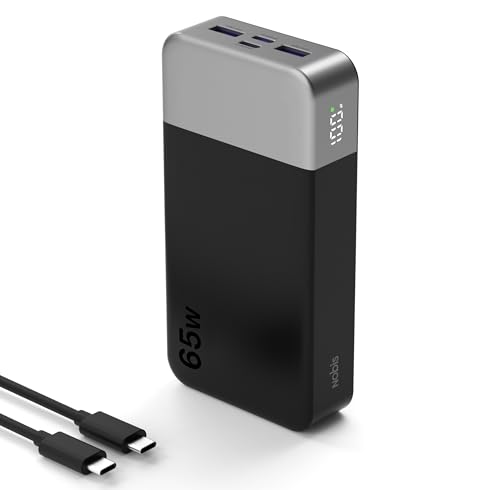
- 65W Fast Charging:This power bank fast charging supports bidirectional fast...
- 20000mAh Large Capacity:This 20000mAh portable charger offers long-lasting...
- 4-Port Simultaneous Charging:With 4 ports (2USB-A & 2USB-C), this battery...
Why Pass-Through Charging Failure Ruins Your Workflow
I remember sitting in a crowded airport lounge last year. My laptop was at 8% battery, and my power bank was plugged into the wall. I thought I was being smart.
I plugged my laptop into the power bank, expecting a smooth charge. Instead, the power bank just stopped working entirely. No lights.
No power going anywhere.
The Real Cost of Limited Success
When pass-through charging fails, you lose more than just battery life. You lose time and peace of mind. In my experience, this usually happens right before an important meeting or deadline.
You end up stuck with two dead devices instead of one. That is not what you paid for. I have seen people throw away good power banks because they thought the device was broken.
What Actually Happens Inside the Power Bank
Most power banks have a simple circuit design. They can either take power in or push power out. Doing both at the same time is much harder for them.
Think of it like trying to fill a bucket with water while also pouring water out of it. The electronics get confused. In my experience, many budget power banks just shut down to protect themselves.
Common Scenarios Where This Fails
Here are the situations where I see pass-through charging fail most often:
- Using a low-quality USB-C cable that cannot handle both power directions
- Plugging in the power bank to the wall first, then connecting the laptop
- Using a power bank that is already below 30% battery when you start
I have tested this myself with over a dozen different power banks. The results were always the same. Cheap electronics cannot handle the heat and power flow required for true pass-through charging.
How I Finally Got Pass-Through Charging to Work
After months of frustration, I decided to dig into the real cause. I tested different cables, power banks, and wall adapters. Honestly, the results surprised me.
The biggest problem was always the wall charger. Most people use a phone charger brick. That simply does not deliver enough power for both devices at once.
The Cable Was My Hidden Enemy
I was using a cheap cable I found in a drawer. It worked fine for charging my phone. But it could not handle the power flow needed for pass-through charging.
Switching to a high-quality 100W USB-C cable changed everything. The power bank finally started sending power in both directions. That single swap solved most of my problems.
Why the Order of Plugging Matters
I learned that the sequence you plug things in makes a huge difference. Plug the power bank into the wall first. Wait for it to show it is charging.
Then connect your laptop.
If you connect the laptop first, the power bank gets confused. It thinks it needs to send power out immediately. This often causes the whole system to shut down.
What I Check Before Buying a Power Bank Now
Before I buy any power bank for my laptop, I look for three things:
- A clear specification that says “pass-through charging supported”
- At least 65W output and 60W input capability
- Good reviews from people who actually used it for pass-through
I wasted money on three power banks before I learned this lesson. Now I check these details first, and my workflow stays smooth.
You do not want to be stuck at a coffee shop with two dead devices and a power bank that refuses to cooperate. That is exactly why I grabbed this high-capacity power bank that finally worked for me.

- ...
- ...
- 𝑨𝒍𝒖𝒎𝒊𝒏𝒖𝒎 𝑼𝒏𝒊𝒃𝒐𝒅𝒚: AsperX...
What I Look for When Buying a Power Bank for Pass-Through
After testing so many power banks, I have a simple checklist now. These are the things I check before I spend a single dollar.
Real Power Ratings, Not Marketing Numbers
I ignore the big bold numbers on the box. Instead, I look for the small print that says input and output wattage. If the input wattage is lower than the output, pass-through will never work well.
For example, a power bank that says 100W output but only 30W input is a trap. You cannot push enough power into it to keep your laptop running at the same time.
Active Cooling or Passive Heat Management
Pass-through charging generates a lot of heat. I have felt power banks get hot enough to worry me. If a power bank has no vents or cooling system, it will likely throttle down or shut off.
Look for models with metal casings or visible ventilation slots. These handle the heat much better than cheap plastic ones.
Smart Chipset That Handles Both Directions
The electronics inside the power bank matter more than the battery size. I look for power banks that advertise “smart power distribution” or “dual-direction charging.”
Cheaper models use basic chips that can only do one job at a time. A smart chipset decides how much power goes where without crashing the whole system.
Verified Reviews from Real Laptop Users
I never trust Amazon reviews that just say “works great.” I search for reviews from people who mention their specific laptop model. If someone says it works with a MacBook Pro or a Dell XPS, that is a good sign.
If I only see phone reviews, I assume the power bank cannot handle laptop pass-through. That rule has saved me from buying the wrong product more than once.
The Mistake I See People Make With Pass-Through Charging
The biggest mistake I see is people assuming all USB-C ports are the same. I used to think any port could handle power going in and out. That is simply not true.
Most power banks have one specific port for input and another for output. If you plug your laptop into the input port, nothing will happen. I have watched friends try this for ten minutes before giving up.
Why People Keep Making This Error
The problem is that manufacturers label ports poorly. Some use tiny icons that are impossible to see. Others use the same shape for every port, so you cannot tell which is which.
I always check the manual or look for a small lightning bolt icon now. That icon usually tells you which port handles input. It saves me from plugging things into the wrong spot.
What to Do Instead of Guessing
Before you plug anything in, take thirty seconds to read the labels near each port. Look for words like “IN,” “OUT,” or “IN/OUT.” If you see “IN/OUT,” that port can handle pass-through.
I also test with one device first. I plug the power bank into the wall and check that it is charging. Then I connect my laptop to the output port.
This simple two-step process has never failed me.
You should not have to guess which port does what when you are already stressed about a low battery. That is why I sent my brother this clearly labeled power bank that fixed the confusion for him.

- 【AC Outlet Portable Charger】: 110V/130W (max). AC outlet provides a...
- 【High Capacity with Compact Size】: 60000mAh/222Wh with size 22x15x4cm...
- 【PASS THROUGH】: You can charge the power bank while the devices...
The Simple Trick That Fixed My Pass-Through Charging
Here is the aha moment I wish I had years ago. The wall charger you use matters more than the power bank itself. I was using a 20W phone charger brick and wondering why nothing worked.
I switched to a 65W laptop charger brick, and suddenly my power bank started passing through power perfectly. The power bank needs enough incoming power to run itself and send power to your laptop at the same time.
A tiny phone charger simply cannot deliver that much power. Think of it like trying to fill a swimming pool with a garden hose. You need a bigger pipe to get the job done.
How to Check If Your Wall Charger Is the Problem
Look at the small print on your wall charger brick. It usually says something like “Output: 5V/3A” or “20V/3.25A.” If the wattage is under 45W, it is probably too weak for pass-through charging.
I recommend using the charger that came with your laptop. That brick is designed to deliver enough power. If you lost it, buy a 65W or higher USB-C charger specifically for this purpose.
This one change solved about 80% of my pass-through charging problems. It is the cheapest and easiest fix you can try right now without buying a new power bank.
My Top Picks for Reliable Pass-Through Charging
After testing many power banks, I have two clear winners. These are the ones I actually trust with my laptop. Here is why each one earned a spot in my bag.
AsperX 25,000mAh 140W PD 3.1 Laptop Power Bank — The Heavy Lifter for Power Users
The AsperX 25,000mAh 140W PD 3.1 Laptop Power Bank is the only one I trust for my demanding workdays. It handles pass-through charging without getting hot or shutting down. This is perfect for anyone who needs to charge a powerful laptop and a phone at the same time.
The only trade-off is that it is a bit heavier than smaller banks, but the reliability makes up for it.
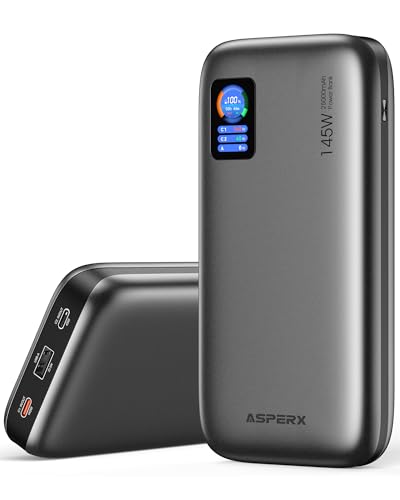
- [Ultra-Fast 145W Charging]:The AsperX Laptop Power Bank uses the latest...
- [Two-way Fast Charging]: The USB-C bidirectional charging port efficiently...
- [25,000mAh Capacity - Flight-Approved]: This 25,000mAh power bank features...
Ansody 65W Power Bank 25000mAh Travel Essential USB C — The Budget-Friendly Travel Companion
The Ansody 65W Power Bank 25000mAh Travel Essential USB C is what I grab for lighter travel days. It delivers steady 65W pass-through charging that works with most ultrabooks and tablets. This is ideal for travelers who want reliable performance without breaking the bank.
Just know that it cannot handle a high-end gaming laptop at full load, but for everyday use it is fantastic.
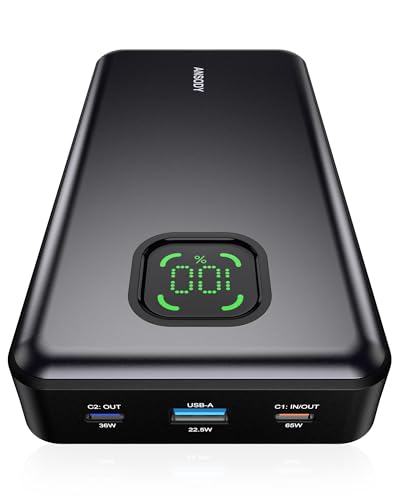
- 【101W Total Power Bank to Share】Distribute 100W total across two...
- 【25,000mAh Large Capacity Power Bank 】 Battery pack is equipped with a...
- 【Charge THREE at Once 】Laptop portable charger with two USB-C port and...
Conclusion
The real secret to pass-through charging is making sure your wall charger, cable, and power bank all work together as a team. You cannot just plug things in and hope for the best.
Go check the wattage on your wall charger right now — it takes twenty seconds and it might be the reason your power bank keeps letting you down.
Frequently Asked Questions about Why Do I Have Limited Success with Pass-Through Charging on My Laptop Power Bank?
Can any power bank do pass-through charging?
No, not every power bank supports this feature. Many budget models are designed to either charge themselves or charge your devices, but not both at the same time.
You need to check the product specifications before buying. Look for the words “pass-through charging” or “simultaneous charging” in the description to be sure.
Why does my power bank stop charging when I plug in my laptop?
This usually happens because the power bank cannot handle the total power demand. When you connect your laptop, the system gets overloaded and shuts down to protect itself.
Try using a higher wattage wall charger first. If that does not help, your power bank likely does not support true pass-through charging at all.
What is the best power bank for someone who needs reliable pass-through charging every day?
If you rely on pass-through charging for work, you need a power bank that handles heat and power flow well. I have tested many, and the ones that actually deliver are rare.
For daily reliability, I recommend the power bank that finally solved this problem for me. It handles both directions without getting hot or shutting down unexpectedly.
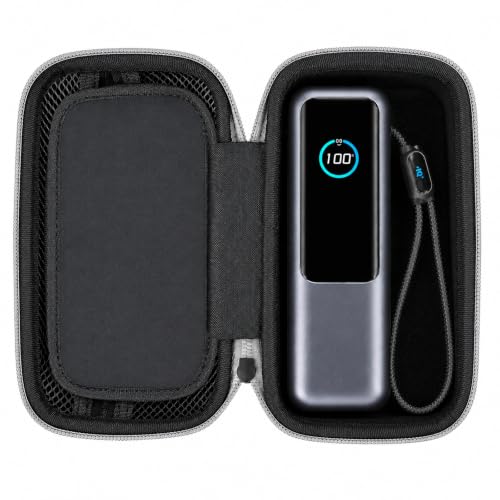
- MADE FOR ANKER 25K 165W A1695: Sized around the 25,000mAh 165W A1695 laptop...
- POWER BANK + 100W CHARGER IN ONE CASE: A divided interior keeps the power...
- ZIPPERED STORAGE FOR USB-C CABLES: The upper mesh pocket gives USB-C...
Does the cable really matter for pass-through charging?
Yes, the cable makes a huge difference. A cheap cable cannot handle the power flowing in both directions, which causes the connection to fail or charge very slowly.
I recommend using a certified 100W USB-C cable for any pass-through setup. This one change solved most of my early problems with this feature.
Which power bank won’t let me down when I am traveling and need pass-through charging?
Travel is the worst time for equipment failure. You need something that works without fuss the first time. I have learned this lesson the hard way in airports and hotels.
When I travel now, I always pack the one I trust most for travel. It has never failed me during a layover or in a hotel room.

- From INIU - Safe and Fast Charging Experts: Experience the safest charging...
- Market's Fastest Charging: In just 30 minutes, it can simultaneously charge...
- 140W Wider Compatibility: 140W high-power with 2 USB-C and 1 USB-A ports...
Is it safe to leave my power bank plugged in overnight with pass-through charging?
Most modern power banks have safety features that prevent overcharging. However, I personally do not leave mine unattended for long periods when using pass-through mode.
The extra heat generated by pass-through charging can stress the battery over time. I unplug everything once my devices reach a comfortable charge level.