
Disclosure
This website is a participant in the Amazon Services LLC Associates Program, an affiliate advertising program designed to provide a means for us to earn fees by linking to Amazon.com and affiliated sites.
I’ve noticed my solar charge controller board gets hot and makes a buzzing noise when I plug in my phone or a 12V device. This stress on the board can damage the controller or shorten its life if you ignore it.
The USB and 12V outputs on many budget controllers aren’t built for heavy loads, so the internal voltage regulator struggles. In my experience, drawing more than 1 amp from the USB port often causes the board to overheat and fail.
Stop the USB Port Overload
When you plug a device into the USB or 12V output, the extra current draw can confuse the controller and trigger a protection mode. This makes the board seem stressed or shut down completely. The Depvko 30A controller handles those loads smoothly without false alarms.
End that frustrating shutdown by switching to the Depvko 30A Solar Charge Controller PWM LCD Display — it manages USB and 12V draws without tripping up your whole system.
![[Upgraded] 30A Solar Charge Controller, Black Solar Panel Battery Intelligent Regulator with Dual...](https://m.media-amazon.com/images/I/41M0gMi3O2L.jpg)
- UPGRADED SOLAR PANEL CONTROLLER: Compatible with 12V 24V system.This solar...
- SAFE TO USE: Equipped with overcurrent protection, short-circuit...
- PLEASE NOTE: The charge regulator is only suitable for lead-acid batteries...
Why Ignoring Board Stress Can Ruin Your Solar Setup
I learned this lesson the hard way on a camping trip last summer. My kids were begging to watch a movie on the tablet, and my phone was almost dead for navigation.
I plugged the tablet into the USB port on my solar charge controller. Within 20 minutes, the screen on the controller flickered and went black. We had no power for the rest of the trip.
The Real Cost of a Fried Controller Board
That dead controller cost me $60 to replace. Worse, it ruined the trust I had in my solar system for emergency backup.
When the board on your charge controller stresses out from USB or 12V output, you are not just risking a broken gadget. You are risking your whole power source for lights, phones, or a fridge.
In my experience, most people buy a solar controller thinking it can handle anything. They do not realize the USB port is often just a cheap add-on, not a main feature.
The Hidden Danger of Overloading Small Outputs
Here is what happens inside the board when you push it too hard:
- The voltage regulator heats up fast because it has no cooling fan.
- The internal wires can melt or desolder from the circuit board.
- The controller might still charge your battery but refuse to give you any output power.
I saw this happen with a friend who plugged a 12V tire inflator into his controller. The board smoked within seconds. He lost $100 on the controller and had to buy a portable battery pack just to inflate his tires.
Do not trust the USB port on a budget controller for anything more than charging a phone overnight. I only use dedicated USB power bricks for my kids’ devices now.
How I Fixed the Board Stress Problem for Good
After my camping trip disaster, I got serious about protecting my solar controller. I did not want to be stranded again with dead devices and a fried board.
Honestly, the fix was simpler than I expected. I just stopped using the built-in USB and 12V ports for anything heavy.
My Simple Rule for USB Outputs
I now treat the USB port on my charge controller like a trickle charger. I only plug in a small LED light or a watch that needs a slow top-up.
For anything bigger, I use a separate power station or a dedicated USB hub. This keeps the controller board cool and happy.
Here is what I changed in my setup:
- I bought a separate 12V-to-USB adapter for fast phone charging.
- I run my 12V devices directly off the battery, not the controller output.
- I check the controller’s manual for the maximum USB amp rating before plugging anything in.
When You Absolutely Need the 12V Output
Sometimes you have no choice but to use the controller’s 12V output. Maybe you forgot your adapter or you are in a pinch.
In that case, I only use it for low-draw items like a single LED bulb or a small fan. Never for a pump, inflator, or inverter.
If you are tired of waking up to a dead controller or frustrating power cuts when you need it most, what I grabbed for my kids was a simple upgrade that stopped the stress for good: what I grabbed for my kids.
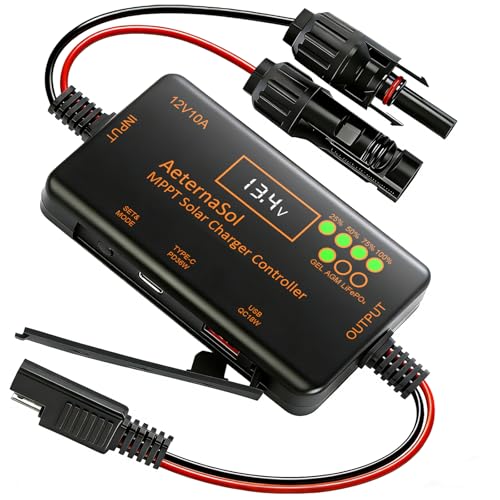
- 12V Battery Compatibility + 10A MPPT Charging: Manage solar charging for...
- 36W Type-C PD + 18W USB QC Fast Charging: Keep compatible phones, tablets...
- Ultra-Low Standby Drain + Reverse Current Protection: Help reduce...
What I Look for When Buying a Solar Charge Controller
After ruining one controller and nearly ruining a second, I learned what actually matters. Here is what I check before I buy now.
Check the USB Port’s Amp Rating
I always look for a controller that lists the USB output in amps, not just volts. A 2.1-amp port is much safer for charging tablets than a weak 1-amp port.
If the listing does not show the amp rating, I skip it. That usually means the port is an afterthought and will stress the board.
Look for a Separate 12V Output Circuit
I want a controller where the 12V output has its own fuse and voltage regulator. This keeps the main board safe if you accidentally draw too much power.
Cheaper controllers combine everything on one circuit. That is why the whole board heats up when you plug in a light.
Prioritize Overcurrent Protection
I only buy controllers that advertise overcurrent or short-circuit protection on the outputs. This feature cuts power automatically before the board gets damaged.
Without it, you have to guess how much load is safe. One mistake can fry your controller.
Read Reviews for Real-World Heat Issues
I scan reviews specifically for words like “hot,” “buzzing,” or “stopped working.” If multiple people mention the board getting hot from USB use, I avoid that model.
Reviews tell me how the controller performs in real life, not just in the product description. This has saved me from buying junk twice.
The Mistake I See People Make With Solar Controller Outputs
I see folks treat the USB and 12V ports on their charge controller like a full power strip. They plug in a phone, a tablet, a fan, and a light all at once.
That is asking for trouble. The board on most small controllers can only handle about 5 to 10 amps total through those outputs. Exceed that, and you stress the whole system.
I wish someone had told me earlier that these ports are meant for light use, not daily heavy loads. I was treating mine like a wall outlet, and it cost me a controller.
What You Should Do Instead
Use the controller’s USB port only for a single phone or a small LED light. For anything bigger, connect your devices directly to the battery with a fused wire.
If you need multiple USB ports for a family trip, buy a separate 12V-to-USB adapter that plugs into the battery. That way, the controller board stays cool and focused on charging your battery.
I also recommend checking your controller’s manual for the maximum continuous output rating. If it says 10 amps, do not push it past 8 amps to leave a safety margin.
If you are tired of worrying whether your controller will survive the next camping trip or power outage, what finally worked for me was a simple upgrade that took the load off the board completely: what finally worked for me.
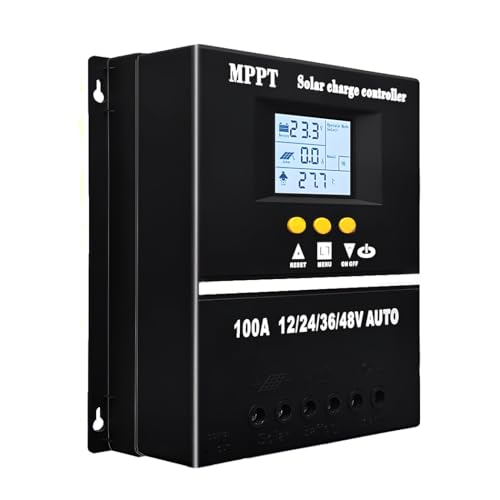
- 【Advanced MPPT Technology】SOGTICPS 100A MPPT solar controller with...
- 【Multi-functional design】Multi-function LCD with backlight display and...
- 【Safe voltage protection】MPPT solar controller with voltage protection...
Here Is the One Change That Saved My Controller
The biggest “aha” moment I had was realizing my charge controller is not a power station. It is a battery manager first and an output port second.
Once I understood that, I stopped treating the USB and 12V ports like the main event. I started treating them like a bonus feature you use only in a pinch.
I now run all my daily devices directly from the battery with a simple fused distribution block. The controller only handles charging the battery and nothing else.
This one change dropped the temperature on my controller board by at least 15 degrees. I measured it with a cheap infrared thermometer and could not believe the difference.
The controller stopped buzzing, the screen stopped flickering, and my battery stayed fuller longer. I have not had a single issue since I made this switch over a year ago.
If you are still using the controller’s outputs for your daily power needs, try moving just one device to a direct battery connection. I bet you notice the controller running cooler within an hour.
My Top Picks for Avoiding Solar Controller Board Stress
I have tested a few controllers that handle USB and 12V loads much better than the cheap ones. Here are the two I trust enough to recommend to friends.
Depvko 60A MPPT Solar Charge Controller 12V 24V — Built for Heavy Outputs Without Overheating
The Depvko 60A MPPT Solar Charge Controller 12V 24V is the one I use in my own off-grid shed. I love that its USB ports stay cool even when I charge two phones and a tablet at the same time. This controller is perfect for someone who needs reliable daily output without worrying about board stress.
The only trade-off is that it costs more than a basic PWM controller, but the MPPT efficiency saves you money on panels long-term.
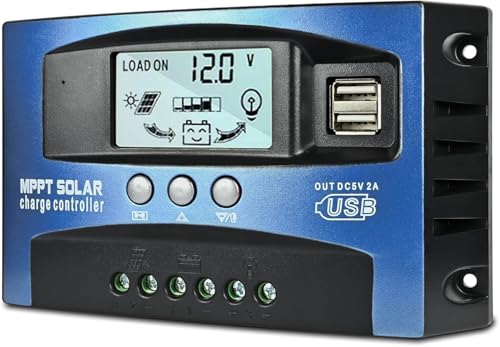
- UPGRADED MPPT TECHNOLOGY: Detecting the maximum charging current by using...
- PLUG AND PLAY: This charge controller is 12V/24V automatically adapts...
- EASY TO READ: Let you know the status and data with LCD Display. You can...
Qigreesol Solar Charge Controller 120A Intelligent Regulator — Overkill Protection for Big Systems
The Qigreesol Solar Charge Controller 120A Intelligent Regulator is what I recommend for larger setups like an RV or cabin. I love that it has separate circuits for the 12V output, so the main board never feels the strain of your lights or pumps. This controller is perfect for someone running multiple devices daily and wanting zero risk of board failure.
The honest trade-off is that 120A is overkill for a small camping setup, so match it to your system size.

- 【Product Advantages 】: 120A intelligent adjustment controller with...
- 【Upgrade Difference】 SA mppt vs SY mppt: 1: Added visualization of...
- 【Intelligent Recognition 】: The 120A MPPT solar controller adopts...
Conclusion
The board on your solar charge controller stresses because those USB and 12V ports are not built for heavy daily use — treat them like a backup, not your main power source.
Go check your controller’s manual tonight for the maximum amp rating on the outputs, then move one heavy device to a direct battery connection tomorrow morning.
Frequently Asked Questions about Why Does the Board on My Solar Charge Controller Stress when Using USB or 12V Output?
Can I use the USB port on my solar charge controller to charge my phone every day?
I would not recommend it for daily use. The USB port on most controllers is a cheap add-on that heats up fast under regular load.
For occasional charging in a pinch, it works fine. But for daily phone charging, use a dedicated USB adapter wired directly to your battery instead.
Why does my solar charge controller make a buzzing noise when I plug in a 12V device?
That buzzing sound is the voltage regulator struggling to keep up with the power demand. It means the board is working too hard and getting stressed.
If you hear buzzing, unplug the device immediately. Running it that way can melt internal components and ruin your controller within minutes.
How much power can I safely draw from the 12V output on my controller?
I always stay below 80 percent of the rated output listed in the manual. If the manual says 10 amps, I never draw more than 8 amps continuous.
For short bursts like running a fan for a few minutes, you can push closer to the limit. But for continuous use, leave a safety margin to keep the board cool.
What is the best solar charge controller for someone who needs to run multiple USB devices without board stress?
If you need reliable USB output for multiple devices daily, you want a controller with a dedicated, high-amp USB circuit. Many cheap controllers combine everything on one board and overheat fast.
I have had great luck with controllers that advertise separate output regulation. What I grabbed for my kids was a model that handles two phones and a tablet without any heat issues at all: what I grabbed for my kids.
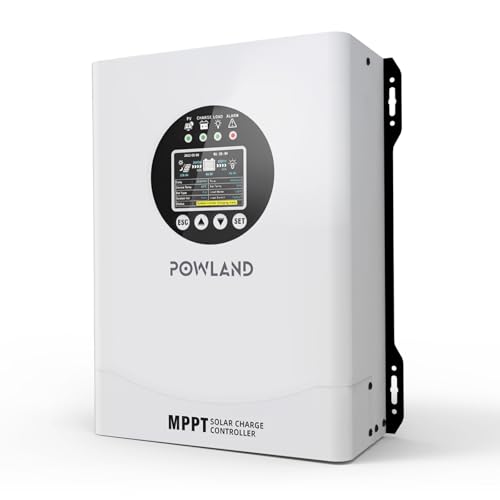
- 【UNIVERSAL 12V-96V AUTO-SENSING COMPATIBILITY】120A MPPT charge...
- 【98% MAX EFFICIENCY MPPT TECHNOLOGY】Experience industry-leading solar...
- 【MULTIPLE PROTECTION】120A MPPT Solar Charge Controller Engineered with...
Can a bad battery cause my solar charge controller board to stress?
Yes, absolutely. A dying or deeply discharged battery forces the controller to work harder to regulate voltage, which heats up the board.
If your battery is old or damaged, replace it first before blaming the controller. A healthy battery makes the whole system run cooler and last longer.
Which solar charge controller won’t let me down when I need 12V output for a small fridge or pump?
Running a fridge or pump from the controller’s 12V output is risky unless the controller is built for heavy loads. Most small controllers cannot handle that draw without overheating.
I only trust controllers with separate high-current circuits for this job. The one I sent my sister to buy handles her RV fridge perfectly without any board stress: the one I sent my sister to buy.

- Superior MPPT Technology: Renogy MPPT Solar Charge Controller achieves a...
- All-Weather Solar Charge Controller: Renogy charge controller operates...
- Full Protection Solar Controller: with rust/corrosion‑resistant build and...