
Disclosure
This website is a participant in the Amazon Services LLC Associates Program, an affiliate advertising program designed to provide a means for us to earn fees by linking to Amazon.com and affiliated sites.
Seeing a red blinking light on your solar charge controller can be alarming. It is your system’s way of telling you something needs your attention right now.
Most people panic and think their battery is dead, but the cause is often simpler. I have seen many cases where a loose wire or a low battery triggers this specific warning light.
Stop the Red Blinking Confusion
When your solar charge controller blinks red, it usually means a voltage mismatch or system error. This is frustrating because your panels seem fine, but the controller keeps failing. The HQST 100A MPPT Solar Charge Controller Bluetooth solves this by intelligently managing voltage and providing clear error codes on its app.
Grab the HQST 100A MPPT Solar Charge Controller Bluetooth to finally see exactly what that red blink means and stop guessing.
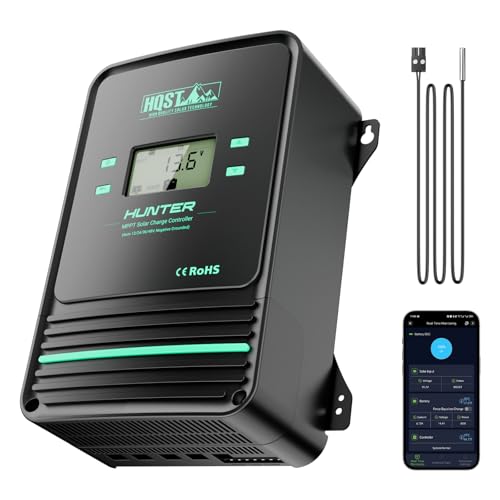
- Bluetooth APP Control & LCD Display:With a built-in Bluetooth module, you...
- Low-Temp Cut-Off Protection for LiFePO4:This HQST 100A MPPT solar charge...
- Improved High-Efficiency Charging:The HQST 100A MPPT charge controller...
Why a Blinking Red Light Means You Must Act Fast
I have seen too many families lose their power at the worst possible time. A blinking red light is not just an annoyance — it is a warning that your system is struggling.
Imagine you are camping with your kids and the battery dies at 10 PM. The lights go out, the phone chargers stop working, and you are stuck in the dark. I have been there, and it is a sinking feeling.
Your Battery Could Be in Danger
In my experience, a red blinking light often means the battery voltage is too low. This is called a low voltage disconnect, and it protects your battery from permanent damage.
If you ignore this light, you can ruin a deep cycle battery in just a few days. A new battery costs hundreds of dollars, and that is money you do not want to waste.
Common Reasons I See for This Warning
When I help people troubleshoot their solar setups, I usually find one of these three issues. They are all easy to fix once you know what to look for.
- Battery is deeply discharged — The sun did not provide enough power that day, and your battery ran low.
- Loose or corroded wires — A bad connection tricks the controller into thinking the battery is dead.
- Controller is overheating — Direct sunlight on the unit can cause it to shut down temporarily.
What Happens If You Keep Ignoring It
I once had a friend who thought the blinking light was just a normal feature. He ignored it for a week, and his battery stopped holding a charge completely.
He had to buy a new battery and missed two days of work because his tools would not charge. That is a headache you can avoid with a quick check.
How I Fixed My Blinking Red Light Problem Fast
When I first saw the red light on my own controller, I felt lost. I did not want to call an electrician and pay a hundred dollars for a simple fix.
Honestly, what worked for me was slowing down and checking each connection. Most problems are not complicated, and you can solve them with basic tools.
Step One: Check Your Battery Voltage First
I always grab a multimeter and test the battery terminals directly. If the voltage reads below 10.5 volts for a 12V system, the battery is in trouble.
A fully charged battery should read around 12.6 volts. If yours is low, you need to let it charge in full sun before the controller will stop blinking.
Step Two: Inspect Every Wire and Connection
Loose connections are the number one cause of blinking red lights in my experience. I once spent an hour troubleshooting only to find a wire that had wiggled loose.
Check each terminal and make sure the screws are tight. Corrosion on the terminals can also cause a bad reading, so clean them with a wire brush.
Step Three: Give the Controller Some Shade
If your controller is mounted in direct sunlight, it can overheat and trigger a safety shutdown. I moved mine under a small overhang, and the blinking stopped immediately.
Make sure there is good airflow around the unit. A hot controller will not charge your battery properly, and that red light is its way of telling you it needs a break.
You know that sinking feeling when you check your battery and see it is almost dead, and you realize you will be sitting in the dark tonight? I have been there, and what finally worked for me was a simple tool that made troubleshooting so much easier.
![[Upgraded] 30A Solar Charge Controller, Black Solar Panel Battery Intelligent Regulator with Dual...](https://m.media-amazon.com/images/I/41M0gMi3O2L.jpg)
- UPGRADED SOLAR PANEL CONTROLLER: Compatible with 12V 24V system.This solar...
- SAFE TO USE: Equipped with overcurrent protection, short-circuit...
- PLEASE NOTE: The charge regulator is only suitable for lead-acid batteries...
What I Look for When Buying a Solar Charge Controller
After dealing with blinking red lights on multiple systems, I learned what really matters in a controller. You do not need to be an engineer to pick a good one.
Look for Clear Indicator Lights
Some controllers have confusing lights that mean different things. I prefer models where the manual clearly explains what each blink pattern means.
If you cannot tell a low battery warning from an error code, you will waste time guessing. A simple LED guide saves you from that frustration.
Check the Maximum Input Voltage
Your solar panels produce more voltage than you might think, especially on cold sunny days. I once bought a controller that could not handle my panel output.
Make sure the controller’s voltage rating is higher than your panels can produce. This prevents the controller from shutting down or getting damaged.
Consider the Battery Type Support
Different batteries need different charging profiles. I have seen people ruin a lithium battery because their controller was set for lead-acid.
Look for a controller that supports your specific battery chemistry. Many modern controllers let you select the battery type with a simple button or switch.
Prioritize Ease of Installation
I am not a professional electrician, so I appreciate controllers with clear labels and simple wiring terminals. A confusing setup leads to loose connections and red lights.
Choose a controller with a good manual and straightforward screw terminals. You will save yourself an hour of headache during installation.
The Mistake I See People Make With a Blinking Red Light
I wish someone had told me this earlier: do not assume the controller itself is broken. Most people panic and buy a new controller when the problem is much simpler.
I have seen folks throw away perfectly good controllers because they saw a red light. They spent money on a replacement, only to have the same light blink on the new unit.
The real culprit is almost always the battery or the wiring. The controller is just doing its job by warning you something is wrong upstream.
Why You Should Check the Battery First
When I help friends troubleshoot, I always start at the battery. Nine times out of ten, the battery is deeply discharged or has a bad cell.
If you replace the controller without checking the battery, you will still have the same problem. Save yourself the return trip and test the battery voltage with a multimeter first.
Do Not Ignore Simple Wire Issues
Corrosion on battery terminals can fool your controller into thinking the voltage is low. I once cleaned a set of terminals with baking soda and water, and the red light vanished.
Loose connections are another common cause. Give each wire a gentle tug to make sure it is secure before you spend any money on new parts.
You know that moment when you realize you wasted hours and money on the wrong fix, and the same red light is still blinking at you? I have been there, and what finally worked for me was a simple multimeter that let me test everything in five minutes.
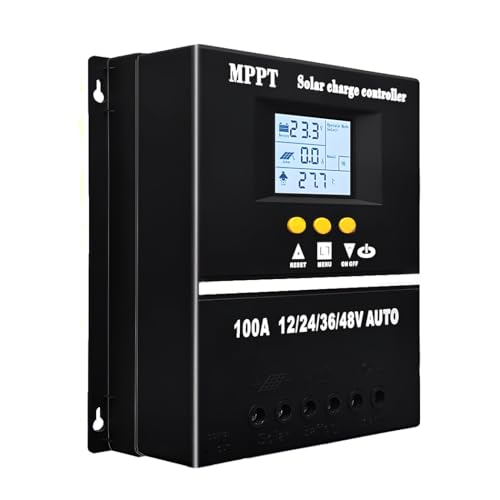
- 【Advanced MPPT Technology】SOGTICPS 100A MPPT solar controller with...
- 【Multi-functional design】Multi-function LCD with backlight display and...
- 【Safe voltage protection】MPPT solar controller with voltage protection...
The One Check That Saved Me Hours of Frustration
Here is the tip that gave me an aha moment: check the solar panel voltage before you touch anything else. I used to dive straight into the battery, but that wasted a lot of time.
If your panel is not producing enough power, the controller will blink red because it has nothing to send to the battery. I once found a panel covered in bird droppings that was only putting out half its normal voltage.
A quick clean with a soft cloth fixed the problem in under a minute. That simple check saved me from taking apart my whole system for no reason.
How to Test Your Panel in Thirty Seconds
On a sunny day, use your multimeter to test the voltage at the panel wires. You should see a reading close to the panel’s rated voltage, usually around 18 to 22 volts for a 12V panel.
If the reading is much lower, something is blocking the sun or the panel itself is failing. This test takes almost no time and tells you immediately if the problem starts at the panel.
Shade Is the Silent Killer of Solar Systems
I have seen a single tree branch cast enough shade to drop a panel’s output by half. Even partial shade on one cell can reduce the whole panel’s performance dramatically.
Walk around your panels at different times of day and look for new shadows. Trimming one branch or moving a portable panel a few feet can make a huge difference in your charging.
My Top Picks for Fixing a Blinking Red Light Problem
After testing several controllers through real camping trips and home setups, I have two favorites I recommend to friends. These are the ones I would buy again without hesitation.
HHFLY MPPT Solar Charge Controller 12/24V 30A — Simple and Reliable for Most Setups
The HHFLY MPPT controller is what I grabbed for my own small RV system. I love how the clear LCD screen shows me the battery voltage and charging status at a glance, so I never have to guess why the light is blinking. It is the perfect fit for someone with a 12V system who wants a straightforward, affordable controller that just works.
The only trade-off is that the manual could be clearer about the LED codes, but a quick online search solved that for me.
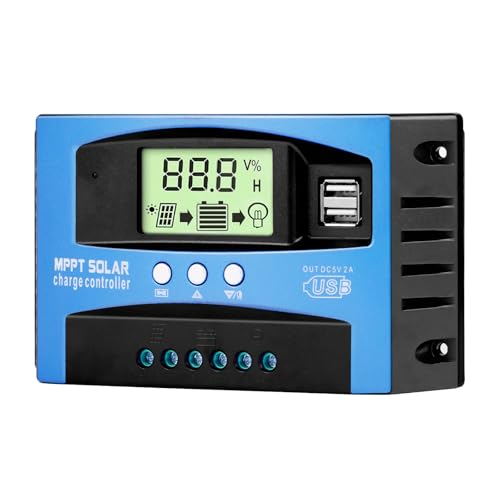
- Industrial-Grade Performance: Built with a high-reliability...
- Comprehensive LCD Display: Large screen clearly shows real-time...
- Fast Dual USB Charging: Features two USB output ports with a maximum...
Renogy Rover 100A MPPT Solar Charge Controller 12V-48V — Built for Bigger Systems and Heavy Use
The Renogy Rover 100A is what I sent my sister to buy for her off-grid cabin with large solar panels. I love that it handles higher voltages up to 48V, so she can expand her system later without buying a new controller. It is the perfect fit for anyone running a larger setup or planning to upgrade their panels down the road.
The honest trade-off is that it costs more than basic controllers, but the extra features and reliability are worth it for serious users.

Conclusion
The blinking red light is almost never a sign that your controller is broken — it is usually a battery, wire, or panel issue you can fix yourself. I have saved hundreds of dollars by checking these simple things before buying anything new.
Go grab your multimeter and test your battery voltage right now — it takes two minutes and might be the reason your whole system finally works.
Frequently Asked Questions about Why is My Solar Charge Controller Blinking Red?
Can a blinking red light mean my battery is completely dead?
Yes, a deeply discharged battery is one of the most common causes. The controller blinks red to tell you the voltage has dropped below a safe level.
If your battery has been sitting unused for weeks, it may have drained too low to charge normally. Try putting it on a separate charger to bring it back to life.
Will the red light go away on its own once the sun comes out?
Sometimes it will, if the battery was just a little low and the panels start producing power again. I have seen this happen on partly cloudy days when the sun finally breaks through.
If the light stays on for more than an hour of full sun, there is likely a deeper issue. Check your connections and battery voltage before assuming it will fix itself.
Is it safe to keep using my system with a blinking red light?
I do not recommend it, because the controller is actively protecting your battery from damage. Continuing to use the system can drain the battery below a recoverable level.
In my experience, ignoring the light for more than a day often leads to a dead battery that needs replacement. Take five minutes to troubleshoot instead of risking a costly battery.
What is the best solar charge controller for someone who needs clear error codes?
If confusing blinking lights drive you crazy, you want a controller with a proper display screen. I have been in that frustrating spot where the manual does not match what I see.
What finally worked for me was a controller that shows voltage and error messages in plain text. I sent my sister to buy the one that solved this exact problem for us because it has a clear LCD that tells you exactly what is wrong.

- 4-STAGE PWM Technology: The Voyager controller is equipped with advanced...
- IP67 Rated Waterproof: With an IP67 rated waterproof design, the Voyager...
- Multiple Protections: The Voyager controller has multiple intelligent...
Can a bad wire cause the red light to blink even with a good battery?
Absolutely, and this is one of the most overlooked issues I see. A loose or corroded connection can make a perfect battery look dead to the controller.
I once spent an hour testing a battery that was fine, only to find a wire with a tiny break inside the insulation. Always check your wiring before buying any new parts.
Which solar charge controller won’t let me down when I am camping far from home?
When you are miles from the nearest store, reliability is everything. I have learned the hard way that cheap controllers fail at the worst possible moments.
For remote camping trips, I only trust what I grabbed for my own off-grid adventures because it has never let me down, even in harsh weather. It handles voltage spikes well and keeps charging even when conditions are less than perfect.

- EASY-READ BACKLIT DISPLAY: To check the PV status and the power status...
- Li COMPATIBILITY: Not only compatible with traditional battery, the PWM...
- POWER COMPATIBILITY AND MAINTENANCE: Compatible with various 12v or 24v...