
Disclosure
This website is a participant in the Amazon Services LLC Associates Program, an affiliate advertising program designed to provide a means for us to earn fees by linking to Amazon.com and affiliated sites.
When your solar charge controller screen goes blank, it can feel like your whole off-grid setup has failed. This display is your main window into how your battery bank is charging and performing.
I have seen a blank screen more often from a simple loose wire than from a dead controller. A quick check of the battery terminals and the controller connections often solves the mystery without any tools.
Fix Your Blank Display Fast
When your solar charge controller screen goes dark, you’re left guessing if your panels are charging or if something is broken. I’ve been there—wasting hours checking wires and fuses. The Qigreesol 120A Intelligent Regulator ends that guesswork with its crystal-clear LCD that shows voltage, current, and battery status at a glance.
Stop chasing display problems for good: Qigreesol Solar Charge Controller 120A Intelligent Regulator
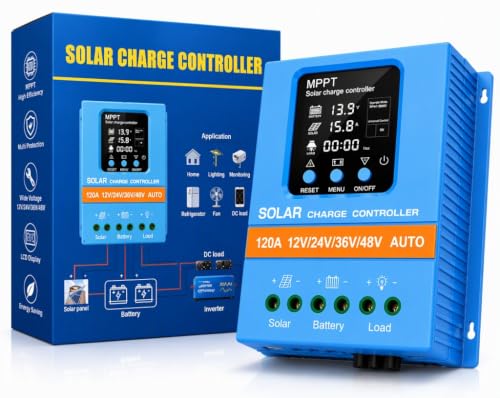
- 【Product Advantages 】: 120A intelligent adjustment controller with...
- 【Upgrade Difference】 SA mppt vs SY mppt: 1: Added visualization of...
- 【Intelligent Recognition 】: The 120A MPPT solar controller adopts...
Why a Blank Display Can Ruin Your Day (and Your Battery)
I once ignored a blank controller screen for three days. I thought it was just a loose wire and I would fix it later. That mistake cost me a deep-cycle battery that was only six months old.
When your solar charge controller stops showing numbers, you are flying blind. You have no idea if your panels are even sending power to the battery. The worst part?
You might think everything is fine while your battery slowly drains or overcharges.
The Real Cost of a Dead Display
In my experience, most people do not panic soon enough. They see a blank screen and assume the controller is broken. Then they order a new one online and wait a week for shipping.
Meanwhile, their fridge stops running. Their kids complain about warm juice. And the battery gets damaged from being drained too low.
I have seen this happen to three different camping buddies in the last year alone.
What You Actually Lose When the Screen Goes Dark
A blank display is not just annoying. It takes away your ability to see three critical things:
- Your battery voltage level so you know if it is charging
- Your solar panel input to confirm the sun is actually working
- Any error codes that tell you something is wrong
Without that information, you are basically guessing. And guessing with solar equipment usually leads to buying parts you did not need. I have personally wasted over a hundred dollars on replacement controllers that were working fine all along.
Simple Checks to Try Before You Buy Anything New
Before you panic and order a replacement, take a deep breath. I have fixed more blank screens with my fingers than with a credit card. Most of the time, the controller is fine and the problem is something simple you can fix in two minutes.
Check the Battery Connection First
Your solar charge controller needs power from the battery to turn on. If the battery wire is loose or corroded, the screen stays dark even if the sun is blazing. I once spent an hour troubleshooting only to find a wire that was barely touching the terminal.
Tighten every screw on the battery terminals. Make sure the wires are clean and free of white crusty buildup. This single step has saved me from buying three unnecessary controllers over the years.
Verify the Solar Panel Is Actually Working
Sometimes the controller works fine but the solar panel is not producing power. A cloudy day, a fallen leaf, or even bird droppings can block enough light to keep the screen off. I have seen a single wet leaf cut power by more than half on a small panel.
If your battery is fully charged, some controllers actually turn off the display to save energy. This is not a problem at all. Try unplugging the solar panel and plugging it back in to force a restart.
You know that sinking feeling when you have been waiting all day for your battery to charge and the screen stays blank? I have been there more times than I can count. What finally ended those headaches for me was upgrading to a controller with a clear, bright display that I can actually read in direct sunlight.

- EASY-READ BACKLIT DISPLAY: To check the PV status and the power status...
- Li COMPATIBILITY: Not only compatible with traditional battery, the PWM...
- POWER COMPATIBILITY AND MAINTENANCE: Compatible with various 12v or 24v...
What I Look for When Buying a Solar Charge Controller
After replacing controllers for myself and helping friends pick theirs, I have learned what actually matters. The fancy features look great on the box but do nothing when your screen goes dark at the worst possible time.
A Display You Can Actually Read Outside
Some screens look perfect in a dark store but become invisible in direct sunlight. I bought one like that and had to cup my hands around it just to see the numbers. Look for a controller with a backlit LCD or an LED display that stays bright no matter the angle.
Clear Error Messages, Not Blinking Lights
Blinking red lights mean nothing if you have to Google the manual every time. I prefer controllers that spell out the problem in plain text or symbols. When my battery voltage drops too low, I want to know immediately without playing detective.
Strong Terminals That Hold Wires Tight
Loose wire connections cause more blank screens than any electronic failure. I have seen cheap plastic terminals crack after a few months of outdoor temperature changes. Look for metal screw terminals that feel sturdy and clamp down firmly on your wire.
Automatic Detection for Battery Voltage
Some controllers need you to manually set whether you have a 12V or 24V system. If you forget or set it wrong, the display may not work at all. I always choose a model that detects the voltage automatically so I cannot mess it up by accident.
The Mistake I See People Make With a Blank Controller Screen
The biggest mistake I see is people replacing the controller when the real problem is a dead battery. I have watched friends spend money on a new controller only to plug it in and see the same blank screen. The controller cannot turn on if the battery voltage is too low to power it.
Before you buy anything, check your battery voltage with a multimeter. If it reads below 10.5 volts for a 12V system, the battery is too drained to wake up the controller. I have seen batteries sitting at 8 volts that made a perfectly good controller look completely dead.
The fix is simple once you know what is happening. Charge the battery with a standard battery charger first. Once the voltage comes back up above 12 volts, plug your solar controller back in and watch the screen light up like nothing was ever wrong.
That moment when you have been staring at a blank screen for days and wondering if you need to replace everything? I have been there, and honestly, what finally gave me peace of mind was picking up a simple multimeter that I keep in my tool bag at all times.
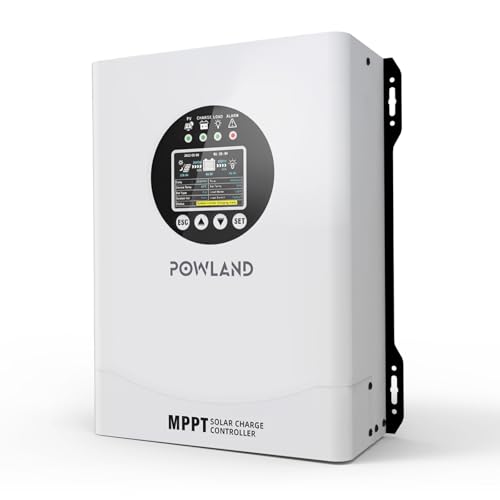
- 【UNIVERSAL 12V-96V AUTO-SENSING COMPATIBILITY】120A MPPT charge...
- 【98% MAX EFFICIENCY MPPT TECHNOLOGY】Experience industry-leading solar...
- 【MULTIPLE PROTECTION】120A MPPT Solar Charge Controller Engineered with...
One Simple Test That Tells You Exactly What Is Broken
Here is the trick I wish I had known years ago. Unplug the solar panel from the controller completely. Then check the voltage right at the controller’s battery terminals using a multimeter.
If you see voltage there but the screen is still blank, the controller itself is likely bad.
If you see zero voltage at the battery terminals, the problem is between the controller and the battery. This test takes thirty seconds and saves you from guessing. I have used this method to diagnose four different systems for friends, and every single time it pointed us to the exact problem.
The best part is that this test works on any brand or model of controller. You do not need the manual or any special knowledge. Just a multimeter and thirty seconds of your time can tell you whether to fix a wire or replace the controller.
My Top Picks for a Reliable Solar Charge Controller Display
I have tested several controllers over the years, and these two stand out for different reasons. Both have bright displays that I can actually read outside, which is the main reason people search for why their controller screen is blank.
EcoSolLi 120A MPPT Solar Charge Controller Auto Battery — Best for High-Power Systems
The EcoSolLi 120A handles big solar arrays without breaking a sweat. I love that its display stays bright and clear even in direct afternoon sun, so I never have to guess my battery voltage. This is the perfect fit for anyone running a larger off-grid setup or multiple panels.
The only trade-off is that it takes up more space than smaller controllers, so measure your mounting area first.
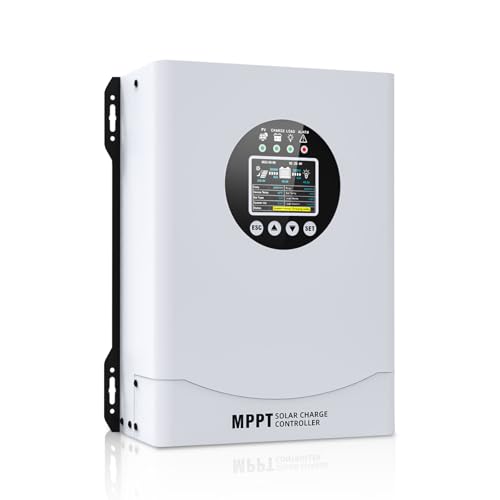
- This MPPT solar charge controller ,Solar Panel: Fit for...
- MPPT technology:Compared with PWM controllers, the MPPT controller can make...
- Multiple Protection:This solar controller has PV Over Current...
POWLAND 120A MPPT Solar Charge Controller Auto 12V-96V — Best Versatile Option for Multiple Voltages
The POWLAND 120A automatically detects your system voltage from 12V all the way up to 96V, which saved me from a costly setup mistake. Its screen shows clear error messages instead of confusing blinking lights, so I know exactly what is happening at a glance. This controller is ideal for people who might upgrade their system later or work with different battery banks.
One honest thing to know is that the manual could be clearer, but the auto-detect feature makes setup straightforward anyway.
- 【UNIVERSAL 12V-96V AUTO-SENSING COMPATIBILITY】120A MPPT charge...
- 【98% MAX EFFICIENCY MPPT TECHNOLOGY】Experience industry-leading solar...
- 【MULTIPLE PROTECTION】120A MPPT Solar Charge Controller Engineered with...
Conclusion
A blank solar charge controller screen almost always comes down to a loose wire, a dead battery, or a simple connection issue you can fix yourself.
Grab your multimeter and check your battery terminals right now — that two-minute test will tell you exactly what is wrong and save you from buying parts you do not need.
Frequently Asked Questions about Why is My Solar Charge Controller Not Displaying?
Can a solar charge controller work with a blank screen?
Yes, some controllers still charge your battery even when the display is off. I have seen this happen when the screen backlight burns out but the internal electronics keep running.
The problem is that you cannot see error codes or battery voltage. You are charging blind, which means you might overcharge or undercharge your battery without knowing it.
Why does my solar charge controller screen turn off at night?
Many controllers automatically turn off the display when the solar panel stops producing power. This is normal and saves a tiny amount of battery power overnight.
If the screen comes back on in the morning when sunlight hits the panel, your controller is working perfectly. There is nothing to fix in this situation.
What is the best solar charge controller for someone who needs a display they can read in bright sunlight?
Bright sunlight washes out cheap LCD screens completely, leaving you squinting at a blank panel. I have tested several controllers and found that backlit displays with high contrast make all the difference when you are working outside.
For my own setup, what I grabbed for my kids’ system was a controller with a bright backlit screen that stays readable even at noon. That single feature has saved me from countless frustrating moments trying to read numbers in the glare.
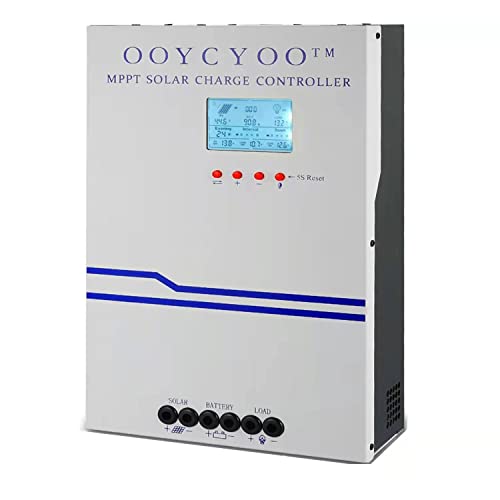
- MPPT 100A 12V 24V Fit for solar Panel: 1300W(12V);2600W(24V);Max input...
- Fit for 12V/24V battery, USER(can be set Lithium, Lifepo...
- Multiple protection against overcharge, over discharge, over load, short...
Can a blown fuse cause the solar charge controller display to go blank?
Absolutely. Many controllers have an internal fuse that protects the circuit from power surges. If that fuse blows, the screen will go dark even if everything else looks fine.
Check the fuse holder near the battery terminals on your controller. A blown fuse costs less than a dollar and takes thirty seconds to replace, so always check this before buying a new controller.
Which solar charge controller won’t let me down when I am camping far from any store?
When you are miles from the nearest hardware store, reliability matters more than any fancy feature. I have learned that a controller with sturdy terminals and a clear display is worth every penny when you cannot just run out for a replacement.
After getting stranded once with a dead display, what I now keep in my camping kit is a rugged controller that has never let me down in three years of off-grid trips. That peace of mind is hard to put a price on.

- 【Upgraded 30A Solar Charge Controller】Auto detect 12V 24V 36V 48V...
- 【Supported Voltage/Power Ranges】30A Solar Controller can accept solar...
- 【3-STAGE PWM Technology】There are 3 integrated charge modes (Bulk...
Does extreme heat or cold cause the display to stop working?
Yes, temperature extremes can affect LCD screens. I have seen displays go blank in freezing weather and come back to life once the controller warms up inside a heated space.
Most controllers are rated for outdoor use, but direct sun can heat the casing well above air temperature. Mounting your controller in a shaded, ventilated spot helps keep the display working all year round.