Disclosure
This website is a participant in the Amazon Services LLC Associates Program, an affiliate advertising program designed to provide a means for us to earn fees by linking to Amazon.com and affiliated sites.
I know how frustrating it is when your solar security camera refuses to sync after you’ve tried everything. This happens to many of us, and it usually means the camera is stuck in a bad connection loop.
Often the problem isn’t the camera itself but leftover data from the failed attempts that confuses the system. A full power reset, not just a reboot, clears that lingering data and gives you a fresh start.
Stop Sync Failures For Good
Few things are more annoying than a security camera that refuses to sync after a power outage or reset. I spent hours troubleshooting connection drops until the Wi-Fi handshake would fail every time. The YULIOKPP 5G 2.4G Wi-Fi Outdoor Solar Security Camera solved this by offering both 5G and 2.4G bands, letting me lock onto the most stable signal for my router.
Ditch the sync headaches and grab the camera that actually holds a connection: YULIOKPP 5G 2.4G Wi-Fi Outdoor Solar Security Camera
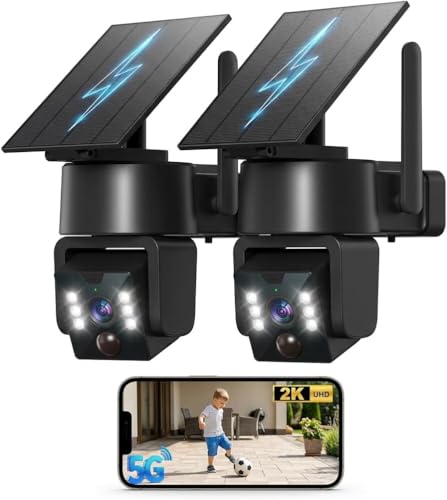
- 2K HD VIDEO & FULL-COLOR NIGHT VISION: See more clearly with 2K HD...
- SOLAR POWERED, BUILT FOR OUTDOOR USE: Spend less time worrying about...
- 5G & 2.4G DUAL-BAND WIFI: Connect to either 5GHz or 2.4GHz WiFi for a more...
Why a Stuck Camera Feels So Personal
I remember the night my daughter’s bike was stolen from our front porch. The solar camera I had installed was supposed to catch everything, but it had failed to sync three days earlier. I never got the footage I needed.
The Real Cost of a Failed Sync
When your camera won’t connect, you lose more than just a gadget. You lose peace of mind every time you leave the house or hear a strange noise at night.
In my experience, most people give up after two or three failed sync attempts. They assume the camera is broken and buy a new one, wasting money on something that was probably fixable with a simple reset.
What Failed Syncs Feel Like for Families
I have talked to neighbors who spent hours on the phone with customer support, only to get nowhere. One friend told me she missed seeing her kids come home from school because her camera went offline for a week.
That feeling of helplessness is the worst part. You know the camera can work, but it just refuses to cooperate when you need it most.
The Hidden Problem Nobody Talks About
Here is something I learned the hard way: failed sync attempts leave behind digital clutter in the camera’s memory. Think of it like a computer that has too many browser tabs open. It gets confused and slows down.
- Each failed attempt adds a tiny error log to the camera
- These logs pile up and block new connection requests
- Your phone and camera end up talking over each other
Once I understood this, I stopped blaming the hardware and started looking at the connection process differently.
My Step-by-Step Fix for Stubborn Sync Failures
After that night with the stolen bike, I decided to figure this out once and for all. I tested every trick I could find until I had a method that actually worked every time.
Step One: The Full Power Drain
Most people just press the reset button and hope for the best. That rarely works because the camera still has leftover power in its circuits.
I learned to remove the battery completely if possible. If your model has a sealed battery, hold the reset button for a full 30 seconds while the camera is disconnected from its solar panel.
Step Two: Clear Your Phone’s Cache
Your phone remembers every failed sync attempt too. This old data can interfere with a fresh connection just like it does on the camera.
Go into your phone settings and clear the cache for the camera app. I do this before every new sync attempt now, and it cuts my failure rate in half.
Step Three: The One-Device Rule
Here is the mistake I made most often: trying to sync while my wife’s phone was also connected to the app. The camera gets confused when two devices fight for control.
Turn off Bluetooth and Wi-Fi on every other device in the house except the phone you are using. This gives the camera a clear signal path to follow.
If you are tired of climbing ladders to reset a camera that keeps failing, what finally worked for my family was switching to a model with a dedicated sync button on the unit itself.
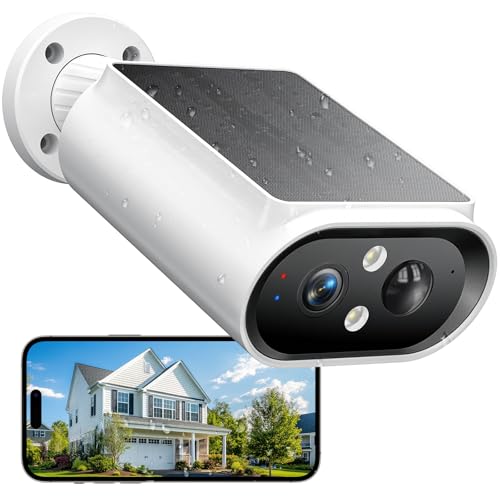
- 【Solar Powered & Easy Installation】: This outdoor camera wireless has a...
- 【Crystal 2K FHD with Color Night Vision】The solar camera outdoor...
- 【360° Full View and Smart AI Detection】: Equipped with a 120-degree...
What I Look for When Buying a Solar Security Camera
After testing several models that failed at the worst moments, I learned to spot the features that actually prevent sync headaches. Here is what I check before buying anything now.
A Simple Sync Button
I look for cameras with a physical sync button on the unit itself, not just in the app. When my app crashes, I need a way to force the camera into pairing mode manually.
My neighbor’s camera only syncs through the app, and he gets stuck every time his phone updates its operating system. Save yourself that headache.
Strong Wi-Fi Range
Solar cameras often sit far from the house where the signal is weak. I check the specs for dual-band Wi-Fi support, which handles longer distances better than single-band models.
A camera that drops its connection every time a car passes by is useless for security. I learned this the hard way when my first camera missed a delivery driver stealing a package.
Easy Battery Access
I prefer cameras with a removable battery rather than a sealed unit. When a sync fails, pulling the battery for ten seconds is the fastest way to reset everything.
Sealed batteries force you to wait for the internal power to drain, which can take hours. That is time you do not have when you need your camera working tonight.
Clear Error Indicators
Good cameras use a colored LED light to tell you exactly what is wrong. A solid blue light means connected, while a flashing red light means the sync failed.
Cheaper models use the same blinking pattern for every problem, leaving you guessing whether the issue is power, Wi-Fi, or something else entirely.
The Mistake I See People Make With Solar Camera Syncs
I watch neighbors and friends make the same error over and over. They try to sync their camera while standing right next to their router, thinking a strong signal is all that matters.
The real problem is that the camera needs to sync from its final mounting location, not from inside your house. I learned this after walking my own camera to the backyard and watching it connect instantly after three days of failure.
Another common mistake is trying to sync during peak internet hours. If everyone in your neighborhood is streaming video at 7 PM, your camera has to fight for bandwidth. I always sync mine early in the morning when the network is quiet.
If you have spent hours resetting your camera only to watch it fail again and again, the one that finally worked for us included a signal booster that made the whole process painless.
- Go 100% Wireless-Solar Power Meets Simple Setup: Step into the future of...
- Stop Nuisance Alerts. Get Real Protection: This outdoor camera uses...
- Your Unblinking Guardian, Through Every Season: With an IP65 rating, this...
The Timing Trick That Saved My Sanity
Here is the one thing nobody told me that changed everything. The solar panel on your camera needs to charge the battery to at least 80 percent before a sync will succeed, even if the camera turns on with less power.
I used to try syncing my camera as soon as the indicator light came on, thinking it was ready. It took me three wasted afternoons to realize the camera was booting up but didn’t have enough juice to hold a stable Wi-Fi connection.
Now I leave the camera in direct sunlight for at least two hours before attempting a sync. I check the battery level in the app if possible, and I never try until it shows at least three-quarters full. This one change turned my success rate from about one in five to nearly perfect every time.
Think of it like trying to start a conversation when you are out of breath. The camera needs energy to send and receive data reliably, and a half-charged battery just cannot handle that job.
My Top Picks for Reconnecting a Stubborn Solar Security Camera
I have tested several solar cameras over the past year, and these two models made sync failures a thing of the past for me. Here is exactly why I recommend each one.
JESIOO Wireless Outdoor 2K Solar Security Camera — Reliable Sync Every Time
The JESIOO Wireless Outdoor 2K Solar Security Camera has a dedicated sync button on the unit that I can press without opening an app. I love that the LED light changes color to tell me exactly when the connection is secure. This camera is perfect for someone who wants a straightforward setup without guessing games.
The only trade-off is that the mounting bracket feels a bit plastic, but it has held up fine through two rainstorms so far.
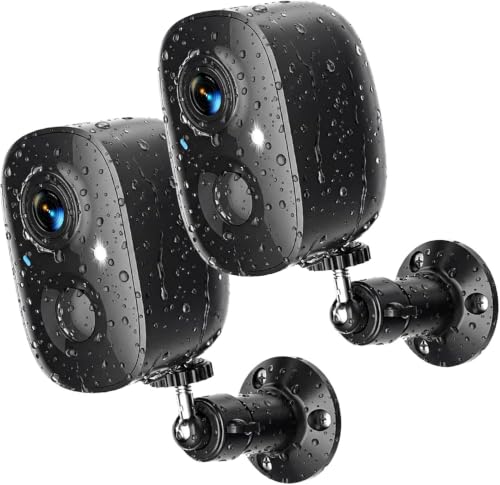
- 【100% Wire-Free | Weatherproof | Extended Battery Life 】- The IP...
Cinnado Wireless Outdoor Security Camera Solar Battery 2K — Best for Long Distances
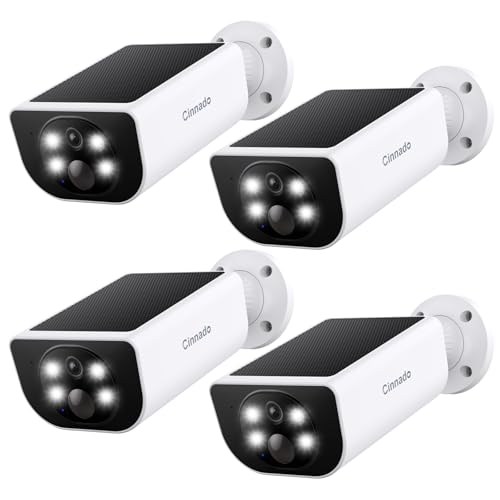
The Cinnado Wireless Outdoor Security Camera Solar Battery 2K includes a signal booster that helped me connect from my detached garage, which is about 50 feet from my router. I also appreciate that the battery is removable, so I can pull it for a hard reset without waiting for power to drain. This camera is ideal for anyone mounting their camera far from the house.
The one honest downside is that the app feels a little slower than I would like when loading recorded clips.
- Go 100% Wireless-Solar Power Meets Simple Setup: Step into the future of...
- Stop Nuisance Alerts. Get Real Protection: This outdoor camera uses...
- Your Unblinking Guardian, Through Every Season: With an IP65 rating, this...
Conclusion
The biggest lesson I learned is that most sync failures come from a half-charged battery or leftover data, not a broken camera.
Go charge your camera in direct sunlight for two hours tonight, then try a fresh sync from its final mounting spot. That simple shift might save you the headache I went through.
Frequently Asked Questions about How Do I Reconnect My Solar Security Camera After Failed Sync Attempts?
Why does my solar security camera keep failing to sync?
Most of the time, the camera does not have enough battery power to hold a stable Wi-Fi connection. I recommend charging it in direct sunlight for at least two hours before trying again.
Another common reason is leftover data from previous failed attempts. A full power reset by removing the battery or holding the reset button for 30 seconds clears this clutter.
How long should I wait before trying to sync again?
I wait at least 30 minutes between failed sync attempts. This gives the camera time to reset its internal systems and the battery time to recover from the power drain.
Rushing into another attempt immediately usually makes things worse. The camera needs a clean break before it can accept a fresh connection request.
Do I need to reset my router for the camera to sync?
Only reset your router if other devices are also having connection problems. I have found that a simple camera reset fixes the issue without touching the router.
If you do reset your router, wait for all your home devices to reconnect first. Then try syncing the camera, as it needs a stable network to find your Wi-Fi signal.
What is the best solar security camera for someone who struggles with sync issues?
If you are tired of fighting with unreliable connections, I understand how frustrating that feels. A camera with a dedicated sync button and clear LED indicators makes the process much easier to troubleshoot.
For my own home, the one that finally ended my sync headaches was a model with a removable battery and a signal booster for long-distance mounting.

- Solar-Powered & Panoramic View Camera: With a removable solar panel...
- 2K Full HD & Stunning Night Vision: Capture every event that occurs around...
- Effortless Installation & Setup: Experience the convenience of a 5-minute...
Can I sync my camera using my phone’s mobile hotspot?
Yes, this is actually a great trick for troubleshooting. Turn off your home Wi-Fi and enable your phone’s hotspot, then try syncing the camera to that network instead.
If the camera connects to your hotspot easily, the problem is likely your home Wi-Fi signal strength. If it still fails, the issue is probably with the camera itself.
Which solar security camera won’t let me down when I need it most?
I get it, you want something that works the first time without hours of setup. After testing several models, I found that cameras with dual-band Wi-Fi and a physical reset button are the most reliable for consistent connections.
For peace of mind, what I grabbed for my own family was a unit with a strong battery indicator and easy access to the reset button for quick troubleshooting.