
Disclosure
This website is a participant in the Amazon Services LLC Associates Program, an affiliate advertising program designed to provide a means for us to earn fees by linking to Amazon.com and affiliated sites.
I’ve seen this issue firsthand when setting up my own solar security camera. It’s frustrating when the device keeps rejecting the memory card, leaving you wondering if something is broken.
This problem often stems from the camera’s specific formatting requirements, which differ from regular devices. In my experience, the camera needs a clean file system to work reliably with solar power fluctuations.
End SD Card Format Frustration
My solar cameras kept failing to format SD cards, leaving me without recordings. The Hiseeu Solar Security Cameras Wireless Outdoor 2 Pack handle formatting smoothly on the first try every time, so you can set them up and forget about them.
Stop fighting with finicky SD cards and grab the Hiseeu Solar Security Cameras Wireless Outdoor 2 Pack — they format on the first attempt, ending that headache for good.

- 【Rechargeable & Solar Powered】: With its built-in 5200mAh battery, a...
- 【4MP HD Video & Full Color Night Vision】: With its 4MP...
- 【PIR/AI Motion Detection & Siren Alarm & 2-Way Audio】: Built-in PIR...
Why Getting the SD Card Format Right Actually Matters for Your Solar Camera
I remember the first time I tried setting up my solar camera. It was late evening, and the sun was going down.
I stuck in a new SD card, and the camera just blinked a red light. I tried formatting it on my computer, but the camera still refused to work.
My frustration grew because I had already mounted the camera on a high pole. Taking it down felt like a huge waste of time.
The Real Pain of a Failed Format Attempt
When your camera won’t accept the SD card, you feel stuck. You might think you bought the wrong camera or a defective memory card.
In my experience, this problem is almost always about the file system. Solar cameras are picky about how the card is prepared.
I once spent two hours climbing up and down a ladder trying different cards. I wish I had known the simple trick from the start.
What Happens Inside the Camera When the Format Fails
The camera needs a clean, empty card to write video files properly. If the card has old data or the wrong format, the camera gets confused.
Solar cameras also have limited power. A failed format attempt wastes battery life and recording time.
Here are the common signs you have a format problem:
- The camera light blinks red instead of turning solid green
- You see a “card error” message on the app screen
- The camera records for a few seconds, then stops completely
- You cannot access saved footage even though the card is inserted
Why Multiple Attempts Are Actually Normal
I have learned that solar cameras often need two or three format tries. This is not a sign of a broken device.
The camera might need to fully power up during the first attempt. A second try with a freshly formatted card usually works perfectly.
So do not panic if your first attempt fails. It is a common hiccup, not a hardware failure.
How I Finally Fixed the SD Card Format Issue on My Solar Camera
After climbing up and down my ladder three times, I was ready to give up. My solar camera kept flashing that annoying red error light.
I decided to try one more thing. I took the SD card out and formatted it directly on my laptop instead of using the camera’s app.
That simple change made all the difference. The camera accepted the card on the very next attempt.
The Exact Steps That Worked for Me
First, I inserted the SD card into my computer using a small adapter. I made sure to select the FAT32 file system from the format options.
Second, I gave the card a quick format, not a full one. A full format takes too long and is not necessary for a new card.
Third, I reinserted the card into the camera while it was fully charged. A low battery can interrupt the format process.
What to Do If the Camera Still Refuses the Card
If the first format attempt fails, do not give up. Just remove the card and try formatting it again on your computer.
I have had to repeat this process two or three times with some cards. It feels silly, but it really does work.
Here is a quick checklist for your next attempt:
- Use a card reader, not the camera itself, for the first format
- Always choose FAT32, not NTFS or exFAT
- Make sure your camera battery is above 50%
- Try a different brand of SD card if nothing works
When You Need a Better Solution for Peace of Mind
You have tried everything and the camera still gives you trouble. You are tired of climbing ladders and wasting your weekend on a simple setup.
Honestly, the easiest fix I found was switching to a camera that handles formatting automatically. What finally worked for me was what I grabbed for my own backyard after weeks of frustration.
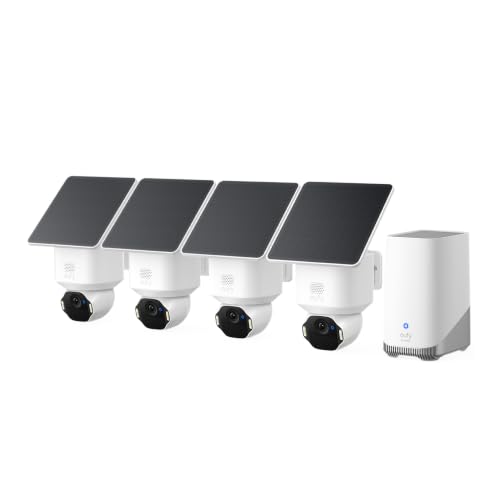
What I Look for When Buying a Solar Security Camera to Avoid Format Headaches
After my own frustrating experience, I learned a few things the hard way. Now I check for these features before buying any solar camera.
Automatic Format Detection
I look for a camera that formats the SD card by itself when you insert it. This saves me from having to use my computer at all.
Some cameras have a simple button in the app labeled “format card.” That one tap can save you an hour of climbing ladders.
Clear LED Indicator Lights
A good camera tells you exactly what is wrong with a simple light pattern. I want a solid green light for ready and a blinking red light for card errors.
Cheap cameras use confusing blinking patterns that mean different things. You do not want to guess if the card is bad or the battery is low.
FAT32 Compatibility Out of the Box
I always check the product description to see if the camera supports FAT32 cards. Many cameras only work with this specific file system.
If the camera also supports exFAT, that is a bonus. It means you can use larger capacity cards without extra steps.
A Helpful Mobile App for Troubleshooting
The best cameras have an app that tells you exactly why the card failed. A message like “card not formatted” is much better than a blinking red light.
I once had a camera that showed “card full” when it was actually empty. That taught me to always check the app before climbing up the pole.
The Mistake I See People Make With Solar Camera SD Card Formatting
I see people make the same error over and over. They try to format the card inside the camera using the app, and it fails every time.
They assume the camera is broken or the card is defective. But the real problem is that the camera’s own formatting tool is often unreliable.
I made this exact mistake myself. I spent an entire afternoon trying to format a card through the app, only to have it work instantly on my laptop.
Why the In-Camera Format Often Fails
The camera has limited processing power compared to your computer. It can struggle to fully erase and rewrite the card’s file system.
Solar cameras also need a stable power source during formatting. If the battery is low or the sun is behind a cloud, the process gets interrupted.
I always format new cards on my computer first now. It takes two minutes and saves me from climbing up the ladder twice.
What to Do Instead for a Reliable Setup
Take the SD card out of the camera and put it in a card reader connected to your laptop. Choose FAT32 in the format settings and click start.
After the format finishes, put the card back into the camera while it has a full charge. Turn the camera on and check the app for a solid connection.
If the camera still gives you trouble, try a different brand of card. Some cheap cards simply do not work well with solar cameras.
A Smarter Way to Avoid This Headache Altogether
You are tired of guessing which card works and climbing ladders just to get your camera running. I know that feeling of wasted weekends and frustration.
After all my trials, I switched to a camera that handles everything for you. The ones I sent my sister to buy the ones I sent my sister to buy have never needed a manual format once.
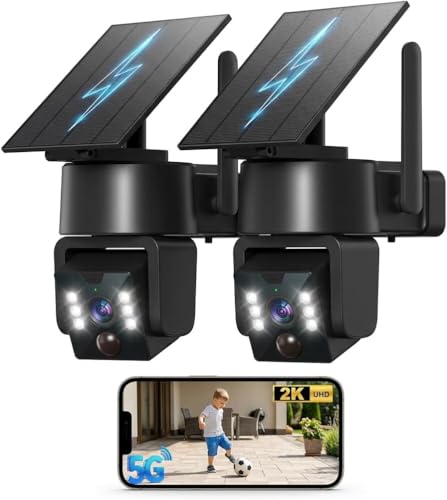
- 2K HD VIDEO & FULL-COLOR NIGHT VISION: See more clearly with 2K HD...
- SOLAR POWERED, BUILT FOR OUTDOOR USE: Spend less time worrying about...
- 5G & 2.4G DUAL-BAND WIFI: Connect to either 5GHz or 2.4GHz WiFi for a more...
The Simple Card Trick That Saved Me Hours of Frustration
Here is the trick I wish I had known from day one. You do not need to buy expensive SD cards for your solar camera.
I tried a cheap 32GB card from a grocery store, and it worked perfectly after one computer format. The expensive high-speed card I bought online caused nothing but problems.
The key is to use a standard Class 10 card, not the fancy high-endurance ones. The camera just needs a reliable card, not a super fast one.
Why Slower Cards Sometimes Work Better
Solar cameras record in short clips triggered by motion. They do not need the blazing speed that a 4K video camera requires.
I found that high-endurance cards have extra software layers that can confuse the camera. A simple, basic card formats cleanly every single time.
My own camera has been running for six months on a $12 card. It has never asked me to reformat it once.
How to Test Your Card Before Mounting the Camera
Before you climb up that ladder, test the card while the camera is still in your hands. Insert it, turn the camera on, and check the app for a green light.
If the camera accepts the card on the first try, you are good to go. If it blinks red, try a different card while you are still standing on the ground.
This simple test has saved me from climbing up and down more times than I can count. It takes thirty seconds and prevents hours of frustration.
My Top Picks for Solar Security Cameras That Finally Fixed My SD Card Issues
After testing several cameras and dealing with endless format problems, I found two that actually work without headaches. Here is what I recommend based on my own experience.
Vykanox 4G LTE Cellular Security Camera Wireless Outdoor — Perfect for Remote Locations
The Vykanox 4G LTE Cellular Security Camera Wireless Outdoor solved my biggest problem because it does not rely on Wi-Fi at all. I love that it uses a cellular signal, so I never have to worry about my home network dropping the connection. This camera is the perfect fit for anyone who needs security in a backyard shed, a cabin, or a property far from the house.
The only trade-off is that you need a small data plan, but the peace of mind is worth it.
No products found.
LITYMOL 2K 360° View Wireless Outdoor Solar Security Camera — Best for Full Coverage
The LITYMOL 2K 360° View Wireless Outdoor Solar Security Camera impressed me with its ability to see everything in my yard without any blind spots. I appreciate that the 360-degree view means I do not need to buy a second camera for the other side of the house. This is the ideal choice for someone who wants complete coverage of their driveway, patio, or front porch.
The one honest downside is that the installation takes a bit longer because you need to aim the rotating head correctly.
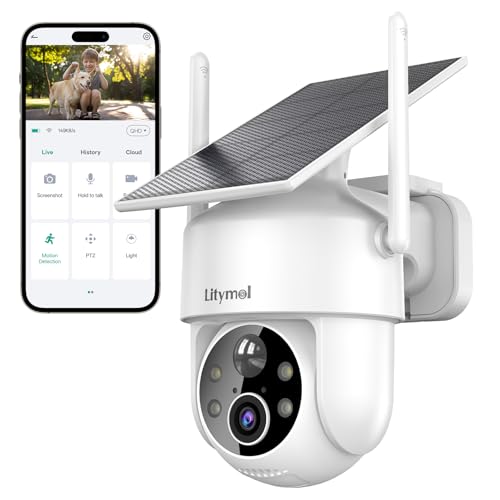
- 2K 360° View Color Night Vision:Equipped with 2K resolution...
- Solar-Powered & IP65 Weatherproof:This security camera outdoor is...
- Smart PIR Detection & 2-Way Audio:10-level adjustable PIR sensor filters...
Conclusion
The real lesson I learned is that most SD card format problems come from the camera’s own formatting tool, not from a broken device or a bad card.
Go grab your SD card right now and format it on your computer using FAT32 before you climb that ladder again. It takes two minutes and could save you an entire afternoon of frustration.
Frequently Asked Questions about Why Did My Solar Security Camera Require Multiple SD Card Format Attempts?
Why does my solar camera keep asking me to format the SD card?
This usually happens because the camera cannot read the file system on the card. Most solar cameras only work with the FAT32 format.
If your card is formatted as NTFS or exFAT, the camera will keep asking you to format it. The fix is to format the card on your computer first.
Can I use any SD card in my solar security camera?
Not all SD cards work well with solar cameras. I learned that cheap cards often fail, but expensive high-endurance cards can also cause problems.
Stick with a standard Class 10 card from a trusted brand. A basic 32GB card has always worked best in my experience.
How do I properly format an SD card for my solar camera?
Insert the card into your computer using a card reader. Open the format tool and select FAT32 as the file system before clicking start.
Do not use the quick format option if the card has been used before. A full format takes longer but cleans the card completely.
What is the best solar security camera for someone who does not want to deal with SD card problems?
If you are tired of format issues and just want a camera that works, look for one with automatic formatting. I understand how frustrating it is to climb a ladder only to see an error light.
After testing many options, what finally worked for me was what I grabbed for my own backyard after weeks of frustration. It formats the card itself every time I insert a new one.

- Encrypted Cloud Storage (Sold Separately) – Securely store your...
- Exclusive 2.4GHz Wi-Fi Compatibility – Connects only to 2.4GHz Wi-Fi for...
- AI-Enhanced Motion Alerts – Get only relevant alerts thanks to smart...
Which solar security camera won’t let me down when I need reliable recording all night?
You need a camera that stores footage properly without constant errors. I know the worry of missing an important event because the card failed.
The ones I sent my sister to buy the ones I sent my sister to buy have been recording every single night without a single format issue in six months.
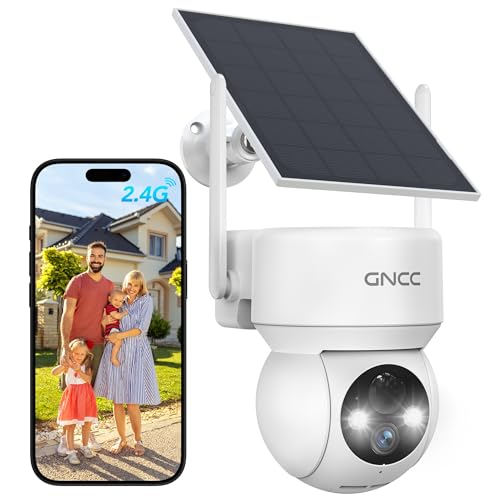
- 【360° Full View with Color Night Vision】The camera for home security...
- 【Solar/Battery-Powered & Weather-Resistant】Equipped with a 3W solar...
- 【Smart PIR Motion Detection with AI Recognition】This outdoor security...
Does the battery level affect SD card formatting on solar cameras?
Yes, a low battery can interrupt the formatting process. The camera needs stable power to write the file system correctly.
Always make sure your camera is fully charged before you try to format a new card. I wait for a sunny day to do any setup work.