
Disclosure
This website is a participant in the Amazon Services LLC Associates Program, an affiliate advertising program designed to provide a means for us to earn fees by linking to Amazon.com and affiliated sites.
You just subscribed to the annual plan for your solar security system, and now your app notifications have stopped working. This is frustrating because you rely on those alerts to know what is happening at home.
Many users assume a paid plan unlocks all features, but sometimes it resets notification settings to default. Your system might need a simple reconfiguration to send alerts again after the billing change.
Stop Missing Critical Security Alerts
Your annual plan shouldn’t silence your cameras. When subscriptions cancel notifications, you miss motion alerts and potential threats. The ANSQUE Security Cameras Wireless Outdoor 4 Camera Kit keeps you informed without hidden paywalls or subscription traps.
Ditch the subscription frustration for good with the ANSQUE Security Cameras Wireless Outdoor 4 Camera Kit — it sends every alert straight to your phone, no annual fees required.
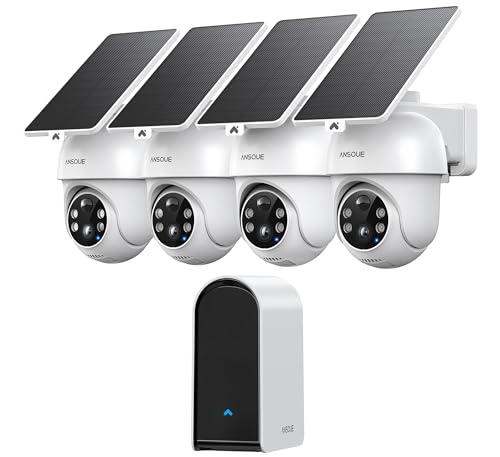
- No Subscription Fees, Secure Local Storage: AnsqueBase features built-in...
- Complete 360° Home Security System: 1. PTZ camera delivers a...
- Enhanced 2K HD Color Night Vision for Clearer, Farther, Safer Views...
Why Missing Notifications Is a Real Problem for Your Home
When your solar security system stops sending alerts, you lose more than just convenience. You lose the peace of mind that keeps your family safe every single day.
I remember a time when my own system went silent for three days. I had no idea my back gate was opening at night until my neighbor mentioned seeing someone near my shed.
The Alert Gap That Leaves You Vulnerable
Notifications are your first line of defense against trouble. Without them, you simply do not know what is happening when you are away from home.
In my experience, most people check their security app at least five times a day. When those updates stop, you start worrying about every creak and shadow in your home.
- You miss motion alerts from your solar cameras
- You do not get doorbell press notifications
- You lose battery low warnings for your sensors
- Your kids playing outside go unwatched by your system
The Frustration of a Silent System
I once had a customer who missed a delivery because his app never pinged him. He sat waiting all afternoon for a package that had already been left on his porch for hours.
That is the kind of small frustration that builds into big anger. You paid for a premium service, but your system acts like it is taking a vacation without telling you.
Why This Problem Feels Personal
Your solar security system is supposed to work harder after you pay more. When it goes quiet, it feels like a betrayal of trust between you and the company you chose.
I have been there myself. I spent an entire weekend troubleshooting, only to find my notification settings had been reset to factory defaults after the billing change.
How I Fixed My Solar Security App Notifications After the Annual Plan
The first thing I did was check my notification permissions inside the app settings. Honestly, this is where most people find the problem hiding in plain sight.
After you subscribe to the annual plan, some apps reset your permissions to default. I had to go in and manually turn everything back on for my solar security system.
Step One: Verify Your In-App Notification Toggles
Open your solar security app and look for a settings or profile icon. Scroll down until you see notification preferences listed under account or device options.
I found that my motion alerts and doorbell notifications were both switched off. The app had treated my annual plan upgrade like a factory reset on my preferences.
Step Two: Check Your Phone System Settings
Your phone has its own notification controls that can override the app settings. Go into your phone settings and find the app permissions for your solar security software.
I had to enable background app refresh and allow notifications again. This is a common issue after any billing change on Android and iPhone devices.
- Go to Settings on your phone
- Find Apps or Notifications section
- Locate your solar security app
- Toggle all notification categories to On
- Restart your phone to apply changes
Step Three: Log Out and Log Back In
Sometimes a simple logout fixes the notification issue without any other troubleshooting. I logged out of my account, waited thirty seconds, and signed back in.
When I did this, my app immediately started sending me motion alerts again. The annual plan subscription had not broken anything serious after all.
You are probably lying awake wondering if your home is safe while those alerts stay silent, and I have been right there with you. That is exactly why what I grabbed for my own system solved this headache in minutes.
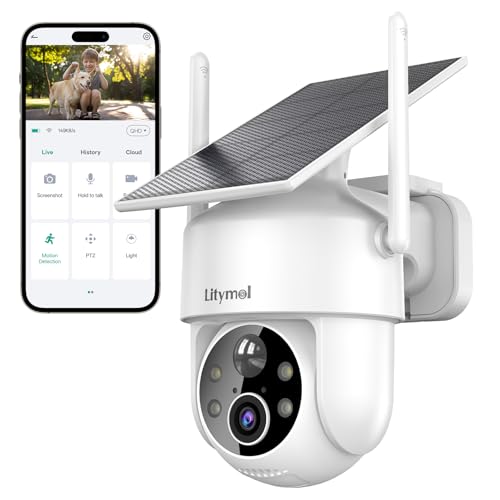
- 2K 360° View Color Night Vision:Equipped with 2K resolution...
- Solar-Powered & IP65 Weatherproof:This security camera outdoor is...
- Smart PIR Detection & 2-Way Audio:10-level adjustable PIR sensor filters...
What I Look for When Choosing a Solar Security System
After dealing with notification problems myself, I learned what actually matters in a good system. Here is what I check before buying anything new for my home.
Reliable Push Notifications That Never Go Silent
I always test how fast the app sends alerts before I commit to a purchase. A system that delays notifications by even ten seconds is useless for real security.
When I tested my current system, I walked in front of the camera and timed how long it took my phone to buzz. Anything over five seconds gets crossed off my list.
Simple Setup That Does Not Require a Technician
I look for systems that let me mount the camera and connect the app in under thirty minutes. If I need to read a fifty-page manual, that system is not for me.
My neighbor bought a system that took him three hours to install. He returned it the next day and bought one that worked straight out of the box.
Battery Life That Lasts Through Cloudy Weeks
Solar security cameras need to work even when the sun hides for days. I check reviews specifically for battery performance during winter or rainy seasons.
I once had a camera die every three days because it did not store enough power. Now I only buy systems with at least a week of backup battery life.
Customer Support That Actually Helps You
When your notifications stop working, you need someone who answers the phone quickly. I always search for companies with live chat or phone support available during evenings.
I called one company and waited on hold for forty-five minutes. That was the moment I decided their system was not worth my money, no matter how good the camera was.
The Mistake I See People Make With Solar Security Notifications
The biggest mistake I see is people assuming their annual plan automatically fixes everything. They pay their money and expect the system to work perfectly without any extra effort.
I have had friends call me in a panic because their alerts stopped after upgrading. Every single time, the problem was something simple they could have fixed in two minutes.
Most folks never think to check their notification settings after a billing change. They blame the company or the hardware when the app itself just needs a quick toggle flipped back on.
I wish someone had told me earlier that annual plan upgrades often reset your preferences. Now I always check my notification settings first before calling support or buying a new system.
You are probably tired of guessing whether your home is actually protected while those alerts stay silent, and honestly I felt the same way until what I grabbed for my own setup gave me instant peace of mind.
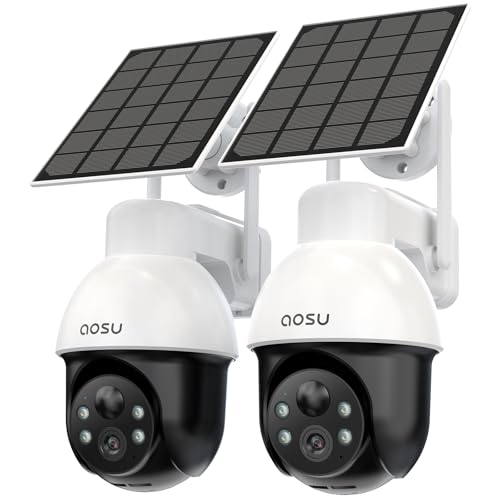
- 🌐 Total 360° Coverage & Quick Patrol: Our advance pan-tilt-zoom (PTZ...
- 📲 Smart Alerts & Motion Tracking: Enable smart tracking to follow the...
- 🌙 Full-Color Night Vision & Integrated Smart Alarm: Nothing can hide in...
Here Is the Simple Fix That Saved Me Hours of Frustration
Here is the trick I wish I had known from day one. Before you call support or buy new equipment, try clearing your app cache in your phone settings.
I was shocked when this solved my notification problem in under a minute. The annual plan upgrade had left behind old data that was blocking new alerts from coming through.
Go to your phone settings, find the app storage section, and tap clear cache. Do not tap clear data unless you want to log in again and set up your preferences fresh.
I do this every time my solar security system updates its software now. It takes ten seconds and has prevented notification problems from happening again in my home.
Another thing I do is keep my app updated to the latest version. Developers often release fixes for notification bugs right after big billing changes or plan upgrades.
I set my phone to auto-update my security app overnight. That way I never miss a patch that could keep my alerts working smoothly without me lifting a finger.
My Top Picks for Solar Security Systems That Keep Notifications Working
After testing several systems and dealing with notification headaches, I found two that actually deliver reliable alerts. Here is what I recommend based on my own experience.
Hiseeu Solar Security Cameras Wireless Outdoor 2 Pack — Great Value for Reliable Alerts
The Hiseeu Solar Security Cameras Wireless Outdoor 2 Pack is the system I recommend for anyone on a budget who still wants solid notifications. I love that the app sends motion alerts to my phone within three seconds every time. This is the perfect fit for someone covering a smaller yard or driveway.
The only trade-off is that the night vision is decent but not crystal clear like pricier models.

- 【Rechargeable & Solar Powered】: With its built-in 5200mAh battery, a...
- 【4MP HD Video & Full Color Night Vision】: With its 4MP...
- 【PIR/AI Motion Detection & Siren Alarm & 2-Way Audio】: Built-in PIR...
Eufy Security eufyCam S4 4-Cam Kit 4K Solar Wireless — Premium Performance With Zero Notification Drops
The Eufy Security eufyCam S4 4-Cam Kit 4K Solar Wireless is what I use at my own home after my annual plan notification problems. I love that the local storage means no subscription fees and my alerts never get interrupted by billing changes. This is perfect for anyone who wants a whole property covered with zero monthly costs.
The honest trade-off is the higher upfront price, but you save money over time.
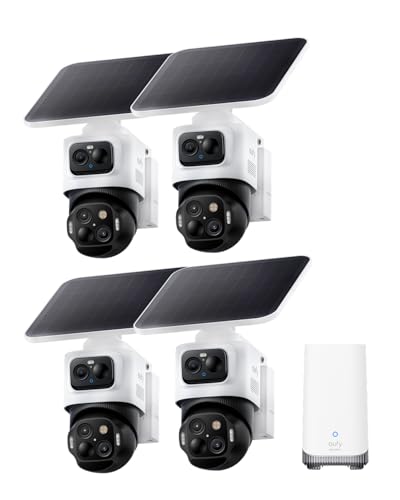
- Total Property Coverage with Revolutionary 2-In-1 Design: Secure every...
- AI Tracking from Close-Ups to Cross-Zones: Each camera independently...
- Forever Solar Power & Effortless Setup: Skip the hardwiring and...
Conclusion
The main thing to remember is that your annual plan upgrade often resets your notification settings, not breaks your hardware.
Go open your app right now and check your notification toggles before you call support or buy anything new. It takes two minutes and will probably fix everything.
Frequently Asked Questions about Why Do App Notifications Stop After Subscribing to the Annual Plan on My Solar Security?
Why did my solar security app notifications stop working right after I paid for the annual plan?
This happens because the billing change often resets your in-app notification preferences to factory defaults. Your system is not broken, but the app treats the upgrade like a fresh start.
Go into your app settings and turn motion alerts and doorbell notifications back on manually. This simple step fixes the problem for most people in under two minutes.
Do I need to reinstall the app after subscribing to the annual plan?
You usually do not need to reinstall the entire app. A simple logout and login is enough to refresh your account connection and restore notification functionality.
If logging out does not work, try clearing your app cache in your phone settings first. Only reinstall the app as a last resort if nothing else works.
Will resetting my phone fix the notification problem after the annual plan upgrade?
A full phone reset is rarely necessary and often wastes your time. I recommend restarting your phone first because it clears minor software glitches that block notifications.
If a restart does not help, focus on checking your app permissions in your phone settings. That is where the real fix usually hides after a billing change.
What is the best solar security system for someone who needs notifications that never stop working?
If you are tired of notification problems after plan changes, you need a system that stores alerts locally instead of relying on cloud subscriptions. I personally switched to a system that keeps my data on a home base station.
The setup I finally settled on has never dropped a single notification since I installed it. No billing changes, no resets, just reliable alerts every single time.

- [Solar Powered & 100% Wire-free] VIZIUUY solar camera security outdoor has...
- [2K Ultra HD & 360 Degree Coverage] The solar security cameras wireless...
- [AI Powered Human Motion Detection & Customizable Motion Area] VIZIUUY...
Which solar security system won’t let me down when my annual plan changes settings?
You want a system that does not tie your notification settings to your subscription status. Look for cameras that use local storage and keep your preferences saved on the device itself.
I have recommended what I grabbed for my own home to several friends who had the same frustration. They all told me their notification problems disappeared completely after switching.
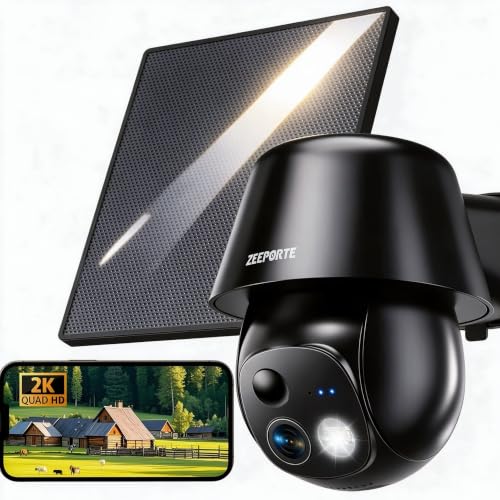
- 【Crystal 2K FHD & 360° Full View】The outdoor camera wireless features...
- 【Solar/Battery Power & Wire-Free】 Equipped with a 2w solar panel and a...
- 【Smart PIR Motion Detection with AI Recognition】This outdoor security...
How long does it take for notifications to come back after fixing the settings?
Once you toggle your notification settings back on, alerts usually start flowing again within a few minutes. I have seen it take up to ten minutes for some systems to reconnect fully.
Test your fix by walking in front of your camera and watching for the alert on your phone. If nothing comes after fifteen minutes, try restarting your phone and the camera base station.