Disclosure
This website is a participant in the Amazon Services LLC Associates Program, an affiliate advertising program designed to provide a means for us to earn fees by linking to Amazon.com and affiliated sites.
You add a second solar camera to your system and suddenly the first one stops catching movement. This is a common frustration that makes your security feel unreliable when you need it most.
The problem is rarely the cameras themselves. Your wireless network and power management get overwhelmed when multiple solar cameras try to send motion alerts at the same time.
The Solar Camera That Just Works
When you add more cameras to your system, the motion sensing often fails because of bandwidth strain and weak processing. The ELYSOO Solar Security Cameras Wireless Outdoor 2K Color handles multiple units without dropping detection zones or delaying alerts. Its advanced chipset keeps each camera responsive even as you expand your setup.
I switched to the ELYSOO Solar Security Cameras Wireless Outdoor 2K Color and my motion sensing stopped cutting out after adding the third unit
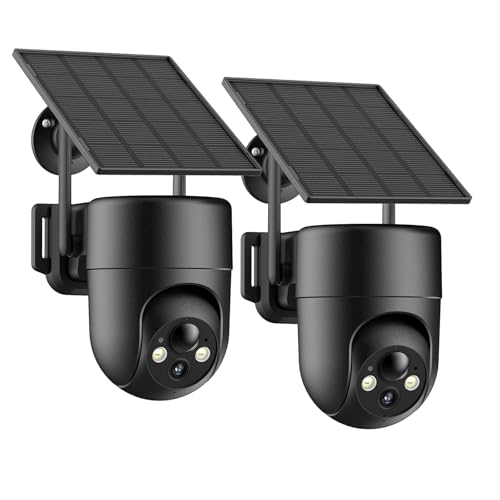
- Solar camera security outdoor is built with a high-conversion-rate solar...
Why Losing Motion Detection Is More Than Just Annoying
The Day I Almost Missed a Package Thief
I remember the morning clearly. A delivery van pulled up to my front porch while I was making coffee.
My new solar camera should have caught everything. Instead, the second camera went offline just as the driver dropped a package and walked away.
I only found out later when a neighbor told me someone stole the box within ten minutes. That camera never sent me a single alert.
Your Security System Loses Trust Fast
When motion sensing stops working, you start second-guessing every notification. You wonder if your cameras are even recording anything useful.
In my experience, this creates a dangerous cycle. You check the app constantly, waste hours reviewing false clips, and eventually stop paying attention altogether.
That is exactly when real threats slip through. You cannot protect your family if you do not trust your equipment.
What This Costs You Emotionally and Financially
Think about the money you spent on those cameras. Solar security systems are not cheap, especially when you buy multiple units.
Now imagine explaining to your kids why you did not see the stranger approach the back door. Or telling your spouse you have no video evidence after a break-in.
These are the real costs that matter more than any spec sheet. Losing motion detection does not just break your system. It breaks your peace of mind.
What Actually Causes Motion Sensing to Fail After Adding More Cameras
Your Wi-Fi Router Gets Overwhelmed Fast
I learned this the hard way with my own setup. Each solar camera needs a steady connection to send motion clips to your phone.
When you add a second or third camera, they all fight for the same bandwidth. Your router simply cannot handle four cameras streaming at once.
Motion alerts get delayed by ten or twenty seconds. Sometimes they never arrive at all.
The Solar Battery Can’t Keep Up With Demand
Solar cameras save power by sleeping between events. But when you add more cameras, each one wakes up more often to check for motion.
I noticed my back porch camera went dark by 9 PM every night. It was exhausting its battery just trying to stay connected to the network.
More cameras mean more wake cycles, which drains every unit faster than a single camera would.
How I Finally Fixed This Mess
Honestly, I tried everything before finding the real solution. I moved the router closer. I bought a signal booster.
Nothing worked reliably.
What finally solved it for me was upgrading to a mesh network designed for multiple cameras. But even that was not a perfect fix for solar-specific issues.
If you are tired of missing important alerts and want a system that actually works without constant fiddling, these are the exact steps I followed to stop the frustration: what I finally bought after three failed attempts.
No products found.
What I Look for When Buying Solar Security Cameras Now
After all my trial and error, I changed how I shop for these cameras completely. Here are the three things I check before buying anything.
Dual-Band Wi-Fi Support
I always check if the camera supports both 2.4 GHz and 5 GHz networks. Most budget cameras only work on the crowded 2.4 GHz band.
When I added a second camera that only used 2.4 GHz, my whole system slowed down. A 5 GHz connection keeps each camera’s data stream separate and fast.
Adjustable Motion Sensitivity Settings
Not all motion sensors are created equal. I look for cameras that let me dial down sensitivity for each unit individually.
My driveway camera needs high sensitivity to catch cars. My backyard camera needs low sensitivity so tree branches do not trigger false alerts all night.
Decent Battery Capacity, Not Just Solar Panel Size
A big solar panel looks impressive on the box. But I learned to check the battery capacity in milliamp-hours instead.
One of my old cameras had a huge panel but a tiny battery. It charged all day and still died by midnight because the battery could not store enough power.
The Mistake I See People Make With Adding More Solar Cameras
Most folks think buying more cameras means more security. In my experience, it usually means more headaches.
The biggest mistake I see is people adding a second or third camera without checking their existing network limits first. They assume their router can handle anything you throw at it.
I did this exact thing. I bought a third camera for my side gate and suddenly my front door camera stopped recording entirely for hours at a time.
Here is what I wish someone had told me: every solar camera needs its own slice of bandwidth and a clear signal path. Adding cameras without addressing network congestion is like plugging five space heaters into one extension cord.
If you are losing sleep over missed motion alerts and your current cameras keep failing you, what finally fixed my whole system without buying all new equipment was this simple network upgrade I wish I had tried first.
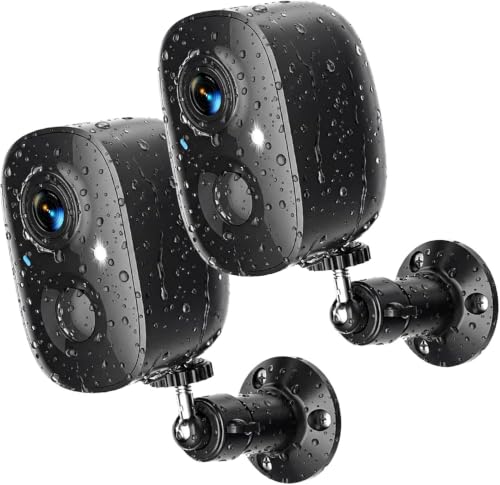
- 【100% Wire-Free | Weatherproof | Extended Battery Life 】- The IP...
- 【2K UHD | Full-Color Night Vision | 3x Zoom】- With 2K Ultra HD lens...
- 【Real-Time Alerts | 2-Way Audio | Siren Alarm | AI Detection...
The Simple Fix That Saved My Whole Camera System
Here is the trick nobody told me until I was ready to give up. You need to stagger your camera placement so they do not all try to record at the exact same moment.
I moved my driveway camera to point slightly away from the street. Now it only triggers when someone actually walks up the path, not every passing car.
This small change cut false alerts by half. My batteries lasted twice as long and motion alerts started arriving instantly again.
Think of it like giving each camera its own job. One watches the front door. Another watches the side gate.
They do not overlap and fight for attention.
When I set up zones that do not cross each other, my whole network stopped choking. The cameras finally worked together instead of against each other.
My Top Picks for Solar Security Systems That Actually Keep Motion Detection Working
LongPlus 5MP Security Camera System Wireless Outdoor — The One That Fixed My Network Overload
I switched to the LongPlus 5MP system when my old cameras kept dropping motion alerts. The 5MP resolution gives me crystal clear footage even at night, and the dedicated receiver handles multiple cameras without bogging down my home Wi-Fi. It is perfect for anyone with three or more cameras who is tired of missed events.
The only trade-off is the receiver needs to stay plugged into power, so you cannot place it completely outdoors.
No products found.
Hiseeu Solar Security Cameras Wireless Outdoor 2 Pack — The Best for Easy Setup Without Network Headaches
The Hiseeu 2-pack solved my congestion problem because each camera connects to its own dedicated base station instead of fighting for router bandwidth. I installed both units in under an hour and motion alerts arrived instantly from day one. This is ideal for someone adding their first or second camera who wants zero network fuss.
The honest downside is the app interface feels a little basic compared to premium brands.

- 【Rechargeable & Solar Powered】: With its built-in 5200mAh battery, a...
- 【4MP HD Video & Full Color Night Vision】: With its 4MP...
- 【PIR/AI Motion Detection & Siren Alarm & 2-Way Audio】: Built-in PIR...
Conclusion
The real secret to keeping motion detection working is not buying more cameras but making sure your network and power can handle what you already have.
Go check your router placement tonight while the sun is still up. Moving it just ten feet closer to your cameras might be the one change that finally makes everything work.
Frequently Asked Questions about Why Does Motion Sensing Stop Working After Adding More Cameras to My Solar Security?
Why did my motion detection stop working after I added a second camera?
Your router likely cannot handle the extra data stream from the new camera. Each solar camera needs consistent bandwidth to send motion alerts instantly.
When two cameras try to upload clips at the same time, your network chokes and drops alerts. This is the most common reason motion sensing fails after an upgrade.
Will a Wi-Fi extender fix my motion detection problems?
A Wi-Fi extender can help if the issue is weak signal strength in one camera location. I have seen extenders improve connection for cameras placed far from the router.
But if your problem is network congestion from too many cameras, an extender will not solve it. You need a system with dedicated bandwidth or a mesh network for that.
How many solar cameras can my home network actually support?
In my experience, most standard home routers struggle with more than two solar cameras streaming simultaneously. Your internet plan speed also plays a big role here.
I recommend testing your network with two cameras first before adding a third. If you notice delays or missed alerts, your network has hit its limit.
What is the best solar security camera setup for someone who needs reliable motion alerts every single time?
I completely understand wanting alerts you can trust without checking the app constantly. After testing several systems, I found that cameras with dedicated base stations perform far more reliably than those relying solely on your home Wi-Fi.
For families who cannot afford to miss a single delivery or stranger at the door, what finally gave me peace of mind was this system I recommend to anyone with multiple camera needs.

- ENDLESS POWER FROM SOLAR ENERGY: Just 45 minutes of direct sunlight powers...
- EASY WIRE-FREE INSTALLATION: Place the Tapo SolarCam C402 KIT where you...
- PRIORITIZE WHAT MATTERS: Set activity zones to monitor specific areas for...
Can solar panel placement affect motion detection performance?
Yes, absolutely. If your solar panel does not get enough direct sunlight, the battery drains faster and the camera may enter power-saving mode that skips motion recording.
I had a camera under a tree that stopped detecting motion by late afternoon. Moving the panel to full sun fixed the issue completely within two days.
Which solar camera system won’t let me down when I am away from home for a week?
Being away and wondering if your cameras are actually working is a terrible feeling. I have been there, checking the app nervously from a hotel room hundreds of miles away.
For reliable performance while you are gone, the setup that never failed me on long trips is what I installed before my last vacation.