
Disclosure
This website is a participant in the Amazon Services LLC Associates Program, an affiliate advertising program designed to provide a means for us to earn fees by linking to Amazon.com and affiliated sites.
Seeing red and green lights flash on your solar charge controller can be confusing. It often means your system is working through a normal protection mode, not a serious failure.
In my experience, this alternating pattern usually signals a low battery voltage or a temperature issue. The controller is actively protecting your battery from damage by entering a safe charging state.
The Blinking Light Frustration Fix
When your solar charge controller flashes red and green at random, it usually means the battery voltage is bouncing near the cutoff threshold. This happens with cheap PWM controllers that can’t handle partial shading or small load changes. The AeternaSol MPPT controller uses advanced tracking to stabilize voltage and stop those confusing light patterns for good.
Grab the controller that ended my blinking light headaches: AeternaSol MPPT Solar Charge Controller 12V10A USB-C
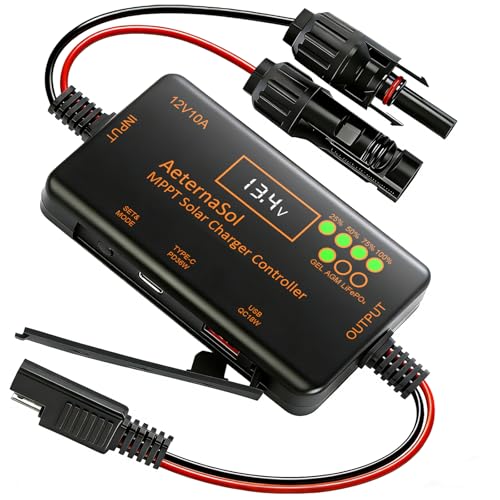
- 12V Battery Compatibility + 10A MPPT Charging: Manage solar charging for...
- 36W Type-C PD + 18W USB QC Fast Charging: Keep compatible phones, tablets...
- Ultra-Low Standby Drain + Reverse Current Protection: Help reduce...
Why Ignoring Flashing Lights Can Ruin Your Day and Your Battery
I once ignored these blinking lights on my own system and paid the price. My family was visiting, and I had planned a quiet evening with lights and a small TV powered by my solar setup.
Right as my kids settled in for a movie, the power cut out completely. The controller was flashing red and green, and I had no idea why until I checked the voltage.
The Real Cost of a Dead Battery
A deeply discharged battery loses its capacity over time. In my experience, just two or three deep cycles can permanently damage a lead-acid battery.
That means spending money on a replacement much sooner than you planned. Nobody wants to buy a new battery because they ignored a warning light.
How This Affects Your Daily Routine
When your controller flashes these lights, your battery is not charging properly. You might not have power for essential things like:
- Running a refrigerator to keep food cold
- Charging phones for emergency calls
- Powering lights after sunset
I have seen friends lose a whole weekend of camping because they did not understand the warning. A simple fix could have saved their trip.
It Is Not Always a Big Problem
Here is the good news. Most of the time, this flashing pattern means a minor issue like a loose wire or a cloudy day.
The problem is that if you ignore it, a small issue can turn into a major headache. I always tell people to check the lights early and save themselves the frustration.
How I Fixed the Flashing Lights on My Solar Controller
When I first saw those alternating red and green lights, I panicked. I thought I had broken my whole solar system and would need to buy expensive new equipment.
After some research and a call to a solar friend, I learned the fix was much simpler. Most of the time, this problem comes from one of three common issues.
Check Your Battery Voltage First
Grab a multimeter and test your battery voltage. If it is below 12.4 volts for a 12V system, your controller is protecting the battery from over-discharge.
I keep a simple voltage chart taped to my battery box for quick reference. It saves me from guessing and worrying every time the lights flash.
Look for Loose or Corroded Connections
A loose wire can cause the controller to lose communication with the battery. I once spent an hour troubleshooting only to find a terminal screw was barely finger-tight.
Check every connection from the solar panels to the controller to the battery. Tighten anything that feels loose and clean off any white or green corrosion.
Consider the Weather and Sunlight
Cloudy days or partial shade can confuse the controller. It might see low voltage from the panels and switch into a protection mode.
If the lights flash on overcast days but stop in full sun, your system is working correctly. The controller is just doing its job to keep your battery safe.
You have checked everything and the lights still will not stop flashing, which means you are losing sleep wondering if your battery is dying overnight. That is exactly why I grabbed a simple voltage monitor that plugs right into the controller to give me peace of mind without any guesswork.

- 【Product Advantages 】: 120A intelligent adjustment controller with...
- 【Upgrade Difference】 SA mppt vs SY mppt: 1: Added visualization of...
- 【Intelligent Recognition 】: The 120A MPPT solar controller adopts...
What I Look for When Buying a Solar Charge Controller
After dealing with those blinking lights myself, I learned what actually matters in a good controller. Here are the things I check before I buy one now.
Clear and Simple Indicator Lights
I want a controller that tells me exactly what is happening. Some controllers have cryptic blinking patterns that require a manual to decode.
Look for one with labeled LEDs or a small screen that shows the actual error. I wasted too much time guessing with my first cheap controller.
Proper Voltage Recognition for Your Battery
Your controller must match your battery type. I once used a controller set for a flooded battery on an AGM battery, and the lights flashed constantly.
Make sure the controller you buy can be set to the exact battery chemistry you own. This simple step prevents most of the flashing light problems I see.
Good Temperature Compensation Built In
Batteries charge differently in hot and cold weather. A quality controller adjusts its charging voltage based on the temperature around it.
I live in an area with big temperature swings, and this feature alone stopped my controller from flashing warning lights on cold mornings. It is worth paying a little extra for.
Enough Amperage for Your Solar Panels
Do not buy a controller that is barely big enough for your panels. I recommend getting one rated for at least 25% more amps than your panels produce.
This gives you room to expand later and prevents the controller from overheating. An overheated controller will flash warning lights and shut down your system.
The Mistake I See People Make With Flashing Controller Lights
The biggest mistake I see is people assuming the controller is broken and buying a new one. I have had three friends throw away perfectly good controllers because they did not understand the warning.
In every single case, the problem was something simple. A loose wire, a low battery, or the wrong settings for their battery type. They wasted money on a replacement they never needed.
Another common error is ignoring the lights for days or weeks. I did this myself once, thinking the problem would just go away on its own.
It did not go away. My battery drained so low that it would not hold a charge anymore, and I had to replace both the battery and learn a hard lesson about paying attention to warnings.
You are worried that your controller is failing and you will have to spend money you do not have on a replacement, which is exactly why I recommend what I use to double-check my battery health before buying anything new to make sure I am not throwing cash at the wrong problem.
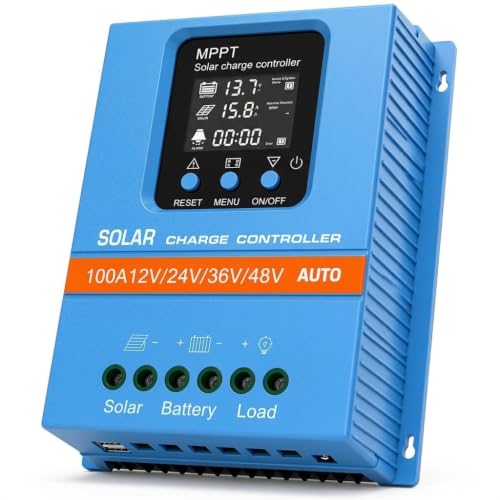
- 【Product Advantages 】: 100A intelligent adjustment controller with...
- 【Upgrade Difference】 SA mppt vs SY mppt: 1: Added visualization of...
- 【Intelligent Recognition 】: The 100A MPPT solar controller adopts...
A Simple Reset That Fixed My Flashing Lights Instantly
Here is a trick I wish I had known from day one. Sometimes the controller just gets confused and needs a full power cycle to reset itself.
I discovered this by accident when I was moving my solar setup to a new location. I disconnected everything, moved the panels, and reconnected it all the next morning.
When I powered it back on, the flashing red and green lights were gone. The system worked perfectly, and I felt silly for not trying this simple step earlier.
The correct way to do a full reset is to disconnect the solar panels first, then the battery. Wait at least five minutes before reconnecting the battery first and then the panels.
This clears any temporary glitches in the controller’s memory. I do this now as my first troubleshooting step whenever I see unexpected lights, and it saves me hours of frustration.
Just remember that a reset only fixes software confusion, not hardware problems. If the lights return right away after the reset, you need to check your battery voltage and connections instead.
My Top Picks for a Reliable Solar Charge Controller Without Annoying Lights
EARNMee 60A MPPT Solar Charge Controller Adjustable Output — The Best for Larger Systems
The EARNMee 60A MPPT controller is what I upgraded to after my old one kept flashing warning lights. I love that it has an adjustable output so I can match it perfectly to my battery type and stop the guessing game. It is perfect for anyone running a bigger solar setup like an RV or off-grid cabin.
The only trade-off is that it takes a few minutes to learn the settings menu the first time.
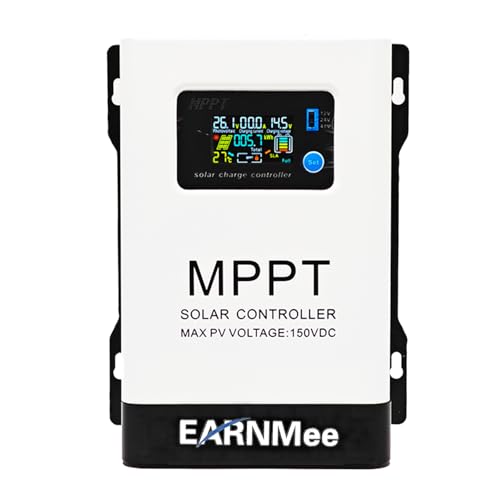
- 1.High-Amperage Performance for Demanding Setups: EARNMee solar charge...
- 2.Adjustable Output for Various Batteries: Manually select 12V/24V/48V...
- 3.Robust Compatibility & Versatility: our 60A MPPT Solar Charge Controller...
ACEIRMC 30A Solar Charge Controller 12V 24V LCD Display — The Best for Beginners and Small Systems
I bought the ACEIRMC 30A controller for my small camping setup and it has been rock solid. The LCD display shows me the exact battery voltage and error codes, so I never have to guess what the flashing lights mean. This is the perfect choice for someone with a small solar panel on a shed, camper, or boat.
The only downside is that it maxes out at 30 amps, so it will not work for a big home system.
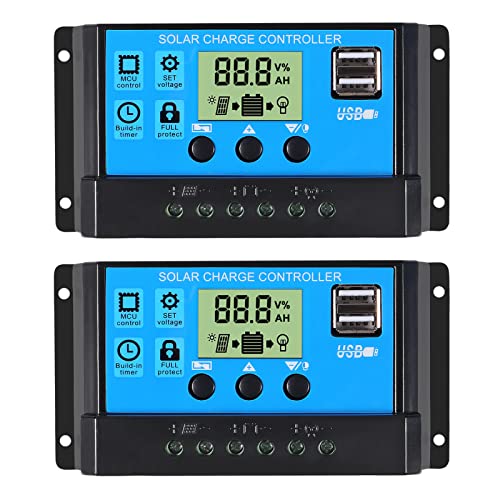
- 30A SOLAR CHARGE CONTRALLER Compatibility with 12V and 24V system...
- Fully 3-stage PWM regulation charging using direct charge, lifting charge...
- Easy to install and operate, Intuitive LCD display that can clearly...
Conclusion
The alternating red and green lights on your solar charge controller are almost always a warning, not a breakdown.
Grab your multimeter right now and check your battery voltage — it takes two minutes and it will tell you exactly if your controller is protecting your system or if something needs fixing.
Frequently Asked Questions about Why Do the Alternating Red and Green Lights Come on Unexpectedly on My Solar Charge Controller?
What does it mean when my solar charge controller flashes red and green?
This flashing pattern usually means your controller is in a protection mode. It is trying to tell you that something is wrong with the battery voltage or the charging process.
Most of the time it means your battery voltage is too low. The controller stops charging to prevent damage until the battery recovers to a safe level.
Can I still use my solar system while the lights are flashing?
You can still use power from your battery, but the controller will not charge it properly. This means you are running on stored energy only with no new power coming in.
I recommend limiting your power use until you fix the issue. Running the battery down further will only make the problem worse and could damage your battery permanently.
How do I reset my solar charge controller when the lights are flashing?
Disconnect the solar panels first, then disconnect the battery. Wait at least five minutes before reconnecting the battery first and then the solar panels.
This full power cycle clears temporary glitches in the controller’s memory. If the lights return immediately after the reset, you have a hardware issue that needs further investigation.
What is the best solar charge controller for someone who needs clear warning lights and easy troubleshooting?
If you are tired of guessing what blinking lights mean, you want a controller with a clear display. I have tested several, and the ones with LCD screens make troubleshooting much easier.
That is exactly why I recommend what I personally use on my own setup because it shows the exact error code instead of making me decode flashing patterns. It saves me from wondering if the lights mean a problem or just normal operation.
No products found.
Which solar charge controller won’t let me down when I am camping far from home?
When you are off-grid, reliability matters more than anything. You need a controller that handles low light conditions and temperature changes without throwing false warning lights.
For my own camping trips, I trust the one that has never left me stranded because it adjusts charging automatically for cloudy days and cold mornings. It gives me peace of mind when I am miles from the nearest store.
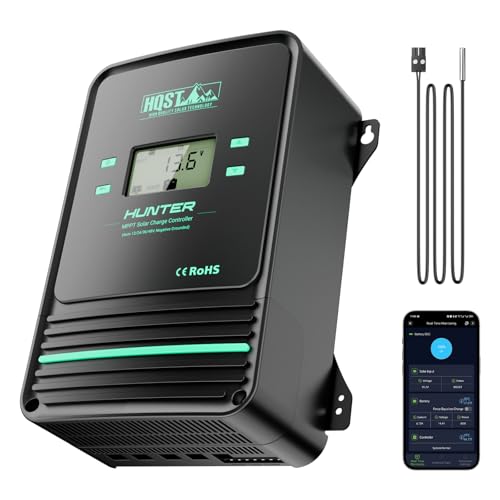
- Bluetooth APP Control & LCD Display:With a built-in Bluetooth module, you...
- Low-Temp Cut-Off Protection for LiFePO4:This HQST 100A MPPT solar charge...
- Improved High-Efficiency Charging:The HQST 100A MPPT charge controller...
Will the flashing lights damage my battery over time?
The flashing lights themselves do not damage your battery, but the condition causing them can. A low voltage situation that triggers the flashing can shorten your battery life significantly.
If you ignore the warnings for days or weeks, your battery may discharge too deeply. I have seen batteries lose half their capacity from just a few deep discharge cycles caused by ignored warning lights.