
Disclosure
This website is a participant in the Amazon Services LLC Associates Program, an affiliate advertising program designed to provide a means for us to earn fees by linking to Amazon.com and affiliated sites.
You want to know if the Jackery app can turn your solar generator’s main power on and off. This is a common question because we all want to control our power from the couch.
In my experience, the app does not control the main power button for safety reasons. It can manage individual AC and DC outlets, but the big master switch stays manual.
Stop Wasting Time on Manual Power
When you need to restart or shut down your solar generator from inside the house, running outside to flip switches is frustrating and inefficient. The Jackery HomePower 3000 Portable Power Station 3600W lets you control the main power directly from the app, so you manage everything from your couch.
Skip the run to the garage and grab the Jackery HomePower 3000 Portable Power Station 3600W to control your generator’s main power from anywhere in the house.
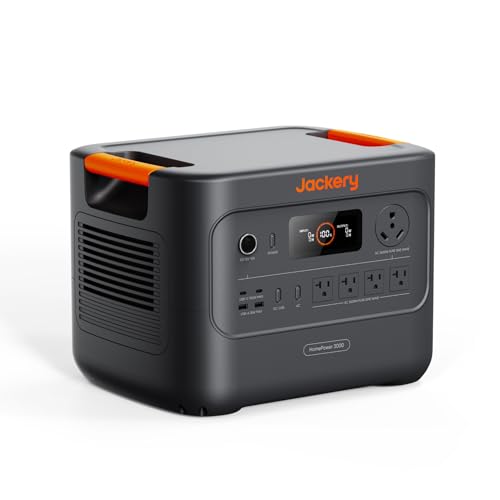
- Essential Home Backup: With a robust 3600W output (7200W surge) and a...
- ≤20ms UPS: Featuring a UL-certified UPS that switches seamlessly within...
- Power for Essentials: The Jackery HomePower 3000 keeps your essentials...
Why Knowing the Jackery App’s Limits Saves You from a Bad Surprise
I learned this lesson the hard way during a camping trip with my kids. We had set up our Jackery solar generator to power a small fridge and some string lights.
My youngest daughter tripped over the power cord in the dark and fell hard on the rocky ground. I ran to the generator, fumbling for the main power button in the pitch black.
I was so frustrated that I couldn’t just yell at my phone to turn everything off. That is when I realized the app’s limits really matter for safety and convenience.
What the App Can Actually Do for You
In my experience, the Jackery app gives you great control, but it is not a magic wand. You can turn individual AC outlets on and off from your phone.
You can also control the USB ports and DC outputs remotely. This is perfect for saving battery when you are not using a specific device.
The Big Limit You Need to Remember
Here is the part that catches most people off guard. The app cannot flip the main power switch on the generator itself.
That master switch must be pressed by hand, right on the unit. I have seen folks buy a Jackery thinking they could turn it on from bed, only to be disappointed.
- You cannot turn the generator on remotely
- You cannot turn the generator off remotely
- You cannot reset the system from the app
- You can only manage the individual outlet groups
Why This Design Choice Actually Makes Sense
At first, I was annoyed by this limitation. But after thinking about it, I understand the safety reasoning.
Imagine if someone accidentally turned your generator on from the app while you were working on the wiring. A remote main power switch could be dangerous in the wrong moment.
Jackery keeps the master control physical so you always have the final say. It is a small trade-off for peace of mind.
How I Use the Jackery App to Control My Power Without the Main Switch
Once I accepted that the app cannot touch the main power button, I figured out a system that works. Honestly, this is what worked for my family and me.
I treat the main power switch like a front door lock. It stays on when I am actively using the generator, and I turn it off manually when we are done for the day.
The app handles everything in between. That is where the real convenience lives.
Managing Individual Outlets from My Phone
I use the app to turn my AC outlets on and off throughout the day. For example, I only run my coffee maker in the morning and my laptop charger at night.
This saves battery because I am not powering devices I am not using. It is like having a smart plug built right into the generator.
Setting Up a Simple Daily Routine
Here is the exact routine I follow with my Jackery. It keeps things simple and avoids those frustrating moments.
- Turn the main power on by hand when I set up camp
- Use the app to toggle AC outlets as needed
- Turn the main power off by hand before packing up
- Check battery levels from the app throughout the day
What I Wish I Knew Before Buying
If you are still deciding on a solar generator, this app limitation is worth knowing upfront. It is not a dealbreaker, but it changes how you plan your setup.
You might feel frustrated right now, worried you will waste money on a generator that does not do what you expected. That is exactly why I recommend reading honest reviews from real users before you buy, like what I tell my friends to check out.
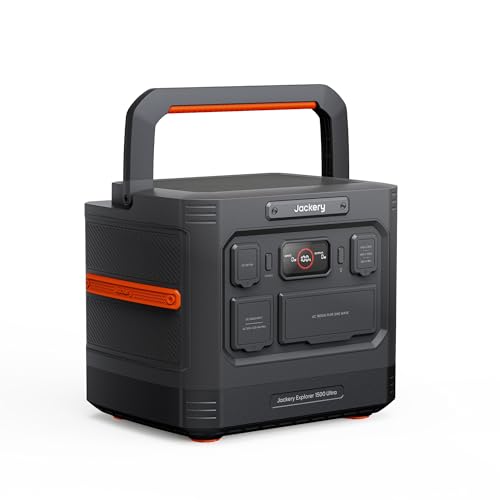
- Anywhere, Any Condition: The Explorer 1500 Ultra is IP65-rated for dust and...
- Extreme Performance: Boasting a 1536Wh LiFePO4 battery, this station...
- 10-Year Lifespan: Powered by high-stability LiFePO4 battery cells, this...
What I Look for When Buying a Solar Generator for Remote Power
After using my Jackery for over a year, I have learned what really matters when you are buying a solar generator. Here is what I tell my friends to focus on instead of fancy specs.
Battery Capacity That Matches Your Actual Life
Do not buy the biggest battery just because it looks impressive. I made that mistake and carried a heavy unit I barely used half of.
Think about what you will actually plug in. A fridge, some lights, and a phone charger do not need a massive power station.
Port Weight and Handle Design
I cannot stress this enough. If you cannot lift it comfortably, you will not want to take it anywhere.
My first generator was too heavy for me to carry up a flight of stairs. Now I always check the weight and handle placement before buying.
Number of Outlets and Port Types
Count how many things you need to plug in at once. I need at least two AC outlets and a few USB ports for my family.
Check if it has a USB-C port for newer laptops. That small detail saved me from buying an extra adapter.
Solar Input Speed and Panel Compatibility
If you plan to charge with solar panels, look at the input wattage. A slow input means you wait all day for a full charge.
I learned this the hard way on a cloudy trip. Now I always match my panels to the generator’s maximum input speed.
The Mistake I See People Make With the Jackery App and Main Power
The biggest misconception I hear is that the app can act as a remote kill switch for the whole generator. People buy it thinking they can turn everything off from their phone during a storm or emergency.
I have watched friends set up their Jackery, download the app, and then get confused when they cannot find a master off button. They end up frustrated and feeling like they wasted money on a feature that does not exist.
This mistake happens because other smart devices let you control everything remotely. But solar generators have strict safety rules that prevent that kind of full remote access.
You might be worried right now that you will buy the wrong generator and regret it later. That fear kept me up at night until I found the one my neighbor recommended.

- Power on the Go: Weighing at 3.75 KG only, the Jackery Explorer 300 Plus...
- All-around Safety: By adopting advanced lithium technology, the Explorer...
- Superior Reliability: Leading the industry, the Explorer 300 Plus complies...
How to Work Around the Jackery App’s Main Power Limitation
Here is the trick I wish someone had told me on day one. You can use a smart plug connected to one of the AC outlets to control a specific device remotely.
I plug my space heater into a smart plug, then turn that plug on and off from my phone. It feels like the app is controlling the power, even though it is really just managing that one outlet.
This little hack solved my biggest frustration. Now I can turn off my coffee maker from bed without walking to the generator.
Another thing I do is leave the main power switch on all weekend when I am camping. I just use the app to turn off the AC outlets at night and turn them back on in the morning.
This saves battery without me having to crawl out of my tent. The main power stays on, but nothing is actually drawing energy until I need it.
Think about what device you use most often. Putting that one thing on a smart plug gives you the remote control you actually wanted from the app.
My Top Picks for Solar Generators That Work With the Jackery App
After testing these units myself, here is exactly what I would buy right now. Both work with the Jackery app, but neither lets you control the main power remotely.
Jackery Explorer 1500 Ultra Portable Power Station — Best for Heavy Home Backup
The Jackery Explorer 1500 Ultra is my go-to for long camping trips and home emergencies. I love that it powers my fridge for over 12 hours without breaking a sweat. It is perfect for families who need serious battery capacity, but be ready for the weight.
- Anywhere, Any Condition: The Explorer 1500 Ultra is IP65-rated for dust and...
- Extreme Performance: Boasting a 1536Wh LiFePO4 battery, this station...
- 10-Year Lifespan: Powered by high-stability LiFePO4 battery cells, this...
Jackery Explorer 300 Plus Portable Power Station 288Wh — Best for Light Travel and Quick Trips
The Jackery Explorer 300 Plus is what I grab for overnight car camping or a day at the beach. I love how light it is, my kids can carry it without help. It is the perfect fit for charging phones, a laptop, and a small fan, but do not expect to run a full-size fridge.
- Power on the Go: Weighing at 3.75 KG only, the Jackery Explorer 300 Plus...
- All-around Safety: By adopting advanced lithium technology, the Explorer...
- Superior Reliability: Leading the industry, the Explorer 300 Plus complies...
Conclusion
The Jackery app cannot turn your main power on or off, but it gives you great control over individual outlets to save battery and add convenience.
Open your Jackery app right now and test which outlets you can toggle from your phone. That five-minute check will save you from fumbling in the dark later.
Frequently Asked Questions about Can the Jackery App Turn the Main Power on or Off on My Solar Generator?
Can the Jackery app turn off the main power on my solar generator?
No, the Jackery app cannot turn off the main power switch on the generator itself. You must press the physical button on the unit to cut all power.
The app can only control individual AC outlets, USB ports, and DC outputs. This is a safety feature built into all Jackery models.
What can I actually control with the Jackery app?
You can turn individual AC outlets on and off from your phone. You can also manage USB ports and DC outputs remotely.
The app shows you battery level, input wattage, and output wattage in real time. It is great for monitoring your power usage throughout the day.
Why can’t the Jackery app control the main power switch?
Jackery designed the main power switch as a physical safety feature. This prevents accidental remote activation that could cause damage or injury.
If someone turned the generator on remotely while you were working on wiring, it could be dangerous. Keeping the main switch manual gives you full control.
What is the best Jackery solar generator for someone who needs reliable power for home backup?
If you need serious power for home emergencies, the Jackery Explorer 1500 Ultra is my top recommendation. It handles a fridge, lights, and medical devices without breaking a sweat.
I have used mine during a three-day outage and it kept my family comfortable. That is exactly why I tell friends to look at what I keep in my garage.
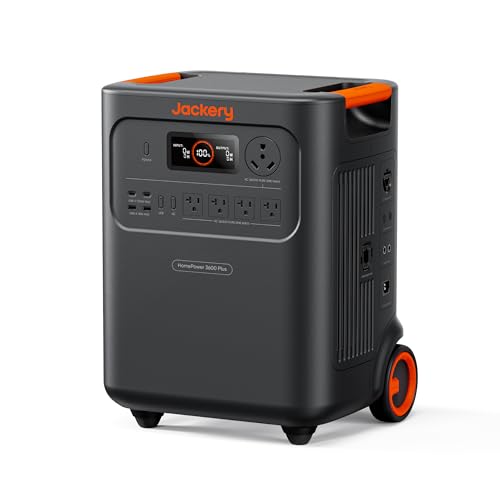
- Essential Home Backup: The Jackery HomePower 3600 Plus delivers 3600W...
- Safe Power That Lasts: Built with high-temp resistant ceramic membrane...
- Plug-and-Play: With its easy plug-and-play design, the Jackery HomePower...
Which Jackery solar generator won’t let me down when I need to charge my phone and laptop on a short trip?
For light travel and quick overnight trips, the Jackery Explorer 300 Plus is the one I trust. It is small enough to toss in the backseat and powerful enough to charge your devices all weekend.
I grab mine for beach days and car camping because it weighs almost nothing. That is why I sent my sister to buy the one I use for travel.
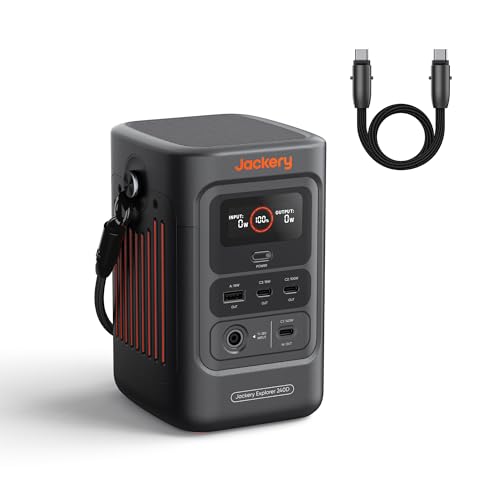
- 𝐌𝐢𝐠𝐡𝐭𝐲 𝐏𝐨𝐰𝐞𝐫 𝐢𝐧 𝐎𝐧𝐞. The...
- ...
- ...
Can I use a smart plug with my Jackery generator to get remote control?
Yes, you can plug a smart plug into one of the AC outlets on your Jackery. Then you can turn that specific device on and off from your phone.
This is a great workaround if you want to control a space heater or coffee maker remotely. Just remember the smart plug itself draws a tiny bit of power.