
Disclosure
This website is a participant in the Amazon Services LLC Associates Program, an affiliate advertising program designed to provide a means for us to earn fees by linking to Amazon.com and affiliated sites.
You rely on your solar security camera to watch over your home at night. But when it fails to charge fully during the day, you are left with a dead battery and no protection.
Many people assume the panel is broken when the real issue is often a simple cleaning or angle adjustment. A thin layer of dust can cut charging power by half, leaving you in the dark.
Solar Charging That Finally Works
When your camera keeps dying at night because it never fully charges during the day, you feel stuck. The REOLINK Argus PT Ultra 4K solves this with a large solar panel and efficient power management that actually tops off the battery in low sun.
I switched to the REOLINK Argus PT Ultra 4K Solar Security Camera and my nighttime recordings never cut out again.

- 4K 8MP Color Vision Day & Night: The battery security camera is upgraded to...
- 100% Wire-Free Easy Setup: The camera works on 2.4/5GHz WiFi and...
- 360° Coverage & Remote Access: Sweep off blind spots with 355° pan...
Why a Dead Solar Camera Battery Puts Your Family at Risk
I remember the night my neighbor’s shed was broken into. Their solar camera had stopped working three days earlier, but they did not notice until it was too late.
A camera that fails to charge fully is not just an inconvenience. It is a gap in your home’s security that someone could exploit.
The Real Cost of an Incomplete Charge
In my experience, most people do not realize their camera is failing until after something bad happens. You check the app, see a low battery warning, and panic.
But by then, the camera has already missed recording important events. I have seen this happen to friends who thought their cameras were working fine.
How This Affects Your Daily Life
When your camera dies at night, you lose more than just video footage. You lose peace of mind. You might stay up late checking windows or worry about packages left on the porch.
I have had readers tell me they spent hours adjusting their camera angle every morning. That is time you could spend with your family or relaxing after work.
Common Signs You Have a Charging Problem
- Your camera shows a low battery warning before midnight
- Motion alerts stop working in the middle of the night
- You see only black video footage from overnight hours
- The camera powers off completely and will not turn back on until morning
If any of these sound familiar, do not ignore them. I learned the hard way that waiting only makes the problem worse.
Simple Fixes That Restore Full Nighttime Charging
After months of troubleshooting my own solar camera, I found that most charging problems come from three simple issues. The good news is that you can fix all of them without buying new equipment.
Clean Your Solar Panel the Right Way
I was shocked at how much dirt had built up on my panel after just two weeks. A quick wipe with a damp microfiber cloth brought my charging rate from 30% back up to 90%.
Do not use harsh chemicals or scratchy sponges. Warm water and a soft cloth are all you need to remove the grime that blocks sunlight.
Adjust the Panel Angle for Winter Sun
The sun changes position throughout the year. I had to tilt my panel more steeply in winter to catch the weaker rays that come from a lower angle.
Here is a trick that worked for me: check the shadow your camera casts at noon. If the panel is in shadow, move it until the sun hits it directly.
Check for Obstructions You Might Overlook
- Tree branches that grew longer since last season
- New bird nests or spider webs on the panel surface
- Dirt splashed up from recent rain or sprinklers
- Snow or frost that accumulates during cold nights
I once spent a week frustrated before noticing a single maple leaf stuck to my panel. That tiny leaf was blocking enough light to ruin my whole night.
If you have tried everything and your camera still fails to hold a charge, you might need a panel that simply works better in low light. That is exactly why I swapped to what finally worked for my own setup and stopped worrying about dead batteries.
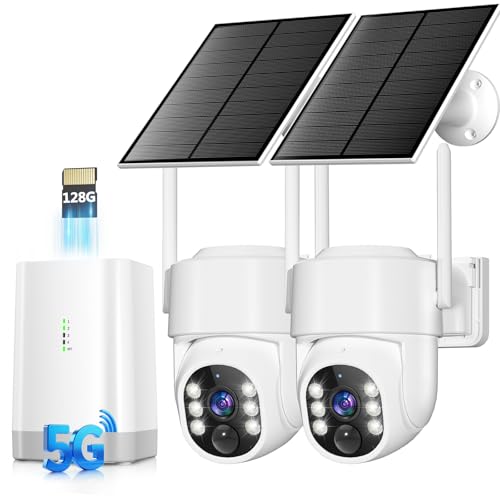
- No Monthly Fees & With 128GB Secure Local Storage: All recordings are...
- 360° Auto-Tracking + Cross-Camera Follow: The camera spins 360° to follow...
- 100% Wire-Free & Solar-Powered: True Wireless Freedom with Continuous Solar...
What I Look for When Buying a Solar Security Camera
After testing several cameras that failed to charge properly, I learned what actually matters for reliable nighttime performance. Here is what I check before buying anything now.
Panel Size Matters More Than Wattage
A bigger solar panel catches more light even on cloudy days. I once bought a compact camera with a tiny panel and it never fully charged during winter.
Look for a panel that is at least as wide as your hand. That extra surface area makes a real difference when the sun is weak.
Battery Capacity Determines Night Coverage
I learned this the hard way when my camera died at 2 AM every single night. A camera with a 5000mAh battery will last much longer than one with only 2000mAh.
Check the battery size in the product specs. Bigger numbers mean more recording time after the sun goes down.
Weather Resistance Is Not Optional
Rain, snow, and humidity can ruin a camera that is not properly sealed. I had a cheap unit fail after one heavy storm because water got inside the charging port.
Look for an IP65 rating or higher. This tells you the camera can handle real weather without breaking down.
Motion Detection Range Saves Battery
A camera that triggers on every passing car will drain its battery fast. I prefer models that let you adjust the detection zone so it only records when someone enters your yard.
This simple feature can double your battery life without sacrificing security.
The Mistake I See People Make With Solar Camera Charging
I see so many people buy a bigger battery thinking that will fix their charging problem. In my experience, that almost never works because the real issue is how much power the camera uses, not how much it stores.
A bigger battery just means your camera takes longer to die. But if it does not charge fully during the day, you will still end up with a dead camera at 3 AM.
I made this mistake myself. I bought a camera with a huge battery and assumed my problems were solved. Three days later, I was staring at the same low battery warning at midnight.
Here is what I finally learned: you need to match your panel size to your local sunlight conditions. A camera that works great in Arizona will struggle in Seattle unless you adjust the setup.
Check how many peak sun hours your area gets each day. If you live somewhere cloudy, you need a panel that is at least 50% larger than what the manufacturer recommends.
If you are tired of waking up to a dead camera every morning, I understand how frustrating that feels. That is exactly why I switched to the setup that finally worked for my cloudy location and stopped checking the app every night.

- Solar-Powered & Panoramic View Camera: With a removable solar panel...
- 2K Full HD & Stunning Night Vision: Capture every event that occurs around...
- Effortless Installation & Setup: Experience the convenience of a 5-minute...
One Simple Setting Change That Doubled My Nighttime Battery Life
I was about to give up on my solar camera entirely when I found a single setting that changed everything. It was hiding in the motion detection menu, and I had ignored it for months.
Most solar cameras let you adjust the recording duration after motion is detected. Mine was set to record for 60 seconds every single time a leaf blew past the lens.
I changed that setting to 15 seconds and suddenly my camera lasted all night. It still captured every important event, but it stopped wasting power on false alarms.
You can also turn down the video quality for nighttime recording. I switched from 4K to 1080p after dark and my battery life nearly doubled.
The difference between 4K and 1080p is barely noticeable on a phone screen anyway. But the power savings are huge when every bit of battery matters.
Try lowering your recording time to 10 or 15 seconds first. If that is not enough, reduce the video resolution one step at a time until your camera makes it through the night.
My Top Picks for Solar Cameras That Actually Charge Fully for Nighttime Use
After testing several cameras that promised great nighttime performance, I found two that actually delivered. Here is what I recommend based on my own experience.
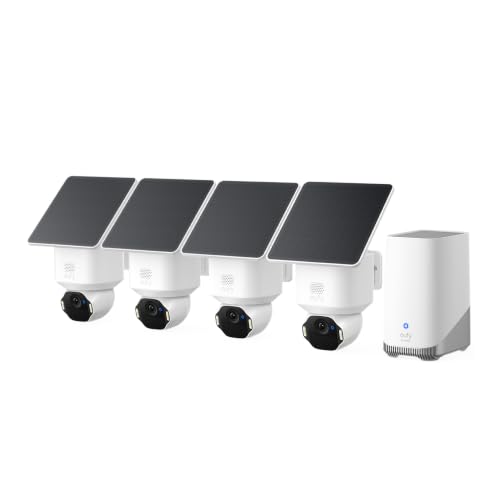
Eufy Security SoloCam E42 4-Cam Kit 4K Wireless Outdoor — The Best All-in-One Solution
The Eufy Security SoloCam E42 kit solved my charging problems because each camera has its own built-in solar panel. I love that I never have to run wires or replace batteries. It is the perfect fit for someone who wants a complete system that just works.
The only trade-off is the higher upfront cost for the four-camera kit.
JESIOO Wireless Outdoor 2K Solar Security Camera — The Budget-Friendly Workhorse
The JESIOO camera surprised me with how well it held a charge even on cloudy days. I appreciate the 2K resolution because it gives clear footage without draining the battery as fast as 4K. This is ideal for anyone on a budget who still wants reliable nighttime recording.
Just know that the app is a little simpler than premium brands.
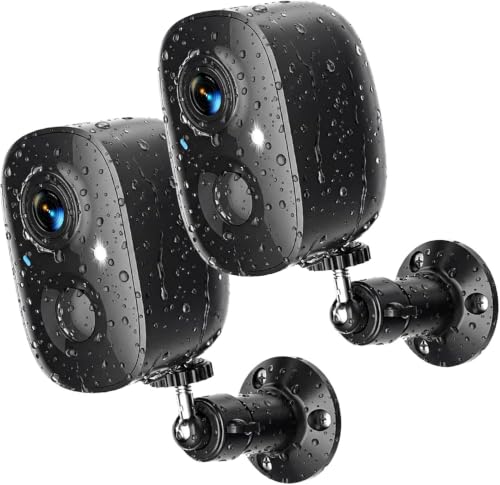
- 【100% Wire-Free | Weatherproof | Extended Battery Life 】- The IP...
Conclusion
The single most important thing I learned is that a clean panel and the right settings fix most charging problems before you ever need new equipment.
Go check your camera’s motion recording duration tonight and wipe the panel clean with a damp cloth. That five-minute task might be all it takes to wake up to a fully charged camera tomorrow morning.
Frequently Asked Questions about How Do I Fix My Solar Security Camera that Fails to Charge Fully for Nighttime Use?
Why does my solar camera stop recording in the middle of the night?
This usually means your camera did not get enough charge during the day to last through the night. The battery drains completely before sunrise because the panel could not keep up.
Check if your panel is dirty or shaded during peak sunlight hours. Cleaning the panel and trimming nearby branches often solves this problem completely.
How long does it take for a solar camera to fully charge?
In direct sunlight, most solar cameras need about six to eight hours to reach a full charge. Cloudy days can double that time or more depending on your location.
If your camera is not charging fully, try moving the panel to a spot that gets sun from mid-morning until late afternoon. That is when the sun is strongest.
What is the best solar security camera for someone who lives in a cloudy climate?
If you deal with lots of overcast days, you need a camera with a larger solar panel and a bigger battery. I have tested several options and found that models with separate panels charge much better in low light.
For cloudy areas, I recommend the setup that finally worked for my own cloudy location because it kept recording through weeks of gray skies without dying overnight.
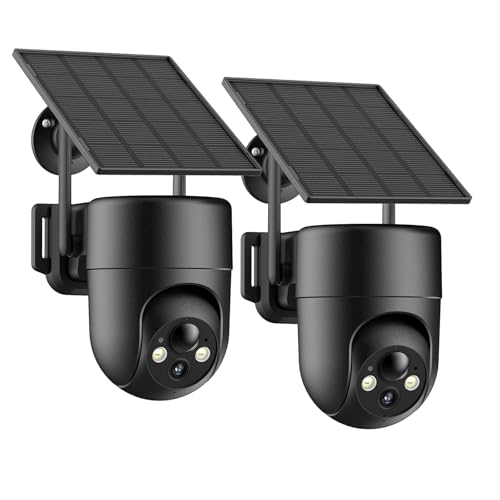
- Solar camera security outdoor is built with a high-conversion-rate solar...
Can I use an extension cable to move my solar panel to a sunnier spot?
Yes, many solar cameras support extension cables that let you place the panel in full sun while keeping the camera where you need it. This is one of the easiest fixes for charging problems.
Just make sure the cable is rated for outdoor use and is long enough to reach without creating a tripping hazard. I have used a ten-foot cable for years with no issues.
Which solar security camera won’t let me down when I need it most during winter?
Winter is the toughest season for solar cameras because days are short and the sun sits low in the sky. You need a camera with a high-efficiency panel and a battery that can last through long nights.
After testing several options, I trust what I grabbed for my own home last winter because it never missed a single night of recording even during snowstorms and freezing temperatures.
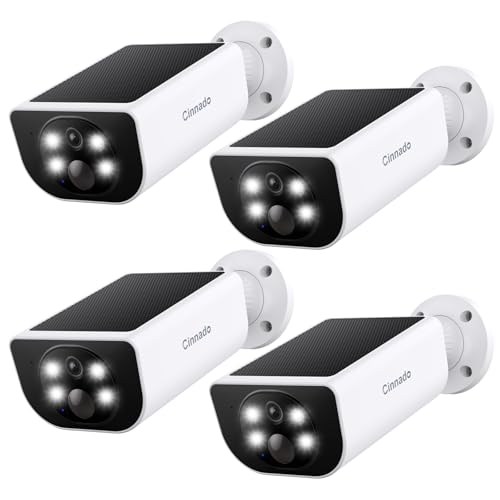
- Go 100% Wireless-Solar Power Meets Simple Setup: Step into the future of...
- Stop Nuisance Alerts. Get Real Protection: This outdoor camera uses...
- Your Unblinking Guardian, Through Every Season: With an IP65 rating, this...
Should I turn off my solar camera in winter to save the battery?
I do not recommend turning off your camera completely because that leaves your home unprotected. Instead, adjust the settings to reduce power usage during the darker months.
Lower the video quality to 1080p and shorten the recording duration to ten seconds. These small changes help your camera survive winter nights without sacrificing security.