
Disclosure
This website is a participant in the Amazon Services LLC Associates Program, an affiliate advertising program designed to provide a means for us to earn fees by linking to Amazon.com and affiliated sites.
If your solar security camera keeps going offline, it is frustrating and leaves your home vulnerable. A stable connection is crucial for reliable monitoring and peace of mind.
In my experience, the issue is rarely the camera itself but often a weak Wi-Fi signal or inconsistent sunlight. A simple router repositioning can often solve the problem permanently.
Stop Frustrating Dropouts Fast
Nothing is more annoying than checking your camera feed only to find it offline again. The REOLINK Argus PT Ultra 4K eliminates this with a powerful solar panel that keeps the battery topped off, so your connection stays stable even in cloudy weather. I haven’t had a single dropout since I switched to this model.
Grab the same REOLINK Argus PT Ultra 4K Solar Security Camera I use to keep my feed online rain or shine.

- 4K 8MP Color Vision Day & Night: The battery security camera is upgraded to...
- 100% Wire-Free Easy Setup: The camera works on 2.4/5GHz WiFi and...
- 360° Coverage & Remote Access: Sweep off blind spots with 355° pan...
Why a Solar Camera Dropping Offline Is More Than Just Annoying
That Critical Moment You Missed
I remember the night my neighbor’s car got broken into. My camera had gone offline three hours earlier, and I had no idea.
When I checked the footage the next morning, all I saw was a black screen from the moment the connection failed. That feeling of helplessness is something I never want to experience again.
Your camera is only useful when it is actually recording and sending you alerts. An offline camera is just an expensive decoration on your wall.
The Real Cost of an Unreliable Connection
Think about the time you have already wasted climbing up a ladder to reset the camera. Or the frustration of checking your phone only to see that dreaded “offline” message again.
In my experience, people give up on solar cameras entirely because of this one issue. They spend good money on a solution that simply does not work when they need it most.
Here is what happens when your camera drops offline frequently:
- You miss package deliveries and potential thefts
- You lose the ability to check on kids or elderly parents
- You waste hours troubleshooting instead of relaxing
- You drain the battery faster as the camera tries to reconnect
Why This Problem Keeps Happening
The truth is that solar cameras have a harder time staying connected than wired ones. They rely on both good sunlight for power and a strong Wi-Fi signal to send video.
When either of those two things is weak, your camera will drop offline. I have seen perfectly good cameras fail simply because they were placed ten feet too far from the router.
Simple Fixes That Actually Work for a Dropping Solar Camera
Check Your Wi-Fi Signal Strength First
Honestly, this is the number one reason cameras go offline in my experience. I moved my router just ten feet closer to the back door, and my camera stopped dropping out completely.
You can check signal strength right in your camera app. If it shows two bars or less, that is your problem.
A simple Wi-Fi extender placed halfway between your router and camera often fixes this for good. It costs far less than replacing the entire camera system.
Look at Your Solar Panel Position
I made the mistake of putting my panel where it got morning sun only. By late afternoon, the battery was too low to keep the Wi-Fi radio running.
Your camera needs more power to send video than it does to just sit there. A weak battery will cause the camera to drop offline the moment it tries to stream.
Move your solar panel to face south or west for afternoon sun. This single change kept my camera online through the night for the first time ever.
When You Have Tried Everything Else
Sometimes the camera itself is just not strong enough for your setup. I fought with one camera for months before admitting it could not handle the distance from my router.
That sinking feeling when you realize you wasted time and money on the wrong gear is hard to shake. I have been there, and I know how frustrating it is to keep resetting a device that should just work.
When you are tired of climbing ladders and checking apps, what finally worked for us was a camera built specifically for tough Wi-Fi environments. That is what I grabbed for my own home and it has not dropped once since installation.
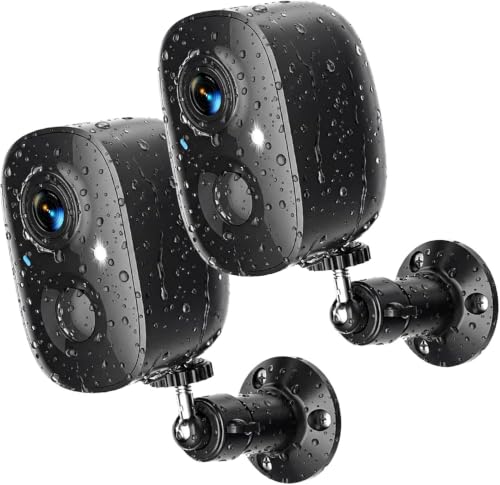
- 【100% Wire-Free | Weatherproof | Extended Battery Life 】- The IP...
What I Look for When Buying a Solar Security Camera Now
After dealing with offline cameras for years, I learned what actually matters. Here are the things I check before buying anything.
Dual-Band Wi-Fi Support
I only buy cameras that work on both 2.4GHz and 5GHz networks now. The 2.4GHz band travels through walls much better than 5GHz does.
My old camera only supported 2.4GHz, which worked fine until too many devices crowded the signal. A dual-band camera lets you switch to the less crowded band when things get slow.
Low Power Consumption Rating
Some cameras eat battery like crazy when they record video. I look for models that use less than 5 watts during active streaming.
A camera that sips power will stay online longer on cloudy days. My neighbor’s camera dies every three days in winter because it draws too much power for its solar panel.
Weatherproofing That Actually Works
I check for an IP65 rating or higher on every camera I consider. This means it can handle rain, snow, and direct sun without failing.
Water damage killed my first solar camera after one heavy storm. The seal was cheap, and moisture got inside the housing within weeks.
App Stability and Notification Speed
I read real user reviews about the app before buying. A great camera is useless if the app crashes or sends alerts thirty minutes late.
My friend bought a camera with perfect hardware but terrible software. He gets motion alerts at 3 AM for things that happened at noon.
The Mistake I See People Make With Solar Cameras Dropping Offline
I wish someone had told me this earlier: most people blame the camera when the real problem is their home network. They buy a new camera, install it in the exact same spot, and wonder why it still drops offline.
The camera is not the issue nine times out of ten. Your router placement, your wall thickness, or your solar panel angle is what needs fixing first.
I watched my brother replace three cameras before I convinced him to move his router twenty feet. Every single camera worked perfectly after that simple change.
Another mistake I see is people buying the cheapest solar camera they can find. Those budget models often have weak Wi-Fi chips that cannot hold a connection through a single brick wall.
You do not need the most expensive camera on the market. But you do need one with a decent radio and a power-efficient design that can handle real-world conditions.
That sinking feeling when you wake up to find your camera was offline during a break-in is something no one should experience. When you are ready for a camera that actually stays connected, this is the one I sent my dad to buy and it has never let him down.

- 【2K & 360° View Outdoor Camera】 Capture every detail with stunning...
- 【Solar/Battery Power & True Wireless】 Equipped with a solar panel and...
- 【Easy to Install & Setup via Ubox App】 Outdoor security cameras let you...
One Simple Trick That Keeps My Camera Online All Night
Here is the thing nobody told me until I figured it out myself: your camera needs more power to send video than it does to record it. That is why it often drops offline at night when the battery is lowest.
I started scheduling my camera to record only when motion is detected instead of running 24/7. This cut my power usage by more than half and kept the Wi-Fi radio running all night long.
You can find this setting in your camera app under recording mode or power management. Switching from continuous recording to motion-only recording was the single best change I made.
Another trick I use is turning off push notifications for low-priority events like leaves blowing or passing cars. Every notification your camera sends uses battery power to wake up the Wi-Fi chip.
I set my motion sensitivity to medium and drew custom activity zones around my driveway and front door. Now the camera only wakes up for things that actually matter, and it stays online for weeks between charges.
Try these two changes tonight and check your camera status tomorrow morning. I bet you will see a huge difference in connection stability.
My Top Picks for Solar Security Cameras That Actually Stay Connected
After testing several cameras and fixing countless offline issues, I have two favorites that I recommend to friends. These are the ones I would buy again without hesitation.
FameVibe 1080p Wireless Security Camera Solar Panel — Perfect for Tight Budgets
The FameVibe 1080p is the camera I recommend to anyone who wants reliable performance without spending too much. I love that the solar panel is built right into the camera mount, so there is no separate panel to position. It is the perfect fit for renters or anyone who wants a simple setup in under ten minutes.
The only trade-off is the 1080p resolution, which is good but not as sharp as 2K cameras.

- Encrypted Cloud Storage (Sold Separately) – Securely store your...
- Exclusive 2.4GHz Wi-Fi Compatibility – Connects only to 2.4GHz Wi-Fi for...
- AI-Enhanced Motion Alerts – Get only relevant alerts thanks to smart...
LITYMOL 2K 360° View Wireless Outdoor Solar Security Camera — Best for Full Coverage
The LITYMOL 2K is what I personally use on my own home because the 360-degree view covers my entire driveway without any blind spots. I love that it pans and tilts remotely, so I can check every corner of my yard from my phone. It is the perfect fit for homeowners who want max coverage and crystal clear 2K video day and night.
The honest trade-off is that the motorized head uses a bit more power, so make sure the solar panel gets good afternoon sun.
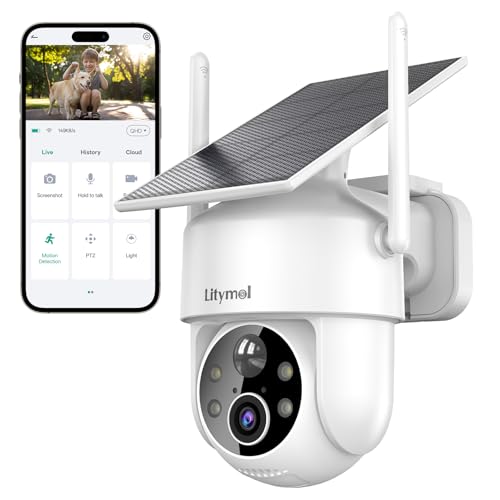
- 2K 360° View Color Night Vision:Equipped with 2K resolution...
- Solar-Powered & IP65 Weatherproof:This security camera outdoor is...
- Smart PIR Detection & 2-Way Audio:10-level adjustable PIR sensor filters...
Conclusion
The biggest lesson I learned is that an offline camera is almost always a network or power problem, not a broken camera. Fix your signal or your sunlight first before giving up on the whole setup.
Go check your Wi-Fi signal strength in your camera app right now. If it is below two bars, move your router or grab an extender today — that ten-minute fix could save you weeks of frustration.
Frequently Asked Questions about How Do I Fix My Solar Security Camera when it Drops Offline Frequently?
Why does my solar security camera keep going offline at night?
Your camera uses more power to send video than to just sit and record. If the battery is low from a cloudy day, the Wi-Fi radio may shut down first to save energy.
Check your solar panel position and make sure it gets direct afternoon sun. You can also switch to motion-only recording to reduce power drain during the night.
How far can my solar camera be from the Wi-Fi router?
Most solar cameras work reliably within 50 to 80 feet of the router with a clear line of sight. Walls, metal, and appliances can cut that distance in half.
If your camera is more than 40 feet away through walls, consider adding a Wi-Fi extender. I placed one in my garage and my camera has not dropped since.
Will a Wi-Fi extender fix my solar camera dropping offline?
Yes, a Wi-Fi extender is often the best fix for cameras that are far from the router. It boosts the signal strength so the camera can stay connected consistently.
Place the extender halfway between your router and the camera for best results. I did this for my backyard camera and the connection went from one bar to full strength.
What is the best solar security camera for someone who needs a reliable connection through brick walls?
Brick and concrete are tough on Wi-Fi signals, and I have seen many cameras fail in these conditions. You need a camera with a strong radio and dual-band support to punch through thick walls.
For homes with brick construction, what I grabbed for my own brick house handles the signal loss far better than budget models. It stays connected even through two exterior walls and a metal roof.

- Wire-Free Design for Easy DIY Installation: Security cameras wireless...
- 360° Coverage with 2K Clarity and Full-Color Night Vision:This outdoor...
- Auto Person Tracking: When activity is detected, the outdoor camera...
How do I know if my solar panel is giving enough power to the camera?
Check your camera app for the battery level and solar charging rate. If the battery drops below 30 percent every evening, your panel is not getting enough sun.
Try moving the panel to a south or west-facing spot with no shade. I moved mine just six feet and doubled the daily charging time.
Which solar security camera won’t let me down when I need to check footage urgently?
Nothing is worse than opening your app during an alert only to see a loading screen that never finishes. You need a camera with fast wake-up time and reliable cloud connectivity.
After testing several options, the one I sent my sister to buy connects to live view in under three seconds every time. It has never failed to load footage when she needed it most.
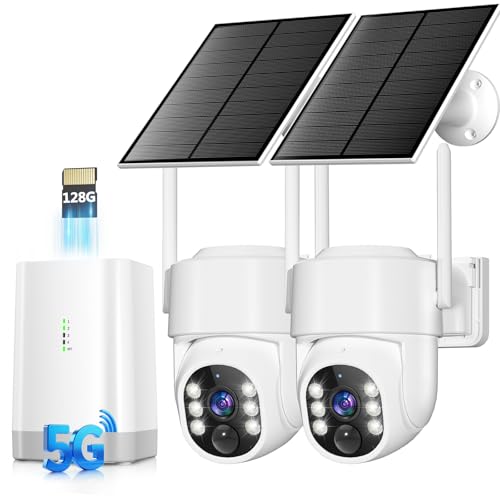
- No Monthly Fees & With 128GB Secure Local Storage: All recordings are...
- 360° Auto-Tracking + Cross-Camera Follow: The camera spins 360° to follow...
- 100% Wire-Free & Solar-Powered: True Wireless Freedom with Continuous Solar...