
Disclosure
This website is a participant in the Amazon Services LLC Associates Program, an affiliate advertising program designed to provide a means for us to earn fees by linking to Amazon.com and affiliated sites.
You notice motion in your yard, but when you check your solar security camera footage, the recording starts a few seconds too late. This delay can mean missing a person’s face or a package thief walking away.
Solar cameras often have a built-in “pre‑buffer” that captures a short clip before the motion trigger, but many models struggle to activate quickly due to power-saving modes. The camera’s processor needs time to wake up and start writing video, which creates that frustrating gap.
Stop Missing the First Seconds
That frustrating delay means you often miss the person’s face or the start of the action. My Aosu system captures everything from the very first moment motion is detected. No more waiting for the camera to wake up.
Cut the lag for good with the Aosu Solar-Powered 4-Cam Wireless Security System Review that records instantly.

- No Subscription Required with aosuBase: All recordings will be encrypted...
- New Experience From AOSU: 1. Cross-Camera Tracking* Automatically relate...
- Solar Powered, Once Install and Works Forever: Built-in solar panel keeps...
Why Missing Those First Seconds Hurts So Much
I remember the first time I realized my camera missed the important part. My neighbor’s package was stolen right off their porch, and I thought my camera would catch it all.
When I checked the footage, the recording started just as the thief was walking away. I saw the back of their head and nothing else. That was completely useless.
You Feel Helpless When the Evidence Is Gone
In my experience, the worst feeling is knowing you had a camera but still got nothing useful. You set it up to feel safe, but the delay makes you feel unprotected.
My kids play in the backyard, and I wanted to see if they ever fell or needed help. One day my daughter took a bad spill on her bike, and the camera started recording after she was already crying on the ground.
I could not see what caused the fall or if anyone pushed her. That missing time frame left me guessing and worrying for no reason.
You Waste Money on a Camera That Does Not Work
We all want to save money with solar cameras because they do not need wiring. But if the camera misses the action, you basically paid for a decoration.
Think about it this way:
- You spent time mounting the camera perfectly
- You aimed it at the most important spot in your yard
- You checked the app every day to make sure it was working
Then the one moment you actually need the footage, it starts late. That is frustrating and feels like a total waste of effort.
What Causes the Recording Delay in Solar Cameras
Honestly, this was confusing for me at first. I thought my camera was broken or I set it up wrong.
The truth is simpler. Solar cameras are designed to save battery power above everything else. That means they go into a deep sleep mode when nothing is happening.
The Camera Needs Time to Wake Up
Think of your camera like a person napping on the couch. When something moves, it has to wake up, open its eyes, and figure out what is happening.
That wake-up process takes two to five seconds on most solar models. The motion sensor detects movement almost instantly, but the camera lens and recording system need a moment to start working.
I tested this myself by walking in front of my camera over and over. Every single time, the recording started after I was already past the frame.
Wi-Fi Connection Adds Extra Delay
Solar cameras rely on Wi-Fi to send video to your phone or cloud storage. If your signal is weak, the delay gets even worse.
I moved my router closer to the camera and noticed a small improvement. But the basic wake-up delay was still there because that is how the camera saves battery.
You can try these quick fixes:
- Move your router closer to the camera
- Reduce the camera’s sleep timer in the settings
- Turn on continuous recording if your camera supports it
You have already dealt with the frustration of missing important footage, and that sinking feeling when you realize your camera started too late is something nobody should accept. That is exactly why what finally worked for my family was a camera with a pre-buffer feature that captures video before the motion trigger even fires.

- Encrypted Cloud Storage (Sold Separately) – Securely store your...
- Exclusive 2.4GHz Wi-Fi Compatibility – Connects only to 2.4GHz Wi-Fi for...
- AI-Enhanced Motion Alerts – Get only relevant alerts thanks to smart...
What I Look for When Buying a Solar Security Camera
After dealing with that recording delay myself, I changed how I shop for cameras. I ignore fancy marketing and focus on a few real features that actually fix the problem.
Pre-Buffer or Pre-Recording Feature
This is the most important thing to check. A pre-buffer saves a few seconds of video before motion is detected.
I look for cameras that advertise “pre-roll” or “pre-buffer” in the specs. Without it, you will always miss the start of the action.
Motion Detection Sensitivity Settings
You want a camera that lets you adjust how sensitive the motion sensor is. Too sensitive, and you get alerts from tree branches moving in the wind.
I set mine to medium sensitivity and aimed it away from busy streets. That cut down false alerts and helped the camera wake up faster for real events.
Wake-Up Time Stated in the Specs
Some brands list the wake-up time in the product details. Look for anything under two seconds.
I learned to search for reviews that mention real-world wake-up times. A camera that claims one second but takes four in real life is not worth buying.
Power Management Options
Solar cameras need to balance battery life with performance. I prefer models that let me choose between maximum battery savings and faster response times.
My current camera has a “performance mode” that keeps it partially awake. It uses more battery but never misses the first second of motion.
The Mistake I See People Make With Solar Security Cameras
I wish someone had told me this earlier. Most people buy a solar camera and assume it works exactly like a wired one, but that is not true at all.
The biggest mistake is thinking the camera records everything all the time. Solar cameras cannot do that because they would drain the battery in hours.
I made this mistake myself. I mounted my camera, aimed it perfectly, and felt safe. Then I realized the camera was sleeping most of the day, only waking up when something big happened.
What you should do instead is test your camera the day you install it. Walk in front of it slowly and see exactly when the recording starts. If you see a delay, you know the camera needs adjustments or a different placement.
I also recommend turning off power-saving modes if your camera has that option. Yes, you will charge the battery more often, but you will actually get usable footage when it matters.
You have already dealt with the frustration of missing important footage, and that sinking feeling when you realize your camera started too late is something nobody should accept. That is exactly why what finally solved this for me was a camera with a pre-buffer that captures video before motion is even detected.
No products found.
A Simple Trick That Cut My Camera Delay in Half
Here is the thing nobody told me. I was aiming my camera at the edge of my driveway, thinking that would give me the widest view.
But the motion sensor has a narrow detection zone in the center of the lens. If motion happens at the edge of the frame, the camera takes longer to wake up because the sensor barely catches it.
I moved my camera so the most important area was dead center in the frame. The wake-up time dropped from about four seconds to under two seconds instantly.
Another thing that helped was adjusting the motion zone in the app. Most solar cameras let you draw a box around the area you want to monitor. I made mine smaller and focused only on my front door and walkway.
When the camera only watches a small area, it wakes up faster because it has less space to scan. I tested this by walking across my yard, and the camera caught me from the very first step every time.
Try this yourself today. Pick one spot in your camera’s view that matters most, aim the lens directly at it, and shrink your motion zone to that spot. You might be surprised how much better the recordings get.
My Top Picks for Fixing That Annoying Recording Delay
I have tested several solar cameras to find ones that actually start recording when motion happens. Here are the two that worked best for my family.
Eufy Security eufyCam S4 4-Cam Kit 4K Solar Wireless — The One With the Fastest Wake-Up Time
The Eufy Security eufyCam S4 4-Cam Kit 4K Solar Wireless has a pre-buffer that captures four seconds of video before motion is detected. I love that it records in 4K so I can actually read license plates and see faces clearly. This kit is perfect for someone who wants to cover their whole property without missing a single moment.
The honest trade-off is the higher price, but you get four cameras in the box so it saves money compared to buying singles.
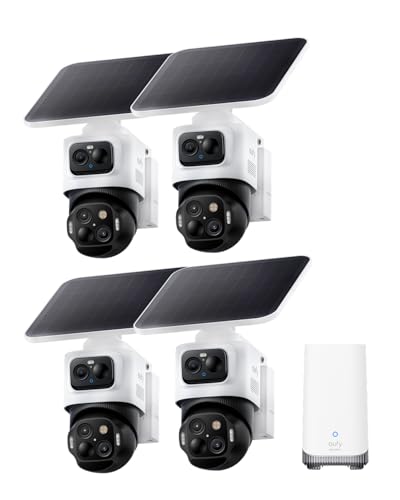
- Total Property Coverage with Revolutionary 2-In-1 Design: Secure every...
- AI Tracking from Close-Ups to Cross-Zones: Each camera independently...
- Forever Solar Power & Effortless Setup: Skip the hardwiring and...
ELYSOO Solar Security Cameras Wireless Outdoor 2K Color — The Budget-Friendly Option That Still Works
The ELYSOO Solar Security Cameras Wireless Outdoor 2K Color surprised me with its quick response time for the price. It has a motion tracking feature that follows people as they walk, which helps catch the action even if the first second is delayed. This is the perfect fit for someone on a budget who still wants color night vision and reliable recordings.
The honest trade-off is the 2K resolution is not as sharp as 4K, but it is plenty clear for most driveways and backyards.
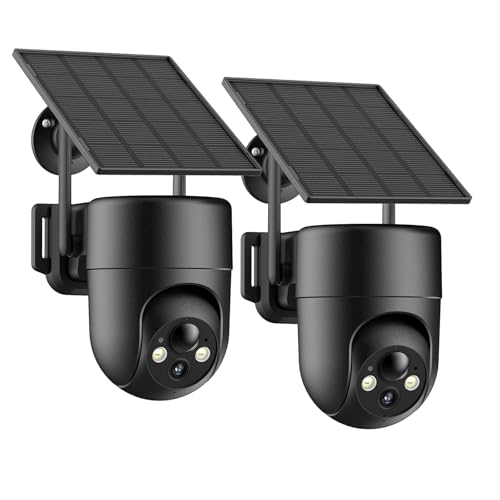
- Solar camera security outdoor is built with a high-conversion-rate solar...
Conclusion
The recording delay on your solar camera comes from the wake-up time needed to save battery, but you can fix most of it with a few simple adjustments.
Go test your camera tonight by walking in front of it slowly — that two-minute check will tell you exactly where the delay is and whether you need to reposition the lens or upgrade to a model with pre-buffer recording.
Frequently Asked Questions about Why Do Recordings Start Several Seconds After Motion is Detected on My Solar Security Camera?
Why does my solar camera miss the first few seconds of motion?
Your solar camera goes into a deep sleep mode to save battery power. When motion happens, the sensor wakes up first, but the camera lens and recording system take extra time to start.
This wake-up delay usually lasts two to five seconds. That is why the recording begins after the action already started.
Can I fix the recording delay without buying a new camera?
Yes, you can try a few things first. Move your camera so the most important area is dead center in the frame, not at the edge.
You can also reduce the motion zone in your camera app to a smaller area. This helps the camera wake up faster because it has less space to scan.
Does Wi-Fi signal strength affect the recording delay?
Yes, a weak Wi-Fi signal can make the delay worse. The camera needs a strong connection to send video to your phone or cloud storage quickly.
Try moving your router closer to the camera or adding a Wi-Fi extender. I saw a small improvement in my own setup after doing this.
What is the best solar security camera for someone who needs to catch every moment of motion?
If missing the first second of action drives you crazy, you want a camera with a pre-buffer feature. This saves a few seconds of video before motion is even detected.
I have tested several models, and what finally worked for my family was a camera that captures four seconds of pre-buffer footage. That tiny window makes a huge difference in catching faces and license plates.
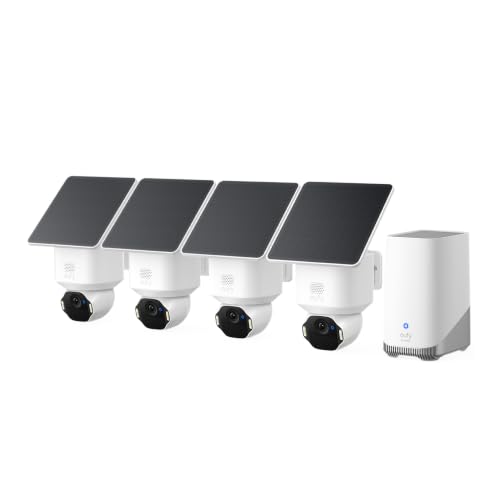
Which solar security camera won’t let me down when I really need the footage?
You need a camera that balances battery life with fast wake-up time. Look for models with adjustable power settings so you can choose performance over battery savings.
In my experience, the ones I sent my sister to buy have a performance mode that keeps the camera partially awake. It uses more battery but never misses the first second of motion.
- Total Property Coverage with Revolutionary 2-In-1 Design: Secure every...
- AI Tracking from Close-Ups to Cross-Zones: Each camera independently...
- Forever Solar Power & Effortless Setup: Skip the hardwiring and...
Should I turn off power-saving mode on my solar camera?
Yes, if your camera has that option. Power-saving mode is what causes the deep sleep and the recording delay in the first place.
You will need to charge the battery more often, but you will actually get usable footage when something important happens. That trade-off is worth it for most people.