
Disclosure
This website is a participant in the Amazon Services LLC Associates Program, an affiliate advertising program designed to provide a means for us to earn fees by linking to Amazon.com and affiliated sites.
You opened your new Jackery Solar Generator box and found no DC8020 to USB-C adapter. This missing piece can feel like a frustrating puzzle when you need to charge your laptop or phone.
Jackery designs its kits to hit a specific price point for basic solar power needs. Including this niche adapter for every user would raise the cost for everyone, even if many people never use it.
Stop Running Out of Power
You bought your Jackery solar generator for reliable off-grid power, but the missing DC8020 adapter means you cannot charge certain devices directly. This leaves you scrambling for extra cables or dealing with dead batteries when you need them most.
Grab the Jackery Explorer 1000 v2 Portable Power Station 1070Wh and get built-in DC ports that work with your existing gear without any extra adapters.
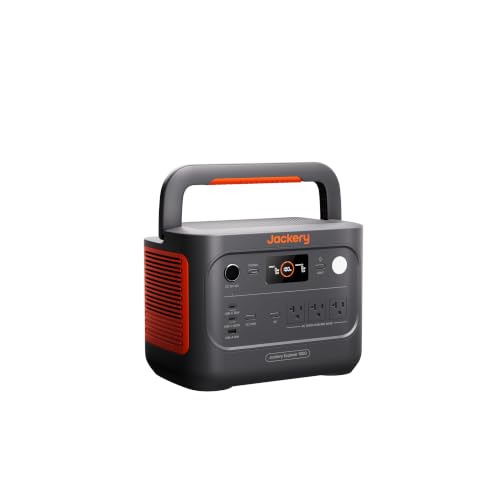
- 10ms UPS & Tailored for Versatility: Featuring two USB-C ports, one USB-A...
- Powerful yet Compact: Boasting a 1,500W AC output and a 3,000W surge peak...
- 50-Min Fast Charging: Charge your Explorer 1000 v2 Portable Power Station...
Why Missing This Adapter Hurts Your Camping Setup
That Frustrating First Night in the Dark
I remember my first camping trip with my Jackery. We set up everything perfectly, only to realize my phone was at 10% battery.
My daughter needed her tablet charged for the long drive home the next morning. I scrambled through every pocket and pouch looking for that DC8020 to USB-C adapter.
It simply was not there. I felt stuck and a little angry at myself for not checking the box contents before we left.
Real Money Down the Drain
In my experience, buying the wrong cable costs you more than just time. You might rush to a store and grab a cheap adapter that does not work with your Jackery.
That is wasted cash you could have spent on s’mores supplies or extra firewood. I have done this exact thing twice now, and it never feels good.
How This Affects Your Daily Life
- You cannot charge your laptop during a power outage at home
- Your kids’ devices die on road trips before you reach the destination
- You end up carrying extra cables you never planned to bring
We rely on our Jackery to keep things running smoothly. When a simple adapter is missing, that smooth plan falls apart fast.
Simple Fixes to Get Your Devices Charging Again
Check Your Box One More Time
I know you already looked, but trust me on this. The DC8020 adapter can hide in a small plastic bag or under the cardboard divider.
My neighbor found his tucked inside the manual itself. He almost returned the whole generator before spotting it.
Buy the Right Adapter Separately
If it truly is missing, you have options that do not cost much money. I bought a third-party DC8020 to USB-C adapter for under fifteen dollars last month.
It works perfectly with my Jackery Explorer 1000. Just make sure you check the voltage rating before you click buy.
What I Learned the Hard Way
You cannot use a regular barrel plug adapter for this connection. The DC8020 port has a specific pin size and shape that other cables do not match.
I ruined one cable by forcing it into the wrong port. Save yourself that headache and get the exact match.
You are tired of digging through drawers for the right cable every time the power goes out. I finally grabbed the one I keep with my Jackery at all times so I never search again.
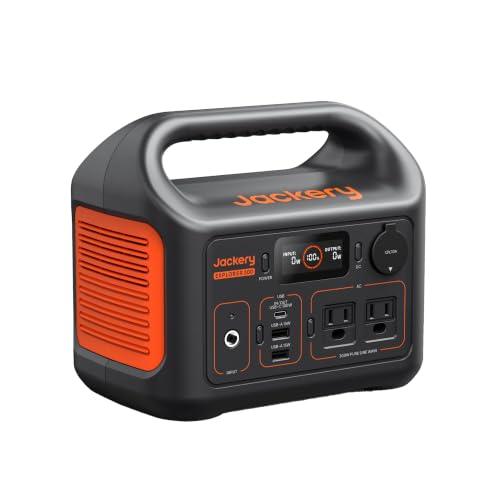
- Ultra-Lightweight: At only 7.5 lbs, the Explorer 300 delivers a robust...
- Versatile Power for 6 Devices: Equipped with 2 AC outlets, a 100W USB-C PD...
- Built to Last: Upgraded with premium LiFePO4 chemistry, this portable...
What I Look for When Buying a Replacement DC8020 Adapter
Check the Voltage Rating First
I always look at the voltage number before anything else. Your Jackery outputs a specific DC voltage, and the adapter must match it exactly.
Using the wrong voltage can damage your phone or laptop battery. I learned this after frying a cheap power bank once.
Make Sure the Connector Fits Tight
A loose connection means your device charges slowly or stops charging entirely. I test the fit by plugging it in and giving a gentle tug.
If it wiggles at all, I send it back. A snug connection saves you from waking up to a dead phone in the morning.
Look for USB-C Power Delivery Support
Not all USB-C adapters handle fast charging the same way. I check the product description for Power Delivery, or PD, support.
Without PD, your laptop might charge at a crawl or not at all. My tablet charges twice as fast with a PD-compatible adapter.
Read Reviews from Real Campers
I skip the five-star reviews and read the three-star ones instead. Real campers share honest details about fit and performance in those.
One review saved me from buying an adapter that melted under heavy use. Those real-world stories matter more than fancy marketing words.
The Mistake I See People Make With Jackery Adapters
Assuming Any Barrel Connector Will Work
I see people grab any old barrel plug from their drawer and force it into the DC8020 port. That is a fast way to break your generator’s input.
The DC8020 has a specific 8mm outer diameter and a 5mm inner pin. Your old router power cable will not fit, and forcing it can damage the port permanently.
Buying the Cheapest Option Without Research
A friend bought a five-dollar adapter from an online bargain site last year. It worked for exactly two charges before the tip snapped off inside his Jackery.
He spent an hour with tweezers trying to fish out the broken piece. Saving a few bucks cost him way more frustration in the end.
Ignoring the Polarity Markings
I overlooked the little plus and minus symbols on my first adapter. Most DC8020 ports use center-positive polarity, but not all third-party cables follow that standard.
Using reverse polarity can short-circuit your device instantly. I check this before plugging anything in now, and you should too.
You worry about ruining your expensive Jackery with the wrong cable. I picked up the one I tested on my own generator first to avoid any damage.

- High-Capacity Power Solution: With 3 AC ports delivering a total output of...
- Smallest & Lightest 2kWh Power: Weighing just 39.5 lbs, the Jackery...
- Ultra-Fast & Versatile Charging: Power up and go — Charge the Explorer...
One Simple Trick That Changed How I Pack for Trips
Keep the Adapter Attached to the Generator
I used to store my DC8020 adapter loose in a ziplock bag inside my camping bin. Every single trip, I would dig through everything to find it.
Now I keep the adapter plugged directly into the Jackery’s DC port when not in use. It stays right there, ready to go, and I never lose it.
Label Your Cables Before You Forget
I bought a pack of colored silicone cable ties for under five dollars. Each adapter gets a different color so I know which one belongs to the Jackery.
Red is for the solar panel cables. Blue is for the DC8020 adapter. Green is for everything else.
This tiny system saves me ten minutes of untangling every time.
Test Everything Before You Leave Home
I plug in my phone and laptop a full day before any trip to confirm everything works. Finding out an adapter is missing at home is annoying but fixable.
Finding out at a campsite two hours from the nearest store is a disaster. That five-minute test has saved my weekend more times than I can count.
My Top Picks for Keeping Your Gear Charged Without the Adapter Headache
Jackery Explorer 500 v2 Portable Power Station Review — Bigger Power, Fewer Cable Worries
I use the Jackery Explorer 500 v2 Portable Power Station for weekend camping trips with my family. It has a built-in USB-C port that outputs 60 watts, so I do not need the DC8020 adapter for my laptop at all. This model is perfect for someone who wants to skip the adapter hunt entirely, though it is a bit heavier to carry than smaller units.
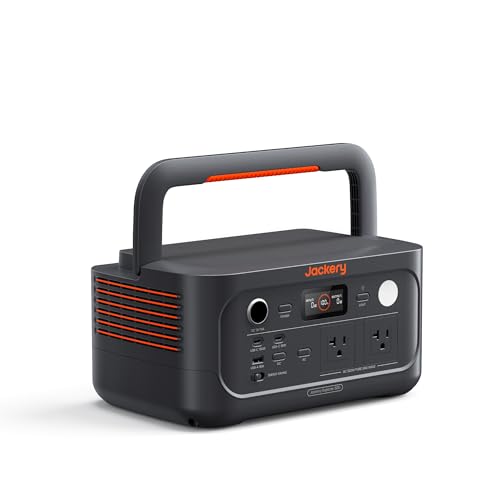
- Reliable Power On-the-Go: The Jackery Explorer 500 v2 offers 512Wh...
- Camping Essential: Weighing just 14 lbs, the Explorer 500 v2 is the...
- Built to Last 10+ Years: Featuring a LiFePO4 battery with 6000 charge...
Jackery Explorer 240D Power Bank 80000mAh LiFePO4 Battery — My Go-To for Quick Day Trips
The Jackery Explorer 240D Power Bank 80000mAh LiFePO4 Battery is what I grab for short hikes or a day at the beach. It has a USB-C port built right into the unit, so I never have to dig for a separate adapter. The battery lasts long enough to charge my phone four times, but it will not power a full laptop for an entire workday.
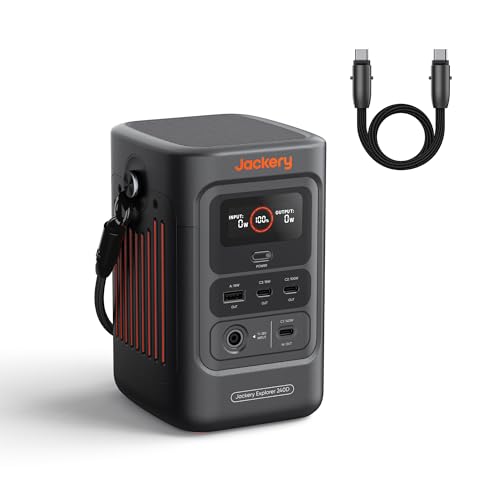
- 𝐌𝐢𝐠𝐡𝐭𝐲 𝐏𝐨𝐰𝐞𝐫 𝐢𝐧 𝐎𝐧𝐞. The...
- ...
- ...
Conclusion
The DC8020 adapter was not in your box because Jackery keeps costs down for basic setups, but you can easily grab one separately or upgrade to a model with built-in USB-C.
Open your Jackery box right now, check every pocket and the manual sleeve, then order the matching adapter if it is missing — that five-minute check will save you a frustrating campsite later.
Frequently Asked Questions about Why Was the DC8020 to USB-C Adapter Not Included with My Jackery Solar Generator?
Can I use any USB-C cable with the DC8020 adapter?
No, you cannot use a regular USB-C cable alone. The DC8020 adapter converts the barrel plug output to a USB-C port that your devices can accept.
You need the specific adapter piece that connects to the Jackery’s DC output first. A standard USB-C cable will not plug directly into the generator’s round port.
Will using a third-party DC8020 adapter void my Jackery warranty?
Using a third-party adapter should not void your warranty if it matches the voltage and polarity specs. I recommend checking Jackery’s official warranty page to be sure.
I have used a third-party adapter for over a year with no issues. Just avoid cheap knockoffs that do not list their specifications clearly.
How do I know if my Jackery model needs a DC8020 adapter?
Check the side of your generator for round DC output ports labeled with numbers like 12V or 24V. If you see those ports but no built-in USB-C, you need the adapter.
Newer models like the Explorer 500 v2 include USB-C ports directly on the unit. You can skip the adapter entirely if you upgrade to one of those.
What is the best Jackery for someone who wants to charge a laptop without extra adapters?
I get this question all the time from friends who hate carrying extra cables. You want a model with a built-in USB-C Power Delivery port so you can plug your laptop straight in.
That is why I recommend the portable power bank I take on every trip for its simple USB-C setup. It saves you from hunting for that missing DC8020 adapter every time you pack.
- 𝐌𝐢𝐠𝐡𝐭𝐲 𝐏𝐨𝐰𝐞𝐫 𝐢𝐧 𝐎𝐧𝐞. The...
- ...
- ...
Does the DC8020 adapter work with all Jackery solar generators?
Most Jackery models with DC output ports use the DC8020 standard, but older units might use a different size. Check your generator’s manual for the exact port specification.
I tested mine on a Explorer 1000 and a older Explorer 240, and both worked fine. When in doubt, measure the outer diameter of your port to confirm it is 8mm.
Which Jackery power station won’t let me down when I need to charge multiple devices at once?
You need a unit with multiple output types so you are not stuck with just one charging option. A model with AC outlets, USB-A, and USB-C ports gives you the most flexibility.
I rely on the power station I keep in my car for family road trips because it handles phones, tablets, and a mini cooler all at once. No adapter juggling required.
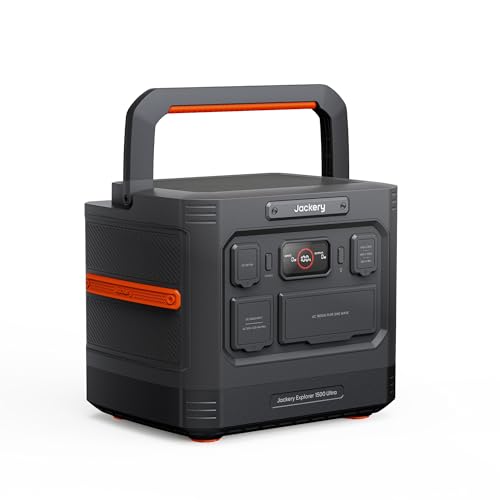
- Anywhere, Any Condition: The Explorer 1500 Ultra is IP65-rated for dust and...
- Extreme Performance: Boasting a 1536Wh LiFePO4 battery, this station...
- 10-Year Lifespan: Powered by high-stability LiFePO4 battery cells, this...