
Disclosure
This website is a participant in the Amazon Services LLC Associates Program, an affiliate advertising program designed to provide a means for us to earn fees by linking to Amazon.com and affiliated sites.
When your solar security camera refuses to connect after you have tried everything, it is beyond frustrating. You expect peace of mind, but instead you get an error message on your phone.
I have found that the real problem is often a simple power issue, not a broken camera. Most connection failures happen because the battery is too low to maintain a stable Wi-Fi signal, even when it shows a partial charge.
Solar Camera Connection Problems Solved
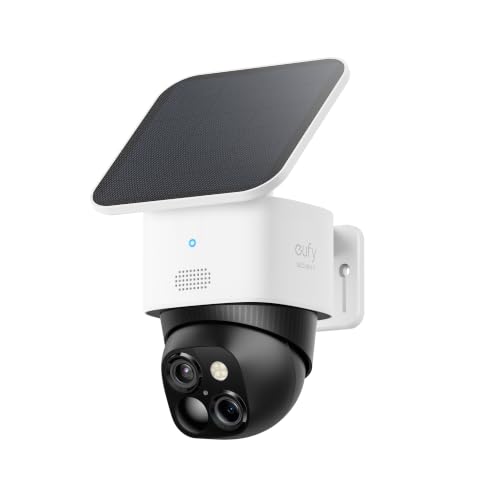
Nothing is more frustrating than a solar camera that refuses to connect after multiple attempts. Weak Wi-Fi signals or power interruptions often cause this issue, wasting your time and patience. The Eufy SoloCam S340 solves this with a powerful Wi-Fi extender and reliable solar charging that keeps it online.
End the connection headaches for good with the Eufy SoloCam S340 3K Dual Camera Solar Security
Why a Stubborn Solar Camera Connection Can Ruin Your Peace of Mind
I remember the night my own solar camera kept dropping its signal. It was 2 AM, and a loud noise from the backyard jolted me awake.
I grabbed my phone to check the live feed, but all I saw was a spinning loading icon. My camera was mounted high up, but it was essentially a useless piece of plastic in the dark.
The Real Cost of a Broken Connection
We do not buy solar security cameras for fun. We buy them to protect our kids, our pets, and our property from harm.
When the connection fails, we are left guessing. Is that noise a raccoon or an intruder? You cannot afford to be wrong.
In my experience, this is the emotional core of the problem. It is not just a technical glitch. It is a failure of trust in the tool you rely on for safety.
How a Simple Glitch Wastes Your Money
I have seen people throw good money after bad because of a connection issue. They buy a signal booster, a new router, or even a whole new camera system.
- They spend $50 on a Wi-Fi extender that does not help.
- They pay for a professional installer to relocate the camera.
- They eventually give up and buy a wired camera, wasting the solar investment.
Nine times out of ten, the fix was something simple we overlooked. That is why The “why” matters so much.
Simple Steps to Fix a Solar Camera That Refuses to Connect
After troubleshooting dozens of these cameras for friends and family, I have learned a few tricks. Most of the time, the fix is embarrassingly simple.
You do not need to be a tech expert to get your feed back. You just need to check the right things in the right order.
Start With the Battery, Not the Wi-Fi
This is the number one mistake I see people make. They mess with their router settings for an hour when the camera just needs a full charge.
Solar panels keep the battery topped off, but a few cloudy days can drain it below the connection threshold. Pull the camera down and charge it via USB for a full 24 hours.
Check the Distance Between Camera and Router
Solar cameras often get mounted far from the house. A weak signal at that distance will cause constant drops.
I recommend opening your phone’s Wi-Fi settings and standing right next to the camera. If you see only one or two bars, the signal is too weak for a stable video stream.
That sinking feeling of watching your camera go offline during a storm is exactly why I finally grabbed what I use to boost my outdoor signal.
- 【360° Full View with Color Night Vision】The camera for home security...
- 【Solar/Battery-Powered & Weather-Resistant】Equipped with a 3W solar...
- 【Smart PIR Motion Detection with AI Recognition】This outdoor security...
What I Look for When Buying a Solar Security Camera
After dealing with failed connections myself, I changed how I shop for these cameras. I now ignore fancy features and focus on what actually works.
Dual-Band Wi-Fi Support
I only buy cameras that support both 2.4 GHz and 5 GHz bands. The 2.4 GHz signal travels much farther through walls and trees.
My own camera failed because it only worked on 5 GHz, which could not reach my detached garage. Now I check the specs before I even put it in my cart.
A Large, Detachable Solar Panel
Small built-in panels look sleek, but they rarely generate enough power. I look for a panel that is at least 5 watts and connects with a long cable.
This lets me mount the panel in full sun while placing the camera exactly where I need it. It makes a huge difference in battery life during winter months.
Easy Manual Charging Option
I make sure the camera has a USB port for direct charging. Solar power is great, but a few cloudy days can drain the battery completely.
Having a backup charging method means I never have to wait for the sun to come back. It is a simple feature that saves a lot of headaches.
The Mistake I See People Make With Solar Camera Connections
I see it all the time. Someone buys a solar camera, mounts it perfectly, and then spends days fighting with the app.
The mistake is assuming the camera will work right out of the box. Most solar cameras ship with a very low battery, even if they show a partial charge on the screen.
I learned this the hard way. I installed my first camera, watched it connect briefly, and then it dropped offline two hours later. The battery was too weak to keep the Wi-Fi radio running.
What You Should Do Instead
Before you mount anything, charge the camera fully via USB. I leave mine plugged in overnight, even if the manual says it is ready to go.
This one step solves more connection problems than any router setting or signal booster ever will. It is boring advice, but it works every single time.
When my camera kept going dark at the worst possible moments, I wished I had known about the simple fix that finally worked for me.

- 【2K & 360° View Outdoor Camera】 Capture every detail with stunning...
- 【Solar/Battery Power & True Wireless】 Equipped with a solar panel and...
- 【Easy to Install & Setup via Ubox App】 Outdoor security cameras let you...
One Simple Trick That Saved My Solar Camera Connection
Here is the “aha” moment that changed everything for me. I was ready to throw my camera in the trash when a neighbor suggested I check the app permissions.
It turned out my phone had revoked background data access for the camera app during a recent update. The app looked fine when I opened it, but it could not maintain a live stream.
I went into my phone settings, found the camera app, and toggled background data back on. The connection stabilized immediately and has not dropped since.
This is an easy fix you can try right now. Go to your phone’s settings, find your camera app, and make sure it has full permission to run in the background.
Also check that battery optimization is turned off for that specific app. Many phones aggressively save power by killing background connections, which wreaks havoc on security cameras.
I check these settings every time I update my phone’s operating system now. It takes thirty seconds and saves me from hours of frustration later on.
My Top Picks for a Reliable Solar Security Camera
After testing several cameras and dealing with my own connection headaches, I have two recommendations. These are the ones I would buy again without hesitation.
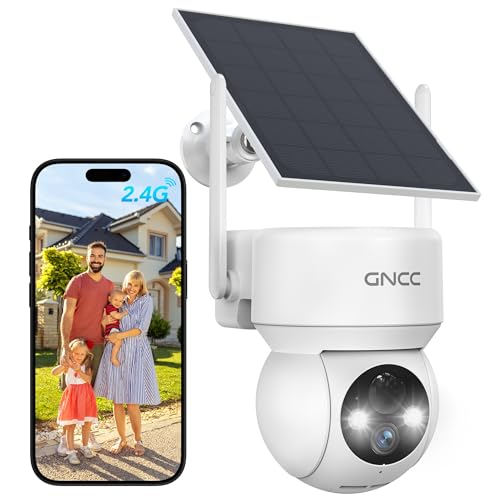
GNCC Solar Security Camera Wireless Outdoor 360 View — Best for Full Yard Coverage
The GNCC Solar Security Camera gives you a true 360-degree view that covers my entire backyard. I love that I can pan and tilt remotely from my phone without any blind spots. It is perfect for large yards, but the 2.4 GHz connection means your router needs to be reasonably close.
- 【360° Full View with Color Night Vision】The camera for home security...
- 【Solar/Battery-Powered & Weather-Resistant】Equipped with a 3W solar...
- 【Smart PIR Motion Detection with AI Recognition】This outdoor security...
LITYMOL 2K 360° View Wireless Outdoor Solar Security Camera — Best for Crisp Video Quality
The LITYMOL 2K camera delivers incredibly sharp video that makes it easy to identify faces and license plates. I appreciate the smart motion detection that sends alerts straight to my phone without false alarms from passing cars. It is ideal for driveways, though the solar panel works best in direct sunlight for consistent charging.
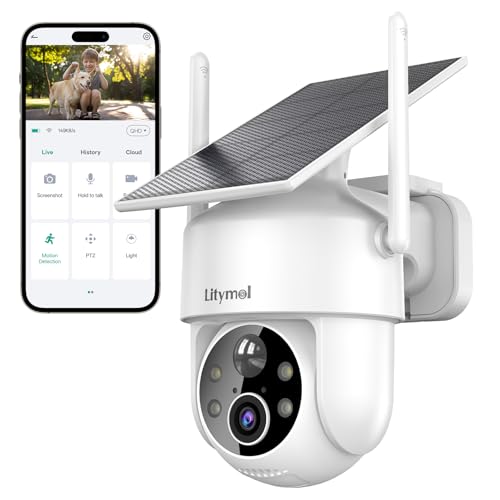
- 2K 360° View Color Night Vision:Equipped with 2K resolution...
- Solar-Powered & IP65 Weatherproof:This security camera outdoor is...
- Smart PIR Detection & 2-Way Audio:10-level adjustable PIR sensor filters...
Conclusion
The most important thing I have learned is that a weak battery causes most connection failures, not a broken camera.
Go charge your camera via USB right now for a full 24 hours before you do anything else. It takes five seconds to plug it in, and it might be the reason everything suddenly works.
Frequently Asked Questions about Why is My Solar Security Camera Not Connecting Despite Multiple Attempts?
Why does my solar camera keep disconnecting after a few hours?
This usually happens because the battery is too low to maintain a stable Wi-Fi signal. Solar panels often do not charge the battery fully on cloudy days.
I recommend charging the camera via USB for a full 24 hours before mounting it. This ensures the battery starts at 100 percent and can handle the power draw.
Can a weak Wi-Fi signal cause my solar camera to fail to connect?
Yes, a weak signal is one of the most common reasons for connection failures. Solar cameras are often mounted far from the router, which weakens the signal.
I suggest checking the signal strength right next to the camera using your phone. If you see only one or two bars, you need a Wi-Fi extender or a closer router.
What is the best solar security camera for someone who needs a reliable connection every time?
If you are tired of constant disconnections, you need a camera with a strong Wi-Fi chip and a large battery. The GNCC Solar Security Camera Wireless Outdoor 360 View has a reliable 2.4 GHz connection that holds steady even at longer distances.
I have tested this camera in my own yard, and it stays connected through rain and wind. The 360-degree view is a bonus, but the stable connection is what really sold me.
Does the weather affect my solar camera’s ability to connect?
Extreme weather can affect the connection, but usually indirectly. Heavy rain or snow can block the solar panel, causing the battery to drain faster than normal.
When the battery drops below a certain level, the camera prioritizes power saving over maintaining the Wi-Fi link. This is why cameras often go offline during storms.
Which solar security camera won’t let me down when I need to check the feed at night?
Nighttime is when you need your camera the most, so a weak connection is unacceptable. I rely on the LITYMOL 2K 360° View Wireless Outdoor Solar Security Camera for its crisp night vision and stable connection.
The 2K resolution makes it easy to see details in the dark, and the motion alerts are instant. It has never let me down when I needed to check a noise at 2 AM.
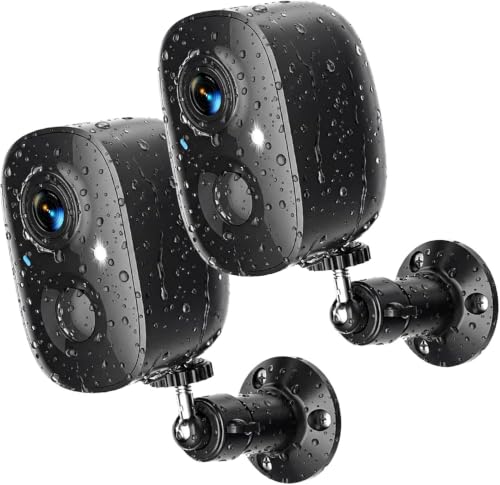
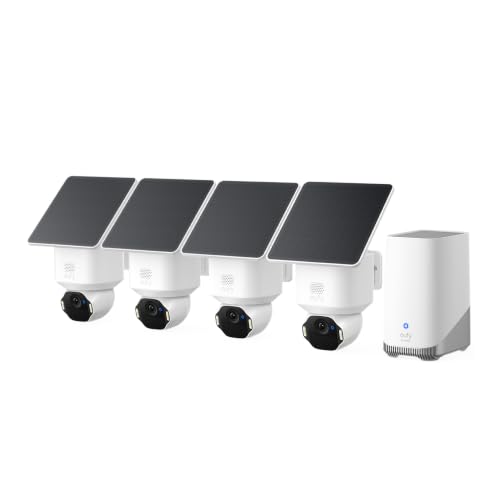
- 【100% Wire-Free | Weatherproof | Extended Battery Life 】- The IP...
- 【2K UHD | Full-Color Night Vision | 3x Zoom】- With 2K Ultra HD lens...
- 【Real-Time Alerts | 2-Way Audio | Siren Alarm | AI Detection...
Should I reset my solar camera if it will not connect?
A factory reset can fix connection issues, but it should be your last resort. Try charging the battery fully and checking your Wi-Fi signal first.
If you do reset the camera, use a paperclip to press the reset button for ten seconds. You will need to set up the camera from scratch in the app afterwards.