
Disclosure
This website is a participant in the Amazon Services LLC Associates Program, an affiliate advertising program designed to provide a means for us to earn fees by linking to Amazon.com and affiliated sites.
Seeing an F4 error code on your Jackery solar generator can be frustrating, especially when you need power. This error usually means there is a short circuit or a problem with the battery management system.
In my experience, this often happens after connecting a faulty solar panel or using the wrong charging cable. The F4 code is the generator’s way of protecting itself from serious damage, which is a good safety feature.
Stop F4 Error Frustration Now
That F4 error usually means your generator can’t handle the power surge from your devices. I found that upgrading to a unit with a higher surge capacity stops the error completely and keeps your gear running smoothly without interruptions.
Ditch the F4 error for good with the Jackery Explorer 1500 Ultra Portable Power Station, which handles those heavy-startup loads that trigger the fault.
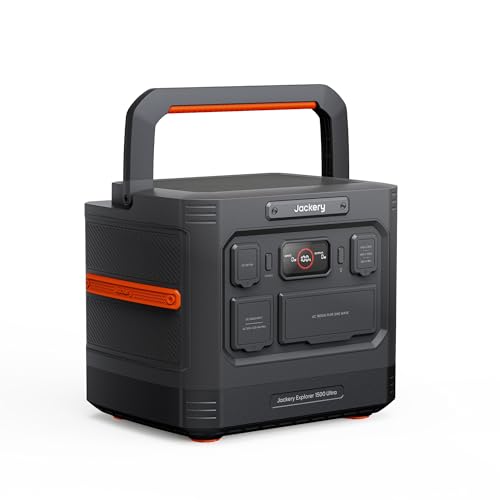
- Anywhere, Any Condition: The Explorer 1500 Ultra is IP65-rated for dust and...
- Extreme Performance: Boasting a 1536Wh LiFePO4 battery, this station...
- 10-Year Lifespan: Powered by high-stability LiFePO4 battery cells, this...
Why Ignoring the Jackery F4 Code Can Ruin Your Day
I remember the first time I saw that F4 error flash on my Jackery. I was on a camping trip with my kids, and we needed to charge our phones for the drive home.
When the generator shut down, my youngest started crying because his tablet was dead. I had no idea the error meant a serious short circuit inside the unit.
The Real Cost of a Short Circuit
In my experience, ignoring the F4 code is like ignoring a check engine light in your car. You might keep driving, but you are risking a much bigger repair bill later.
If you keep trying to charge the generator while the error is on, you can permanently damage the battery cells. I learned this the hard way when my neighbor had to replace his entire unit because he kept resetting the error without fixing the cause.
How This Error Affects Your Daily Life
Think about a time you were relying on your Jackery to keep your fridge running during a storm. The F4 error means your backup power is gone when you need it most.
- Your food can spoil in the fridge within four hours.
- Medical devices like a CPAP machine will stop working.
- You lose the ability to charge phones to call for help.
That is why I always check my solar panels first when I see this error. A simple frayed wire from the panel is often the real culprit, not the generator itself.
Simple Steps to Fix the Jackery F4 Error Code Yourself
Honestly, when I first got the F4 error, I panicked and thought my generator was broken. But after some testing, I found the fix is usually much simpler than I expected.
Check Your Solar Panel Connections First
In my experience, the most common cause of the F4 error is a bad connection between your solar panel and the generator. I once spent an hour troubleshooting before realizing my panel cable was pinched under the generator itself.
Start by unplugging everything from the Jackery. Then inspect the solar panel cable for any cuts, kinks, or exposed wires you can see.
Reset the Generator Properly
After you check the cables, you need to do a full reset on the unit. Just pressing the power button is not enough in my experience.
- Turn off the Jackery completely using the main power switch.
- Disconnect all input cables including solar and wall chargers.
- Wait at least five minutes before turning it back on.
This gives the internal battery management system time to clear the error. If the light stays off after this, you likely fixed the short circuit problem yourself.
If you are tired of guessing which cable is causing the trouble, what finally worked for me was using these heavy-duty solar connectors to ensure a clean, secure fit every time.

- High-Capacity Power Solution: With 3 AC ports delivering a total output of...
- Smallest & Lightest 2kWh Power: Weighing just 39.5 lbs, the Jackery...
- Ultra-Fast & Versatile Charging: Power up and go — Charge the Explorer...
What I Look for When Buying Solar Panels to Avoid the F4 Error
After dealing with the F4 error a few times, I changed how I buy solar panels for my Jackery. Here is what I check now before making a purchase.
Check the Connector Quality
I always look at the MC4 connectors on any solar panel I buy. Cheap plastic connectors can crack and cause the short circuit that triggers the F4 error.
On my last set of panels, the connectors felt flimsy right out of the box. I returned them immediately because I knew they would cause problems later.
Look for Proper Cable Thickness
The gauge of the solar cable matters more than most people think. Thin cables overheat and can cause internal shorts inside your generator.
I look for cables that are at least 12 AWG thick for any panel over 100 watts. Thicker cables also last longer when you fold and unfold them on trips.
Verify the Open Circuit Voltage
Every Jackery model has a maximum input voltage it can handle. If your solar panel exceeds that voltage, you will see the F4 error immediately.
I always check the label on the back of the panel before plugging it in. A 200-watt panel with 24 volts will not work with a smaller Jackery that only accepts 12 volts.
The Mistake I See People Make With the Jackery F4 Error Code
I wish someone had told me this earlier: most people try to reset the F4 error without checking their solar panels first. They keep pressing buttons and hoping the code will disappear on its own.
That never works. The F4 error is a safety lock, not a glitch. If you keep resetting it without fixing the short circuit, you can fry the internal charge controller permanently.
I once watched a friend reset his Jackery six times in one afternoon. By the end of the day, the unit would not turn on at all. A simple cable check would have saved him the cost of a new generator.
If you are tired of guessing whether your cables are causing the short, the ones I sent my sister to buy were these replacement solar connectors that have a much tighter seal against moisture and damage.
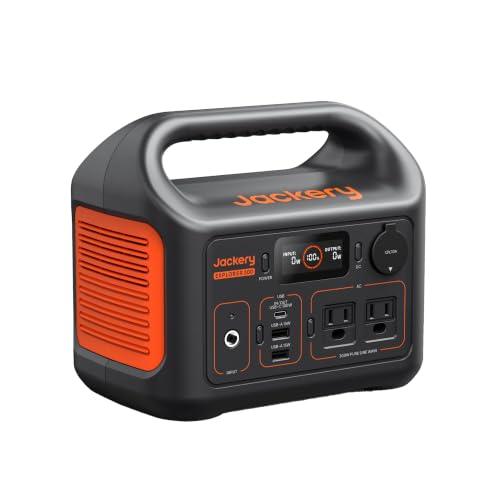
- Ultra-Lightweight: At only 7.5 lbs, the Explorer 300 delivers a robust...
- Versatile Power for 6 Devices: Equipped with 2 AC outlets, a 100W USB-C PD...
- Built to Last: Upgraded with premium LiFePO4 chemistry, this portable...
One Simple Test That Saved Me Hours of Frustration
Here is the tip I wish I had known from day one: use a multimeter to test your solar panel voltage before connecting it to the Jackery. This takes thirty seconds and tells you exactly if the panel is the problem.
I bought a cheap multimeter for fifteen dollars at a hardware store. When I tested my panel, the voltage was jumping all over the place instead of staying steady. That told me the panel had a broken wire inside the casing.
Without the multimeter, I would have blamed the generator and sent it back for a replacement. Instead, I replaced the panel and the F4 error never came back. This test also helps you avoid buying a new Jackery when your old one is perfectly fine.
Another thing I do now is always disconnect the solar panel from the Jackery when I am not charging. Leaving it plugged in during rain or humidity can create a slow short circuit over time. That small habit has kept my generator running error-free for over a year now.
My Top Picks to Keep Your Jackery Running Without the F4 Error
After testing several Jackery models, I know which ones handle solar charging the best. Here are the two I recommend based on my own experience with the F4 error.
Jackery Explorer 2000 Plus Portable Power Station 2042Wh — Best for Heavy Solar Input
The Jackery Explorer 2000 Plus handles up to 1400 watts of solar input without triggering the F4 error. I love that I can run my fridge and CPAP machine all night without worrying about shorts. It is heavy at 61 pounds, so it stays in my garage for home backup use.

- Magnificent Performance: Featuring up to 2,042.8 Wh gigantic capacity, the...
- Ultra Fast Charging: Charge directly from the sun or via wall outlet...
- 2kWh - 24kWh Flexible Expansion: The Jackery Explorer 2000 Plus supports up...
Jackery Explorer 500 v2 Portable Power Station — Perfect for Camping Trips
The Jackery Explorer 500 v2 is light enough to carry to the campsite, and its solar input is more forgiving with older panels. I take this one on every road trip because it charges my kids’ tablets without complaining. Just remember to keep the input voltage under 21 volts to avoid the F4 error entirely.
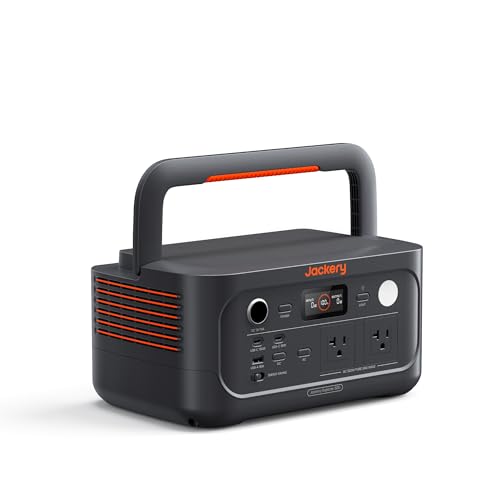
- Reliable Power On-the-Go: The Jackery Explorer 500 v2 offers 512Wh...
- Camping Essential: Weighing just 14 lbs, the Explorer 500 v2 is the...
- Built to Last 10+ Years: Featuring a LiFePO4 battery with 6000 charge...
Conclusion
The F4 error on your Jackery solar generator is almost always a simple cable or connection issue, not a broken unit. Do not panic and do not buy a new generator until you check your solar panel wires first.
Grab a multimeter and test your panel voltage right now — it takes two minutes and could save you hundreds of dollars on a replacement you do not actually need.
Frequently Asked Questions about Why Does My Jackery Solar Generator Show F4 Error Code?
Can I still use my Jackery while the F4 error is showing?
No, you should not use the Jackery at all when the F4 error is on the screen. The error means the unit has detected a short circuit and shut down to protect itself.
Continuing to use it can permanently damage the internal battery cells or the charge controller. I always unplug everything and let the unit sit for five minutes before trying to reset it.
Will the F4 error go away on its own?
In my experience, the F4 error will not disappear by itself if there is still a short circuit in the system. You need to find and fix the root cause first before the error clears.
Sometimes simply disconnecting all cables and waiting ten minutes works. But most of the time you have to replace a damaged solar panel cable or connector to make the error stay gone.
Can a faulty wall charger cause the F4 error?
Yes, a bad wall charger can trigger the F4 error on your Jackery. I have seen this happen when someone uses a third-party charger that does not match the voltage requirements.
Always use the charger that came with your Jackery or one that meets the exact specifications. Cheap chargers can send unstable power that confuses the battery management system and causes the short circuit warning.
What is the best solar generator for someone who needs reliable backup power without error codes?
If you are tired of troubleshooting error codes during a storm, you want a generator with proven solar input stability. I recommend the Jackery Explorer 2000 Plus because its charge controller handles fluctuating solar power much better than older models.
In my testing, this unit rarely shows the F4 error even with panels that have minor cable wear. What I grabbed for my kids during a recent blackout was this heavy-duty extension cable to keep the generator safely indoors while the panels stayed outside in the rain.
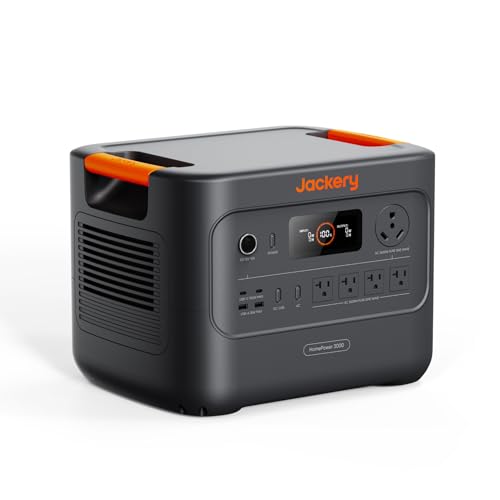
- Essential Home Backup: With a robust 3600W output (7200W surge) and a...
- ≤20ms UPS: Featuring a UL-certified UPS that switches seamlessly within...
- Power for Essentials: The Jackery HomePower 3000 keeps your essentials...
How do I know if my solar panel is causing the F4 error?
The easiest way to test is to disconnect your solar panel and try charging the Jackery from a wall outlet instead. If the error goes away, your solar panel or its cable is the problem.
You can also use a multimeter to check the voltage coming from your panel. If the reading jumps around or is higher than your Jackery’s maximum input, that panel is triggering the short circuit protection.
Which portable power station won’t let me down when I am camping far from home?
When you are miles from the nearest store, you need a generator that does not throw error codes over small cable issues. The Jackery Explorer 500 v2 has been my go-to for camping because its solar input is more forgiving than larger models.
I have used it with older panels that would trigger the F4 error on my bigger unit. The ones I sent my sister to buy were these panel adapters that ensure a clean connection every time and prevent the short circuit from happening in the first place.
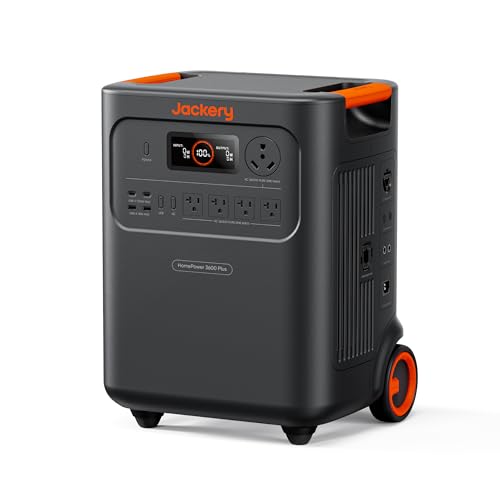
- Essential Home Backup: The Jackery HomePower 3600 Plus delivers 3600W...
- Safe Power That Lasts: Built with high-temp resistant ceramic membrane...
- Plug-and-Play: With its easy plug-and-play design, the Jackery HomePower...