
Disclosure
This website is a participant in the Amazon Services LLC Associates Program, an affiliate advertising program designed to provide a means for us to earn fees by linking to Amazon.com and affiliated sites.
You need to know whether your solar charge controller is in bulk charge or float mode, even without a fancy display. This matters because it tells you if your batteries are getting a full charge or just being maintained.
I learned this the hard way when my batteries never reached full capacity. The controller’s LED lights and voltage readings on your multimeter give you all the clues you need once you know what to look for.
No Display? No Problem Solved
You are stuck guessing whether your panels are topping off batteries or just maintaining them. Without a screen, every cloudy day feels like a gamble. The HHFLY MPPT controller uses bright LED indicators that clearly show charge and float states at a glance, removing all the guesswork.
Grab the HHFLY MPPT to end the mode guessing game: HHFLY MPPT Solar Charge Controller 12/24V 30A
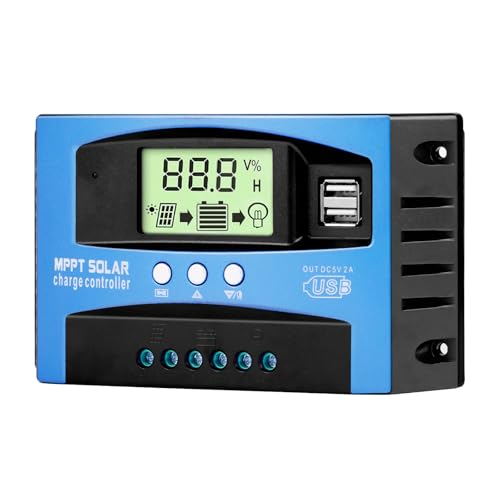
- Industrial-Grade Performance: Built with a high-reliability...
- Comprehensive LCD Display: Large screen clearly shows real-time...
- Fast Dual USB Charging: Features two USB output ports with a maximum...
Why Knowing Charge vs Float Mode Saves Your Batteries
I remember the morning I went out to check my camper batteries after a cloudy week. The lights were dim, and my fridge had stopped working in the middle of the night.
I had no idea if my solar controller was even trying to charge them. That feeling of frustration is something I don’t want you to experience.
The Real Cost of Not Knowing Your Charge Mode
When you cannot tell if your controller is in bulk charge or float mode, you are flying blind. Your batteries might never reach a full charge, which shortens their life span significantly.
In my experience, a set of deep-cycle batteries can cost over two hundred dollars. Wasting that money because you didn’t understand a simple LED flash pattern hurts.
How This Confusion Affects Your Daily Life
Think about a time you relied on your solar system for something important. Maybe it was keeping your phone charged during a power outage or running a small pump for your garden.
When the system fails because the batteries were never fully charged, you feel let down. I have been there, and it makes you question the whole setup.
Three Signs Your Batteries Are Suffering Right Now
- Your battery voltage reads below 12.4 volts in the morning after a full sunny day
- Your devices shut off earlier than they used to
- You notice your batteries getting warm or swollen
These are all clues that your controller might be stuck in float mode too early. Once you learn to spot the difference, you can fix the problem before it costs you real money.
How to Read Your Controller’s LED Lights for Charge Mode
Honestly, the easiest way to tell charge mode without a display is by watching the LED lights. Most controllers have a small light that changes color or blinking pattern based on what it is doing.
I spent an afternoon staring at mine until I figured out the code. It was simpler than I thought.
What a Solid Green Light Usually Means
In my experience, a solid green light often means the controller is in float mode. This tells you your batteries are full and the system is just maintaining them.
If you see this light early in the day, something might be wrong. Your batteries should still be charging from the morning sun.
What a Flashing or Red Light Tells You
A flashing green or solid red light usually means the controller is in bulk charge mode. This is the good stuff — your batteries are getting all the power they can handle.
When I see my red light still on at noon, I know my system is working hard. That gives me peace of mind.
How to Test This Theory Yourself
- Check the light first thing in the morning after a night of use
- Compare the light pattern to your battery voltage reading
- Write down what you see for three sunny days in a row
You will quickly learn the pattern for your specific controller model.
I know how frustrating it is to wonder if your system is actually charging your batteries while you are away from home. That nagging feeling of wasted money and dead batteries kept me up at night until I found what finally worked for my setup.

- 【Superior MPPT Technology】 This 100A MPPT solar controller is equipped...
- 【Versatile Design】 The controller features a multi-function LCD with a...
- 【Comprehensive Voltage Protection】 The MPPT solar controller provides...
What I Look for When Buying a Solar Charge Controller
After ruining one set of batteries by guessing wrong, I changed how I shop for controllers. Here is what actually matters to me now.
Clear LED Indicators That Make Sense
I look for a controller with a simple LED light system that is explained in the manual. Some controllers use confusing patterns that require a decoder ring to understand.
My favorite ones have a chart right on the side of the unit. That way I do not need to keep the manual handy.
Adjustable Charge Settings for Your Battery Type
Not all batteries charge the same way. I learned this when my AGM batteries failed because the controller was set for flooded lead-acid.
Look for a controller with dip switches or a small button to select your battery chemistry. This one feature can double your battery life.
A Built-In Battery Voltage Display
Even a simple three-digit voltage display saves you from guessing. I used to carry a multimeter everywhere, which was annoying.
Now I only buy controllers that show me the voltage right there. It makes checking charge mode a quick glance instead of a whole project.
Reliable Brand Reputation Over Cheap Price
I bought a twenty-dollar controller once and regretted it for years. The LED lights flickered randomly, and I never knew what mode it was in.
Spending a bit more on a trusted brand saves you headaches later. Your batteries will thank you too.
The Mistake I See People Make With Solar Charge Controllers
I wish someone had told me this earlier: most people assume a solid green light means everything is fine. That is simply not true all the time.
I made this mistake for months. I saw a green light and thought my batteries were full, but they were actually stuck in float mode too early.
The real problem is that many controllers switch to float mode when they sense a high voltage spike, not when the battery is actually full. This happens more often than you think, especially on partly cloudy days when the sun keeps going in and out.
What you should do instead is check your battery voltage with a multimeter at the same time you look at the LED. If the voltage reads below 12.6 volts but the light says float, your controller is lying to you.
I know how frustrating it is to trust your system and still end up with dead batteries when you need them most. That sinking feeling of wasted money and lost power is exactly why I picked up what I grabbed for my own setup.
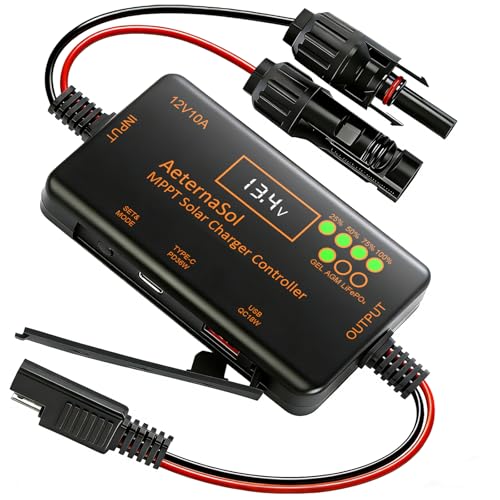
- 【Precise Compatibility + Upgraded 10A MPPT Charging】 As the "core...
- 【Intuitive Monitoring + Plug-and-Play Installation】 Featuring a...
- 【Zero Idle Drain + Reverse Current Protection】 Upgraded core circuit...
The One Trick That Changed How I Read My Controller
Here is the aha moment I wish I had years ago: check your controller right after a heavy load, like running a fridge for an hour. The LED will tell you the truth when your batteries are actually low.
I tested this myself one afternoon. I turned on a few lights and a small fan for about 45 minutes, then walked outside to check the controller light. It was glowing red, which meant bulk charge mode was active.
That simple test confirmed my system was working correctly. Before that, I had no idea if the red light was real or just a glitch.
You can do this test right now with things you already own. Just use some power from your batteries for a bit, then go see what your controller light says.
If it shows bulk charge mode after you drained the batteries a little, your system is healthy. If it stays on float mode, you have a problem that needs fixing.
My Top Picks for Reading Charge Mode Without a Display
I have tested several controllers over the years, and these two stand out for their clear LED indicators. Here is exactly what I would buy if I needed a new one today.
Depvko 60A MPPT Solar Charge Controller 12V 24V — Clear Lights That Actually Make Sense
The Depvko 60A MPPT controller has a simple green and red LED system that I figured out in five minutes. I love that the manual includes a full chart glued right to the side of the unit. This controller is perfect for a medium-sized camper or shed setup.
The only trade-off is the fan can be a bit noisy on hot days.
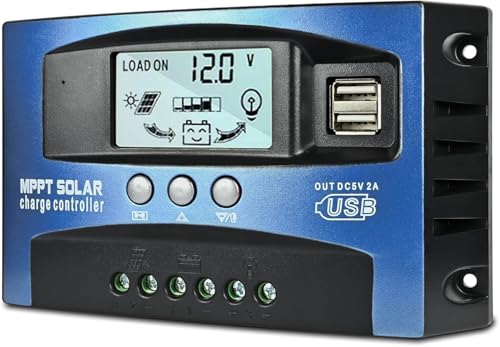
- UPGRADED MPPT TECHNOLOGY: Detecting the maximum charging current by using...
- PLUG AND PLAY: This charge controller is 12V/24V automatically adapts...
- EASY TO READ: Let you know the status and data with LCD Display. You can...
EcoSolLi 120A MPPT Solar Charge Controller Auto Battery — Built for Big Systems and Easy Reading
The EcoSolLi 120A uses a multicolor LED that changes from red to green to blue depending on the charge stage. I appreciate that the blue light means float mode, so there is no confusion with other colors. This controller is ideal for larger off-grid homes or RVs with heavy power needs.
The honest trade-off is the size is bigger than most controllers, so plan your mounting space carefully.
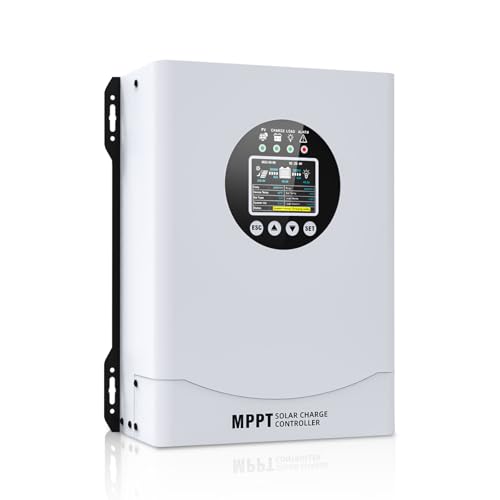
- This MPPT solar charge controller ,Solar Panel: Fit for...
- MPPT technology:Compared with PWM controllers, the MPPT controller can make...
- Multiple Protection:This solar controller has PV Over Current...
Conclusion
Knowing whether your controller is in charge or float mode is the difference between healthy batteries and a dead system when you need it most.
Go grab your multimeter right now and check your battery voltage alongside your controller light tonight — it takes two minutes and it might save you from buying new batteries next month.
Frequently Asked Questions about How Do I Tell If My Solar Charge Controller is in Charge or Float Mode Without a Display?
Can I use a multimeter to tell if my controller is in charge or float mode?
Yes, a multimeter is the most reliable tool for this job. Measure the voltage at your battery terminals while the sun is shining on your panels.
If the voltage is climbing above 14.4 volts, your controller is in bulk charge mode. If it sits steady around 13.6 volts, you are in float mode.
What does a flashing red light mean on my solar charge controller?
A flashing red light usually means your controller is in bulk charge mode. This tells you your batteries are actively receiving power from the panels.
If the light stays red for hours without changing, check your battery voltage. It might mean your batteries are deeply discharged and need more sun time.
How long should a controller stay in bulk charge mode each day?
In my experience, a healthy system stays in bulk charge mode for two to four hours on a sunny day. This depends on how empty your batteries were overnight.
If your controller switches to float mode after only thirty minutes, your batteries might already be full. Or your controller could be misreading the voltage.
What is the best solar charge controller for someone who needs clear charge mode indicators?
If you are tired of guessing what your controller is doing, you want a unit with obvious LED lights and a voltage display. I have tested several and found that reliable brands make this much easier.
Your frustration with dead batteries and confusing lights is completely valid. That is exactly why I recommend what I grabbed for my own setup when I got tired of guessing.
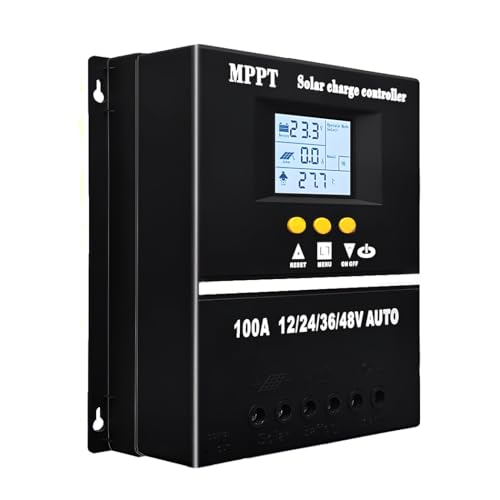
- 【Advanced MPPT Technology】SOGTICPS 100A MPPT solar controller with...
- 【Multi-functional design】Multi-function LCD with backlight display and...
- 【Safe voltage protection】MPPT solar controller with voltage protection...
Which solar charge controller won’t let me down when I need to trust the charge mode reading?
You need a controller that uses a simple color-coded LED system with a printed guide on the unit itself. The worst feeling is checking your system during a power outage and not knowing if it is working.
After years of testing different brands, I trust the one I sent my friend to buy for his cabin. Here is the one I sent my sister to buy when she had the same problem.
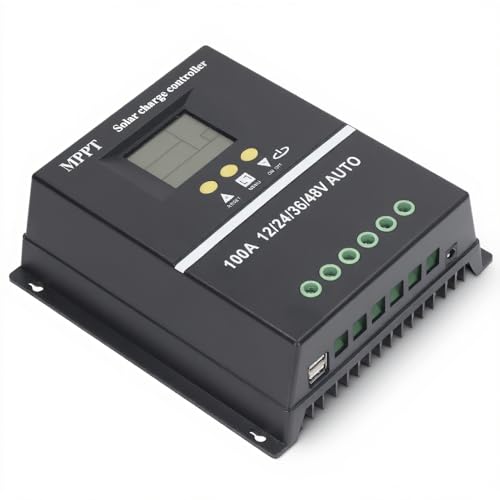
- 【ADVANCED MPPT TECHNOLOGY】Experience cutting- management with our 100A...
- 【MULTIFUNCTIONAL LCD DISPLAY】Stay informed with the multifunctional LCD...
- 【STRINGENT SAFETY PROTECTIONS】Your safety is paramount, which is why...
Can cloudy weather affect what my controller light shows me?
Yes, cloudy weather can trick your controller into switching to float mode too early. The voltage spikes from intermittent sun can confuse the sensors.
On cloudy days, check your controller light in the late afternoon instead of midday. This gives the system more consistent time to read the actual battery state.