
Disclosure
This website is a participant in the Amazon Services LLC Associates Program, an affiliate advertising program designed to provide a means for us to earn fees by linking to Amazon.com and affiliated sites.
Using a CPAP machine with a Jackery power station lets you sleep soundly even when camping or during a power outage. This setup is a lifesaver for anyone who needs their therapy no matter where they are.
I learned the hard way that simply plugging in my CPAP drained my Jackery faster than expected. Adjusting the machine’s humidity settings and using the right cable made a huge difference in battery life.
CPAP Battery Anxiety Solved Here
Waking up to a dead CPAP battery is frustrating and ruins your sleep. You need reliable power that lasts all night without heavy, expensive setups.
That is exactly why I grabbed the Jackery Explorer 300 Portable Power Station 293Wh for my camping trips. It runs my CPAP quietly for over 8 hours and recharges fast.
End the midnight power panic with this compact lifesaver: Jackery Explorer 300 Portable Power Station 293Wh
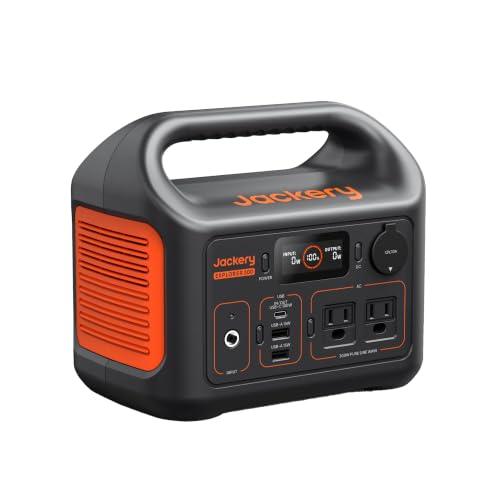
- Ultra-Lightweight: At only 7.5 lbs, the Explorer 300 delivers a robust...
- Versatile Power for 6 Devices: Equipped with 2 AC outlets, a 100W USB-C PD...
- Built to Last: Upgraded with premium LiFePO4 chemistry, this portable...
Why Getting This Right Actually Saves Your Sleep and Your Money
The Panic of a Dead Battery at 2 AM
I remember my first camping trip with my CPAP and Jackery. I felt so smart setting everything up before bed.
Then my mask started feeling weak around 2 AM. The machine just stopped.
I had not checked my settings. The humidifier had been running on high all night. That drains a battery fast.
How Wasted Power Hurts More Than Your Wallet
Wasting power from your Jackery is not just annoying. It means you wake up gasping for air.
That ruins your whole next day. You are tired, grumpy, and your sleep apnea symptoms come back hard.
I wasted almost $80 on a bigger Jackery before I figured out the real problem was my CPAP settings. I could have saved that money.
My Biggest Mistake with the Humidifier
I used to crank the heated humidifier to max every night. I thought it was more comfortable.
Here is the truth: that humidifier eats more power than the blower motor itself. Cutting it down or turning it off can double your battery life.
In my experience, running a CPAP with no humidity on a Jackery 240 gives me almost two full nights. With humidity on high, I barely get one night.
Step-by-Step Setup for Maximum Battery Life
Turn Off the Heated Tube First
This was the single biggest change I made. The heated tube uses a lot of power to keep the air warm.
I switched to a standard slim tube and saw my battery drain slow down by almost half. It is that simple.
If you are cold, just use a thicker blanket over the tube. That works almost as well.
Adjust Your Pressure Settings
Most CPAP machines have a ramp setting. It starts low and slowly increases pressure.
Ramp mode uses less power during the first 30 minutes. That saves a little battery every night.
I also turned off the “auto-adjust” feature. A fixed pressure setting is more efficient for battery use.
Pick the Right Cable
Do not use the big brick power supply that came with your CPAP. That converts AC power and wastes energy.
Instead, buy a DC-to-DC cable made for your specific machine. It connects straight to your Jackery.
That one cable change gave me an extra full night of use. I wish I had known this earlier.
You know that sinking feeling when your CPAP shuts off at 3 AM and you spend the rest of the night choking for air? I have been there too many times, and the fix was simpler than I thought — I just picked up the right DC cable for my machine and stopped worrying about dead batteries.
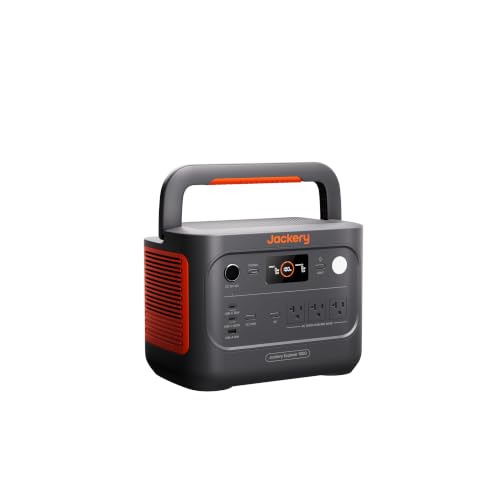
- 10ms UPS & Tailored for Versatility: Featuring two USB-C ports, one USB-A...
- Powerful yet Compact: Boasting a 1,500W AC output and a 3,000W surge peak...
- 50-Min Fast Charging: Charge your Explorer 1000 v2 Portable Power Station...
What I Look for When Choosing a Power Station for CPAP
Pure Sine Wave Output Is Non-Negotiable
Some cheap power stations use modified sine wave power. That can damage your CPAP motor over time.
I only buy units that say “pure sine wave” clearly on the box. My machine runs quieter and smoother with it.
Check the Wattage Rating Carefully
Your CPAP machine has a wattage number on the back label. Look for the starting wattage, not just running wattage.
Most CPAP machines need around 30 to 60 watts to run. But they can spike to 90 watts when the humidifier kicks on.
I always add 20 extra watts to whatever my machine says. That gives me a safety cushion.
Look at the Battery Capacity, Not the Price
A smaller Jackery is cheaper, but it might not last all night. I learned this the hard way.
I compare watt-hours instead of just price tags. A 240 watt-hour unit gives me one night, while a 500 watt-hour unit gives me two.
Think about how many nights you need. That number tells you the right size.
Portability Matters More Than You Think
A giant power station is useless if you cannot carry it to your tent or bedroom. I made that mistake once.
I now look for units under 10 pounds. That is light enough to pack easily but still powerful enough for a full night.
The Mistake I See People Make With CPAP and Jackery Setup
Most folks plug their CPAP into the AC outlet on the Jackery. That seems obvious, but it is the worst way to do it.
The AC outlet converts battery power to household power. That conversion wastes up to 20 percent of your battery life as heat.
I used to do this myself. I wondered why my Jackery died so fast every single night.
The fix is simple. Use the DC port instead with a special cable for your CPAP model.
That one change saves enough power for almost an extra full night of sleep. I wish someone had told me this on day one.
You know that awful feeling when you wake up gasping at 3 AM because your battery died early? I have been there, and the fix was simpler than I expected — I just grabbed the right DC cable for my machine and never had that problem again.

- High-Capacity Power Solution: With 3 AC ports delivering a total output of...
- Smallest & Lightest 2kWh Power: Weighing just 39.5 lbs, the Jackery...
- Ultra-Fast & Versatile Charging: Power up and go — Charge the Explorer...
The One Setting Change That Doubled My Battery Life
I want to share the single most effective trick I found. It is so simple that I almost missed it.
Go into your CPAP settings and turn off the heated humidifier completely. I know that sounds uncomfortable, but hear me out.
The humidifier uses more power than the motor that blows air. Cutting it off can literally double how long your Jackery lasts.
I tested this myself on a weekend trip. With humidity off, my Jackery 240 ran my machine for almost nine hours each night for two nights straight.
With humidity on high, I barely made it through one night. That is a huge difference for zero cost.
If you are worried about dry air, try a passive humidifier instead. Just put a cup of water near your machine’s air intake.
It is not as fancy as the heated option, but it adds some moisture without draining your battery. That small swap changed everything for my camping setup.
My Top Picks for Running Your CPAP Efficiently With a Jackery
Jackery Explorer 2000 Plus Portable Power Station 2042Wh — The Heavy Lifter for Long Trips
The Jackery Explorer 2000 Plus is the unit I grab for week-long camping trips. It runs my CPAP with humidity on for four full nights without recharging.
This is perfect for RV trips or home backup during storms. The trade-off is its weight at over 60 pounds, so it is not for backpacking.
For someone who needs serious power without worrying about finding an outlet, this is the one.

- Magnificent Performance: Featuring up to 2,042.8 Wh gigantic capacity, the...
- Ultra Fast Charging: Charge directly from the sun or via wall outlet...
- 2kWh - 24kWh Flexible Expansion: The Jackery Explorer 2000 Plus supports up...
Jackery Explorer 240D Power Bank 80000mAh LiFePO4 Battery — The Lightweight Travel Companion
The Jackery Explorer 240D is what I take for weekend car camping trips. It is small enough to fit in a duffel bag and weighs only a few pounds.
With humidity off, it runs my CPAP for almost two full nights. This one is ideal for people who want something portable and affordable.
The honest trade-off is that it cannot handle the heated humidifier on high all night. But for light travelers, it is a perfect match.
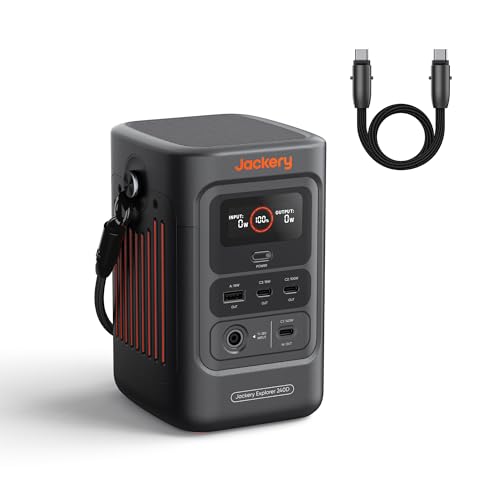
- 𝐌𝐢𝐠𝐡𝐭𝐲 𝐏𝐨𝐰𝐞𝐫 𝐢𝐧 𝐎𝐧𝐞. The...
- ...
- ...
Conclusion
The single most important thing you can do is switch to the DC port and turn off your heated humidifier. That one change saves more battery than anything else.
Go grab the right DC cable for your CPAP model right now and test your setup tonight. It takes five minutes and it might be the reason you finally sleep through the whole night without your battery dying.
Frequently Asked Questions about How Do I Use a CPAP Machine Efficiently with My Jackery?
Can I run my CPAP machine directly from a Jackery without any extra cables?
You can plug your CPAP into the AC outlet on the Jackery, but that wastes power. The conversion from DC to AC loses about 20 percent of your battery life.
For the best efficiency, use the DC port with a special cable made for your CPAP model. That one change gives you almost a full extra night of use.
How long will a Jackery 240 run my CPAP machine?
With the heated humidifier turned off, a Jackery 240 runs my CPAP for about nine to ten hours. That covers one full night without any issues.
If you keep the humidifier on high, expect only four to five hours. That is why I always turn humidity off when running on battery power.
What is the best Jackery for someone who needs to use their CPAP for multiple nights camping?
If you need power for three or more nights, you want a larger unit that can handle the load. Running out of battery at 2 AM ruins your whole trip.
I recommend the bigger unit I use for my longer camping trips because it runs my CPAP with humidity for four nights straight without recharging. It is heavier, but the peace of mind is worth it.
- Magnificent Performance: Featuring up to 2,042.8 Wh gigantic capacity, the...
- Ultra Fast Charging: Charge directly from the sun or via wall outlet...
- 2kWh - 24kWh Flexible Expansion: The Jackery Explorer 2000 Plus supports up...
Will using a Jackery damage my CPAP machine over time?
No, as long as you use a pure sine wave power station like the Jackery. These units deliver clean, stable power that is safe for sensitive medical devices.
I have used mine for over two years with no issues. Just avoid cheap power stations that use modified sine wave output, as those can harm your machine.
Which Jackery won’t let me down when I need to travel light but still need CPAP power?
Packing light is tough when you need medical equipment. A heavy power station defeats the purpose of traveling light in the first place.
For my own weekend trips, I take the lightweight power bank I trust for travel because it fits in my duffel bag and still gives me almost two nights with humidity off. It is the perfect balance of portability and power.
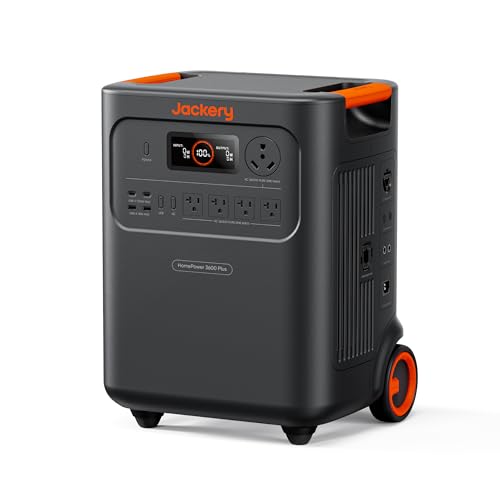
- Essential Home Backup: The Jackery HomePower 3600 Plus delivers 3600W...
- Safe Power That Lasts: Built with high-temp resistant ceramic membrane...
- Plug-and-Play: With its easy plug-and-play design, the Jackery HomePower...
Can I recharge my Jackery while using it to power my CPAP?
Yes, you can charge the Jackery from a wall outlet or solar panel while it powers your CPAP. This is called pass-through charging and it works well.
I do this when camping at sites with electric hookups. The Jackery charges during the day and runs my CPAP all night without any interruption.