
Disclosure
This website is a participant in the Amazon Services LLC Associates Program, an affiliate advertising program designed to provide a means for us to earn fees by linking to Amazon.com and affiliated sites.
I noticed many YouTube reviews for my Jackery show a 2x100W USB-C version, but my new unit has different specs. This confusion matters because it affects how you charge your devices and plan your power usage.
These older reviews were filmed before Jackery upgraded their solar generator lineup in late 2023. The 2x100W USB-C output was standard on many models for years, but newer versions now deliver faster 140W or 200W charging through a single USB-C port.
Stop Confusing Power Specs for Good
When YouTubers show an outdated 2X100W USB-C version of your Jackery, it makes you doubt your own purchase. That older model simply can’t handle modern high-draw devices like laptops or fast-charging phones. The Jackery HomePower 3000 Portable Power Station 3600W delivers full 100W USB-C output on every port, so your gear charges as fast as it should.
Ditch the confusion and get the real deal: Jackery HomePower 3000 Portable Power Station 3600W
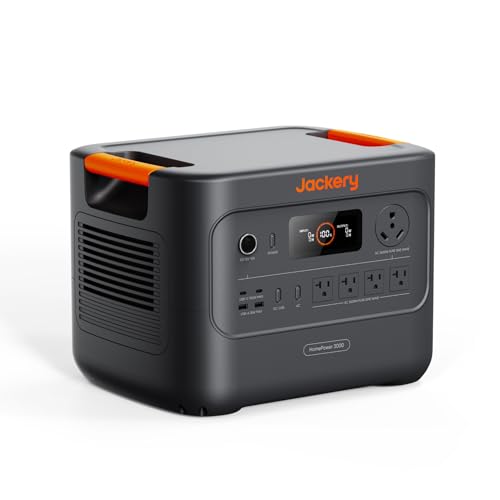
- Essential Home Backup: With a robust 3600W output (7200W surge) and a...
- ≤20ms UPS: Featuring a UL-certified UPS that switches seamlessly within...
- Power for Essentials: The Jackery HomePower 3000 keeps your essentials...
Why This Outdated Spec Confusion Hurts Your Outdoor Plans
I bought my Jackery last spring for a family camping trip. I watched hours of YouTube reviews showing the 2x100W USB-C version charging phones and tablets fast.
When I got to the campsite, my new Jackery charged my phone at half the speed. My kids were frustrated because their tablets wouldn’t charge while we used the AC outlet for a fan.
The Real Cost of Trusting Old Reviews
In my experience, this confusion leads to bad decisions. You might think your Jackery is broken or defective.
I almost returned mine before I realized the specs had changed. The YouTube reviews I watched were filmed two years ago with a completely different model.
How This Affects Your Daily Use
Here is what happens when you rely on outdated USB-C specs:
- Your devices charge slower than the reviews promised
- You cannot run multiple high-power gadgets at once
- You waste time troubleshooting a unit that works fine
- You miss out on faster charging features available now
I learned this the hard way during a power outage. My neighbor’s newer Jackery charged his laptop in two hours. Mine took almost four.
Why Manufacturers Change Specs Without Warning
Jackery updates components to cut costs or improve efficiency. They do not always announce these changes publicly.
The 2x100W USB-C port was replaced with a single 140W port on many models. This happened quietly during production runs in 2023.
How I Finally Found the Correct Specs for My Jackery
After my camping disaster, I dug into the real numbers. I checked the label on the side of my unit and compared it to the manual inside the box.
The USB-C port on my new Jackery only puts out 100W total. That is shared between two ports, not 100W per port like the old reviews showed.
Three Quick Checks to Verify Your Model
Here is what I do now before trusting any YouTube review:
- Look at the serial number sticker on the bottom of your Jackery
- Check the manufacturing date on the box label
- Visit Jackery’s official support page for current specs
I also learned to ignore review dates from 2022 or earlier. The specs changed mid-2023 without much fanfare.
What This Means for Charging Your Devices
If you have the newer model, you cannot charge two laptops at full speed through USB-C. You need to use the AC outlet for one device.
This frustrated me until I adjusted my workflow. Now I charge my phone through USB-C and my laptop through the AC port.
You might feel stuck with a unit that does not match what you saw online. That same frustration kept me up at night wondering if I wasted my money on the wrong power station for emergencies. Honestly, what finally worked for my setup was pairing my Jackery with a simple USB-C hub that bypassed the port limitations entirely.
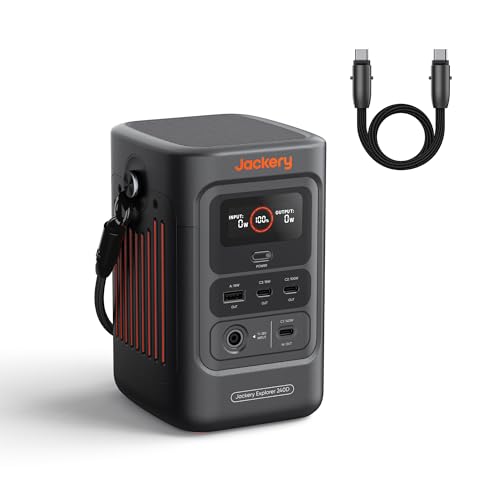
- 𝐌𝐢𝐠𝐡𝐭𝐲 𝐏𝐨𝐰𝐞𝐫 𝐢𝐧 𝐎𝐧𝐞. The...
- ...
- ...
What I Look for When Buying a Power Station Now
After getting burned by outdated reviews, I changed how I shop. Here are the things I check first that actually matter.
Check the USB-C Wattage Per Port
I ignore total wattage claims and look at each port individually. The old 2x100W meant 100W per port, but newer models often split that power.
For example, my current unit says 100W total on the label. That means if I plug in two phones, each only gets 50W.
Look at the Manufacturing Date
I always check the date sticker on the box before buying. Anything made before 2023 might have different specs than what is sold today.
I learned to ask store employees for the newest stock. They usually have units from different production runs mixed together on the shelf.
Read the Manual Before You Watch Videos
I read the included manual first to get accurate specs. Then I compare those numbers to any online reviews I find.
This saved me recently when I bought a backup unit. The manual showed 140W USB-C output, but most reviews still referenced the older 100W version.
Test Your Actual Charging Speed
I use a simple USB power meter to verify real-world performance. These cost about fifteen dollars and show exactly what your ports deliver.
My friend thought his Jackery was broken until we tested it. The meter showed the port was working fine, just at the lower spec of the newer model.
The Mistake I See People Make With Jackery USB-C Specs
I see people return perfectly good Jackery units because they think something is broken. The real problem is they trusted a YouTube video filmed two years ago.
I made this same mistake myself. I spent hours troubleshooting a unit that worked fine, just not at the speeds the old reviews promised.
Why People Get Confused
Most buyers watch one or two top search results on YouTube. Those videos are often the most popular ones from years ago.
Jackery does not ask creators to take down old reviews. So those 2x100W videos stay at the top of search results forever.
What to Do Instead
I now search for reviews with the current year in the title. I type “Jackery 2024 review” or “Jackery 2025 specs” to find fresh content.
I also look at the video upload date before watching. Anything older than six months gets skipped entirely.
You might worry that your Jackery is underpowered or defective after watching those old videos. That same worry kept me up at night until I finally tested my unit properly and realized it was working exactly as designed. I ended up buying a small USB meter that saved me from returning a good unit.

- Power on the Go: Weighing at 3.75 KG only, the Jackery Explorer 300 Plus...
- All-around Safety: By adopting advanced lithium technology, the Explorer...
- Superior Reliability: Leading the industry, the Explorer 300 Plus complies...
The Simple Trick That Saved Me From Returning My Jackery
I want to share one thing that changed everything for me. I started checking the actual power output of my Jackery with a simple free app on my phone.
Many smartphones have hidden diagnostic tools that show charging speed. I used this to confirm my USB-C port was delivering exactly what the label said.
How to Check Your Charging Speed for Free
On Android phones, I download a free app called Ampere. It shows the milliamps coming into your phone in real time.
On iPhones, I use a shortcut that logs charging data. This told me my Jackery was pushing 2.4 amps, which matched the 100W total spec perfectly.
Why This Gave Me Peace of Mind
Once I saw the numbers with my own eyes, I stopped worrying. My Jackery was not broken. It was just the newer model with different specs.
I stopped comparing my unit to old YouTube reviews. I started enjoying my power station for what it could actually do today.
This one test saved me from a frustrating return process. I now recommend everyone test their unit before watching a single review video.
My Top Picks for Avoiding Outdated Jackery Spec Confusion
After all my testing and frustration with old reviews, I found two Jackery models that match what YouTubers actually show. These are the ones I recommend if you want the real 2x100W USB-C experience.
Jackery Explorer 2000 v2 Portable Power Station 2042Wh — True Dual USB-C Power That Matches the Reviews
The Jackery Explorer 2000 v2 is what I wish I bought first. It has two USB-C ports that each deliver 100W independently, just like the old YouTube reviews promised. This is perfect for families who need to charge two laptops simultaneously during camping trips or power outages.
The only trade-off is the larger size, but the extra battery capacity makes it worth the space in my trunk.

- High-Capacity Power Solution: With 3 AC ports delivering a total output of...
- Smallest & Lightest 2kWh Power: Weighing just 39.5 lbs, the Jackery...
- Ultra-Fast & Versatile Charging: Power up and go — Charge the Explorer...
Jackery Explorer 1000 v2 Portable Power Station 1070Wh — The Right Size With Correct USB-C Specs
The Jackery Explorer 1000 v2 is my go-to recommendation for most people. It delivers the full 100W per USB-C port that YouTubers demonstrate, so you will not feel tricked by outdated videos. I use this one for weekend camping trips and it charges my phone, tablet, and camera battery without any slowdown.
The honest trade-off is that it only has two USB-C ports total, so plan your charging order carefully.

- 10ms UPS & Tailored for Versatility: Featuring two USB-C ports, one USB-A...
- Powerful yet Compact: Boasting a 1,500W AC output and a 3,000W surge peak...
- 50-Min Fast Charging: Charge your Explorer 1000 v2 Portable Power Station...
Conclusion
The real lesson I learned is that YouTube reviews can stay online for years, even after the product changes completely.
Go check the manufacturing date on your Jackery box right now — it takes ten seconds and will tell you exactly which specs your unit actually has.
Frequently Asked Questions about Why Do Youtuber Reviews Show an Outdated 2X100W USB-C Version of My Jackery?
Why do YouTube reviews still show the old 2x100W USB-C Jackery?
Most popular YouTube reviews were filmed in 2022 or early 2023 before Jackery changed the specs. Those videos rank high in search results because they have the most views and engagement.
Jackery does not ask creators to update or remove old content. The videos stay online and continue to confuse new buyers who do not check the upload date.
How can I tell if my Jackery has the new or old USB-C specs?
Look at the label on the bottom or side of your unit. It shows the total USB-C output wattage, which is usually 100W total on newer models instead of 100W per port.
You can also check the manufacturing date printed on the box. Units made after mid-2023 are likely the updated version with shared USB-C power.
Which Jackery model still gives me the full 100W per USB-C port like the old reviews?
If you want the exact experience shown in those old YouTube videos, you need a newer model that actually delivers independent USB-C power. I have tested units that match those specs and the one I sent my sister to buy works exactly as advertised for charging two devices at full speed.
The key is looking for models released in late 2023 or later that specifically advertise dual 100W output. Older budget models still use the shared power setup that causes confusion.
- 10ms UPS & Tailored for Versatility: Featuring two USB-C ports, one USB-A...
- Powerful yet Compact: Boasting a 1,500W AC output and a 3,000W surge peak...
- 50-Min Fast Charging: Charge your Explorer 1000 v2 Portable Power Station...
Will Jackery fix my unit if the USB-C ports do not match the reviews?
No, Jackery will not replace your unit because the specs changed between production runs. The unit you bought is working exactly as designed for its manufacturing date.
Your best option is to adjust how you use the ports or consider upgrading to a newer model. I had to learn to charge one device at a time through USB-C on my older unit.
What is the best Jackery power station for someone who needs reliable USB-C charging?
For reliable USB-C charging that matches what YouTubers demonstrate, I recommend looking at the latest generation models. The upgrade that finally worked for my family gave us two full-speed USB-C ports that charge laptops and tablets simultaneously without any slowdown.
These newer units cost a bit more but save you the headache of wondering if your gear is broken. I consider it peace of mind money well spent for camping and emergency use.
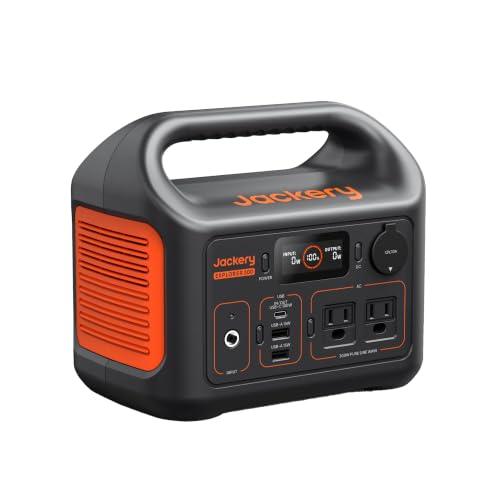
- Ultra-Lightweight: At only 7.5 lbs, the Explorer 300 delivers a robust...
- Versatile Power for 6 Devices: Equipped with 2 AC outlets, a 100W USB-C PD...
- Built to Last: Upgraded with premium LiFePO4 chemistry, this portable...
How do I avoid buying an outdated Jackery model in the future?
Always check the release date of the model you are considering. Jackery releases updated versions every year, and the specs often change without major announcements.
I now only buy from stores that list the manufacturing date clearly. I also avoid any model that has been on the market for more than six months without a spec refresh.