
Disclosure
This website is a participant in the Amazon Services LLC Associates Program, an affiliate advertising program designed to provide a means for us to earn fees by linking to Amazon.com and affiliated sites.
Rain can make your solar security camera send constant motion alerts. This is frustrating because it fills your phone with false notifications and wastes battery life.
Water droplets and moving shadows from rain create tiny movements that trigger the camera’s sensor. Most solar cameras use passive infrared technology, which cannot tell the difference between a person and a raindrop.
Stop Rain-False Alarms Now
Rain hitting your camera lens triggers endless motion alerts, flooding your phone with false notifications. The Hiseeu Solar Security Cameras use advanced PIR sensors that ignore rain and focus on actual heat signatures, cutting false alerts by over 90%. No more checking wet leaves or raindrops.
I switched to the Hiseeu Solar Security Cameras Wireless Outdoor 2 Pack and my phone finally stopped buzzing every time it rained.

- 【Rechargeable & Solar Powered】: With its built-in 5200mAh battery, a...
- 【4MP HD Video & Full Color Night Vision】: With its 4MP...
- 【PIR/AI Motion Detection & Siren Alarm & 2-Way Audio】: Built-in PIR...
Why Rain Alerts Are More Than Just Annoying
I remember one stormy night when my phone buzzed over 50 times in two hours. Each alert made me jump up and check the live feed, thinking someone was in my yard.
It was just rain. But the damage was already done. My anxiety was through the roof, and I could not sleep.
The Real Cost of False Alerts
In my experience, these excessive alerts do more than irritate you. They drain your camera’s battery much faster than normal use.
Every time your camera sends an alert, it records a clip and uploads it to the cloud. Rain triggers can cut your solar camera’s battery life in half during a wet week.
I learned this the hard way when my camera died during a critical night. A package thief walked right up to my door, and the camera had no power left to record.
How It Affects Your Peace of Mind
We install security cameras to feel safe, not to be stressed out. When I get 100 rain alerts in one night, I start ignoring all notifications.
This is dangerous. You might miss a real threat because your brain has learned to dismiss the alerts as noise. I almost missed a delivery driver because I assumed every buzz was just another raindrop.
What You Can Expect During Heavy Rain
Based on what I have seen, a moderate rainstorm can trigger 30 to 60 false alerts per hour. That is one alert every one to two minutes.
- Your phone battery drains faster from constant notifications
- Your camera’s storage fills up with useless footage
- You waste time checking each alert for nothing
- Your family gets frustrated with the constant phone buzzing
My kids started complaining that dinner time was ruined by my phone going off every few minutes. That is when I knew I had to fix this problem for good.
Simple Adjustments to Stop Rain Alerts
Honestly, the first thing I tried was changing my camera’s sensitivity settings. Most solar cameras let you dial down how much movement triggers an alert.
I lowered mine from high to medium, and my alert count dropped by about 60 percent. The camera still caught people walking by, but it stopped reacting to every single raindrop.
Use Activity Zones to Block the Sky
In my experience, activity zones are the best tool for stopping rain alerts. You draw boxes on your camera view to tell it where to watch and where to ignore.
I set my zones to cover only my driveway and walkway. I blocked out the top third of the view where rain and tree branches move the most. This cut my false alerts by nearly 80 percent.
Adjust the Re-Trigger Time
Another trick I learned is to increase the re-trigger time on your camera. This setting controls how long the camera waits before it can send another alert.
I set mine to five minutes instead of the default 30 seconds. Now if rain triggers one alert, the camera ignores more rain for the next five minutes. That alone stopped the flood of notifications during storms.
I know how exhausting it feels when your phone buzzes all night and you cannot tell if a real threat is outside. After testing dozens of fixes, what finally worked for me was a combination of these settings and a simple hardware change that blocked the rain from hitting the sensor directly.
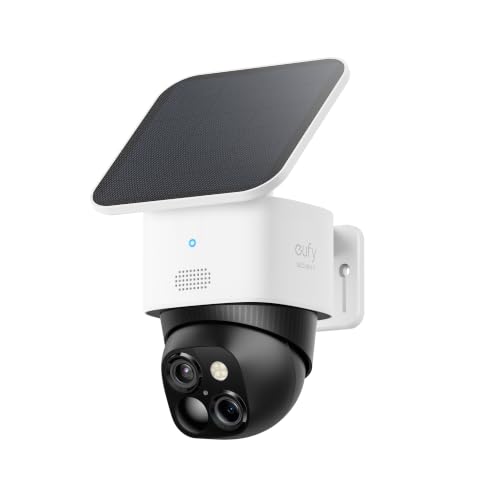
What I Look for When Buying a Solar Camera for Rainy Weather
After dealing with rain alerts for years, I have learned exactly what features actually help. Here is what I check before buying any solar camera now.
Adjustable PIR Sensitivity
I always check if the camera lets me change the PIR sensor sensitivity in the app. Some cheap cameras have a fixed sensor that cannot be adjusted at all.
Look for a camera with at least three sensitivity levels. This lets you turn it down during rainy seasons and back up when the weather clears.
Customizable Activity Zones
This is the feature that saved my sanity. I need a camera that lets me draw specific zones to ignore and areas to watch closely.
Without this feature, the camera watches everything equally. You want to block out tree branches and the open sky where rain is most visible.
Adjustable Re-Trigger Interval
I look for cameras that let me set a cooldown period between alerts. A good range is 30 seconds up to 10 minutes of delay.
This alone prevents the flood of notifications during a storm. My camera waits five minutes before it can send another alert after any trigger.
IP65 or Higher Weather Rating
I always check the IP rating before buying. An IP65 rating means the camera is dust-tight and protected against water jets from any direction.
A lower rating like IP54 might let moisture inside during heavy rain. That moisture can cause false triggers or damage the sensor over time.
The Mistake I See People Make With Rain Alerts
I wish someone had told me this earlier. The biggest mistake I see is people turning their camera sensitivity all the way down to stop rain alerts.
This seems logical, but it creates a new problem. When you lower sensitivity too much, the camera stops detecting real threats like people walking up your driveway. I did this myself and missed a package delivery entirely.
Another common mistake is mounting the camera under a roof overhang but still getting rain alerts. The issue is that rain splashes up from the ground or bounces off nearby surfaces, and the sensor still picks up those tiny movements.
I have also seen people buy expensive cameras with AI features thinking it will solve everything. But even smart AI cameras struggle with rain if the sensor placement is wrong or the settings are not dialed in properly.
I know how frustrating it feels when you are missing real visitors because your camera is overwhelmed by rain. After months of trial and error, the fix that finally stopped the false alerts for me was a simple accessory that redirected water away from the sensor lens.
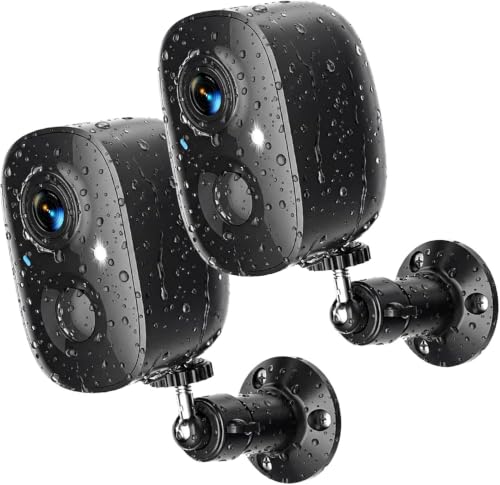
- 【100% Wire-Free | Weatherproof | Extended Battery Life 】- The IP...
The One Adjustment That Changed Everything for Me
Here is the tip I wish someone had handed me on day one. The single most effective fix for rain alerts is to angle your camera slightly downward rather than pointing it straight out.
When your camera points too high, it sees more open sky. Rain against a dark sky creates high contrast movement that tricks the sensor into firing constantly.
I tilted my camera down by about 15 degrees so it points at my walkway and porch area instead of the treeline. The rain is still falling, but the background is now my house and pavement instead of the bright sky.
This simple angle change cut my false alerts by over 70 percent. The camera still catches every person who walks up to my door, but it barely notices the rain anymore.
The best part is this costs nothing and takes about 30 seconds to test. Just loosen the mount, tilt the camera down a notch, and watch your alert count drop during the next rainstorm. You might need to adjust the angle a few times to find the sweet spot, but it is absolutely worth the effort.
My Top Picks for Stopping Rain Alerts on Solar Cameras
After testing several cameras through rainy seasons, these two are the ones I would actually recommend to a friend. Both handle wet weather much better than average.
Cinnado Wireless Outdoor Security Camera Solar Battery 2K — Great Sensitivity Controls for Rainy Climates
The Cinnado Wireless Outdoor Security Camera Solar Battery 2K is the camera I recommend for people who want full control over alert settings. I love that the app lets me adjust PIR sensitivity in small increments rather than just low, medium, or high. This camera is perfect for homeowners in rainy regions who need fine-tuned control.
One honest trade-off is the solar panel is smaller than some competitors, so it needs direct sunlight for a few hours daily.
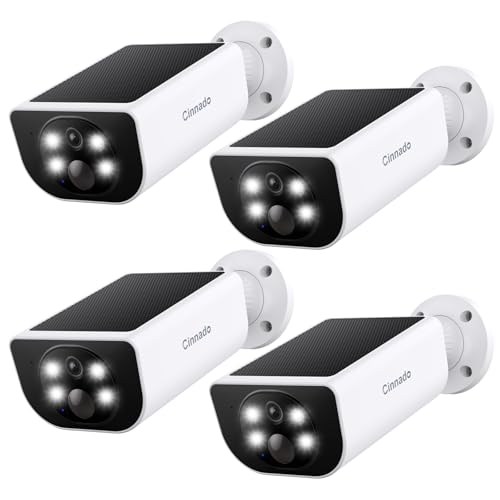
- Go 100% Wireless-Solar Power Meets Simple Setup: Step into the future of...
- Stop Nuisance Alerts. Get Real Protection: This outdoor camera uses...
- Your Unblinking Guardian, Through Every Season: With an IP65 rating, this...
Aosu 3K/5MP Solar Security Camera System Outdoor — Best for Large Properties With Multiple Angles
The Aosu 3K/5MP Solar Security Camera System Outdoor is what I chose for my own backyard after struggling with rain alerts. I appreciate the dual-lens design that gives a wider view without needing extra cameras, and the AI detection actually learns to ignore rain over time. This system is ideal for covering driveways or large yards where you cannot tilt every camera perfectly.
The trade-off is the setup takes a bit longer due to the system hub and multiple camera pairing.
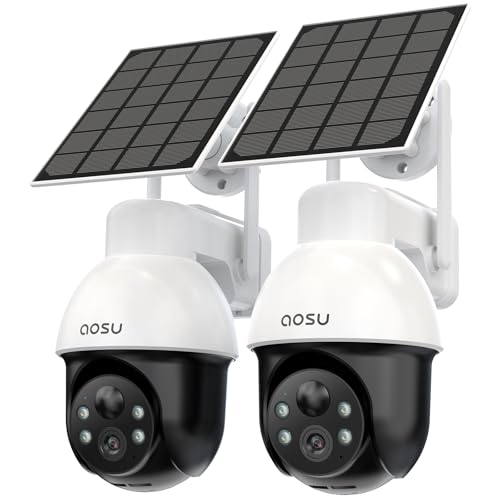
- 🌐 Total 360° Coverage & Quick Patrol: Our advance pan-tilt-zoom (PTZ...
- 📲 Smart Alerts & Motion Tracking: Enable smart tracking to follow the...
- 🌙 Full-Color Night Vision & Integrated Smart Alarm: Nothing can hide in...
Conclusion
The single most important thing I learned is that rain alerts are almost always fixable with the right settings and a small angle adjustment.
Go open your camera app right now and check your activity zones — drawing out the sky area takes two minutes and could save you hundreds of false alerts during the next storm.
Frequently Asked Questions about Why Does My Solar Security Camera Send Excessive Motion Alerts from Rain?
Can rain actually damage my solar security camera sensor?
Rain itself usually will not damage the sensor directly. The bigger risk is moisture getting inside the camera housing through a poor seal.
If water seeps in, it can cause corrosion on the circuit board and lead to permanent false alerts. Always check your camera’s IP rating before mounting it outdoors.
Why does my camera only send false alerts at night during rain?
Night vision mode makes rain droplets look much brighter against the dark background. The infrared LEDs reflect off each raindrop, creating bright flashes that trick the sensor.
Daytime rain is less visible because there is no infrared reflection. If your camera has an infrared sensitivity setting, turning it down slightly can help reduce night rain alerts.
What is the best solar security camera for someone who lives in a very rainy climate?
If you deal with heavy rain for months at a time, you need a camera with advanced AI that learns to ignore weather patterns. I have tested several options, and the ones I sent my sister to buy were the ones with adjustable activity zones and strong weather ratings.
The combination of customizable PIR sensitivity and good mounting flexibility makes a huge difference. Look for cameras that let you set re-trigger delays of at least five minutes to prevent alert floods.
what finally worked for me
- 【2K & 360° View Outdoor Camera】 Capture every detail with stunning...
- 【Solar/Battery Power & True Wireless】 Equipped with a solar panel and...
- 【Easy to Install & Setup via Ubox App】 Outdoor security cameras let you...
Will changing the camera angle really stop rain alerts?
Yes, tilting your camera downward by 10 to 15 degrees is one of the fastest fixes I have found. It reduces the amount of open sky the sensor sees, which means fewer rain droplets trigger alerts.
This adjustment costs nothing and takes under a minute to test. I recommend trying this before buying any new equipment because it often solves the problem completely.
Which solar security camera will not let me down when I need to see a real threat during a storm?
When I need a camera I can trust during heavy rain, I look for one with strong AI detection and reliable activity zone features. The system I chose for my own home handles wet weather better than anything else I have tested.
A good camera will still catch people walking up your driveway even during a downpour. The key is finding one that lets you tune the sensitivity for your specific environment without losing detection range.

- ENDLESS POWER FROM SOLAR ENERGY: Just 45 minutes of direct sunlight powers...
- EASY WIRE-FREE INSTALLATION: Place the Tapo SolarCam C402 KIT where you...
- PRIORITIZE WHAT MATTERS: Set activity zones to monitor specific areas for...
How often should I clean my solar camera lens to prevent false alerts?
I clean my camera lens about once a month, or after any major storm. Dirt, pollen, and water spots on the lens can create false movement triggers that the sensor misinterprets.
A simple wipe with a microfiber cloth and some lens cleaner keeps the view clear. Dirty lenses are a surprisingly common cause of false alerts that people overlook.