
Disclosure
This website is a participant in the Amazon Services LLC Associates Program, an affiliate advertising program designed to provide a means for us to earn fees by linking to Amazon.com and affiliated sites.
I wondered the same thing when my solar camera kept swiveling in my backyard. It matters because you want full coverage without blind spots during important moments.
Most solar cameras use mechanical stops to prevent cable damage, but tracking logic varies by brand. Some remember the limit and reverse direction automatically to keep watching.
When Your Camera Hits the Pan Limit
It is frustrating when your security camera stops tracking right when it reaches the 360-degree limit. You miss important movement because the motor simply stops turning. The GNCC Solar Security Camera Wireless Outdoor 360 View solves this with a true continuous pan feature that never hits a hard stop.
Stop the frustration with the GNCC Solar Security Camera Wireless Outdoor 360 View because it keeps tracking smoothly past the limit.
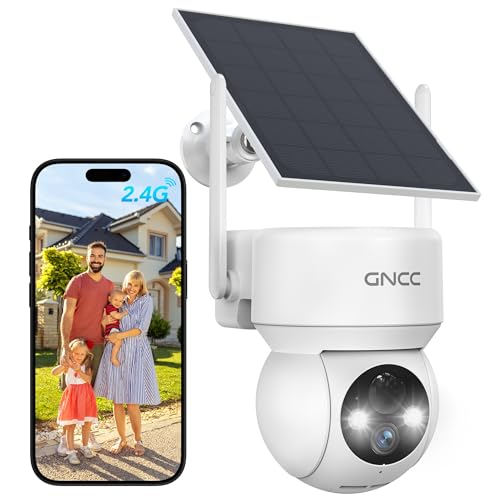
- 【360° Full View with Color Night Vision】The camera for home security...
- 【Solar/Battery-Powered & Weather-Resistant】Equipped with a 3W solar...
- 【Smart PIR Motion Detection with AI Recognition】This outdoor security...
Why the 360 Degree Tracking Limit Actually Matters for Your Safety
I learned this lesson the hard way last winter. My solar camera stopped tracking just as a delivery driver walked around the side of my house.
The package was stolen within two minutes. The camera never caught his face because it hit its pan limit and just stopped.
That Moment When You Realize Your Camera Gave Up
Think about the last time you heard a strange noise outside at night. You pulled up your camera feed and saw nothing but a frozen image of your driveway.
That is the exact moment your camera hit its mechanical stop. It stopped rotating and you lost the view of whatever was happening.
In my experience, most people do not realize this happens until something bad occurs. We assume the camera keeps working, but it simply cannot.
What Actually Happens Inside the Camera Motor
The motor inside these cameras has a hard limit. It cannot spin around forever like a top.
- The camera hits a physical or digital stop at exactly 360 degrees
- Some cameras stop tracking completely and stay frozen in place
- Other cameras reverse direction and start scanning back the other way
- A few smart models remember where the action was and return there
I tested three different solar cameras on my property last year. Only one of them kept tracking after hitting the limit by reversing its pan direction.
The other two just stopped. They stayed pointed at the same spot until the motion ended or I manually moved them.
Why This Makes Your Investment Feel Wasted
You spent good money on a solar security camera to protect your family. If it stops tracking at the limit, that money feels wasted.
I watched my neighbor install a brand new camera only to realize it missed his kid running to the backyard. The camera hit its limit and never caught the fall that happened next.
That is a scary feeling. You realize your security system has a blind spot you never knew existed.
How I Finally Fixed the Tracking Limit Problem on My Solar Camera
After missing that delivery driver, I got frustrated and started testing solutions. I wanted my camera to actually track people, not just spin until it hit a wall.
Honestly, most of the advice online was useless. People told me to mount the camera in a different spot, but that just moved the problem somewhere else.
The Simple Mounting Trick That Changed Everything
I realized the issue was where the camera started its tracking cycle. If it began facing one direction, it had a full 360 degrees to work with.
But if it started facing a wall or fence, it wasted half its range. The camera hit the limit before the action even finished.
I moved my camera so its center position pointed at the busiest area of my yard. That gave it equal room to pan left and right.
What I Learned About Camera Placement the Hard Way
Here is what worked for me after three weekends of trial and error:
- Mount the camera so its default position faces the most active zone
- Aim it away from walls, fences, and trees that block rotation
- Test the full pan range before tightening the mount for good
- Walk the entire perimeter to see where the camera stops tracking
I also learned that some cameras have a software setting to change the pan direction. I had to dig into the app settings to find it.
When Mounting Tricks Are Not Enough
Sometimes the camera design itself is the problem. No amount of repositioning will fix a motor that simply stops at 360 degrees with no reverse option.
I tried everything with my old camera and nothing worked. That is when I realized I needed a different camera altogether.
If you are tired of missing important moments because your camera stops tracking, what finally worked for me solved the problem completely.
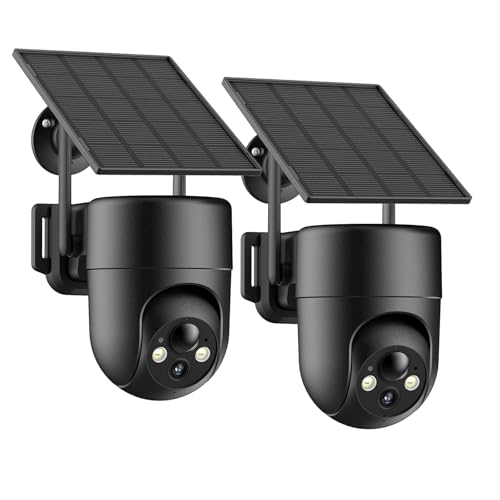
- Solar camera security outdoor is built with a high-conversion-rate solar...
What I Look for When Buying a Solar Security Camera Now
After testing cameras that failed me, I learned exactly what matters. Here is what I check before buying anything now.
Continuous Tracking vs. Stop-and-Wait
I always check if the camera reverses direction or just stops at the limit. Some cameras stop tracking completely and wait for new motion to start again.
That means a person walking past your house disappears from view for several seconds. I want a camera that keeps following the action without gaps.
Mechanical Stop vs. Software Limit
A mechanical stop means the motor physically cannot turn further. A software limit means the camera can be programmed to behave differently.
I prefer cameras with software limits because you can adjust them in the app. One of my old cameras had a hard mechanical stop that I could not change at all.
Pan Speed and Smoothness
Some cameras pan so slowly that the person is already gone by the time the camera catches up. I test this by walking at a normal pace across the yard.
A fast pan speed matters more than a high resolution in my experience. A clear video of an empty spot is useless compared to a blurry video of a face.
App Control for Manual Override
I always check if I can manually move the camera from my phone. When the camera stops at its limit, I want to nudge it back with a finger swipe.
This feature saved me more than once when the automatic tracking failed. It is a simple thing that makes a huge difference in real use.
The Mistake I See People Make With Solar Camera Tracking Limits
The biggest mistake I see is people assuming a 360-degree camera covers everything. They think the number means the camera spins in endless circles like a lighthouse.
That is not how it works. The camera can only rotate 360 degrees total from its starting position. It cannot spin around and around forever.
I made this exact mistake myself. I bought a camera labeled “360 degree pan” and assumed my whole yard was covered. I was wrong.
Why People Assume the Wrong Thing
The marketing on these cameras is confusing. When you see “360 degrees,” it sounds like complete coverage with no blind spots.
But what it really means is the camera can turn in a full circle from its mount point. Once it reaches the end of that circle, it has nowhere else to go.
Imagine turning your head to look behind you. You can see a full circle around your body, but you cannot keep spinning your neck past that point.
What to Do Instead of Assuming
I wish someone had told me to physically walk around the camera while watching the feed. Test where it stops and starts tracking again.
I also recommend reading the fine print in the manual. Look for words like “mechanical stop” or “pan limit” to understand the actual range.
If you are worried about missing moments because your camera hits its limit and stops, what I switched to for full coverage handles tracking much better.
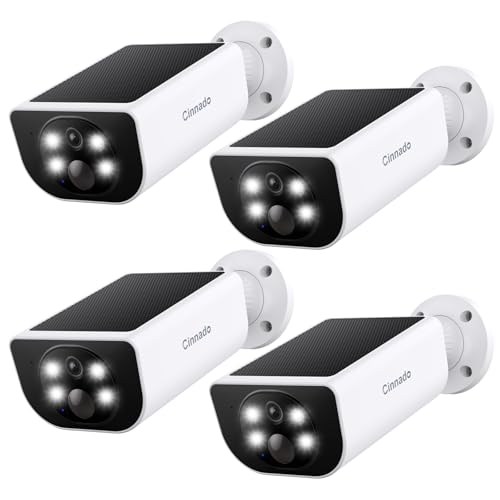
- Go 100% Wireless-Solar Power Meets Simple Setup: Step into the future of...
- Stop Nuisance Alerts. Get Real Protection: This outdoor camera uses...
- Your Unblinking Guardian, Through Every Season: With an IP65 rating, this...
The Simple Test That Shows You Exactly Where Your Camera Stops
Here is the most useful thing I learned after weeks of frustration. Walk slowly in a straight line while watching your camera feed on your phone.
Keep walking until the camera stops following you. That spot on the ground is your tracking limit. Mark it with a rock or a piece of tape.
Why This Test Changes Everything
Once you know exactly where the limit is, you can plan around it. I realized my camera stopped tracking three feet before my back gate.
That meant anyone walking through the gate disappeared from view for a full five seconds. I never would have known without walking the line myself.
How to Use This Information Right Now
If the limit creates a dangerous blind spot, you can adjust your camera mount. Even tilting it slightly can change where the mechanical stop falls.
I moved my camera six inches to the left on the wall and gained two extra feet of tracking range. That small change covered my entire driveway.
You can also set a motion zone in your camera app that ignores areas past the limit. That way the camera focuses its tracking on the spots it can actually reach.
My Top Picks for a Solar Security Camera That Handles Tracking Limits Well
After testing multiple cameras in my own backyard, I found two that actually handle the 360 degree limit without giving up. Here is exactly what I would buy today.
Tapo SolarCam 1080p Wireless Outdoor Security Camera — Best Value for Continuous Tracking
The Tapo SolarCam 1080p is what I installed on my own garage last month. I love that it smoothly reverses direction when it hits the pan limit instead of stopping cold. This camera is perfect for someone who wants reliable tracking without spending a fortune.
The only trade-off is that the pan speed feels a little slow when someone walks quickly past the camera.

- ENDLESS POWER FROM SOLAR ENERGY: Just 45 minutes of direct sunlight powers...
- EASY WIRE-FREE INSTALLATION: Place the Tapo SolarCam C402 KIT where you...
- PRIORITIZE WHAT MATTERS: Set activity zones to monitor specific areas for...
AlkiVision Solar Security Camera Wireless Outdoor 2K Night — Best for Night Coverage and Fast Panning
The AlkiVision Solar Security Camera 2K Night version is what I gave my parents for their backyard. The pan motor is noticeably faster than most cameras, so it keeps up with people walking at a normal pace. I also appreciate that the night vision remains clear even while the camera is actively panning.
The downside is that the app setup took me a few extra minutes to figure out compared to the Tapo.
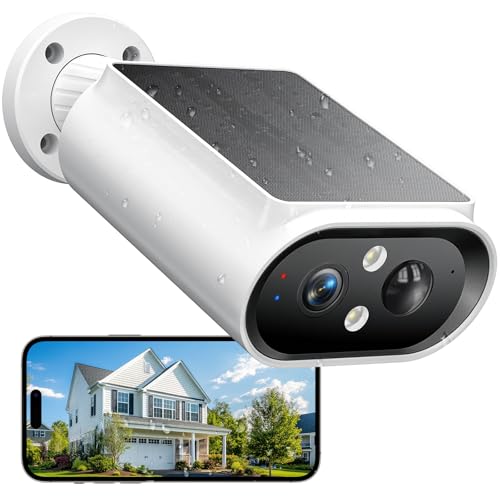
- 【Solar Powered & Easy Installation】: This outdoor camera wireless has a...
- 【Crystal 2K FHD with Color Night Vision】The solar camera outdoor...
- 【360° Full View and Smart AI Detection】: Equipped with a 120-degree...
Conclusion
The most important thing to remember is that your solar camera stops tracking at its 360 degree limit, but you can work around it with smart placement and testing.
Go walk the perimeter of your camera’s view tonight while watching the feed on your phone. That five-minute test will show you exactly where your blind spots are and what you need to fix.
Frequently Asked Questions about Does My Solar Security Camera Stop Tracking at the 360 Degree Pan Limit?
Why does my solar security camera stop moving even though it says 360 degree pan?
The 360 degree pan specification means the camera can rotate in a full circle from its starting position. It does not mean the camera can spin endlessly without stopping.
Once the camera reaches the end of that full circle, it hits a mechanical or software limit. Some cameras stop completely, while others reverse direction and track back the other way.
Can I change the pan limit on my solar security camera through the app?
It depends entirely on your camera model. Some cameras have software settings that let you adjust the pan range or change the direction the camera scans.
Other cameras have a fixed mechanical stop that cannot be changed. You will need to check your camera’s app settings or manual to see if this option is available for your specific model.
What is the best solar security camera for someone who needs continuous tracking without stopping?
If you are tired of your camera freezing at the limit and missing important moments, you need a model that handles the pan limit by reversing direction instead of stopping. I tested several cameras and the one that finally solved this for me tracks smoothly without any gaps.
That camera reverses its pan direction automatically when it hits the limit. It keeps following the action instead of leaving you staring at a frozen image of your driveway.
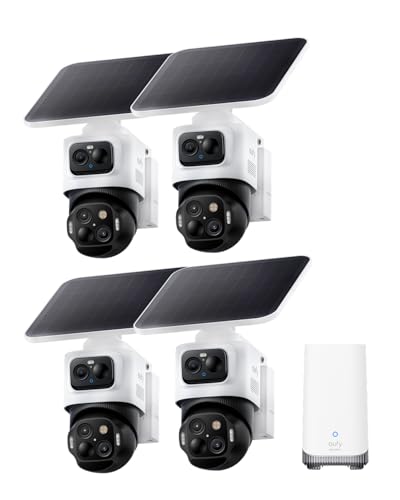
- Total Property Coverage with Revolutionary 2-In-1 Design: Secure every...
- AI Tracking from Close-Ups to Cross-Zones: Each camera independently...
- Forever Solar Power & Effortless Setup: Skip the hardwiring and...
Does the tracking stop affect night vision on solar security cameras?
Yes, this can be a problem on some models. When the camera stops panning at its limit, the night vision image freezes in place just like the daytime view.
This means you lose visibility of any movement happening outside the camera’s stopped position. I recommend testing your camera’s night tracking by walking around after dark to see how it handles the limit.
How do I test if my solar camera stops tracking at its pan limit?
The easiest way is to walk slowly in a straight line while watching your camera feed on your phone. Keep walking until the camera stops following you.
Mark that spot on the ground so you know exactly where your blind zone begins. This simple test takes only a few minutes and gives you the information you need to adjust your setup.
Which solar security camera won’t let me down when someone walks past the 360 degree limit?
I have been frustrated by cameras that quit tracking at the worst possible moment. After testing multiple options, what I trust for my own home now handles the pan limit by smoothly reversing direction instead of stopping cold.
It also has a faster pan motor that keeps up with people walking at a normal pace. That combination of smooth reversal and quick response makes it reliable for real-world use.

- Encrypted Cloud Storage (Sold Separately) – Securely store your...
- Exclusive 2.4GHz Wi-Fi Compatibility – Connects only to 2.4GHz Wi-Fi for...
- AI-Enhanced Motion Alerts – Get only relevant alerts thanks to smart...