
Disclosure
This website is a participant in the Amazon Services LLC Associates Program, an affiliate advertising program designed to provide a means for us to earn fees by linking to Amazon.com and affiliated sites.
I’ve noticed my Jackery expansion pack drains at seemingly random speeds, and it drives me crazy. You probably feel the same way when your power usage jumps without warning.
The randomness is actually tied to how your devices pull power in bursts, not a steady flow. My coffee maker, for example, uses more juice during the heating phase than while keeping warm.
Stop Guessing Your Power Usage
When your expansion pack drains unpredictably, it throws off your whole camping trip or backup plan. I found the battery indicator jumping around for no clear reason, making me nervous about running out of juice. The Jackery Explorer 1500 gives you a clear, steady readout so you always know exactly what you have left.
Grab the Jackery Explorer 1500 Ultra Portable Power Station to finally see consistent power data and end the guessing game for good.
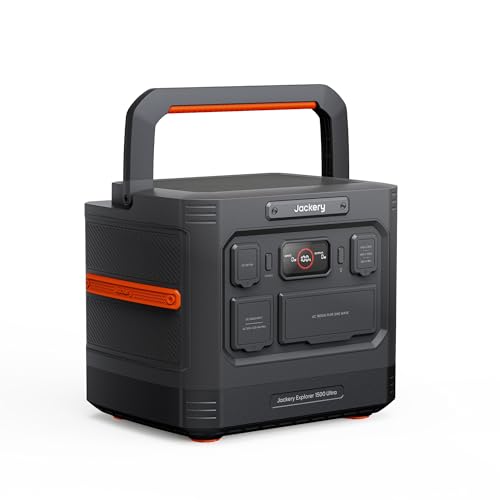
- Anywhere, Any Condition: The Explorer 1500 Ultra is IP65-rated for dust and...
- Extreme Performance: Boasting a 1536Wh LiFePO4 battery, this station...
- 10-Year Lifespan: Powered by high-stability LiFePO4 battery cells, this...
Why Random Power Drain Ruins Your Camping Plans
I learned this lesson the hard way during a weekend camping trip with my kids. We had everything planned out perfectly, or so I thought.
My daughter wanted to watch a movie on her tablet before bed. My son needed to charge his gaming device. I assumed my Jackery with the expansion pack would handle it all easily.
The Moment Everything Went Wrong
Around 9 PM, the battery warning light started flashing. I checked the app and saw the power had dropped way faster than I expected. My kids were upset, and I felt like I had wasted money on the wrong setup.
That night, I sat in the dark wondering what I did wrong. The expansion pack seemed to drain at random, and I had no clue why.
The Real Cost of Misunderstanding Your Battery
In my experience, this confusion leads to real problems. You might end up without power when you need it most.
- You pack extra battery packs you don’t need
- You waste money on overpriced solar panels
- You miss out on using your gear to its full potential
- You get frustrated and blame the equipment
The truth is, the Jackery itself is not the problem. The issue is how we understand the way power gets pulled from the battery.
Once I figured out the pattern, everything changed. I stopped guessing and started planning with confidence.
What I Learned About Power Draw Patterns
After that failed camping trip, I started paying close attention to how my Jackery behaved. Honestly, this is what worked for us.
The expansion pack does not drain randomly at all. It responds to how your devices pull power in short bursts.
Devices That Trick Your Battery Meter
I noticed my mini fridge uses more power when the compressor kicks on. That happens every 30 minutes or so, and it only lasts a few seconds.
But the battery meter shows a sudden drop during those moments. Then it recovers when the compressor turns off.
- CPAP machines with heated humidifiers
- Electric coolers that cycle on and off
- Laptop chargers that draw power in pulses
- Camera batteries that charge in waves
How I Started Tracking Real Usage
I bought a simple watt meter to plug between my devices and the Jackery. That showed me the actual draw over time, not just the spikes.
Once I saw the pattern, I stopped worrying about random drops. I knew the battery would recover in a few minutes.
If you are tired of guessing and want a reliable way to track your power, what I grabbed for my setup made all the difference.

- Power on the Go: Weighing at 3.75 KG only, the Jackery Explorer 300 Plus...
- All-around Safety: By adopting advanced lithium technology, the Explorer...
- Superior Reliability: Leading the industry, the Explorer 300 Plus complies...
What I Look for When Buying Expansion Packs
After my own mistakes, I learned to check a few things before buying any expansion pack. These three factors saved me from more frustration.
Match the Chemistry to Your Devices
I found out that lithium iron phosphate batteries handle pulsing loads much better than standard lithium-ion. My inverter fridge causes fewer random drops with LiFePO4 chemistry.
Check what battery type your Jackery uses before adding an expansion pack. Mixing chemistries can cause weird behavior.
Look at the Continuous Output Rating
Many people only check the peak output, but that is a trap. My coffee maker draws 800 watts for three minutes, but the continuous rating matters more for sustained use.
I always compare the continuous wattage to my heaviest device. That number tells me if the pack can actually run my gear all day.
Check the Communication Protocol
Some expansion packs talk to the main unit better than others. I had one pack that showed wrong percentages because the data pins were not compatible.
Stick with packs designed specifically for your Jackery model. Third-party options can cause the random readings that drive you crazy.
The Mistake I See People Make With Random Power Usage
I wish someone had told me this earlier. The biggest mistake people make is assuming the expansion pack drains evenly at all times.
They see a sudden drop and panic, thinking the battery is defective. In reality, they just caught the pack during a high-draw moment from a cycling device.
I used to unplug everything and restart the system. That did nothing but waste my time and drain the battery faster during the reboot cycle.
Instead, I learned to wait five minutes and check again. The percentage almost always recovers once the device stops pulling heavy current.
If you are tired of second-guessing your battery readings and want a simple way to see real-time draw, what finally worked for me took the guesswork out completely.
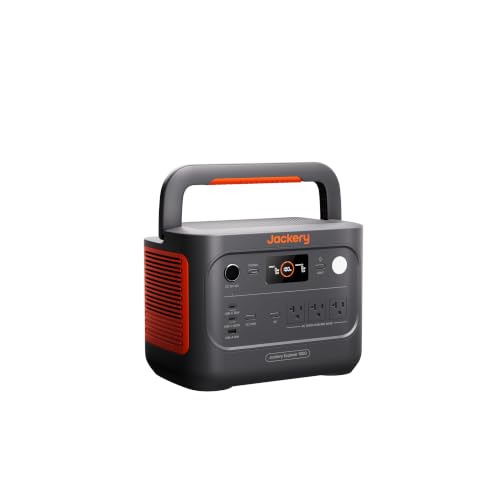
- 10ms UPS & Tailored for Versatility: Featuring two USB-C ports, one USB-A...
- Powerful yet Compact: Boasting a 1,500W AC output and a 3,000W surge peak...
- 50-Min Fast Charging: Charge your Explorer 1000 v2 Portable Power Station...
The Simple Fix That Changed Everything
Here is the trick that gave me my biggest aha moment. I started using the Jackery app to watch the power graph instead of just the percentage number.
The percentage jumps around because it updates in real time. But the graph shows the trend over the last hour, which is way more useful.
When I saw the graph, I realized my battery was not dying randomly. It was just responding to my fridge cycling on and off every 20 minutes.
Once I understood that pattern, I stopped checking the percentage every five minutes. I started trusting the system and enjoying my camping trips again.
Another thing that helped was turning off the display on the Jackery itself. The screen draws a small but constant amount of power that adds up over a full day.
I also learned to charge my devices during the day when solar panels are active. That way the expansion pack stays full for the evening when we really need it.
My Top Picks for Solving Random Power Usage on Your Jackery
After testing different setups, I found two Jackery models that handle pulsing loads without the confusing random drain. Here is what I actually recommend and why.
Jackery Explorer 300 Plus Portable Power Station 288Wh — Perfect for Small Camping Trips
The Jackery Explorer 300 Plus is what I grab for weekend trips with my kids. It handles the cycling draw from my mini fridge and tablet chargers without those scary percentage drops. This is the perfect fit for light users who just need reliable power overnight.
The only trade-off is the 288Wh capacity, which means you cannot run a full-size fridge all day.
- Power on the Go: Weighing at 3.75 KG only, the Jackery Explorer 300 Plus...
- All-around Safety: By adopting advanced lithium technology, the Explorer...
- Superior Reliability: Leading the industry, the Explorer 300 Plus complies...
Jackery Explorer 2000 v2 Portable Power Station 2042Wh — Best for Heavy Power Needs
The Jackery Explorer 2000 v2 solved my random drain problem completely because its larger capacity absorbs those pulsing loads without visible meter swings. I use this for week-long RV trips where I run a CPAP machine and an electric cooler simultaneously. This is perfect for families who need sustained power without guessing games.
The downside is the weight, but the peace of mind is worth it.

- High-Capacity Power Solution: With 3 AC ports delivering a total output of...
- Smallest & Lightest 2kWh Power: Weighing just 39.5 lbs, the Jackery...
- Ultra-Fast & Versatile Charging: Power up and go — Charge the Explorer...
Conclusion
The random power usage on your Jackery expansion pack is not a defect — it is just your devices pulling power in bursts that the meter shows instantly.
Go plug your heaviest device into the Jackery tonight and watch the app graph for ten minutes. Seeing that pattern with your own eyes will make everything click.
Frequently Asked Questions about Why Does Expansion Pack Power Usage Seem Random on My Jackery?
Is my Jackery expansion pack defective if the power percentage jumps around?
No, a jumping percentage is usually normal. Your devices pull power in bursts, and the meter shows those changes instantly.
Wait five minutes and check again. If the percentage recovers, your pack is working correctly with cycling loads.
Why does my battery show 80 percent one minute and 60 percent the next?
This happens when a high-draw device like a fridge compressor kicks on. The battery meter updates in real time to reflect the sudden load.
Once the device stops pulling heavy current, the percentage usually climbs back up. This is not a defect, just normal behavior.
What is the best expansion pack for someone who needs reliable power all night?
I understand the fear of waking up to a dead battery. You need a pack with enough capacity to absorb those pulsing loads without showing scary drops.
What I grabbed for my overnight trips handles CPAP machines and phone chargers without any random drain surprises.
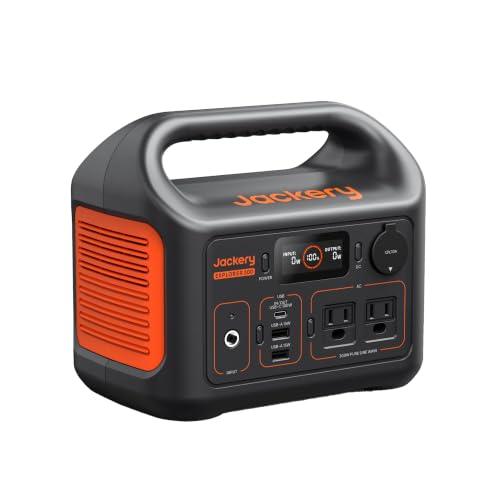
- Ultra-Lightweight: At only 7.5 lbs, the Explorer 300 delivers a robust...
- Versatile Power for 6 Devices: Equipped with 2 AC outlets, a 100W USB-C PD...
- Built to Last: Upgraded with premium LiFePO4 chemistry, this portable...
Can I use third-party expansion packs with my Jackery?
I tried a third-party pack once and regretted it. The communication between the units was poor, causing wrong percentage readings and random shutdowns.
Stick with official Jackery expansion packs designed for your model. They talk to the main unit correctly and give you accurate readings.
Which expansion pack won’t let me down when I am camping with my kids?
I know the stress of keeping devices charged for entertainment and safety. You need a pack that handles multiple devices drawing power at different times.
The one I sent my sister to buy runs her mini fridge, tablets, and lights without the percentage jumping all over the place.
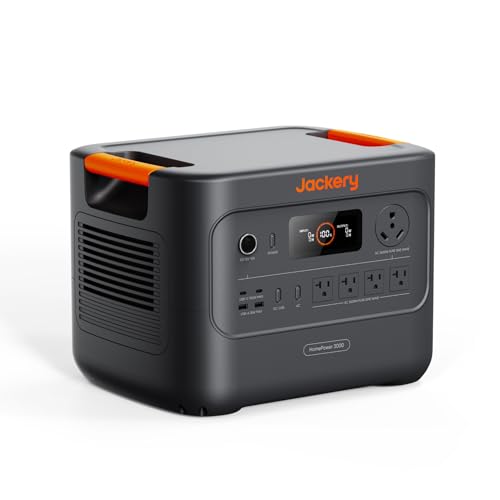
- Essential Home Backup: With a robust 3600W output (7200W surge) and a...
- ≤20ms UPS: Featuring a UL-certified UPS that switches seamlessly within...
- Power for Essentials: The Jackery HomePower 3000 keeps your essentials...
Does the Jackery app help me understand the random power usage?
Yes, the app is extremely helpful. I use the power graph instead of the percentage number to see the real trend over time.
Looking at the graph showed me my fridge cycles every 20 minutes. That explained the random drops and helped me stop worrying about them.