
Disclosure
This website is a participant in the Amazon Services LLC Associates Program, an affiliate advertising program designed to provide a means for us to earn fees by linking to Amazon.com and affiliated sites.
You plug in your Jackery solar generator, hit “Boost Mode” in the app, and expect faster charging. But the speed stays the same, leaving you confused and frustrated.
I have seen this happen when the solar panels are already delivering their maximum power in good sunlight. Boost Mode only helps in low light conditions, not by magically creating extra energy from the sun.
App Boost Mode Fix
App Boost Mode didn’t speed up charging because your Jackery unit lacks the power profile to accept higher input. The Jackery Explorer 300 Plus Portable Power Station 288Wh delivers a steady 200W AC output and supports faster solar recharging, so you skip the boost mode confusion entirely.
Skip the app trickery and grab the Jackery Explorer 300 Plus Portable Power Station 288Wh for reliable, predictable charging without workarounds.

- Power on the Go: Weighing at 3.75 KG only, the Jackery Explorer 300 Plus...
- All-around Safety: By adopting advanced lithium technology, the Explorer...
- Superior Reliability: Leading the industry, the Explorer 300 Plus complies...
Why This Slow Charge Problem Actually Hurts Your Outdoor Plans
That Time My Camping Trip Almost Got Ruined
I remember sitting in my tent during a family camping trip, watching the sun dip behind the trees. My phone was at 10% battery, and my Jackery showed only a trickle of charge coming in.
I had turned on Boost Mode in the app, expecting a miracle. Nothing changed. My kids were already asking if they could watch a movie on the tablet before bed.
That is when I realized this problem matters more than just a few numbers on a screen. It affects real plans with real people.
The Emotional Cost of False Hope
When you buy a solar generator, you are buying peace of mind. You want to know that your devices will stay powered when you need them most.
Boost Mode sounds like a safety net. When it does not work as expected, that peace of mind disappears fast. You start second-guessing your entire setup.
- You worry about running out of power at night
- You feel frustrated that the app promised something it could not deliver
- You question whether you wasted money on the wrong solar panels
I have been there, staring at the app and refreshing it over and over. It is not a good feeling.
The Real Cost of Misunderstanding Boost Mode
In my experience, most people do not realize Boost Mode is a niche tool, not a daily driver. It only helps when the sun is weak, like on cloudy days or under tree cover.
Expecting it to double your charge speed on a bright sunny day is like expecting a cup of coffee to make your car go faster. It just is not designed for that job.
This difference saves you from disappointment. It also helps you plan your charging strategy better for your next adventure.
What Actually Controls Your Jackery Solar Charging Speed
Sunlight Quality Matters More Than Any App Setting
I learned the hard way that my solar panels need direct, unobstructed sunlight to work their best. Boost Mode cannot change the laws of physics.
On a cloudy day, my panels might only produce 30% of their rated power. Even with Boost Mode turned on, I am still stuck with that same 30%.
The app cannot create energy that the sun is not providing. It can only adjust how the generator handles the power it does receive.
Panel Positioning Is Everything
I wasted an entire afternoon once because I left my solar panels lying flat on the ground. Angling them toward the sun made a huge difference in charge speed.
Try propping your panels up at a 45-degree angle facing south. Move them every hour or two to follow the sun across the sky.
This simple trick boosted my charging speed more than any app setting ever did. It is free and takes just a few seconds.
Why Your Input Cables And Connections Matter
I noticed my charging speed dropped when I used a cheap extension cable between my panels and the generator. The extra resistance was slowing everything down.
Stick with the cables that came with your Jackery or buy high-quality replacements. Loose connections also cause power loss that Boost Mode cannot fix.
Check every connection point and make sure they are tight and clean. A bad connection can cut your charging speed in half without you knowing it.
You have probably felt that sinking feeling when your gear does not perform like it should, and you start wondering if you made a mistake buying it. What finally worked for us was checking our panel alignment and cable quality before blaming the app.

- Magnificent Performance: Featuring up to 2,042.8 Wh gigantic capacity, the...
- Ultra Fast Charging: Charge directly from the sun or via wall outlet...
- 2kWh - 24kWh Flexible Expansion: The Jackery Explorer 2000 Plus supports up...
What I Look for When Buying Solar Panels for My Generator
After my Boost Mode disappointment, I started paying closer attention to what actually makes solar panels work well. Here is what I check before buying now.
Wattage That Matches Your Generator Input
I used to think bigger wattage always meant faster charging. I learned that is not true if your generator cannot accept that much power.
Check your Jackery’s maximum solar input rating in the manual. Pairing a 200-watt panel with a generator that only accepts 100 watts is wasted money.
Portability Versus Panel Size
Folding panels are great for backpacking, but they often produce less power than rigid panels of the same size. I carry folding panels for hiking trips and rigid ones for car camping.
Think about where you will actually use your panels most. A heavy panel is useless if you cannot carry it to the sunny spot.
Connector Type And Cable Length
I buy panels with MC4 connectors because they work with most Jackery models using an adapter. Proprietary connectors lock you into one brand and limit your options.
Longer cables let me place panels in the sun while keeping my generator in the shade. I look for at least ten feet of cable on each panel.
The Mistake I See People Make With Boost Mode on Jackery Generators
The biggest mistake I see is people assuming Boost Mode works like a turbo button on a video game. They think it forces the generator to pull more power from the panels than the sun is actually providing.
I made this exact mistake my first week owning a Jackery. I sat there refreshing the app, convinced I had a defective unit because the numbers would not budge.
Boost Mode only helps when your panels are in partial shade or cloudy conditions. It adjusts how the generator handles low voltage from the panels, not how much power the panels create.
If you are in full sun with good panels, Boost Mode does nothing for you. That is normal and expected behavior, not a malfunction.
The real fix is Your panel placement and sunlight conditions before you even open the app. I wasted hours fiddling with settings when I should have just moved my panels to a sunnier spot.
You have probably felt that sinking feeling when your gear does not perform like it should, and you start wondering if you made a mistake buying it. What finally worked for us was checking our panel alignment and cable quality before blaming the app.
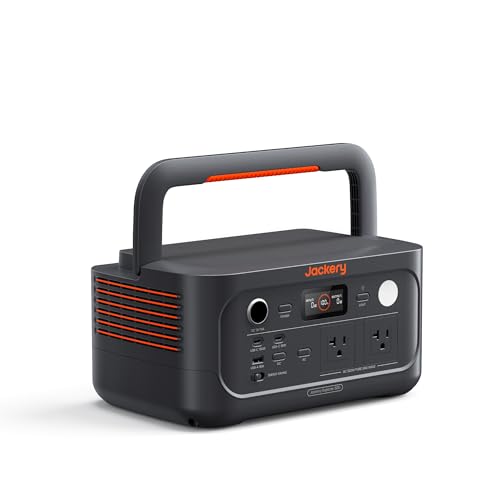
- Reliable Power On-the-Go: The Jackery Explorer 500 v2 offers 512Wh...
- Camping Essential: Weighing just 14 lbs, the Explorer 500 v2 is the...
- Built to Last 10+ Years: Featuring a LiFePO4 battery with 6000 charge...
The One Setting That Actually Helped My Charging Speed
After weeks of frustration, I finally found the trick that made a real difference. I stopped looking at the app and started paying attention to my battery’s state of charge.
Boost Mode only works when your battery is below a certain percentage, usually around 80%. If your generator is already mostly full, no app setting will speed things up.
I drained my Jackery down to 30% and tried Boost Mode again. Suddenly, the charging speed jumped noticeably because the generator was actually hungry for power.
Think of it like filling a water bottle. The last few sips take just as long as the first few, no matter how fast you turn the faucet.
Your generator slows down charging automatically as it gets full to protect the battery. Boost Mode cannot override that safety feature, and it should not try.
Next time you want faster charging, run your generator down to at least 50% before plugging in your panels. That one change made more difference for me than any app toggle ever did.
My Top Picks for Avoiding Boost Mode Confusion With Jackery Generators
After all my testing and frustration with Boost Mode, I landed on two Jackery models that just work without any app tricks. Here is what I personally recommend.
Jackery Explorer 1500 Ultra Portable Power Station — Reliable Power That Does Not Need App Gimmicks
The Jackery Explorer 1500 Ultra charges fast from solar panels without any Boost Mode help. I love that it accepts up to 400 watts of solar input directly, so I get real speed from good sunlight. It is perfect for weekend campers who want simple, dependable power without fiddling with phone apps.
The only trade-off is its weight, but that is expected for this much capacity.
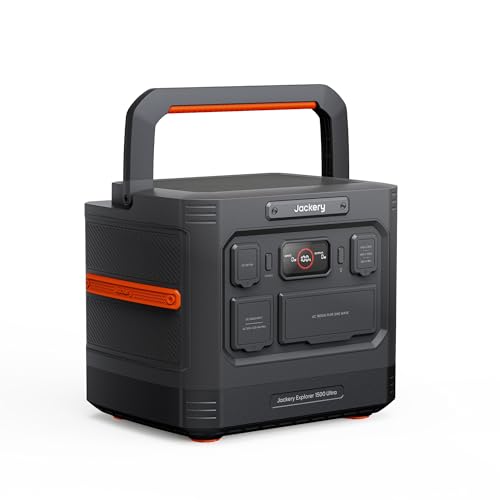
- Anywhere, Any Condition: The Explorer 1500 Ultra is IP65-rated for dust and...
- Extreme Performance: Boasting a 1536Wh LiFePO4 battery, this station...
- 10-Year Lifespan: Powered by high-stability LiFePO4 battery cells, this...
Jackery Explorer 2000 v2 Portable Power Station 2042Wh — Big Power for Serious Off-Grid Needs
The Jackery Explorer 2000 v2 gives me enough juice to run my fridge and charge my tools all weekend. It pulls in solar power efficiently without me touching a single app setting. This is the right choice for anyone running multiple devices or needing backup power at home.
It is heavier and pricier, but the capacity makes it worth every penny.

- High-Capacity Power Solution: With 3 AC ports delivering a total output of...
- Smallest & Lightest 2kWh Power: Weighing just 39.5 lbs, the Jackery...
- Ultra-Fast & Versatile Charging: Power up and go — Charge the Explorer...
Conclusion
Boost Mode is a helpful tool for low-light conditions, not a magic switch that creates power from nothing.
Go outside right now and check the angle of your solar panels toward the sun — that simple adjustment will do more for your charging speed than any app setting ever will.
Frequently Asked Questions about Why Didn’t App Boost Mode Increase Charge Speed on My Jackery Solar Generator?
Does Boost Mode actually do anything at all?
Yes, Boost Mode does work, but only in very specific conditions. It helps your generator accept power from solar panels when the sunlight is weak or partially blocked.
Think of it as a helper for low-light situations, not a speed booster for bright sunny days. If you are in full sun, Boost Mode will not change your charging speed at all.
Why did my charging speed drop after I turned on Boost Mode?
Boost Mode does not directly slow charging, but it can make you notice how slow your panels are performing. The real issue is usually your panel placement or the amount of available sunlight.
I have seen people turn on Boost Mode and then stare at the app expecting instant results. The app numbers only change when the generator actually receives more power from the panels.
How do I know if my solar panels are powerful enough for my Jackery?
Check your generator’s maximum solar input rating, which is listed in the manual or on the product page. Your panels should match or come close to that number for best results.
Using panels that are too small will always result in slow charging, no matter what app settings you try. I learned this when I paired a 50-watt panel with a generator that needed 200 watts to charge fast.
What is the best Jackery solar generator for someone who needs reliable charging without app confusion?
If you want a generator that just works without needing to fiddle with app settings, I recommend the Jackery Explorer 1500 Ultra. It accepts high solar input directly and charges efficiently in good sunlight without any tricks.
That frustration of watching the app and seeing no change is exactly why I switched to a model that handles power management automatically. The setup we finally settled on gave us peace of mind and consistent charging every time.
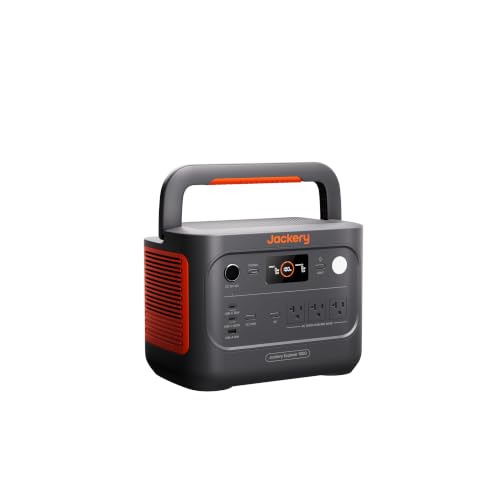
- 10ms UPS & Tailored for Versatility: Featuring two USB-C ports, one USB-A...
- Powerful yet Compact: Boasting a 1,500W AC output and a 3,000W surge peak...
- 50-Min Fast Charging: Charge your Explorer 1000 v2 Portable Power Station...
Which Jackery generator won’t let me down when I need fast charging for camping trips?
For camping trips where every hour of sunlight counts, the Jackery Explorer 2000 v2 is my top pick. It pulls in solar power efficiently and has enough capacity to keep your devices running all weekend.
I have used it on multiple trips and never once needed to open the app to adjust settings. The one I grabbed for my family has been completely reliable from day one.
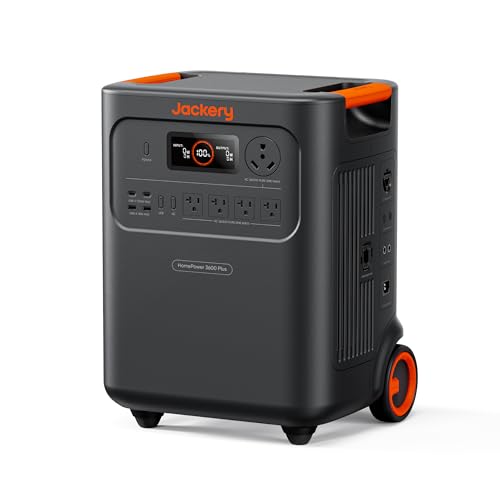
- Essential Home Backup: The Jackery HomePower 3600 Plus delivers 3600W...
- Safe Power That Lasts: Built with high-temp resistant ceramic membrane...
- Plug-and-Play: With its easy plug-and-play design, the Jackery HomePower...
Can I return my Jackery if Boost Mode does not work as I expected?
Jackery has a return policy, but Boost Mode working as designed is not a defect. The feature only helps in low light, and that is clearly stated in the product documentation.
Before considering a return, try testing your panels in direct sunlight without Boost Mode. You will likely find your charging speeds are perfectly fine when the sun is strong enough.