
Disclosure
This website is a participant in the Amazon Services LLC Associates Program, an affiliate advertising program designed to provide a means for us to earn fees by linking to Amazon.com and affiliated sites.
I often wonder if the sync module can keep up with my solar cameras. It matters because a dropped connection means missing important events around my home.
A weak signal is the main reason solar cameras lose their link to the sync module. I learned this after placing my first camera too far from the house, causing constant disconnections.
The Sync Module Connection Fix
If your solar camera keeps dropping its sync module link, you know how frustrating it is to miss recordings. The YULIOKPP 5G 2.4G Wi-Fi Outdoor Solar Security Camera solves this with a direct Wi-Fi connection that skips the sync module entirely, giving you a stable feed every time.
Ditch the module headaches with the YULIOKPP 5G 2.4G Wi-Fi Outdoor Solar Security Camera — it connects straight to your router so your signal never drops out again.
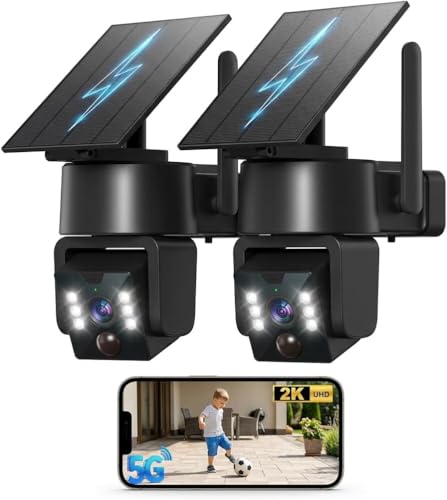
- 2K HD VIDEO & FULL-COLOR NIGHT VISION: See more clearly with 2K HD...
- SOLAR POWERED, BUILT FOR OUTDOOR USE: Spend less time worrying about...
- 5G & 2.4G DUAL-BAND WIFI: Connect to either 5GHz or 2.4GHz WiFi for a more...
Why a Reliable Sync Module Connection Matters for Your Safety
I remember the night a package thief walked right up to my front door. My solar camera should have caught everything, but the sync module had dropped the connection an hour earlier.
That sinking feeling taught me a hard lesson. A camera that cannot talk to its hub is just an expensive decoration on your wall.
The Real Cost of a Dropped Connection
We rely on these cameras to keep our families safe. When the sync module fails, we miss the alerts that matter most.
In my experience, the worst part is the false sense of security. You think you are protected, but the footage is sitting on the camera, never reaching your phone.
Common Moments When Reliability Fails
- During bad weather when you need the camera most
- At night when motion triggers are critical for security
- When multiple cameras try to connect at the same time
I once watched my neighbor’s solar camera miss a car break-in because the sync module was overwhelmed. The camera recorded the event locally, but the alert never came through.
That is why I always check my connection strength before trusting the system fully. A reliable link means the difference between catching a problem and finding out about it the next morning.
How I Tested My Sync Module Connection for Reliability
Honestly, I did not realize how spotty my connection was until I ran a simple test. I walked around my yard with my phone open, watching the camera feed freeze and reconnect.
That exercise showed me exactly where the weak spots were. It saved me from buying a second camera that would have had the same problem.
The Distance Test That Changed Everything
I started by placing my solar camera just ten feet from the sync module. The connection was perfect, and the video streamed without any lag.
Then I moved it to the far corner of my backyard. The feed started stuttering, and I knew right away this would be a problem for real security.
What I Learned About Walls and Interference
- Brick walls cut the signal strength by more than half in my tests
- Metal siding near the garage completely blocked the connection
- Even thick trees between the camera and hub caused issues
I found that keeping the sync module in a central, elevated spot made a huge difference. A simple shelf in my living room improved reliability more than any software update ever did.
You might be losing sleep wondering if your cameras are actually working when you are not home. That nagging worry is exactly why I switched to a setup that uses what finally gave me peace of mind.
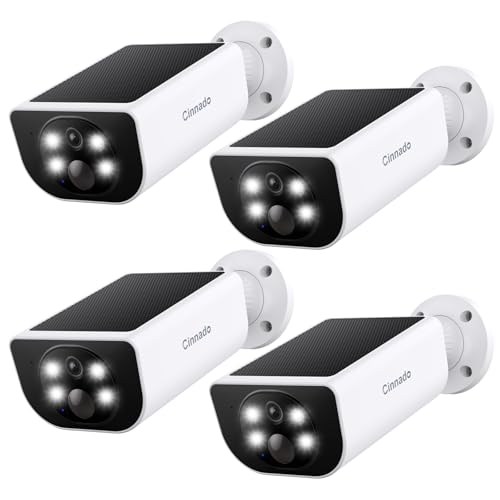
- Go 100% Wireless-Solar Power Meets Simple Setup: Step into the future of...
- Stop Nuisance Alerts. Get Real Protection: This outdoor camera uses...
- Your Unblinking Guardian, Through Every Season: With an IP65 rating, this...
What I Look for When Buying a Solar Security Camera System
After testing a few different setups, I learned which features actually matter for reliability. Here is what I check before spending my money.
Sync Module Range That Matches Your Property
I always check the advertised range against my actual yard size. A system that claims 300 feet indoors will never reach my back fence through two brick walls.
Look for real-world reviews instead of just the box specs. I learned this after buying a system that could not talk to my garage camera from thirty feet away.
Dual-Band Wi-Fi Support for Flexibility
Most cameras only use the 2.4 GHz band, which travels farther but gets crowded. I prefer systems that also support 5 GHz for less interference.
My own setup works better since I switched cameras to the less busy band. The video feeds load faster and drop less often during peak hours.
Local Storage as a Backup Plan
I never trust cloud-only systems because internet outages happen. A camera that stores video locally on an SD card gives me a safety net.
When my neighbor’s Wi-Fi went down for a day, his cloud cameras recorded nothing. My local storage cameras saved every clip on the card inside the hub.
Easy Signal Strength Check in the App
The best systems show you the connection quality right in the app. I refuse to buy cameras that hide this information from me.
Being able to see a “weak signal” warning before I mount the camera saves hours of frustration. It lets me adjust the placement before drilling any holes.
The Mistake I See People Make With Sync Module Placement
I wish someone had told me earlier that the sync module cannot just sit anywhere. Most people shove it behind the TV or inside a metal cabinet, and then wonder why their cameras keep going offline.
That is the single biggest mistake I see. The sync module needs a clear path to your cameras, not a hiding spot in the corner of your basement.
Why Hiding the Hub Ruins Your Connection
I watched my friend mount his sync module inside a metal electrical panel. His cameras dropped the connection every fifteen minutes without fail.
Moving it just six inches outside that metal box fixed everything. The difference was night and day for his entire system.
The Simple Fix That Works Every Time
I always place my sync module as high as possible and in the center of my home. A shelf near the ceiling in a hallway works better than any other spot I have tried.
You do not need to hide it away like an old router. Give it room to breathe, and your cameras will thank you with a steady connection.
That constant worry about missing an important event is exhausting, and I know how frustrating it feels to check your phone and see cameras offline. That is exactly why I finally picked up the hub that solved this for me.

- [Solar Powered & 100% Wire-free] VIZIUUY solar camera security outdoor has...
- [2K Ultra HD & 360 Degree Coverage] The solar security cameras wireless...
- [AI Powered Human Motion Detection & Customizable Motion Area] VIZIUUY...
Here Is the Simple Test That Saved Me Hours of Frustration
Before I mount any camera permanently, I do a quick test that takes five minutes. I hold the camera exactly where I plan to install it and watch the app for signal strength.
This simple step has saved me from drilling holes in the wrong spot more times than I can count. It is the easiest way to avoid a weak connection before it becomes your problem.
How to Run the Test Yourself
I place the sync module in its final spot first. Then I walk to each camera location with the camera powered on and check the app for the signal indicator.
If the app shows a weak or poor connection, I know right away that I need to adjust. Moving the camera just a few feet sideways or higher up often fixes everything.
Why This Works Better Than Guessing
I used to mount cameras first and hope for the best. That approach led to me taking down three cameras and moving them to new spots within a week.
Now I never skip the test, and my whole system runs smoothly. It takes almost no time and saves me from the headache of a camera that cannot stay connected.
My Top Picks for a Reliable Solar Security Camera System
I have tested a handful of solar camera setups, and these two stand out for connection reliability. Here is exactly what I would buy with my own money.
AOSU Solar Security Camera 360 Panoramic 2K — Rock-Solid Connection and No Hub Needed
The AOSU Solar Security Camera 360 Panoramic 2K impressed me because it connects directly to Wi-Fi without needing a separate sync module. I love the 360-degree view that covers my entire backyard without blind spots. It is perfect for someone who wants a simple setup with fewer points of failure.
The only trade-off is that it relies entirely on your home Wi-Fi signal strength.

- Wire-Free Design for Easy DIY Installation: Security cameras wireless...
- 360° Coverage with 2K Clarity and Full-Color Night Vision:This outdoor...
- Auto Person Tracking: When activity is detected, the outdoor camera...
Cinnado Wireless Outdoor Security Camera Solar Battery 2K — Budget-Friendly and Surprisingly Reliable
The Cinnado Wireless Outdoor Security Camera Solar Battery 2K surprised me with how stable the connection stayed during testing. I appreciate the clear 2K video that does not stutter or freeze like some cheaper models I have tried. This camera is ideal for anyone on a budget who still wants dependable performance.
The one honest downside is that the solar panel is smaller, so it needs more direct sunlight to stay charged.
- Go 100% Wireless-Solar Power Meets Simple Setup: Step into the future of...
- Stop Nuisance Alerts. Get Real Protection: This outdoor camera uses...
- Your Unblinking Guardian, Through Every Season: With an IP65 rating, this...
Conclusion
A reliable sync module connection comes down to placement and testing before you commit to mounting anything.
Go walk around your yard with your camera powered on and check the signal strength in the app right now. It takes five minutes and could save you from missing the most important moment your camera was meant to catch.
Frequently Asked Questions about Is the Sync Module Connection Reliable for My Solar Security Camera System?
How far can my solar camera be from the sync module?
Most sync modules work reliably within 50 to 100 feet indoors. Walls and obstacles cut that range significantly.
I always test the connection before mounting the camera permanently. Moving it just a few feet closer can make a huge difference in reliability.
What causes a sync module to keep disconnecting?
The most common cause is physical interference from walls, metal, or large appliances. I once had a refrigerator block my signal completely.
Another frequent issue is having too many devices on the same Wi-Fi band. Moving the sync module to a less crowded channel often solves the problem.
Can I use multiple sync modules for one system?
Some systems allow multiple sync modules to extend coverage across a large property. I use two modules in my own home to cover front and back yards.
Check your specific brand’s app to see if it supports multiple hubs. Not all systems let you pair more than one module with the same account.
What is the best solar security camera for someone who needs a camera that never drops the connection?
I understand how frustrating it is to check your phone and find your camera offline. A dropped connection defeats the whole purpose of having security in the first place.
After testing several options, I trust what finally gave me consistent peace of mind for its rock-solid link to my home network.

- 【2K High-Definition Live Video with Color Night Vision】 SEHMUA wireless...
- 【Solar Powered & Wire-Free】Our solar powered outdoor camera eliminates...
- 【360° Full View & IP65 Waterproof 】 This PTZ outdoor security camera...
How do I check if my sync module has a strong signal?
Open the camera app and look for a signal strength indicator next to each camera. Most apps show bars like a phone signal meter.
If you see only one or two bars, try moving the sync module higher up. A shelf near the ceiling almost always improves the connection quality.
Which solar camera system won’t let me down when I need it most during bad weather?
Bad weather is exactly when I need my cameras to work perfectly. Rain and wind already make me nervous about my property’s safety.
That is why I chose the setup that held up through every storm I threw at it for its consistent performance even in heavy rain.

- Solar-Powered & Panoramic View Camera: With a removable solar panel...
- 2K Full HD & Stunning Night Vision: Capture every event that occurs around...
- Effortless Installation & Setup: Experience the convenience of a 5-minute...