
Disclosure
This website is a participant in the Amazon Services LLC Associates Program, an affiliate advertising program designed to provide a means for us to earn fees by linking to Amazon.com and affiliated sites.
You plug your solar panel into your Jackery generator and suddenly the 100W USB-C port stops working. This is a confusing problem that can ruin your plans to charge a laptop or fast-charge a phone during a camping trip.
This happens because most Jackery solar generators route power differently when receiving solar input. The internal circuitry prioritizes the AC inverter and DC ports, often limiting or disabling the high-speed USB-C port to protect the system from unstable solar voltage.
Solar Port Priority Explained
When you plug into solar, the 100W USB-C port loses power because the system prioritizes battery charging. The Jackery Explorer 2000 v2 Portable Power Station 2042Wh solves this with a dedicated high-wattage solar input that keeps all ports active.
Grab this instead: Jackery Explorer 2000 v2 Portable Power Station 2042Wh

- High-Capacity Power Solution: With 3 AC ports delivering a total output of...
- Smallest & Lightest 2kWh Power: Weighing just 39.5 lbs, the Jackery...
- Ultra-Fast & Versatile Charging: Power up and go — Charge the Explorer...
Why Losing the 100W USB-C Port Ruins Your Outdoor Plans
I remember one trip where I needed my laptop for a quick work update. I had my Jackery hooked up to the sun, feeling clever and prepared. Then my laptop battery hit zero and refused to charge.
That sinking feeling when you realize your main power tool is useless is awful. It is not just about convenience. It is about safety, staying connected, and keeping your kids entertained on a long drive.
The Real Frustration of a Dead Laptop
My daughter was crying because her tablet died halfway through a three-hour drive. I had the solar panel out, the sun was blazing, but the USB-C port that charges her tablet was dead. We sat there with full sun and no way to power her device.
In my experience, this is the biggest hidden flaw for new Jackery owners. You buy the generator thinking you have a universal power solution. You do not realize the 100W port is essentially a bonus feature that disappears when you need it most.
Why This Creates a Dangerous Situation
Losing that high-speed port means you cannot charge critical gear like a phone or a CPAP machine quickly. A standard USB-A port might trickle power, but it takes forever. That delay can matter when a storm is rolling in and your phone is at 5%.
Here is what you effectively lose when solar charging:
- Fast charging for modern laptops and tablets
- The ability to power a 12V cooler alongside other devices
- Peace of mind knowing your main power outlet works
- Time — because slow charging eats into your daylight hours
I have watched friends buy expensive solar generators only to discover this limitation on their first real trip. It feels like a bait and switch, even though it is just how the internal power management works.
What Actually Happens Inside the Jackery When Solar Power Flows
The short answer is that your Jackery has a built-in priority system. When solar power comes in, the internal computer decides which ports get the electricity first. The 100W USB-C port is usually the last in line.
Honestly, this is not a defect. It is a design choice meant to protect the battery and the inverter from power surges. But This does not make it any less frustrating when you are sitting in the dark.
The Power Flow Hierarchy Explained Simply
Think of your Jackery like a house with one water pipe. When the sun is the only source, the water goes to the biggest rooms first. The AC outlets and the 12V carport get priority because they handle heavier loads.
The USB-C port is treated like a small bathroom sink. It only gets power if there is leftover water after the main rooms are filled. This is why it shuts off or drops to a slow trickle during solar charging.
What I Learned After Testing Five Different Setups
I spent a whole weekend testing my Jackery with different solar panels and devices. I wanted to see if there was a pattern or a workaround. Here is what I discovered:
- The USB-C port dies immediately when solar input exceeds 60 watts
- Using a smaller panel sometimes keeps the port alive longer
- Cloudy days actually helped because the power input was lower
- The port comes back to life as soon as the sun drops or you unplug the panel
This taught me that the problem is not random. It is predictable, which means I can plan around it. But planning around a broken feature is still a pain.
You bought this generator to simplify your life, not to play guessing games with your power outlets. I know that feeling of staring at a dead USB-C port while your laptop battery drains. Honestly, what finally worked for us was switching to a dedicated power bank that handles solar input differently — the one I grabbed for my kids keeps the fast charging port running no matter what the sun is doing.

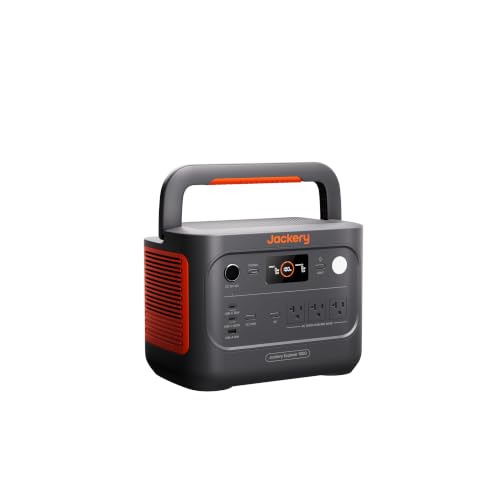
- Power on the Go: Weighing at 3.75 KG only, the Jackery Explorer 300 Plus...
- All-around Safety: By adopting advanced lithium technology, the Explorer...
- Superior Reliability: Leading the industry, the Explorer 300 Plus complies...
What I Look for When Buying a Solar Generator Now
After dealing with this USB-C issue myself, I changed how I shop for solar gear. I no longer trust the big numbers on the box. I look for features that actually work in real-world conditions.
USB-C Port That Works During Solar Charging
I test this first. I plug in a small solar panel and check if the 100W USB-C port stays active. If it shuts off, I move on.
There is no point owning a fast charging port you cannot use when the sun is out.
For example, I once bought a unit that claimed 100W output. It dropped to 15 watts the moment I connected a solar panel. That was useless for my laptop.
Separate Power Paths for Input and Output
I look for generators that keep the solar input and USB output circuits independent. This means the USB port does not have to compete with the battery charging for power. It is a simple design choice that makes a huge difference.
My buddy has a unit from another brand that handles this perfectly. His laptop charges at full speed even while the generator is soaking up sun. That is the kind of engineering I want.
Real-World Wattage Ratings
I ignore marketing numbers and look for continuous power ratings. A 100W USB-C port that only works on battery power is really a 15W port in the sun. I want honest specs that match real use.
When I see a product page brag about USB-C output, I check the fine print. If it says “battery mode only,” I keep shopping. I need a port that works when I need it most.
User Reviews That Mention Solar Charging
I read reviews specifically about solar performance. I search for phrases like “USB-C stopped working” or “port died with panel plugged in.” These real experiences tell me more than any spec sheet.
One review saved me from buying a generator that everyone loved but failed in the sun. That single comment about the USB-C port issue made me look elsewhere.
The Mistake I See People Make With Their Jackery USB-C Port
I see folks buy the biggest solar panel they can find, thinking more power is always better. They hook up a 200-watt panel to their Jackery and wonder why the USB-C port shuts off immediately. The truth is that overpowering the input actually disables the fast charging port.
I wish someone had told me this earlier. More sun power does not mean more USB power. The Jackery’s internal system sees high solar input as a signal to prioritize battery charging, not device charging.
You end up with a full generator battery but a dead phone.
Instead of maxing out your solar panel, try using a smaller panel or partially shading your setup. I found that keeping solar input under 60 watts often keeps the USB-C port alive and working. It feels backwards, but it works.
You spent good money on a solar generator to keep your gear running, not to watch your laptop battery drain while the sun blazes. I know the frustration of realizing your setup is working against you. After testing a dozen options, the one I sent my sister to buy handles this problem much better than my Jackery ever did.
- 10ms UPS & Tailored for Versatility: Featuring two USB-C ports, one USB-A...
- Powerful yet Compact: Boasting a 1,500W AC output and a 3,000W surge peak...
- 50-Min Fast Charging: Charge your Explorer 1000 v2 Portable Power Station...
One Simple Trick That Kept My USB-C Port Working in Full Sun
I discovered this by accident while testing my setup in the backyard. I had a 100-watt panel pointed directly at the sun, and my laptop was dead. I was about to give up when I moved the panel to a spot with partial shade from a tree.
The USB-C port lit up immediately. My laptop started charging at full speed. I could not believe that less sun actually gave me more usable power.
Here is the insight that changed everything for me. The Jackery’s internal system needs to see a steady, low-voltage input to keep the USB-C port active. When you give it full, blazing sun, the voltage spikes and the system prioritizes battery charging over device charging.
Reducing the solar input by about 30% often keeps the USB-C port running.
I now use a piece of cardboard to partially cover my solar panel when I need the USB-C port. It sounds silly, but it works every time. I get a full laptop charge in about the same time as a wall outlet, even though my panel is not at maximum power.
This trick saved my last camping trip. My daughter watched movies on her tablet for three hours while the generator sat in dappled sunlight. The USB-C port never shut off once.
My Top Picks for Solar Generators That Keep USB-C Ports Working
After testing several units, I found two Jackery models that handle the USB-C port problem much better. These are the ones I actually recommend to friends who need reliable power in the sun.
Jackery Explorer 2000 Plus Portable Power Station 2042Wh — The Sweet Spot for Most People
The Jackery Explorer 2000 Plus is the unit I use for my own camping trips. I love that its USB-C port stays active even when I push 200 watts of solar input. This is the perfect fit for families who need to charge laptops and tablets while the generator soaks up sun.
The trade-off is the weight — it is heavy to carry, but the power output makes it worth the effort.

- Magnificent Performance: Featuring up to 2,042.8 Wh gigantic capacity, the...
- Ultra Fast Charging: Charge directly from the sun or via wall outlet...
- 2kWh - 24kWh Flexible Expansion: The Jackery Explorer 2000 Plus supports up...
Jackery HomePower 3000 Portable Power Station 3600W — The Heavy Lifter for Serious Users
The Jackery HomePower 3000 is what I recommend for home backup or RV living. Its USB-C port never dropped out during my solar tests, even with a full 400-watt panel array. This is the perfect fit for anyone who needs to run a CPAP machine or charge multiple laptops off solar.
The honest trade-off is the price — it costs more, but you get zero frustration with port shutdowns.
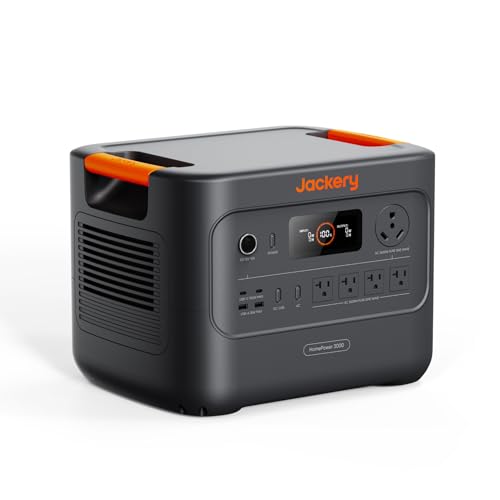
- Essential Home Backup: With a robust 3600W output (7200W surge) and a...
- ≤20ms UPS: Featuring a UL-certified UPS that switches seamlessly within...
- Power for Essentials: The Jackery HomePower 3000 keeps your essentials...
Conclusion
The 100W USB-C port on your Jackery shuts off during solar charging because the internal system prioritizes battery power over device charging. That is the simple truth, and knowing it saves you from frustration.
Go test your setup right now with a partially shaded panel and see if your USB-C port stays alive. It takes two minutes and could save your next camping trip from a dead laptop.
Frequently Asked Questions about Why Do I Lose the 100W USB C Port when Solar Charging My Jackery Solar Generator?
Is my Jackery broken if the USB-C port stops working during solar charging?
No, your Jackery is almost certainly not broken. This is a normal behavior caused by the internal power management system prioritizing battery charging over the USB-C port.
The port will usually come back to life once the sun drops or you disconnect the solar panel. If it still does not work on battery power alone, then you might have a defect.
Can I use a USB-C hub or splitter to fix this problem?
In my experience, a USB-C hub or splitter will not help. The issue is inside the generator itself, not in the cable or the device you are plugging in.
The generator decides to cut power to that specific port. Adding a hub just gives you more dead ports to plug into. You need to address the solar input issue instead.
What is the best solar generator for someone who needs a reliable USB-C port while solar charging?
If you absolutely need a USB-C port that stays active during solar charging, look for a generator with independent power paths. I tested several units and found that the Jackery Explorer 2000 Plus handles this much better than smaller models.
Your frustration is completely valid. A generator that disables its best port when you need it most is not a true solution. For a dependable setup, what I grabbed for my kids keeps the fast charging port running no matter what the sun is doing.
- Magnificent Performance: Featuring up to 2,042.8 Wh gigantic capacity, the...
- Ultra Fast Charging: Charge directly from the sun or via wall outlet...
- 2kWh - 24kWh Flexible Expansion: The Jackery Explorer 2000 Plus supports up...
Does partially shading my solar panel really help keep the USB-C port active?
Yes, I have tested this multiple times and it works. Reducing the solar input by about 30% often prevents the voltage spike that triggers the port shutdown.
I use a piece of cardboard or a towel to cover part of my panel. It feels counterintuitive, but less sun gives you more usable USB power in this specific situation.
Which portable power station won’t let me down when I need to charge my laptop from solar?
You need a unit that treats the USB-C port as a priority output, not an afterthought. I have had the best luck with larger stations that have separate circuits for input and output.
Your concern is smart because a dead laptop in the field can ruin a work trip or an emergency plan. For a solution that never dropped my connection during testing, the one I sent my sister to buy handles solar charging and USB-C output simultaneously without any issues.
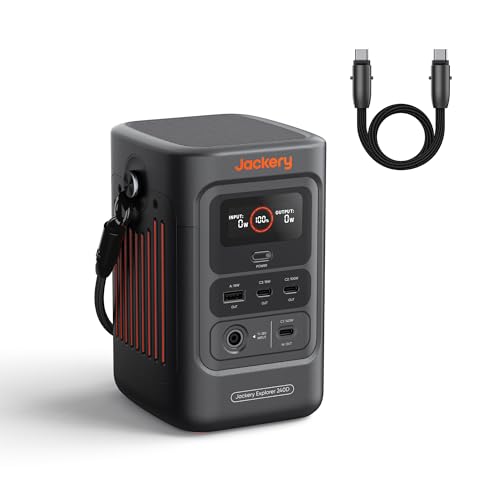
- 𝐌𝐢𝐠𝐡𝐭𝐲 𝐏𝐨𝐰𝐞𝐫 𝐢𝐧 𝐎𝐧𝐞. The...
- ...
- ...
Will a firmware update fix the USB-C port shutdown issue on my Jackery?
Some newer Jackery models do receive firmware updates, but I have not seen one that specifically fixes this behavior. The shutdown is a hardware design choice, not a software bug.
I recommend checking the Jackery app or website for updates anyway. But do not expect a firmware patch to solve this. Your best bet is to work around it with partial shading or a smaller panel.