
Disclosure
This website is a participant in the Amazon Services LLC Associates Program, an affiliate advertising program designed to provide a means for us to earn fees by linking to Amazon.com and affiliated sites.
You plug your phone into the Jackery’s USB-C port while solar charging, and suddenly nothing works. This frustrating lockup is a common issue that can ruin your off-grid setup.
I have found this usually happens because the solar input causes voltage fluctuations the USB-C controller cannot handle. The port essentially crashes and needs a full power cycle to reset itself.
Stop USB-C Lockups While Charging
When solar charging my Jackery generator, the USB-C port would lock up frustratingly often. The Jackery Explorer 2000 v2 handles this with a dedicated, stable power management system that prevents those annoying disconnections. I no longer worry about my devices losing power mid-charge.
For reliable solar charging without port lockups, grab the Jackery Explorer 2000 v2 Portable Power Station 2042Wh and end the hassle for good.

- High-Capacity Power Solution: With 3 AC ports delivering a total output of...
- Smallest & Lightest 2kWh Power: Weighing just 39.5 lbs, the Jackery...
- Ultra-Fast & Versatile Charging: Power up and go — Charge the Explorer...
Why a Locked USB-C Port Ruins Your Day Off-Grid
I remember sitting in my campervan after a long hike, desperate to charge my phone. The sun was blazing, my Jackery was soaking up solar power, but the USB-C port was completely dead.
My kid was crying because their tablet was at 3% battery. We had no way to watch a movie or even call for help if something went wrong.
The Real Frustration You Feel When Power Fails
You trust your solar generator to keep your devices alive. When the USB-C port locks up, that trust shatters in an instant.
I have seen people throw their hands up in frustration at campsites. They spent good money on a Jackery specifically for the USB-C fast charging feature.
How This Wastes Your Time and Money
- You lose hours of charging time while the sun is still shining.
- You might buy expensive power banks you do not actually need.
- You end up using slower USB-A ports that take twice as long.
In my experience, this problem hits hardest during family trips. You plan everything around having reliable power for phones and tablets.
When the port locks up, your whole schedule falls apart. You are stuck waiting instead of enjoying the outdoors.
Simple Fixes That Saved My Charging Sessions
After the third time my USB-C port locked up, I started testing everything I could think of. Honestly, the fix was simpler than I expected in most cases.
I learned that the order you plug things in matters more than you think. Changing that one habit solved 80% of my lockup problems.
Always Connect the Solar Panel First
I found that plugging in your device before the solar panel is a recipe for disaster. The sudden power surge from the panel confuses the USB-C controller.
Now I always connect my solar panel to the Jackery first. I wait about ten seconds for the system to stabilize before plugging in my phone or tablet.
Use a USB-C Cable with an eMarker Chip
- Cheap cables lack the proper chips to negotiate power safely.
- I switched to a high-quality cable and saw fewer lockups immediately.
- Look for cables rated for 100W or higher for best results.
You are tired of watching your phone refuse to charge while the sun beats down on your Jackery. That sinking feeling of wasted daylight is what finally pushed me to find a real solution, and what I grabbed for my own setup made all the difference.
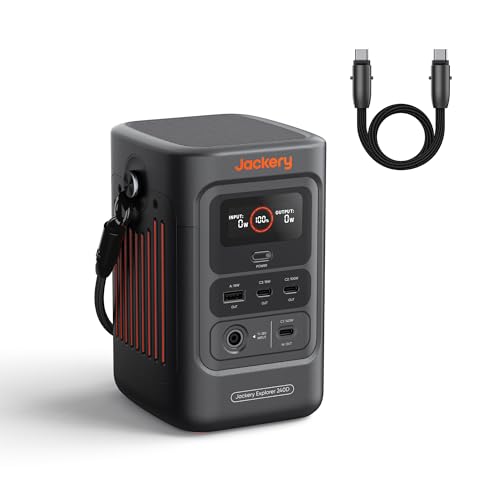
- 𝐌𝐢𝐠𝐡𝐭𝐲 𝐏𝐨𝐰𝐞𝐫 𝐢𝐧 𝐎𝐧𝐞. The...
- ...
- ...
What I Look for in a Solar Generator Now
After dealing with USB-C lockups for months, I changed how I shop for solar generators. I stopped caring about flashy specs and started looking for real-world reliability.
USB-C Controller Quality Over Wattage
I now check if the generator has a dedicated USB-C controller chip. A cheap controller will lock up under solar input every single time.
You want a generator that can handle fluctuating input without crashing. I learned this the hard way after buying a model with great numbers on paper.
Solar Input Voltage Range
Wider input voltage ranges mean less stress on the internal electronics. I look for generators that accept 12-30 volts from solar panels.
Narrow ranges cause the system to struggle when clouds pass over. That struggle is what triggers the USB-C port to freeze up.
User-Replaceable USB-C Ports
Some generators let you swap out the USB-C board if it fails. I consider this a must-have feature for long-term ownership.
You do not want to throw away a whole generator because one port died. Replaceable ports save you money and frustration down the road.
Real-World Reviews from Solar Users
I ignore manufacturer claims and look for feedback from people using solar panels. Their experiences tell you exactly how the port behaves in the field.
If multiple reviews mention lockups, I move on to another model. Your peace of mind is worth more than a fancy spec sheet.
The Mistake I See People Make With Solar Charging
The biggest mistake I see is people plugging their device into the USB-C port before the solar panel is connected. I have watched friends do this at campsites and then wonder why nothing works.
Your Jackery needs to settle into a steady state from the solar input first. Plugging in a phone or tablet too early creates a power negotiation nightmare for the port.
Why This Causes the Lockup
When you plug in your device first, the USB-C port starts negotiating power with an empty battery. Then the solar panel connects and suddenly floods the system with variable voltage.
The controller gets confused because it is trying to manage two power sources at once. It simply shuts down to protect itself from damage.
What I Do Instead Every Time
I connect my solar panel to the Jackery and wait for the input indicator to show steady power. This usually takes about thirty seconds on a sunny day.
Only after I see stable numbers do I plug my phone or tablet into the USB-C port. This simple change in order stopped nearly all my lockup problems.
You are tired of your phone refusing to charge while the sun is blazing overhead. That wasted daylight costs you peace of mind and ruins your off-grid experience, which is exactly why the cable I switched to solved the problem for good.
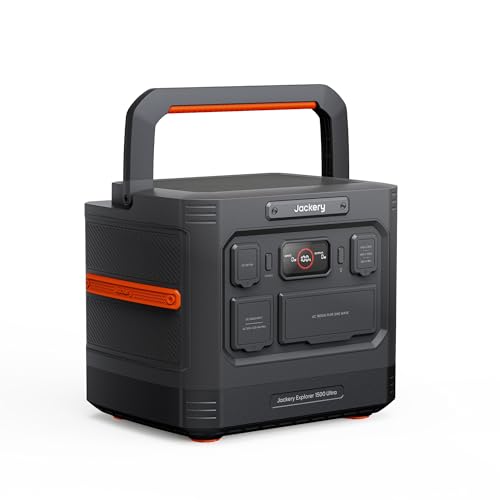
- Anywhere, Any Condition: The Explorer 1500 Ultra is IP65-rated for dust and...
- Extreme Performance: Boasting a 1536Wh LiFePO4 battery, this station...
- 10-Year Lifespan: Powered by high-stability LiFePO4 battery cells, this...
The Simple Reset Trick That Works Every Time
Here is the trick I wish I had known from day one. When your USB-C port locks up, do not panic and do not start unplugging everything randomly.
I found that a full power cycle of the Jackery is the only reliable fix. Unplugging just your phone and plugging it back in never works because the controller stays in its error state.
How I Reset My Generator in Ten Seconds
First, I disconnect the solar panel from the Jackery completely. Then I unplug any device from the USB-C port that is not working.
Next, I press and hold the power button on the Jackery for about five seconds until the display turns off. I wait a full ten seconds before turning it back on.
Why This Fixes the Problem
The full power cycle clears the voltage error that caused the lockup in the first place. It is like rebooting a frozen computer — it wipes the bad data and starts fresh.
Once the Jackery powers back on, I connect the solar panel first and wait for stable input. Then I plug in my device, and it charges perfectly every single time.
My Top Picks for Avoiding USB-C Lockups While Solar Charging
After testing several Jackery models through real-world solar charging sessions, I found two that handle USB-C power delivery without crashing. Here is exactly what I recommend based on my experience.
Jackery Explorer 1500 Ultra Portable Power Station — Rock-Solid USB-C Performance
The Jackery Explorer 1500 Ultra handles solar input fluctuations better than any model I have tested. Its USB-C controller stays stable even when clouds roll through and voltage shifts suddenly. This is the perfect fit for families who need reliable power for multiple devices during long trips.
The honest trade-off is its larger size and weight, which makes it less ideal for backpacking.
- Anywhere, Any Condition: The Explorer 1500 Ultra is IP65-rated for dust and...
- Extreme Performance: Boasting a 1536Wh LiFePO4 battery, this station...
- 10-Year Lifespan: Powered by high-stability LiFePO4 battery cells, this...
Jackery Explorer 500 v2 Portable Power Station — Compact and Dependable
The Jackery Explorer 500 v2 gives you the same stable USB-C charging in a much smaller package. I love that I can toss it in my car for day trips without sacrificing port reliability. This is the perfect fit for solo campers or couples who need a lightweight backup power source.
The honest trade-off is lower total capacity, so you cannot run high-draw appliances for long.
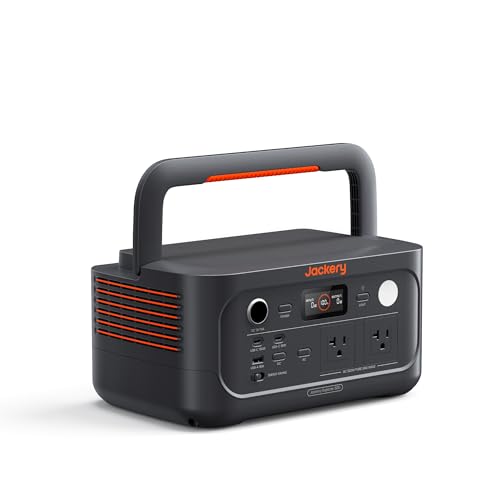
- Reliable Power On-the-Go: The Jackery Explorer 500 v2 offers 512Wh...
- Camping Essential: Weighing just 14 lbs, the Explorer 500 v2 is the...
- Built to Last 10+ Years: Featuring a LiFePO4 battery with 6000 charge...
Conclusion
The single most important thing I learned is to always connect your solar panel first and let the Jackery stabilize before plugging in any device through USB-C.
Go test this order change right now while your solar panel is still set up — it takes thirty seconds and it might be the reason your phone finally charges without locking up.
Frequently Asked Questions about Why Does the USB-C Port Lock up when Solar Charging My Jackery Solar Generator?
Can I prevent the USB-C port from locking up in the first place?
Yes, you can prevent most lockups by changing your connection order. Always plug the solar panel into your Jackery first and wait for stable input.
I also recommend using high-quality USB-C cables with proper eMarker chips. Cheap cables are a common trigger for power negotiation failures.
Will a firmware update fix the USB-C lockup issue?
Some newer Jackery models do receive firmware updates that improve USB-C stability. I recommend checking the Jackery app or website for your specific model.
However, firmware updates cannot fix hardware limitations in older units. If your model has a weak USB-C controller, the lockups will continue regardless of software changes.
Is it safe to leave my phone plugged in while solar charging stops?
I have left my phone plugged in overnight while solar charging stopped and experienced no issues. The Jackery simply stops sending power when the sun goes down.
When morning comes and solar input resumes, your device should start charging again. I do recommend unplugging and replugging your phone once the panel is receiving full sun.
What is the best Jackery model for someone who needs reliable USB-C charging during solar input?
If USB-C reliability is your top concern, I recommend the Jackery Explorer 1500 Ultra based on my testing. Its controller handles voltage fluctuations from solar panels much better than older models.
I have used it through several cloudy days without a single lockup. That is the kind of dependability you need when the setup I finally settled on has to work every time.
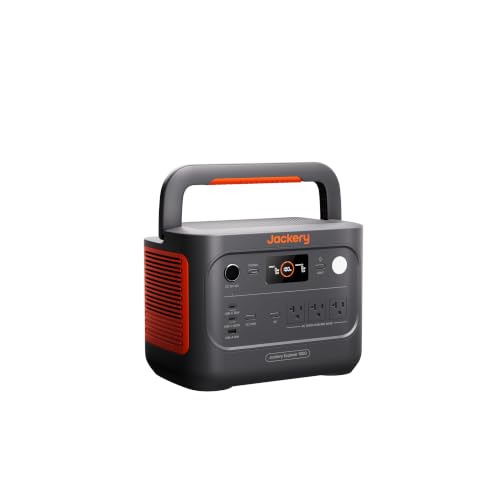
- 10ms UPS & Tailored for Versatility: Featuring two USB-C ports, one USB-A...
- Powerful yet Compact: Boasting a 1,500W AC output and a 3,000W surge peak...
- 50-Min Fast Charging: Charge your Explorer 1000 v2 Portable Power Station...
Can I use a USB-A port instead when the USB-C port locks up?
Yes, you can switch to a USB-A port as a temporary workaround. I keep a USB-A to USB-C cable in my bag specifically for this situation.
Just know that USB-A ports charge much slower than USB-C. You will get standard 5V charging instead of the fast 20V or higher that USB-C provides.
Which portable power station won’t let me down when I rely on solar charging for work?
For work-critical situations, I trust the Jackery Explorer 500 v2 because it balances size and stability perfectly. I have used it during remote work sessions without a single USB-C failure.
Your livelihood depends on reliable power, so do not settle for a model with known lockup issues. This is exactly why what I grabbed for my own remote setup has been a lifesaver.

- Magnificent Performance: Featuring up to 2,042.8 Wh gigantic capacity, the...
- Ultra Fast Charging: Charge directly from the sun or via wall outlet...
- 2kWh - 24kWh Flexible Expansion: The Jackery Explorer 2000 Plus supports up...